1. Introduction
This manual provides comprehensive instructions for the IRiver Disney Mickey M Player Free Bluetooth Wireless Earphones. Please read this manual carefully before using the product to ensure proper operation and to maximize your listening experience. Keep this manual for future reference.
2. Package Contents
Verify that all items listed below are present in your package:
- IRiver Disney Mickey M Player Free Earbuds (Left and Right)
- Charging Case
- USB Type-C Charging Cable
- Clear Protective Case
- Neck Strap
- User Manual (this document)

3. Specifications
The following table outlines the key technical specifications of the Mickey M Player Free earphones:
| Feature | Specification |
|---|---|
| Brand Name | Iriver |
| Model | Mickey M Player Free |
| Material | Plastic, Silica Gel |
| Weight | 24g |
| Battery Capacity | 240mAh |
| Battery Life (Earbuds) | Up to 5 hours continuous playback |
| Battery Life (with Charging Case) | Up to 10 hours (2 full charges from case) |
| Charging Time | Approx. 1.5 hours for earbuds |
| Voice Assistant Built-in | Yes |
| NFC Technology | No |
| Category | Earphones & Headphones |
| Earcups Type | Sealed |
| Bluetooth Version | 5.3 |
| Microphone | Yes |
| Support APP | No |
| Waterproof Rating | IPX4 |
| Active Noise-Cancellation | No |
| Volume Control | No (Control Button for other functions) |
| Control Button | Yes |
| Wireless Type | Bluetooth |
| Connectors | Type-C |
| Communication | Wireless |
| Style | In-ear |
| Origin | Mainland China |
4. Setup and First Use
4.1 Charging the Earphones
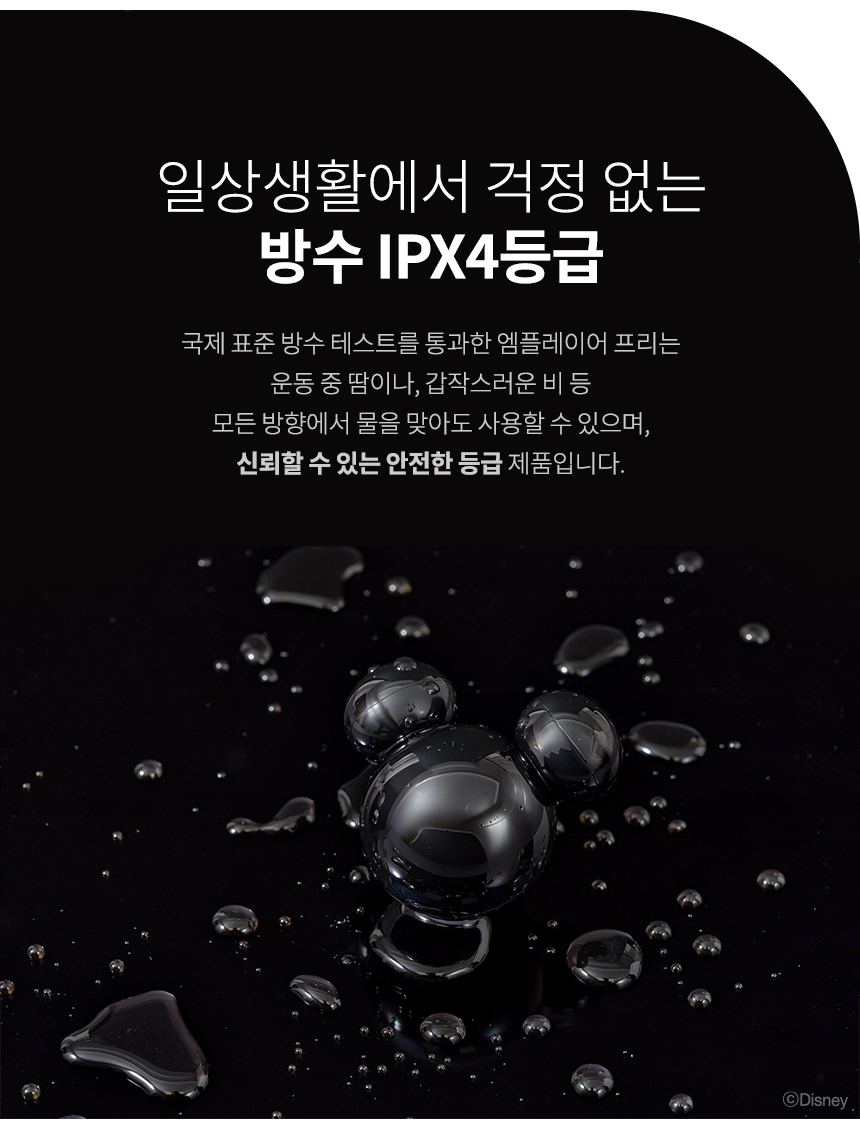
Before first use, ensure your earphones are fully charged. The Mickey M Player Free uses a Type-C port for charging.
- Place both earbuds into the charging case.
- Connect the provided USB Type-C cable to the charging port on the case and to a power source (e.g., USB wall adapter, computer USB port).
- The indicator light on the charging case will show the charging status.
- A full charge takes approximately 1.5 hours for the earbuds. The charging case provides up to 2 full charges for the earbuds, extending total listening time to about 10 hours.

4.2 Bluetooth Pairing
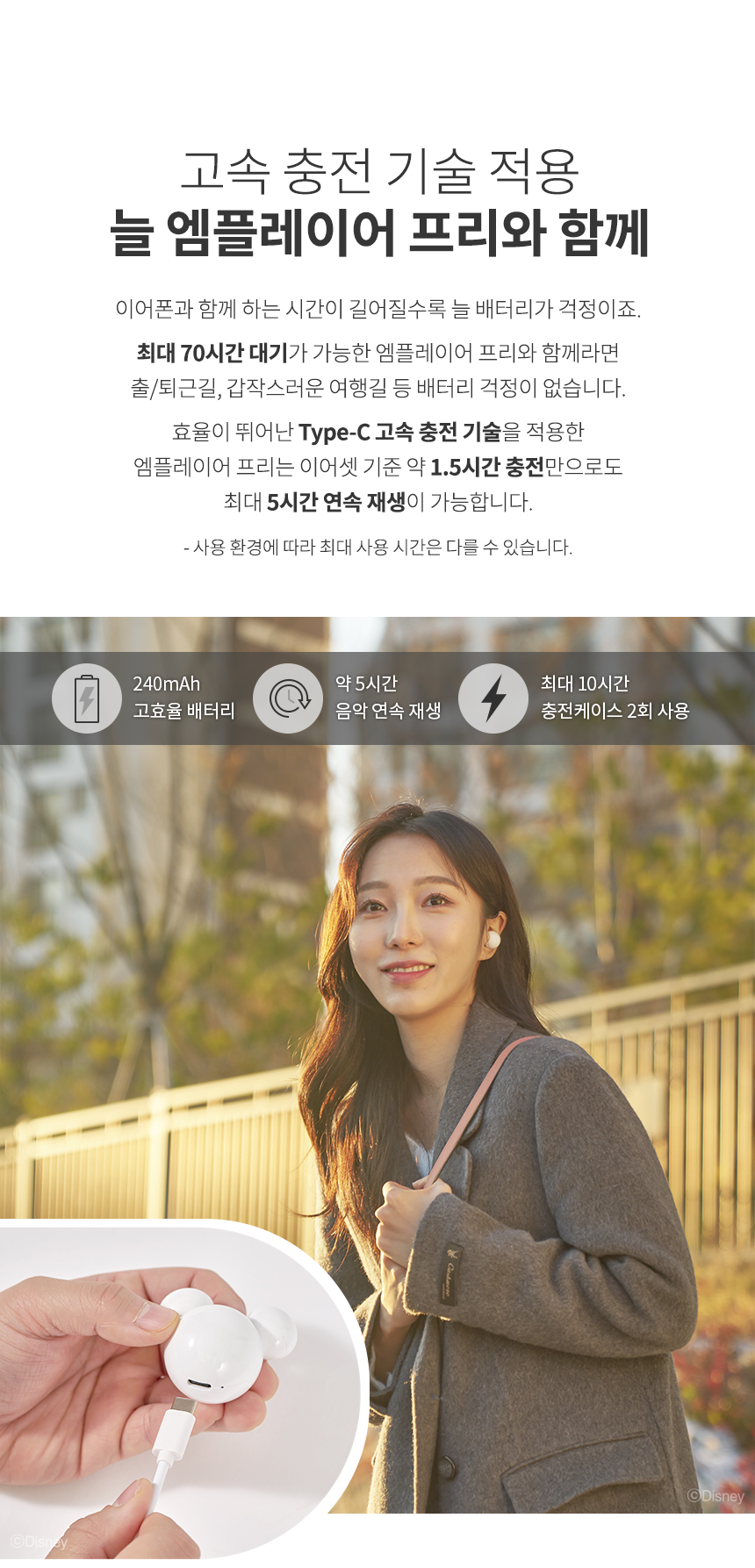
The Mickey M Player Free earphones support automatic and multi-pairing for convenience.
- Open the charging case and take out both earbuds. They will automatically power on and enter pairing mode.
- On your mobile device (smartphone, tablet, laptop, etc.), navigate to the Bluetooth settings and ensure Bluetooth is enabled.
- In the list of available Bluetooth devices, select "[MPlayer Free]" to connect.
- Once successfully paired, the earphones will automatically connect to your device for subsequent uses.

5. Operation
The Mickey M Player Free earphones feature multi-function touch controls on each earbud for easy management of calls, music, and voice assistants.
5.1 Call Functions
- Answer/End Call: Double-tap either earbud.
- Reject Call: Press and hold either earbud for 2 seconds.
5.2 Music Playback
- Play/Pause: Single-tap either earbud.
- Next Song: Double-tap the right earbud.
- Previous Song: Double-tap the left earbud.
5.3 Voice Assistant & Power
- Activate Voice Assistant (SIRI, Google Assistant, etc.): Triple-tap either earbud.
- Power On/Off: Press and hold either earbud for 2 seconds.


6. Maintenance and Care
6.1 Waterproof Rating (IPX4)
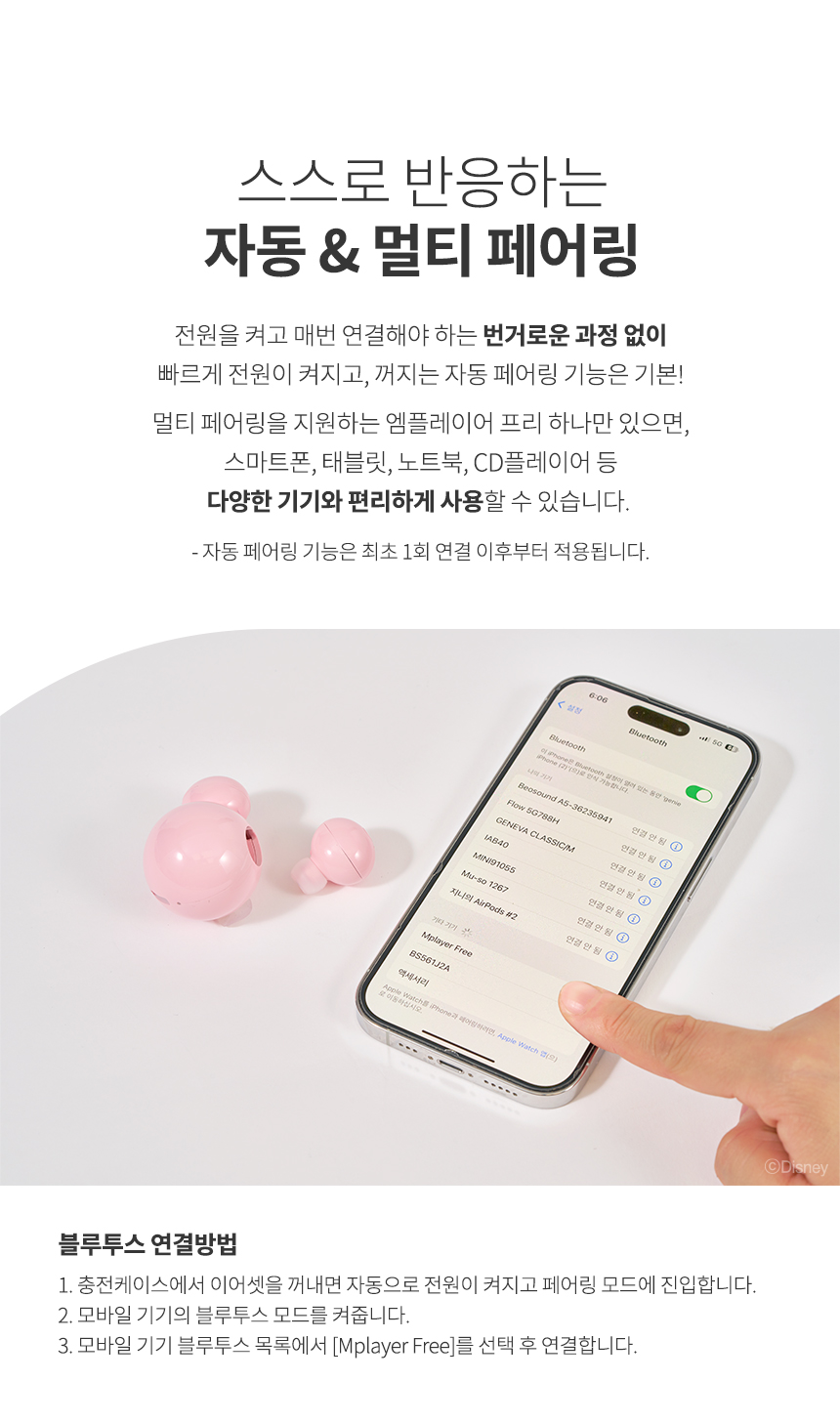
The Mickey M Player Free earphones are rated IPX4 waterproof, meaning they are resistant to splashing water from any direction. This makes them suitable for use during exercise or in light rain. However, they are not designed for submersion in water or for use during swimming.
- Avoid exposing the earphones to high-pressure water jets or prolonged submersion.
- If the earphones get wet, wipe them dry with a soft, clean cloth before placing them back in the charging case or using them.

6.2 Cleaning
- Regularly clean the earbuds and charging case with a soft, dry, lint-free cloth.
- Do not use abrasive cleaners, solvents, or aerosol sprays.
- Ensure charging contacts on both earbuds and the case are clean and dry to prevent charging issues.
7. Troubleshooting
If you encounter any issues with your Mickey M Player Free earphones, refer to the following common solutions:
- Earbuds not pairing with device:
- Ensure both earbuds are fully charged.
- Make sure Bluetooth is enabled on your device.
- Place the earbuds back in the charging case, close the lid, wait a few seconds, then open the lid and try pairing again.
- If previously paired, try "forgetting" or "unpairing" the device from your phone's Bluetooth list and then re-pair.
- Ensure no other Bluetooth devices are interfering or connected to the earbuds.
- Only one earbud is working:
- Ensure both earbuds are charged.
- Place both earbuds back into the charging case, close the lid, and then take them out again to re-establish the connection between them.
- Check if the earbud's charging contacts are clean.
- No sound or low volume:
- Adjust the volume on your connected device.
- Ensure the earbuds are properly seated in your ears.
- Check if the earbuds are connected to the correct device.
- Clean any debris from the earbud speakers.
- Charging issues:
- Verify the USB Type-C cable is securely connected to both the charging case and the power source.
- Try a different charging cable or power adapter.
- Ensure the charging contacts on the earbuds and inside the case are clean and free of obstructions.
8. User Tips
- Secure Fit: Experiment with different ear tip sizes (if applicable) to find the most comfortable and secure fit for optimal sound quality and stability during activity.
- Neck Strap Use: Utilize the included neck strap for added security, especially during active use, to prevent losing an earbud if it falls out.
- Clear Case Protection: Use the clear protective case to keep your charging case and earbuds safe from scratches and minor impacts when not in use or while traveling.
- Regular Cleaning: A quick wipe-down after each use can prevent wax buildup and maintain sound quality.

9. Warranty and Support
For warranty information, technical support, or service inquiries, please refer to the official IRiver website or contact the retailer from whom you purchased the product. Keep your proof of purchase for warranty claims.


