
Introduction
This manual provides detailed instructions for the installation, operation, and maintenance of your VEVOR Automatic Sliding Gate Opener. Designed for heavy-duty sliding gates up to 600 kg (1300 lbs) and a maximum length of 12 meters (39 ft), this gate opener offers convenience and security for various applications including hotels, factories, schools, private residences, farms, and ranches. Please read this manual thoroughly before installation and use to ensure safe and efficient operation.

Figure 1: VEVOR Automatic Sliding Gate Opener and accessories.
Setup and Installation
The VEVOR Automatic Sliding Gate Opener is designed for straightforward installation without the need for an electrician or welding. All necessary hardware and fittings are included in the package. Refer to the installation video and diagrams for visual guidance.
Installation Video Guide
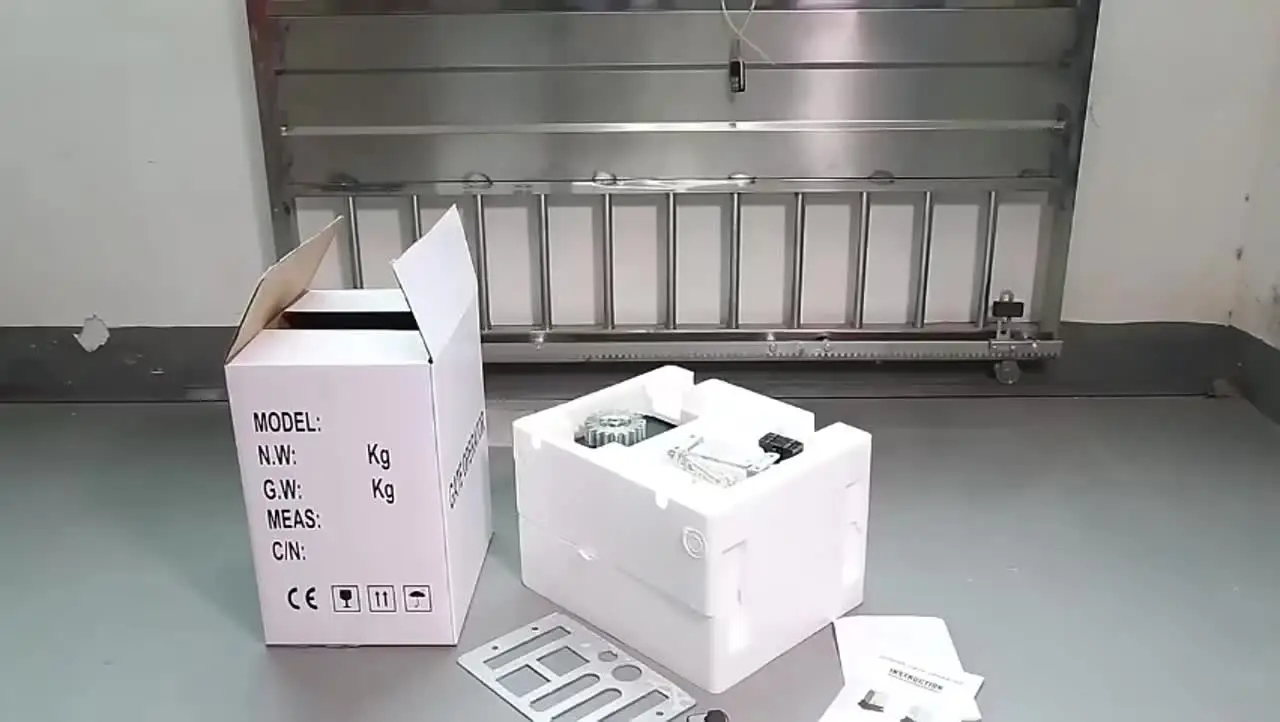
Video 1: Detailed installation guide for the VEVOR Automatic Sliding Gate Opener.
Step-by-Step Installation
- Unpacking: Carefully remove the main machine and all accessories from the packaging box.
- Remove Housing: Detach the outer housing of the main unit to access the internal components for installation.
- Positioning the Motor: Place the motor unit in its intended position. The factory setting is typically for installation on the left side of the gate.
- Gear Rack Installation: Install the provided screws into the gear rack sections. Attach the gear rack to the sliding gate, ensuring that its height is level with the motor's gear. Securely weld the gear rack to the gate.
- Magnet Limit Switch Assembly: Assemble the position limiting brackets and magnets. Note that the two magnets have different installation heights; one is installed on top, and the other underneath.
- Limit Block Installation: Install one limited block on the right side of the gate and another on the left side. These define the open and close positions of the gate.
- Mounting the Main Unit: Place the bottom board, then position the main machine on it. Mark and drill 10mm holes for the M8 anchoring screws. Secure the machine by tightening the M8 anchoring screws through the washer.
- Manual Override Check: Before powering on, use the provided keys to set the machine into an empty space. Manually open and close the gate to ensure it runs smoothly. Adjust if necessary. This feature is also useful for manual operation during power outages.
- Power On and Initial Test: Connect the power supply. Press the opening button on the remote control and verify that the gate stops correctly at the designated open limit position. Repeat this process by pressing the closing button and checking the close limit position.
- Remote Control Pairing: To pair new remote controls, press the setting button on the main circuit board (PCB). Then, press one of the buttons on the remote control. A successful match will be indicated. The system supports up to 25 remote controls.
- Direction Adjustment: If the motor runs in the opposite direction to the remote command, press the 'Direction switch button' on the PCB. If the gate is intended to open from the left side but the motor direction is incorrect, you may need to exchange the positions of the magnets.
- Final Assembly: Install the side cover and the main housing of the machine. Tighten all screws to secure the unit.

Figure 2: Installation diagram of the sliding gate operator.
Operating Instructions
Your VEVOR Automatic Sliding Gate Opener provides convenient and secure access to your property.
Remote Control Functions
The included 4-button remote controls allow you to operate the gate from a distance of up to 30 meters (100 ft).
- Open Button: Initiates the gate to open.
- Close Button: Initiates the gate to close.
- Stop Button: Halts the gate's movement at any point.

Figure 3: Remote controls for the gate opener.
Safety Features
- Obstruction Detection: The gate opener features a shock-proof stroke design. If the gate encounters an obstruction while opening or closing, it will automatically stop and reverse its direction to prevent damage or injury.
- Overload Protection: The motor is equipped with a temperature protector, and its thrust can be adjusted during operation to prevent overheating and overloading.
Manual Override
In case of a power outage, the gate can be manually operated using the provided release keys. Insert the key into the designated lock on the motor unit and turn it to disengage the motor, allowing you to push the gate open or closed by hand.
Maintenance
Regular maintenance ensures the longevity and optimal performance of your gate opener.
- Cleaning: Keep the motor unit and gear rack clean from dirt, debris, and leaves. A waterproof and dust-proof shell protects the internal components, but external cleanliness is still important.
- Lubrication: Periodically check and lubricate the gear rack and any other moving parts as recommended by the manufacturer to ensure smooth operation and prevent wear.
- Obstruction Check: Regularly inspect the gate's path for any potential obstructions that could interfere with its movement.
- Fastener Check: Periodically check all mounting bolts and fasteners to ensure they are tight and secure.
Troubleshooting
If you encounter issues with your gate opener, refer to the following common problems and solutions:
- Gate Not Moving:
- Check if the power supply is connected and active.
- Ensure the remote control battery is not depleted.
- Verify that there are no physical obstructions in the gate's path.
- Confirm that the limit switches are correctly installed and not preventing movement.
- Check if the manual override is engaged; disengage it if necessary.
- Remote Control Not Working:
- Replace the remote control battery (uses 27A/12V batteries).
- Re-pair the remote control with the main unit following the pairing instructions in the Setup section.
- Gate Stops Unexpectedly:
- This could indicate an obstruction. Clear the path and test again.
- Check for power fluctuations or interruptions.
- Motor Runs in Wrong Direction:
- Press the 'Direction switch button' on the main circuit board.
- If the gate is installed to open from the left and the direction is incorrect, exchange the positions of the magnetic limit switches.
Specifications

Figure 4: Dimensions of the VEVOR Automatic Sliding Gate Opener.
| Feature | Specification |
|---|---|
| Power Supply | 220 V AC, 50 Hz, 370W |
| Maximum Gate Weight | 600 kg (1300 lb) |
| Maximum Gate Length | 12 m (39 ft) |
| Output Torque | 18 N.m |
| Work Duty | S2, 15 minutes |
| Gate Moving Speed | 13 m/min (43 ft/min) |
| Remote Control Range | ≥30 m (100 ft) |
| Recording of Remote Controls | 25 (2 included) |
| Nylon Gear Rack | 4 m (13 ft) |
| Gross Weight | 17.3 kg (38.2 lb) |
User Tips
- Voltage Compatibility: This gate opener operates on 220V AC, 50 Hz. Ensure your power supply matches these requirements for proper function.
- Quiet Operation: The unit is designed to operate quietly, producing less than 56 dB of noise, making it suitable for residential and noise-sensitive environments.
- Weather Resistance: The robust design with a waterproof and dust-proof shell ensures reliable performance in various weather conditions.

Figure 5: Illustration of quiet operation (less than 56 dB).
Warranty and Support
VEVOR provides a one-year warranty for this Automatic Sliding Gate Opener. For any after-sales problems or technical assistance, please contact VEVOR customer support. Ensure you have your product model and purchase details ready when contacting support.