
1. Introduction
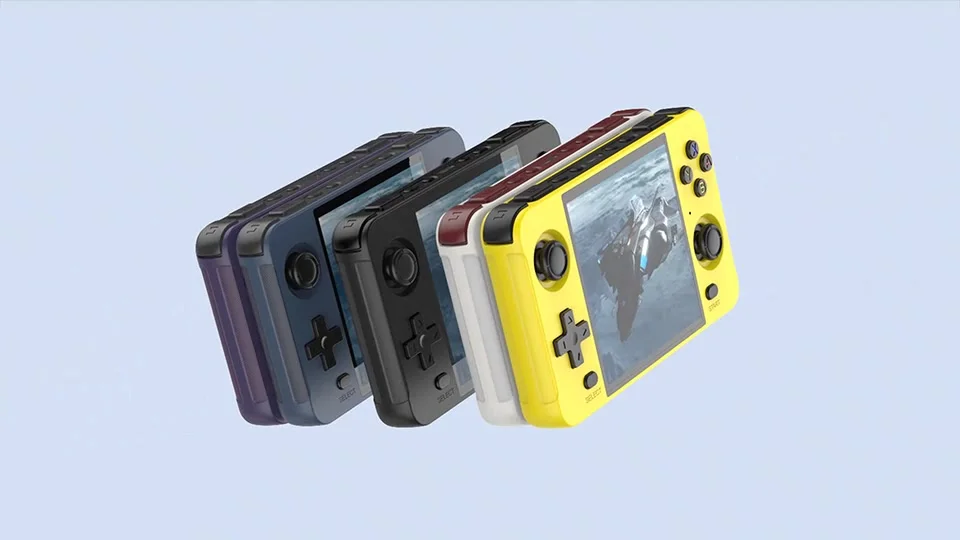
Welcome to the world of retro gaming with your new BOYHOM R40S Retro Handheld Video Game Console. This portable device features a Linux operating system, a 4-inch IPS screen with 720x720 resolution, and is powered by an RK3566 quad-core chip. It supports a wide array of classic game formats and offers modern connectivity options like Wi-Fi and Bluetooth. This manual will guide you through the setup, operation, and maintenance of your R40S console to ensure an optimal gaming experience.

2. Package Contents
Please check the box for the following items:
- R40S Handheld Game Console
- USB Type-C Charging Cable
- User Manual (this document)
- (Optional) Pre-loaded TF-OS and TF-GAME cards (depending on purchase variant)
If any items are missing or damaged, please contact your retailer.
3. Device Overview
Familiarize yourself with the layout and functions of your R40S console:

- SELECT Button
- D-Pad (Directional Pad)
- Left Joystick (L)
- START Button
- Charging Level Light
- Game Function Keys (A, B, X, Y)
- Right Joystick (R)
- Charging Input (USB Type-C)
- TF1-OS Slot (for Operating System MicroSD card)
- 3.5mm Audio Jack
- TF2-GAME Slot (for Game MicroSD card)
- Type-C OTG Port
- Top L1/L2 Buttons
- RESET Button
- Volume Button
- Power Key
- Top R1/R2 Buttons
- HDMI Output Port


4. Setup
4.1. Charging the Console
Before first use, fully charge your R40S console. Connect the provided USB Type-C cable to the Charging Input (8) on the console and the other end to a 5V-2A power adapter (not included). The charging level light (5) will indicate charging status. A full charge takes approximately 2 hours and provides up to 8 hours of gameplay.

4.2. Inserting Memory Cards
The R40S uses two TF (MicroSD) card slots:
- TF1-OS (9): This slot is for the operating system card. Ensure the OS card (typically 16GB or larger, up to 256GB) is inserted here.
- TF2-GAME (11): This slot is for your game library. Insert your game card (16GB to 256GB) here.
Gently push the cards into their respective slots until they click into place. To remove, push again until they spring out.

4.3. Initial Power On
Press and hold the Power Key (16) for a few seconds until the screen lights up. The console will boot into the Linux operating system.
4.4. Language Settings
The R40S supports multiple languages including French, Spanish, Portuguese, English, Brazilian Portuguese, and Simplified Chinese. You can typically change the system language through the settings menu within the Linux OS.
5. Operating Instructions
5.1. Basic Navigation
- Use the D-Pad (2) or Joysticks (3, 7) to navigate through menus and game selections.
- The Game Function Keys (6) (A, B, X, Y) are used for selection, confirmation, and in-game actions.
- The SELECT (1) and START (4) buttons often serve as menu or pause functions, depending on the game or system.
- Adjust volume using the Volume Button (15).
5.2. Playing Games
The R40S is compatible with a wide range of retro game formats, including PSP, PS1, N64, DC, NDS, ARCADE, GBA, GBC, GB, SFC, FC, MAME, MD, GG, PCE, PCE-CD, NGPC, sega32x, SMS, WSC, and more. Games are typically accessed through the system's front-end interface, which organizes them by emulator.

5.3. Wi-Fi and Bluetooth Connectivity
The console features built-in Wi-Fi (5G) and Bluetooth for enhanced functionality:
- Online Multiplayer (LAN only): Engage in two-player combat with other R40S consoles over a local Wi-Fi network.
- External Controllers: Connect Bluetooth wireless controllers for two-player gaming on a single console.
- Multimedia Streaming: Watch KODI multimedia film and television channels through Wi-Fi.
- PC Game Streaming: Play PC games through MOONLIGHT streaming via Wi-Fi. Note: A compatible system is required to use MOONLIGHT streaming.
- Game Downloads: Utilize Wi-Fi to download additional games directly to your console.
5.4. HDMI Output
Connect your R40S to an external display using the HDMI Output Port (18) for a larger gaming experience. The console supports high-clear HDMI output with no lag or delay in screen synchronization.

5.5. Resetting the Console
In case of a system freeze or unresponsiveness, you can use the RESET Button (14) to restart the console. This is typically a small, recessed button that may require a pin or paperclip to press.
5.6. Product Video Guide
6. Maintenance
- Cleaning: Use a soft, dry cloth to clean the console's exterior. Avoid using liquid cleaners or abrasive materials.
- Storage: Store the console in a cool, dry place away from direct sunlight and extreme temperatures.
- Battery Care: To prolong battery life, avoid fully discharging the battery frequently. Charge it regularly, even if not in use for extended periods.
- Software Updates: Periodically check for system updates within the Linux operating system to ensure optimal performance and compatibility.
7. Troubleshooting
- Console does not power on:
- Ensure the battery is charged. Connect the console to a power source and try again. If unresponsive, press the RESET button (14).
- Games are not loading:
- Check if the TF2-GAME card (11) is properly inserted. Verify that the game files are in compatible formats and correctly placed on the card.
- Screen is frozen or unresponsive:
- Press the RESET button (14) to restart the console. If the issue persists, try reinserting the TF1-OS card (9).
- No sound:
- Check the volume level using the Volume Button (15). Ensure no headphones are plugged into the 3.5mm Audio Jack (10) if you expect sound from the built-in speakers.
- HDMI output not working:
- Ensure the HDMI cable is securely connected to both the console and the external display. Check the input source on your TV/monitor.
8. Specifications
| Feature | Detail |
|---|---|
| Brand Name | BOYHOM |
| Model | R40S |
| Category | Handheld Game Players |
| Operating System | Linux |
| CPU | RK3566 ARM Quad-core 1.8GHz |
| RAM | LPDDR4 1GB |
| Display Size | 4.0" IPS OCA full-fit |
| Screen Resolution | 720x720 |
| Color Display | Yes |
| Touch Screen | No |
| External Storage | TF1-OS (16GB-256GB), TF2-GAME (16GB-256GB) |
| Data Storage Capacity | 64G (typical included game card size) |
| Games Type | Retro Game |
| Games Included | 15000 |
| WIFI | Yes (Built-in WIFI 5G) |
| Bluetooth-compatible | Yes |
| Input/Output | HDMI, Type-C, 3.5mm Audio |
| HDMI Type | MINI HDMI |
| Charging Interface Type | Type-C |
| Battery Capacity | 4000mAh |
| Battery Included | Yes |
| Battery Life | Up to 8 hours |
| Charging Time | 2 hours |
| Loudspeaker | Built-in 1W*2 cavity loudspeaker |
| Supporting Language | French, Spanish, Portuguese, English, Brazilian Portuguese, Simplified Chinese |
| Recommended Age | 10+ |
| Dimensions | 145 x 86.5 x 10 mm |
| Console Weight | 211g |
| Origin | Mainland China |
*Specifications are subject to change without prior notice.
9. User Tips
- Customize Your System: As the R40S runs on Linux, advanced users can explore customization options for the operating system and front-end to tailor their gaming experience.
- Organize Your Games: Utilize the dual TF card slots effectively. Keep your operating system on one card (TF1-OS) and your game ROMs on the other (TF2-GAME) for easier management and potential system upgrades.
- Expand Your Library: With Wi-Fi connectivity, you can download additional games. Ensure you are downloading from reputable sources to avoid corrupted files.
- External Display: For a more immersive experience, connect your R40S to a TV or monitor via the HDMI output. This is great for playing with friends or enjoying games on a larger screen.
- Bluetooth Controllers: Enhance multiplayer sessions by connecting external Bluetooth controllers, allowing for more comfortable gameplay.
10. Frequently Asked Questions (FAQ)
- Q: How many games are included with the R40S?
- A: The R40S typically comes pre-loaded with approximately 15,000 games, depending on the specific package.
- Q: What operating system does the R40S use?
- A: The R40S runs on a Linux-based operating system.
- Q: Can I connect external controllers to the R40S?
- A: Yes, the R40S supports Bluetooth-compatible external controllers for multiplayer gaming.
- Q: Does the R40S support Wi-Fi for online play?
- A: Yes, it has built-in 5G Wi-Fi. It supports online two-player combat over a local area network (LAN only) and PC game streaming via MOONLIGHT.
- Q: What is the battery life of the console?
- A: The 4000mAh polymer lithium battery provides up to 8 hours of continuous gameplay on a single charge.
11. Warranty and Support
For warranty information, technical support, or service inquiries, please refer to the documentation provided at the time of purchase or contact the BOYHOM Store directly through the platform where you purchased the product. Keep your proof of purchase for warranty claims.