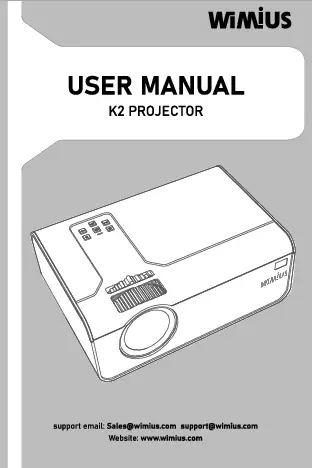
1. Product Overview
The Salange K2 is a versatile smart projector featuring Android 11.0, dual-band WiFi (2.4G & 5G), Bluetooth 5.2, and a built-in 5200mAh battery for portable use. It offers automatic keystone correction and auto-focus for a seamless viewing experience.


2. Package Contents
Please check the package for the following items:
- 1 x Salange K2 Projector
- 1 x User Manual
- 1 x Power Cord
- 1 x Remote Control
- 1 x Power Adapter

3. Setup
3.1 Powering On
- Connect the power cord to the projector and then to a power outlet.
- Press the power button on the projector or the remote control to turn it on.

3.2 Placement and Angle Adjustment
The K2 projector offers a 230° flexible projection angle, allowing you to project images from the wall to the ceiling. Adjust the fuselage gently to achieve your desired viewing angle.

3.3 Focus and Keystone Correction
The projector features 3-second auto-focus and 2-second auto keystone correction to ensure a clear and perfectly rectangular image.


4. Operating Instructions
4.1 Remote Control
Use the mouse-like Bluetooth remote control to navigate the Android 11.0 interface and adjust settings without needing to be close to the projector.

4.2 Android 11.0 OS and Apps
The projector runs on Android 11.0, providing access to over 4,000 apps including popular streaming services like Netflix, YouTube, and Amazon Prime.
4.3 Screen Sharing
Easily connect your iPhone or Android smartphone/tablet via WiFi for convenient screen sharing.

4.4 Audio and Ambient Lighting
The projector features 10W Hi-Fi stereo speakers (2x5W with 2 bass boosters) for immersive sound. It also functions as an ambient light, enhancing your viewing environment.


4.5 Connectivity
The projector supports 2.4G+WIFI6+5G WiFi and Bluetooth 5.2 for fast and stable internet and device connections.

4.6 Eye Protection
The projector uses diffuse reflection and low blue light technology to protect your eyes during extended viewing, making it suitable for watching TV shows or online learning.

5. Specifications
| Feature | Specification |
|---|---|
| Brand Name | Salange |
| Model | K2 |
| System | Android 11.0 |
| CPU | H713 / Quad-core ARM Cortex-A53 |
| GPU | Mali-G31 (supports OpenGL ES3.2, Vulkan 1.1, OpenCL2.0) |
| RAM | 1G |
| ROM | 8G |
| WiFi | 2.4G + 5G + WiFi6 |
| Bluetooth | BT 5.2 |
| Ansi Lumens | 200 ANSI (approx. 130-150 lumens by ANSI test) |
| Brightness | 1600 Lumens |
| Optical Resolution | 1280x720dpi (Max support 4K video signal input) |
| Contrast Ratio | 1000:1-2000:1 |
| Projected Dimension | 40-150 inches |
| Projection Distance | 1.2-4m |
| Optimal Projection Distance | 1.68m |
| Projective Mode | Throwing, Ceiling, Back Projection, Mirror Image |
| Keystone Correction | Auto Correction (2s Auto Keystone) |
| Focus | Auto Focus (3s Auto Focus) |
| Screen Scale | 4:3/16:9 |
| Projection Technology | LED |
| Light Source | Led Light |
| Light Life | More than 50000 hours |
| Power (W) | 60W |
| Power Source | DC (AC100-240V/50-60Hz Working Voltage) |
| Built-in Battery | 5200mAh Li-ion (91 minutes continuous operation after full charge) |
| Built-in Speaker | Yes, 2*5W |
| Fan Noise | <36 dB (test standard is 1 meter) |
| Interface | USB*1/HDMI-compatible*1/AUDIO*1 |
| Product Size | Diameter 100.8X103.5MM |
| Weight | 1.5kg |
| Portable | Yes |
| Use | Entertainment Projector, Home theater, early childhood education, video conference, online teaching |
| Image Flip | 230 degrees flip |
| Lens | 3 pieces glass lens |
| Language | Support for multiple languages |
| Operation Mode | Button panel and remote control |
| Audio File Support | MP3/WMA/ACC |
| Image File Support | JPG, BMP, PNG (support image scaling) |
| Video File Support | Full-format decoding including HEVC/VP9/AVS2/AVC 4K@30fps and MPEG1/MPEG2/AV1 1080p/60fps decoding and so on |
| Text Reading Support | TXT |
| Certification | CE, FCC, RoHS |


6. Maintenance
6.1 Cleaning
- Use a soft, dry cloth to clean the projector's exterior.
- For the lens, use a specialized lens cleaning cloth and solution to avoid scratches.
- Ensure the ventilation grilles are free from dust to maintain optimal performance.
6.2 Storage
- Store the projector in a cool, dry place away from direct sunlight and extreme temperatures.
- If storing for an extended period, ensure the battery is partially charged (around 50%) to prolong its lifespan.
6.3 Battery Care
The built-in 5200mAh Li-ion battery provides approximately 91 minutes of continuous movie playback or 4 hours of music playback on a full charge.
- Avoid completely draining the battery frequently.
- Charge the battery regularly, even if not in use, to maintain its health.

7. Troubleshooting
7.1 No Image or Distorted Image
- Ensure the projector is powered on and connected correctly.
- Check if the lens cap is removed.
- Verify the input source is correctly selected.
- Allow the auto-focus and auto keystone correction to complete. If the image is still distorted, try manually adjusting the projector's position.
7.2 No Sound
- Check the volume settings on the projector and the connected device.
- Ensure no external audio devices are connected that might override the internal speakers.
- If using Bluetooth speakers (optional), ensure they are correctly paired and connected.
7.3 Remote Control Not Responding
- Ensure the remote control batteries are not depleted.
- Point the remote directly at the projector's IR receiver.
- If it's a Bluetooth remote, ensure it's paired with the projector.
7.4 Overheating
- Ensure the projector's ventilation grilles are not blocked.
- Operate the projector in a well-ventilated area.
- If the projector feels excessively hot, turn it off and let it cool down before resuming use.
8. Warranty and Support
The Salange K2 Smart Projector comes with a standard manufacturer's warranty. For detailed warranty information, technical support, or service inquiries, please contact your retailer or the official Salange customer service.
Please retain your proof of purchase for warranty claims.
9. User Tips
- For the best image quality, use the projector in a dark environment.
- Utilize the 230° flexible projection angle to project onto ceilings for a unique viewing experience.
- Take advantage of the built-in Android 11.0 system to directly access streaming apps without needing external devices.
- Keep the projector's fan vents clear to ensure efficient cooling and quiet operation (<36dB fan noise).
- When using the built-in battery, consider the 'Cinema audio built-in battery' feature for extended audio playback.