
1. Introduction
Thank you for choosing the DWI D19P Professional Quadcopter Drone. This advanced RC aircraft is designed for both indoor and outdoor use, featuring a brushless motor, dual cameras, obstacle avoidance, and intelligent flight modes. Please read this manual thoroughly before operating the drone to ensure safe and optimal performance.

The DWI D19P Drone, showcasing its main features and included accessories.
2. Safety Guidelines
To prevent injury or damage, always observe the following safety precautions:
- This product is not suitable for children under 36 months due to small parts. Recommended age is 14+ years.
- Always operate the drone in open areas, away from people, animals, buildings, and power lines.
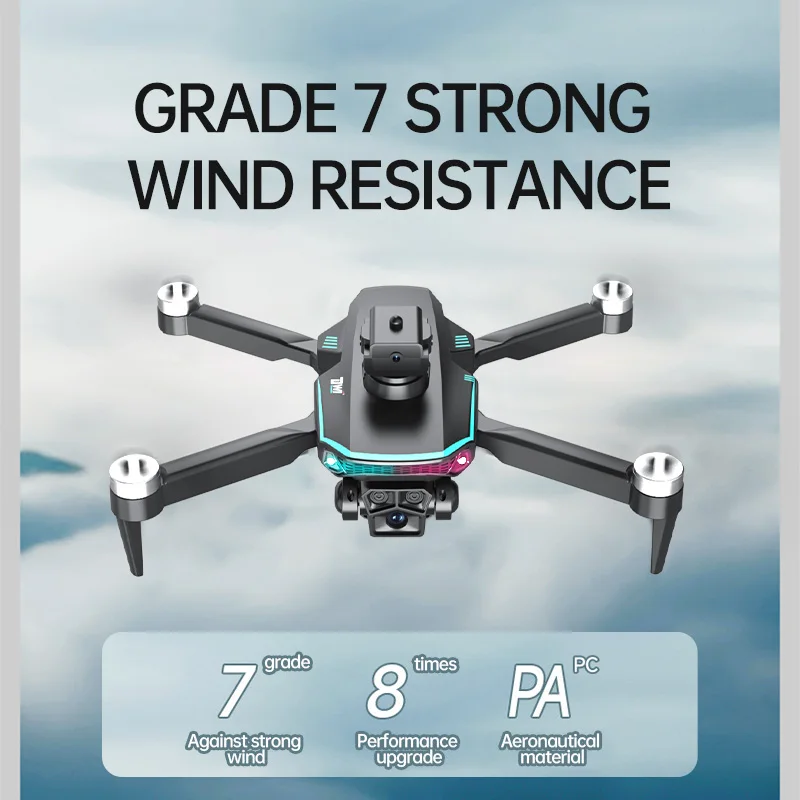
- Do not fly in strong winds (rated for Level 7 wind resistance, but caution is advised).
- Ensure the battery is fully charged before each flight.
- Keep fingers and loose clothing away from rotating propellers.
- Do not attempt to modify or disassemble the drone or its components.
- Follow all local regulations and laws regarding drone operation.
3. Package Contents
Upon unpacking, please verify that all items listed below are present:
- DWI D19P Quadcopter Drone
- Camera (Integrated)
- Batteries (Lithium Battery)
- Remote Controller
- Charger
- USB Cable
- Operating Instructions (this manual)
- Wind leaf *4 (Spare Propellers)

Included accessories: spare propellers and charging cable.
4. Specifications
| Feature | Specification |
|---|---|
| Model Number | D19P |
| Brand Name | DWI |
| Type | Quadcopter (HELICOPTER) |
| Material | Plastic, Metal |
| State of Assembly | Ready-to-Go |
| Power Source | Electric (Lithium Battery) |
| Drone Weight | 165g |
| Takeoff Weight | 165g |
| Motor Type | Brushless Motor |
| Anti-wind Ability | Level 7 |
| Flight Time | 10~20 minutes |
| Charging Time | About 60 minutes (for 1800mAh battery) |
| Charging Voltage | 3.7V |
| Remote Control | Yes |
| Remote Distance | 100m (Note: Marketing materials suggest up to 10 KM range under ideal conditions, but the specified remote distance is 100m.) |
| Controller Battery | 2AA |
| Control Channels | 4 channels |
| Controller Mode | MODE2 |
| Aerial Photography | Yes |
| Video Capture Resolution | 720P HD (Note: Some marketing images indicate 8K HD triple lens. Please refer to product packaging for definitive resolution.) |
| Camera Mount Type | 90° Electrical Adjustment (for main camera) |
| Indoor/Outdoor Use | Indoor-Outdoor |
| Features | App-Controlled, Follow Me, FPV Capable, Integrated Camera, Obstacle Avoidance, Wi-Fi |

Product and package dimensions.

Brushless motor provides Level 7 wind resistance, doubling stability and service life.
5. Setup
5.1. Battery Charging and Installation
- Charge the Drone Battery: Connect the drone's Lithium Battery (3.7V) to the provided charger and USB cable. A full charge takes approximately 60 minutes for the 1800mAh battery. Ensure the battery is fully charged before first use.
- Install Drone Battery: Insert the charged battery into the designated compartment on the drone.
- Install Controller Batteries: Open the battery compartment on the remote controller and insert 2 AA batteries (not included).

Charging the 1800mAh drone battery.
5.2. Drone Assembly
The DWI D19P features a folding design for portability. To prepare for flight:
- Unfold the drone arms until they click into place.
- Attach the propellers (wind leaves) if they are not pre-installed. Ensure they are securely fastened.
5.3. Controller and App Connection
- Mount Your Phone: Extend the phone holder on the remote controller and securely place your smartphone.
- Power On: Turn on the drone and then the remote controller.
- Connect to App: Download and install the official DWI drone app on your smartphone. Connect your phone to the drone's Wi-Fi network (usually named 'DWI-XXXX').
- Calibrate: Follow the on-screen instructions in the app or the drone's indicator lights to calibrate the drone before flight.

Remote control layout and functions.
6. Operating the Drone
The DWI D19P offers a range of features for an enhanced flying experience.
6.1. Basic Flight Controls
The drone is Ready-to-Go and features a beginner mode for easy operation.
- One-Click Take-off: Press the designated button on the controller or in the app for automatic take-off.
- Fixed Height Hover: The drone maintains a stable altitude automatically, making it easier to control.
- One-Touch Landing: Press the designated button for automatic landing.

Beginner mode features: one-touch take-off/landing and fixed height hover.
6.2. Advanced Flight Features
The D19P includes several intelligent flight modes:
- Omnidirectional Obstacle Avoidance: Utilizes ultrasonic terrain ground scanning detection for intelligent obstacle sensing, providing 360° protection.
- Intelligent Following: The drone can automatically follow a designated subject, ideal for capturing dynamic footage.
- Trajectory Flight: Draw a path on your smartphone screen, and the drone will fly along the specified route.
- Optical Flow Localization: Enhances stability and precise positioning, especially in indoor environments.
- Trick Roll: Perform impressive aerial stunts with a single button press.
Demonstration of the D19P drone's features including folding design, one-click take-off, brushless motors, triple camera, real-time transmission, trick roll, gesture photography, intelligent following, omnidirectional obstacle avoidance, optical flow localization, and trajectory flight.

The drone's 360° omnidirectional obstacle avoidance system.

Experience a wide control range with the D19P drone.
6.3. Camera Operation
The D19P is equipped with an integrated camera system for aerial photography and video recording.
- Adjustable Camera: The main camera features 90° electrical adjustment for flexible shooting angles.
- Gesture Photography/Video: Trigger shooting or recording with specific hand gestures within 2 meters of the drone.
- Real-time Transmission (FPV): View live footage from the drone's camera directly on your smartphone via the app.
- Multiple Shooting Modes: Includes gesture sensor selfie, intelligent follow shooting, and fixed line aerial photography.

Mechanical self-stabilizing head with 90° electrical adjustment for anti-shake footage.

Capture stunning visuals with the 8K lossless vertical shot feature and 50x zoom.
7. Maintenance
- Cleaning: Use a soft, dry cloth to clean the drone body and camera lenses. Avoid using harsh chemicals.
- Propellers: Regularly inspect propellers for damage. Replace any bent or broken propellers with the provided spares.
- Battery Care: Store batteries in a cool, dry place. Do not overcharge or over-discharge. If not used for extended periods, charge the battery to about 50% capacity.
- Storage: When not in use, fold the drone arms and store it in its original box or a protective case to prevent damage.
8. Troubleshooting
- Drone not responding: Ensure both drone and controller are powered on and properly paired. Check battery levels.
- Poor video transmission: Ensure your smartphone is securely connected to the drone's Wi-Fi. Reduce interference by flying in open areas.
- Short flight range: The specified remote distance is 100m. Environmental factors like obstacles and interference can reduce this range.
- Drone drifting: Perform a calibration as instructed in the app or manual.
9. User Tips
- Range Clarification: While marketing images suggest a 10 KM range, the technical specifications list a remote distance of 100m. The 10 KM figure likely refers to a maximum transmission range under ideal, unobstructed conditions, possibly for video signal, not necessarily control. Always operate within visual line of sight and within the specified control range for safety and compliance.
- Spare Batteries: Consider purchasing additional batteries for extended flight sessions, as the flight time is 10-20 minutes per charge.
10. Warranty and Support
For technical assistance, troubleshooting, or warranty inquiries, please contact the seller or refer to the official DWI support channels. The product includes operating instructions and technical guidance resources such as telephone coaching, video face-to-face coaching, and video tutorials.

Available technical guidance and support options.