
1. Introduction
Thank you for choosing the Lezen Pure Mist Heated Humidifier. This manual provides essential information for the safe and efficient operation, maintenance, and troubleshooting of your device. Please read this manual thoroughly before use and keep it for future reference.
Product Features
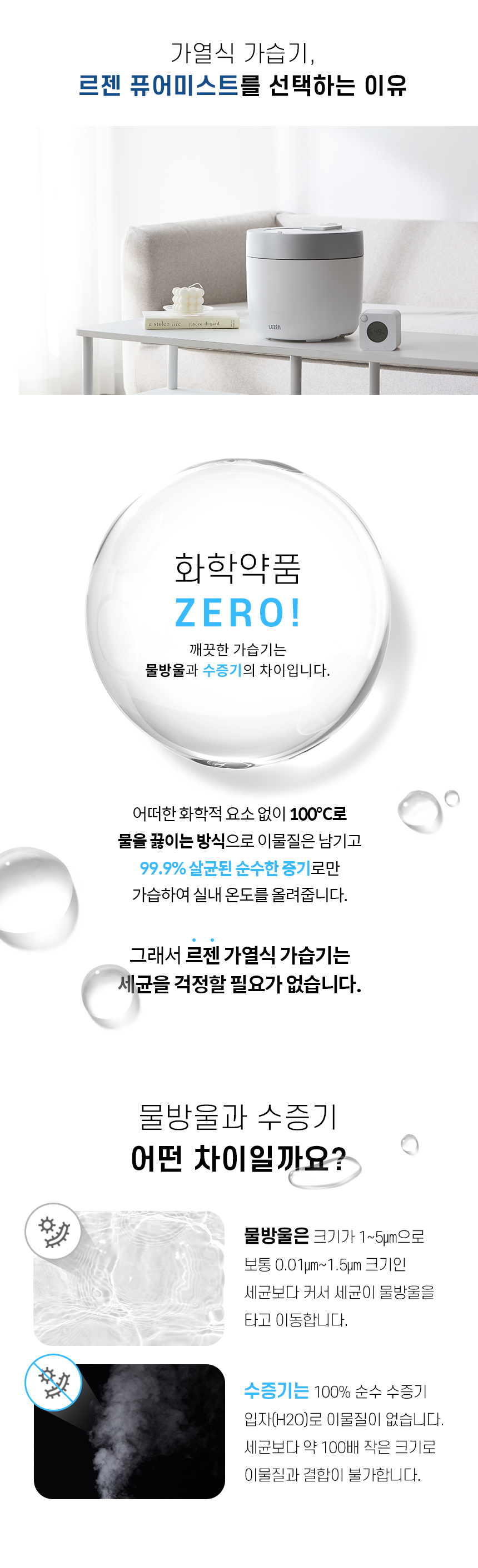
- Pure Steam Humidification: Utilizes boiling water to produce 99.9% sterilized pure steam, free from chemical additives.
- 316 Stainless Steel Inner Pot: Ensures durability, hygiene, and easy cleaning.
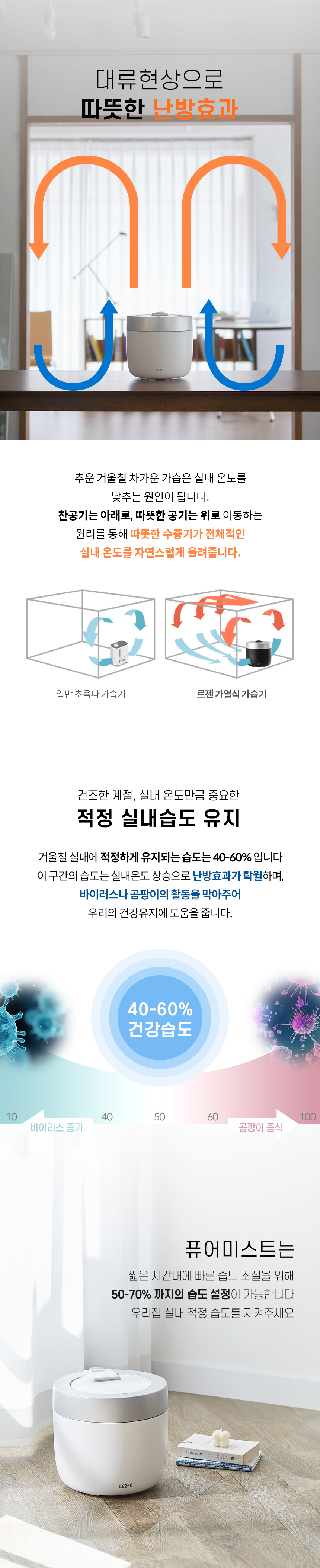
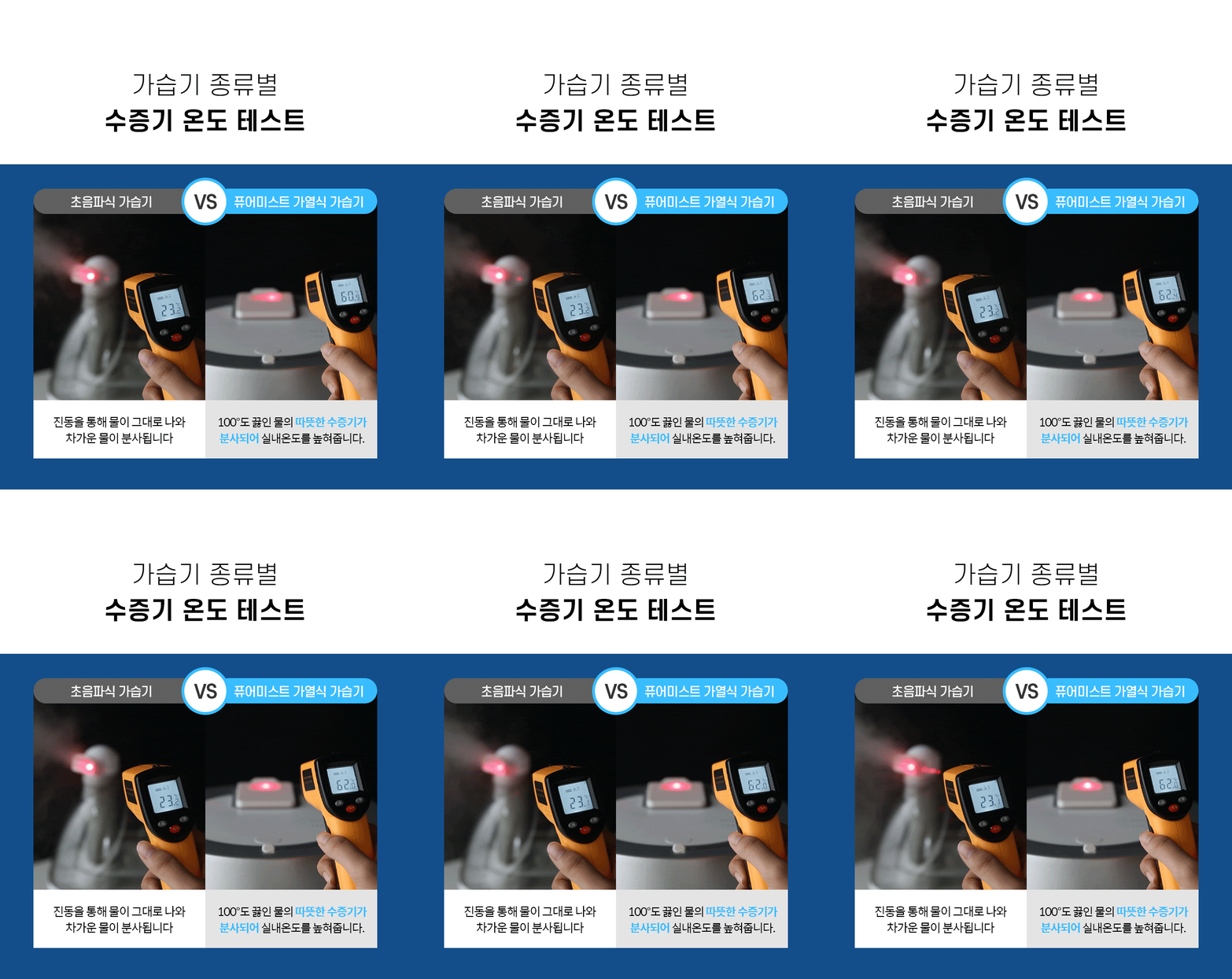
- Wide Humidification Range: Warm steam effectively humidifies a larger area compared to ultrasonic methods.
- Optimal Humidity Control: Helps maintain indoor humidity levels between 40-60% for a comfortable environment.
- Intuitive Controls: Features a touch control panel and a convenient remote controller with a display.
- Enhanced Safety: Equipped with multiple safety features including overheating prevention, automatic power-off, tilt sensor, water level sensor, and child lock.
- Easy Maintenance: Designed for complete and effortless cleaning with a removable lid and wide opening.
2. Setup
2.1 Unpacking
Carefully remove all components from the packaging. Ensure all parts are present:
- Lezen Pure Mist Humidifier Unit
- Remote Controller
- Power Cord
- User Manual
2.2 Placement
Place the humidifier on a stable, flat, and water-resistant surface. Ensure it is:
- Away from direct sunlight or heat sources.
- Not placed directly on carpets or absorbent surfaces.
- At least 30 cm (12 inches) away from walls and furniture to allow for proper mist dispersion.
- Out of reach of children and pets.
2.3 Filling the Water Tank
- Ensure the humidifier is unplugged before filling.
- Remove the top lid of the humidifier.
- Fill the 316 stainless steel inner pot with clean tap water. Do not exceed the maximum fill line.
- Replace the lid securely.
2.4 Power Connection
Plug the power cord into a suitable electrical outlet (220V~, 60Hz).
3. Operating Instructions
3.1 Power On/Off
- Touch Panel: Press the power button on the top touch panel to turn the humidifier on or off.
- Remote Control: Press the power button on the remote control to turn the humidifier on or off.

3.2 Remote Control Functions
The remote control allows convenient operation from a distance. It features a display showing current humidity and timer settings.
- Power Button: Turns the unit on/off.
- Humidity Setting: Adjusts the desired humidity level.
- Timer Setting: Sets the operating duration (e.g., 1-12 hours).
- Mist Level: Adjusts the intensity of steam output.
- Child Lock: Activates or deactivates the child lock feature to prevent accidental changes.
3.3 Humidification Process
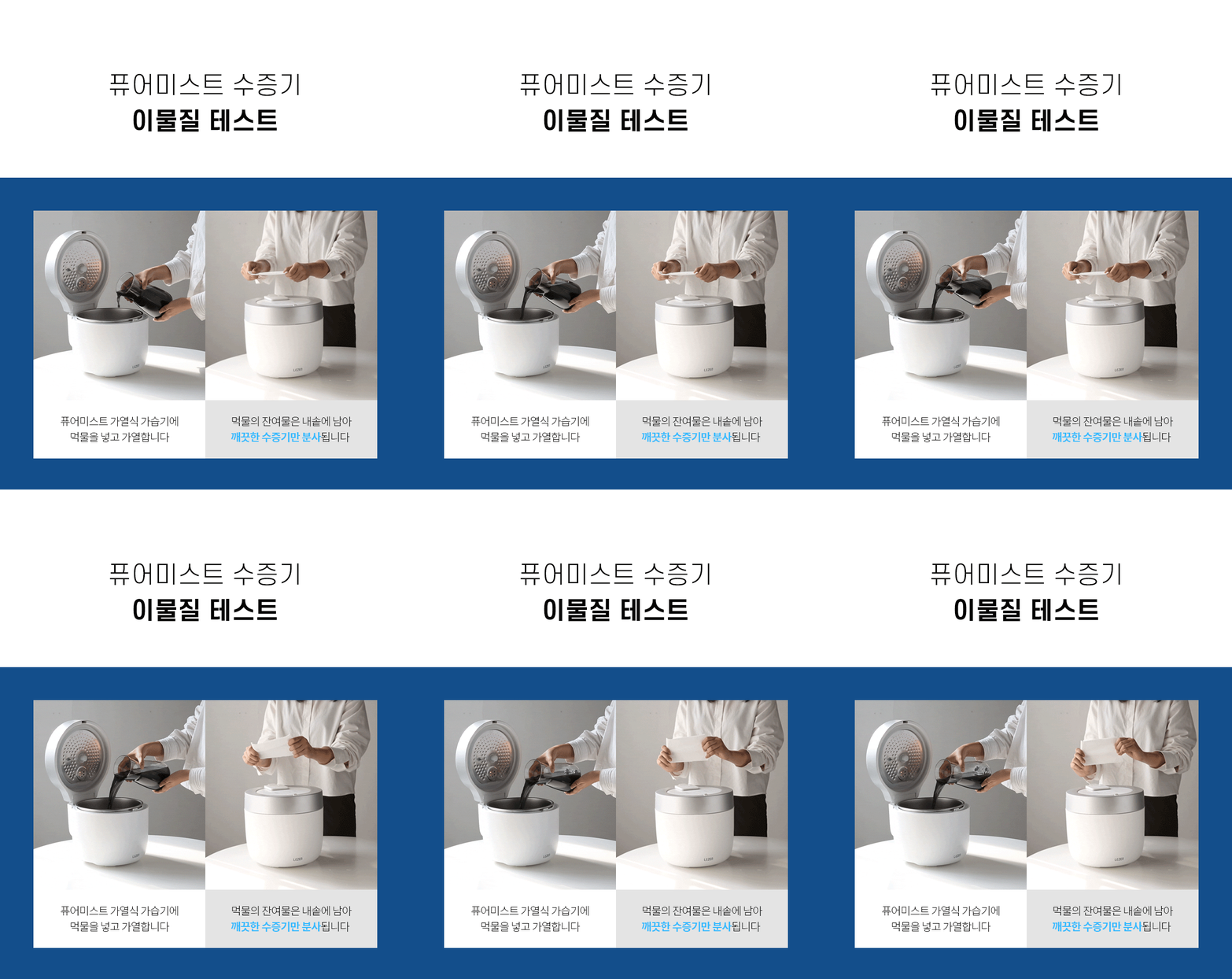
The Lezen Pure Mist humidifier heats water to boiling point, producing warm, pure steam. This process ensures 99.9% sterilization and prevents the dispersion of impurities.
3.4 Safety Features
- Overheating Prevention: Automatically shuts off if the internal temperature exceeds safe limits.
- Automatic Power Off: The unit will turn off automatically when the water level is too low.
- 45-Degree Tilt Sensor: Automatically powers off if the humidifier is tilted beyond 45 degrees.
- Water Level Sensor: Detects low water levels and triggers automatic shutdown.
- Child Lock: Prevents children from accidentally operating the device.
4. Maintenance
Regular cleaning is crucial for maintaining the performance and hygiene of your humidifier. Always unplug the device before cleaning.
4.1 Daily Cleaning
- Unplug the humidifier and allow it to cool down completely.
- Remove the top lid.
- Empty any remaining water from the inner pot.
- Wipe the interior of the 316 stainless steel pot with a soft cloth.
- Wipe the lid and exterior with a damp cloth.
- Refill with fresh water for the next use.



4.2 Descaling (Weekly/Bi-weekly)
Depending on water hardness, mineral deposits may accumulate in the inner pot. To descale:
- Unplug the humidifier and empty any water.
- Pour a small amount of white vinegar or a descaling solution (follow product instructions) into the inner pot.
- Let it sit for 30 minutes to an hour.
- Scrub gently with a soft brush or sponge.
- Rinse thoroughly with clean water multiple times to remove all traces of vinegar/descaling solution.
- Wipe dry before next use.
5. Troubleshooting
If you encounter issues with your humidifier, please refer to the following common problems and solutions:
| Problem | Possible Cause | Solution |
|---|---|---|
| No mist is being produced. | Low water level. Unit not powered on. Lid not properly closed. | Refill water to the appropriate level. Ensure the power cord is securely plugged in and the unit is turned on. Close the lid firmly. |
| Humidifier turns off unexpectedly. | Low water level. Unit tilted. Overheating. | Refill water. Place the unit on a stable, flat surface. Allow the unit to cool down, then restart. Ensure proper ventilation. |
| Unusual noise during operation. | Mineral buildup. Unit not level. | Perform descaling as per maintenance instructions. Ensure the humidifier is on a flat, stable surface. |
| Remote control not responding. | Remote control batteries are low or dead. Obstruction between remote and unit. | Replace batteries in the remote control. Ensure a clear line of sight between the remote and the humidifier. |
If the problem persists after trying these solutions, please contact customer support.
6. Specifications
| Feature | Detail |
|---|---|
| Product Name | Lezen Pure Mist Heated Humidifier |
| Model | LZHD-HV5 |
| Rated Voltage | 220V~ |
| Frequency | 60Hz |
| Power Consumption | 300W |
| Water Tank Capacity | 3.5 Liters |
| Humidification Capacity | 300 ml/h |
| Continuous Humidification Time | Max 12 hours |
| Product Dimensions (W x D x H) | 240 x 240 x 280 mm |
| Product Weight | 2.0 kg |
| Material | ABS, 316 Stainless Steel |
| Country of Origin | China |
7. User Tips
- For optimal performance and hygiene, use distilled or demineralized water to minimize mineral buildup, although tap water is acceptable due to the 316 stainless steel pot.
- Regularly check the water level to ensure continuous operation.
- Position the humidifier in a central location within the room for even mist distribution.
- Keep the remote control in a safe place to avoid misplacing it.
- If you have hard water, consider more frequent descaling to maintain efficiency.
8. Warranty and Support
For warranty information, technical support, or service inquiries, please contact the retailer or manufacturer directly. Keep your purchase receipt as proof of purchase.