1. Introduction
Thank you for purchasing the Billboard BL-ANC002 Wireless Bluetooth 5.3 Noise Cancelling Earbuds. These earbuds are designed to provide a superior audio experience with Active Noise Cancelling (ANC), high-performance microphone, and convenient touch controls. Please read this manual carefully before use to ensure optimal performance and longevity of your device.

2. Package Contents
Ensure all items are present in your package:
- Billboard BL-ANC002 Wireless Earbuds (Left and Right)
- Charging Case
- USB Charging Cable
- User Manual
- Multiple sizes of ear tips (typically S, M, L)
3. Setup and First Use
3.1 Charging the Earbuds and Case
Before first use, fully charge the earbuds and charging case.
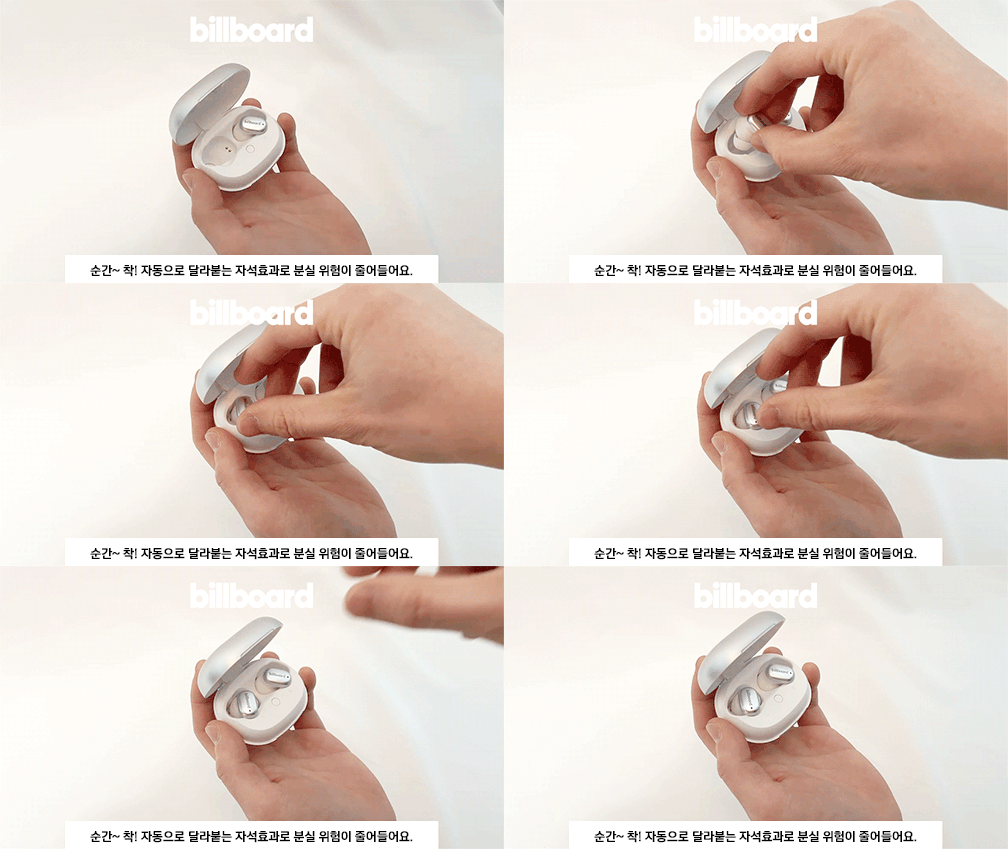
- Place the earbuds into the charging case. The magnetic design ensures they snap into place correctly.
- Connect the USB charging cable to the charging port on the case and a power source.
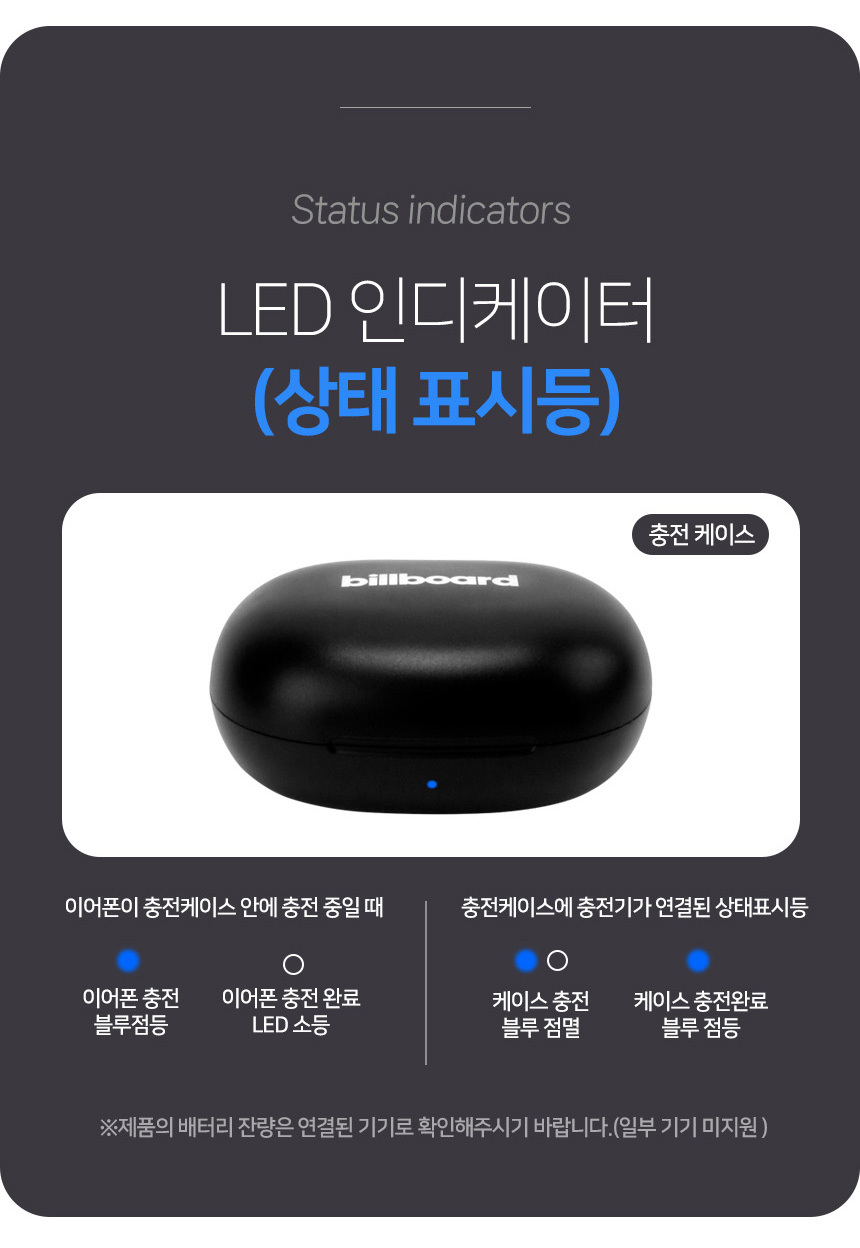
- Observe the LED indicators for charging status:
- Earphone charging: Blue light blinks.
- Earphone charging complete: LED off.
- Case charging: Blue light blinks.
- Case charging complete: Blue light on.

3.2 Bluetooth Pairing
To connect your earbuds to a device:
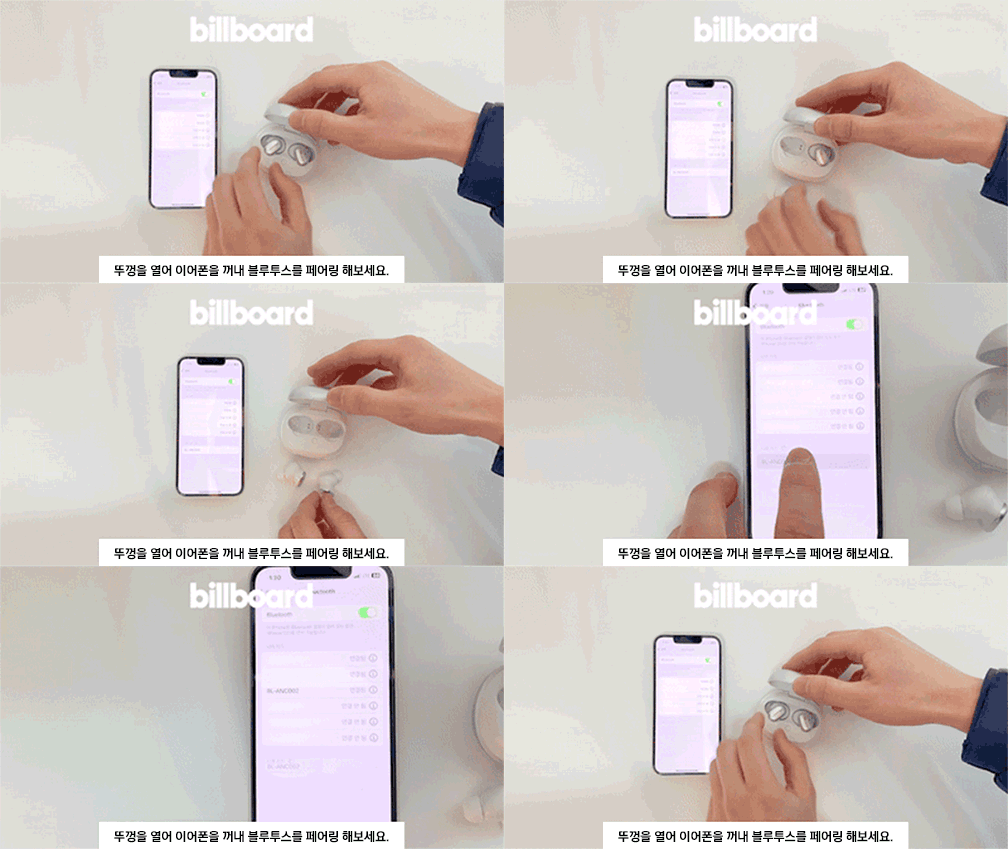
- Open the charging case lid.
- Take out both earbuds. They will automatically enter pairing mode.
- On your device (smartphone, tablet, etc.), go to Bluetooth settings and search for available devices.
- Select "BL-ANC002" from the list to connect.
- Once connected, you will hear a confirmation tone, and the LED indicator on the earbuds will change.
3.3 Wearing the Earbuds
Choose the ear tips that provide the best fit and seal for optimal sound quality and noise cancellation. Insert the earbuds into your ears and gently twist them to secure a comfortable and snug fit.
4. Operating Instructions
4.1 Touch Controls
The BL-ANC002 earbuds feature intuitive touch controls for various functions:
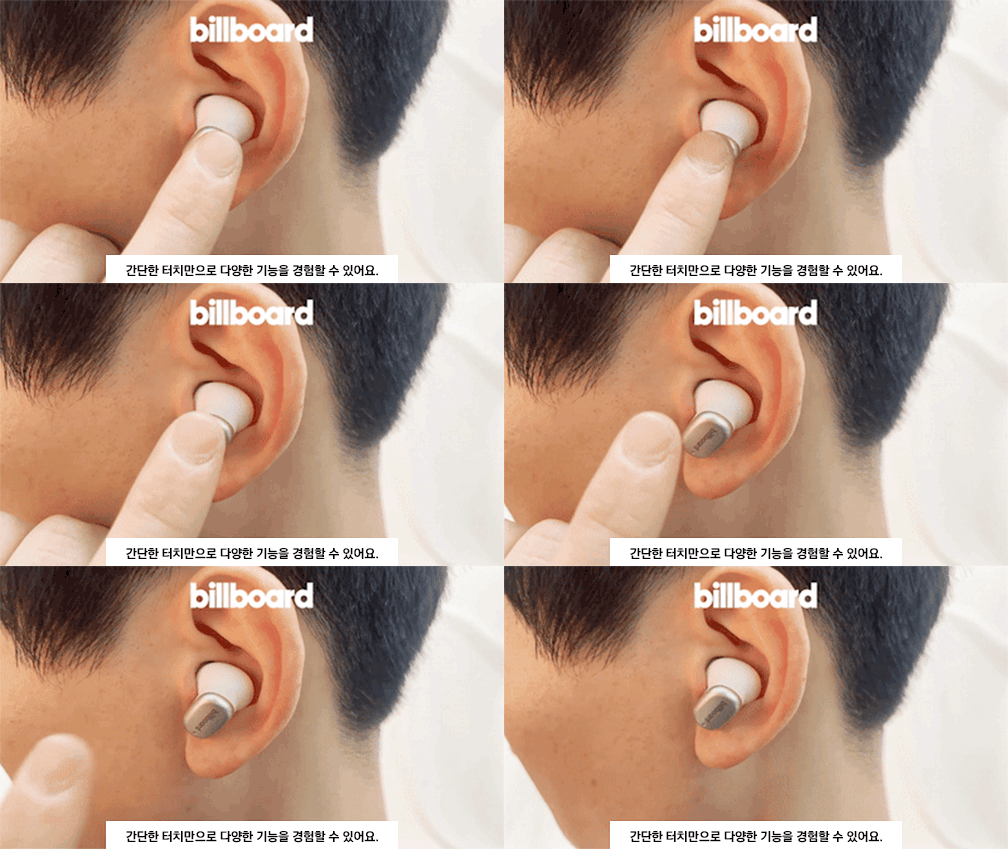
- Play/Pause: Single tap on either earbud.
- Next Track: Double tap on the right earbud.
- Previous Track: Double tap on the left earbud.
- Answer/End Call: Single tap on either earbud.
- Reject Call: Press and hold either earbud for 2 seconds.
- Activate Voice Assistant: Triple tap on either earbud.
- ANC On/Off/Transparency Mode: Press and hold the touch area for 2-3 seconds on either earbud to cycle through modes.
4.2 Active Noise Cancelling (ANC)
The ANC feature reduces ambient noise, allowing you to focus on your audio. Cycle through ANC On, ANC Off, and Transparency Mode using the touch controls. Transparency Mode allows you to hear your surroundings while still enjoying your audio.
4.3 High-Performance Microphone
The integrated high-performance microphone ensures clear voice pickup for calls and voice commands.
5. Maintenance and Care
5.1 Cleaning
Regularly clean your earbuds and charging case to maintain hygiene and performance.
- Use a soft, dry, lint-free cloth to wipe the earbuds and case.
- For ear tips, remove them from the earbuds and clean with mild soap and water, then dry thoroughly before reattaching.
- Do not use harsh chemicals or abrasive materials.
5.2 Water Resistance
The BL-ANC002 earbuds feature a life waterproof function, protecting them from sweat and light splashes. They are not designed for submersion in water or use during swimming. Ensure the earbuds are dry before placing them back in the charging case to prevent damage.
5.3 Storage
When not in use, always store the earbuds in their charging case. The magnetic attachment helps secure them and reduces the risk of loss.

6. Troubleshooting
- Earbuds not turning on: Ensure the earbuds and charging case are fully charged.
- Earbuds not pairing: Make sure Bluetooth is enabled on your device. Place earbuds back in the case, close the lid, wait a few seconds, then open and try pairing again. If issues persist, try forgetting the device in your phone's Bluetooth settings and re-pairing.
- No sound from one earbud: Try placing both earbuds back in the case, closing the lid, and then taking them out again. Ensure both are charged.
- ANC not effective: Ensure the earbuds are properly seated in your ears with a good seal. Try different sized ear tips for a better fit.
- Touch controls unresponsive: Ensure your fingers are clean and dry. Try restarting the earbuds by placing them in the case and taking them out again.
7. Specifications
| Feature | Specification |
|---|---|
| Model | BL-ANC002 |
| Material | Plastic |
| Category | Earphones & Headphones |
| Bluetooth Version | 5.3 |
| Wireless Type | Bluetooth |
| Style | In-ear |
| Origin | Mainland China |
| Battery Life (with case) | Up to 24 hours |
| Charging Case Battery | 500mAh |
| Earbud Weight | Approx. 46g (total for both earbuds and case) |
| Water Resistance | Life Waterproof (sweat and splash resistant) |
| Features | Active Noise Cancelling (ANC), Touch Control, High-performance Microphone |
8. Warranty and Support
8.1 Warranty Information
The Billboard BL-ANC002 earbuds come with a limited warranty. Please refer to the following conditions:
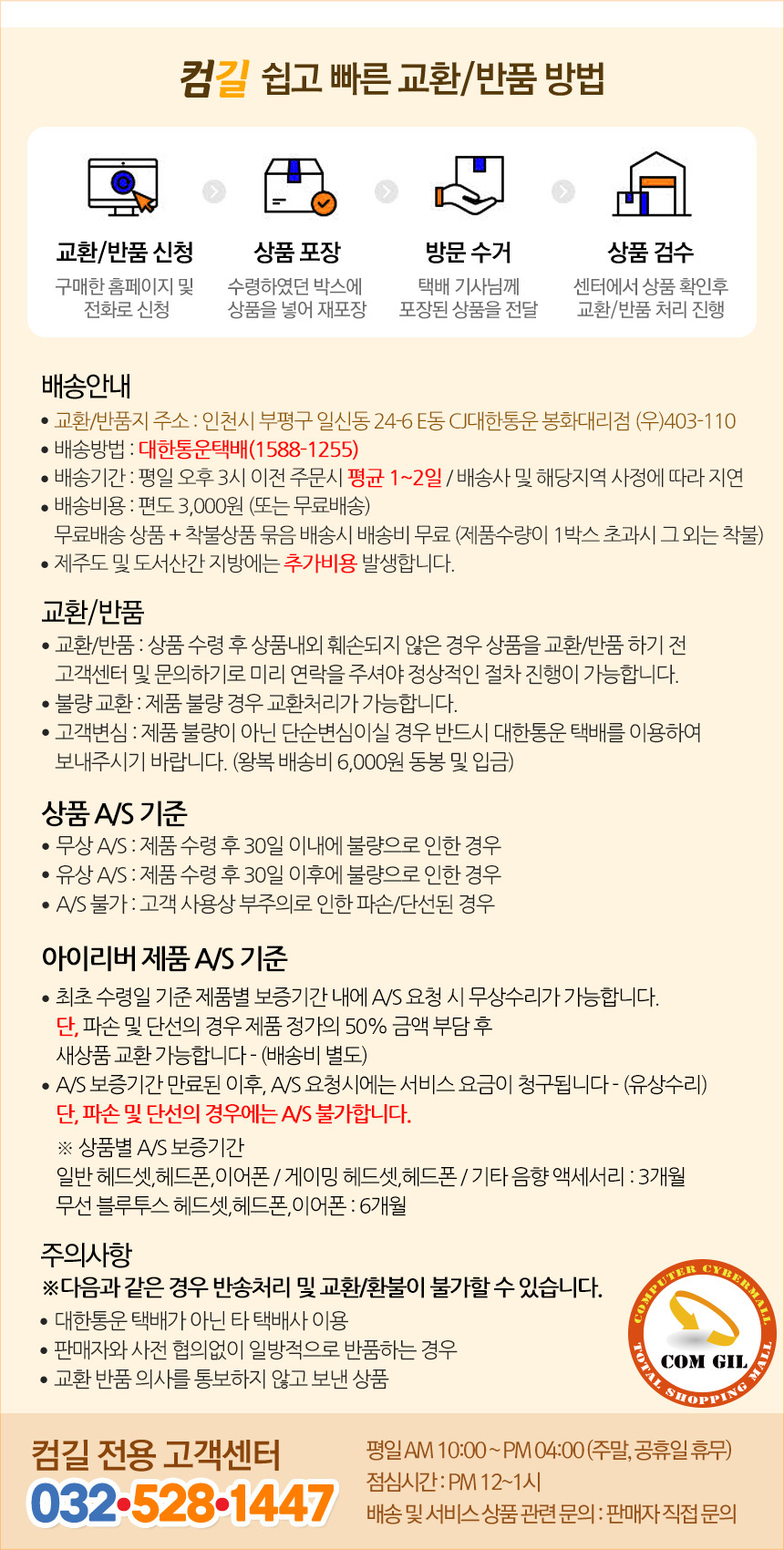
- Warranty Period: 6 months for general Bluetooth headsets, headphones, and earphones.
- Free A/S (Warranty Service) Conditions:
- If the product is found to be defective within 30 days of receipt.
- If the product is found to be defective after 30 days of receipt (within the warranty period).
- Cases Not Covered by A/S:
- Damage or disconnection caused by customer's negligence or misuse.
- Paid A/S (Out-of-Warranty Service):
- Service fees will be charged for A/S requests made after the warranty period has expired.
8.2 Customer Support
For technical support or warranty inquiries, please contact the Comgill Customer Center:
- Phone: 032-528-1447
- Operating Hours: Weekdays 10:00 AM - 4:00 PM (Lunch break: 12:00 PM - 1:00 PM). Closed on weekends and public holidays.
9. User Tips
- Optimal Fit: Experiment with different ear tip sizes to find the best fit for your ears. A good seal is crucial for effective noise cancellation and sound quality.
- Regular Charging: For consistent performance, make a habit of placing your earbuds back in the charging case when not in use. This keeps them charged and ready.
- Clean Contacts: If you experience charging issues, gently clean the charging contacts on both the earbuds and inside the case with a dry cotton swab.
- Magnetic Security: The magnetic design of the charging case helps prevent accidental loss of earbuds. Ensure they snap securely into place.


