1. Introduction
Thank you for choosing the Billboard BL-ANC002 Wireless Bluetooth 5.3 Noise Cancelling Earphones. These earphones are designed to provide a superior audio experience with active noise cancellation and a comfortable in-ear fit. This manual will guide you through the setup, operation, and maintenance of your new earphones.

Image: Billboard BL-ANC002 earphones and charging case in black and white.
2. Package Contents
Please check the package for the following items:
- Billboard BL-ANC002 Wireless Earphones (Left and Right)
- Charging Case
- USB Charging Cable (Type-C)
- User Manual
- Additional Eartips (various sizes)
3. Product Overview
The BL-ANC002 earphones feature a compact design, active noise cancellation, and intuitive touch controls. The charging case provides extended battery life and secure storage.

Image: Compact and lightweight design of Billboard BL-ANC002 earphones and case.
4. Setup
4.1. Initial Charging
Before first use, fully charge the earphones and the charging case.
- Place both earphones into the charging case.
- Connect the USB charging cable to the charging port on the case and a power source.
- The LED indicator on the charging case will show the charging status.

Image: Diagram of charging case LED indicators. When earphones are charging, the LED blinks blue. When earphones are fully charged, the LED turns off. When the case is charging, the LED blinks blue. When the case is fully charged, the LED stays on blue.
4.2. Pairing with a Bluetooth Device
To connect your earphones to a new device:
- Ensure the earphones are charged.
- Open the lid of the charging case. The earphones will automatically enter pairing mode.
- On your device (smartphone, tablet, etc.), enable Bluetooth.
- Search for "BL-ANC002" in the list of available Bluetooth devices and select it to connect.
- Once connected, you will hear a confirmation tone, and the LED indicator on the earphones may change.
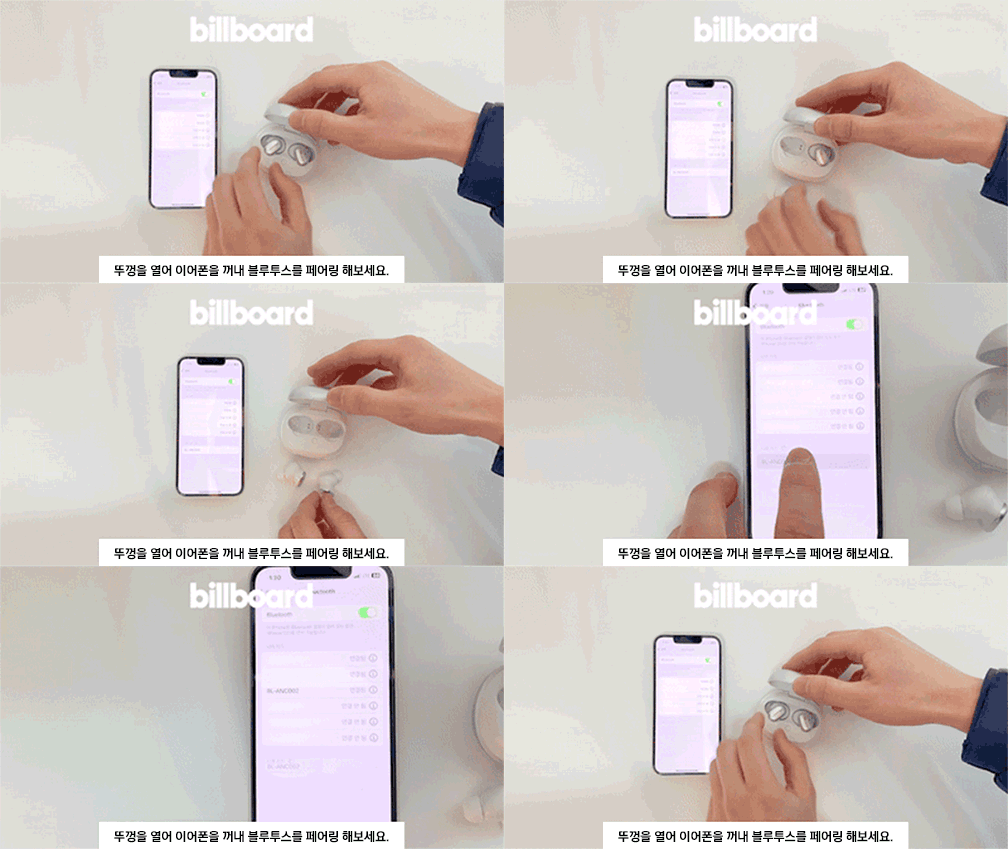
Animation: Open the lid, take out the earphones, and try pairing via Bluetooth.
4.3. Wearing the Earphones
For optimal sound quality and comfort, ensure a proper fit:
- Select the eartips that best fit your ears.
- Gently insert the earphones into your ear canal.
- Adjust the earphones until they feel secure and comfortable.
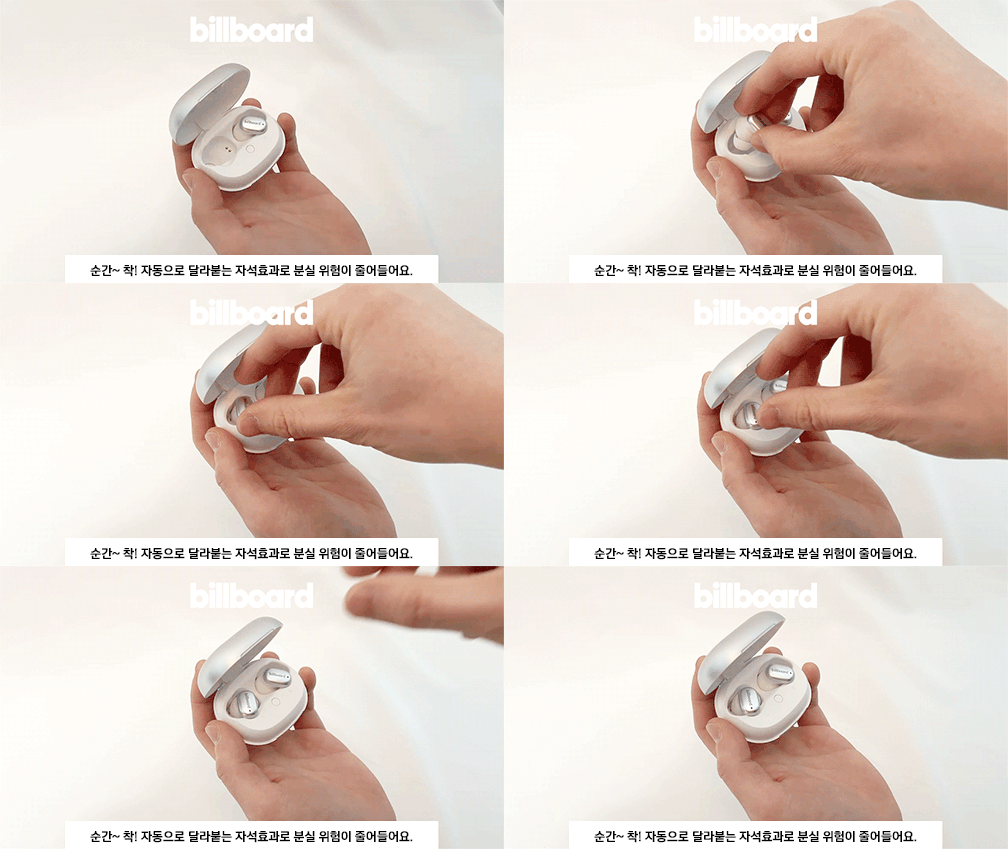
Animation: Demonstrates proper earphone insertion and touch control usage.
5. Operating Instructions
5.1. Power On/Off
- Power On: Open the charging case lid, and the earphones will automatically power on.
- Power Off: Place the earphones back into the charging case and close the lid. They will automatically power off and begin charging.
5.2. Touch Controls
The BL-ANC002 earphones feature intuitive touch controls on each earbud. You can experience various functions with a simple touch.
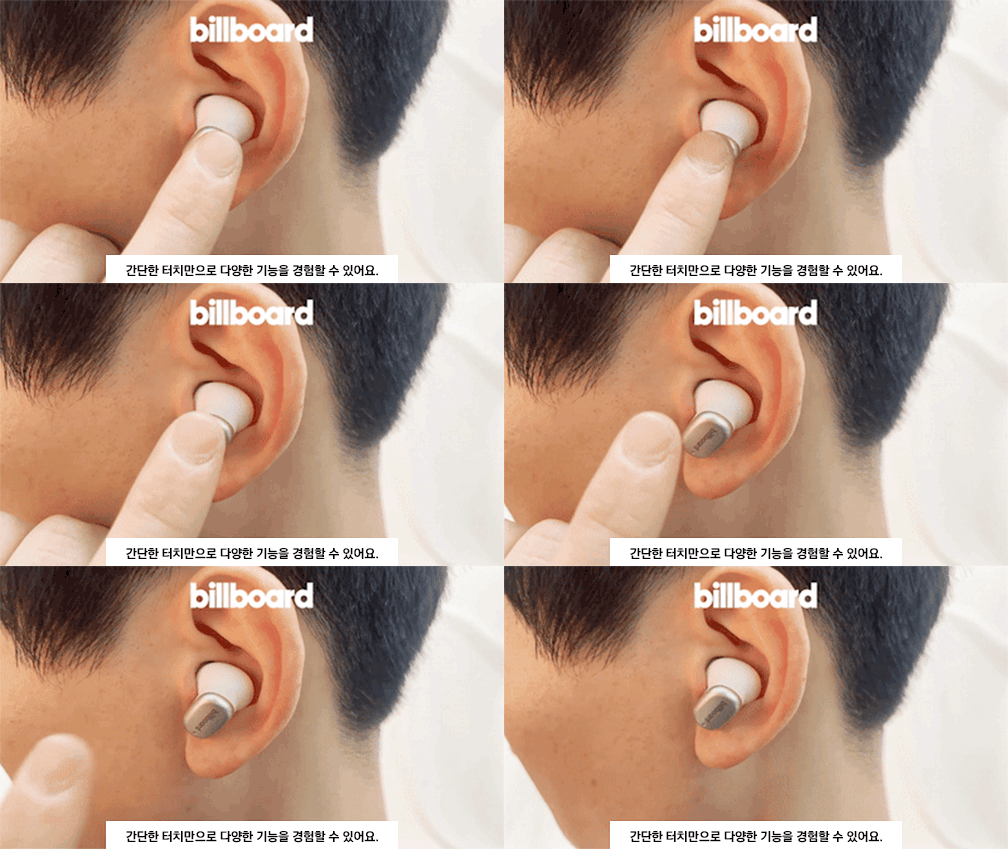
Animation: Illustrates various touch control functions.
Specific touch functions may vary slightly depending on your device and operating system. Refer to your device's settings for customization options.
5.3. Active Noise Cancelling (ANC)
The earphones are equipped with Active Noise Cancelling technology to reduce ambient noise, providing a more immersive listening experience.

Image: Billboard BL-ANC002 earphone highlighting the Active Noise Cancelling (ANC) feature.
To activate or deactivate ANC, use the touch controls as described in the product's quick start guide or your device's Bluetooth settings.
5.4. Making Calls
The built-in noise-blocking microphone allows for clear hands-free calls. Use the touch controls to answer, end, or reject calls.
6. Maintenance
- Cleaning: Regularly clean the earphones and charging case with a soft, dry cloth. Do not use harsh chemicals or abrasive materials.
- Eartips: Remove eartips and clean them with water and mild soap if necessary. Ensure they are completely dry before reattaching.
- Water Resistance: The earphones feature a daily life waterproof function. Avoid submerging them in water or exposing them to heavy rain. Dry them thoroughly if they get wet.
- Storage: When not in use, store the earphones in their charging case to protect them and keep them charged.
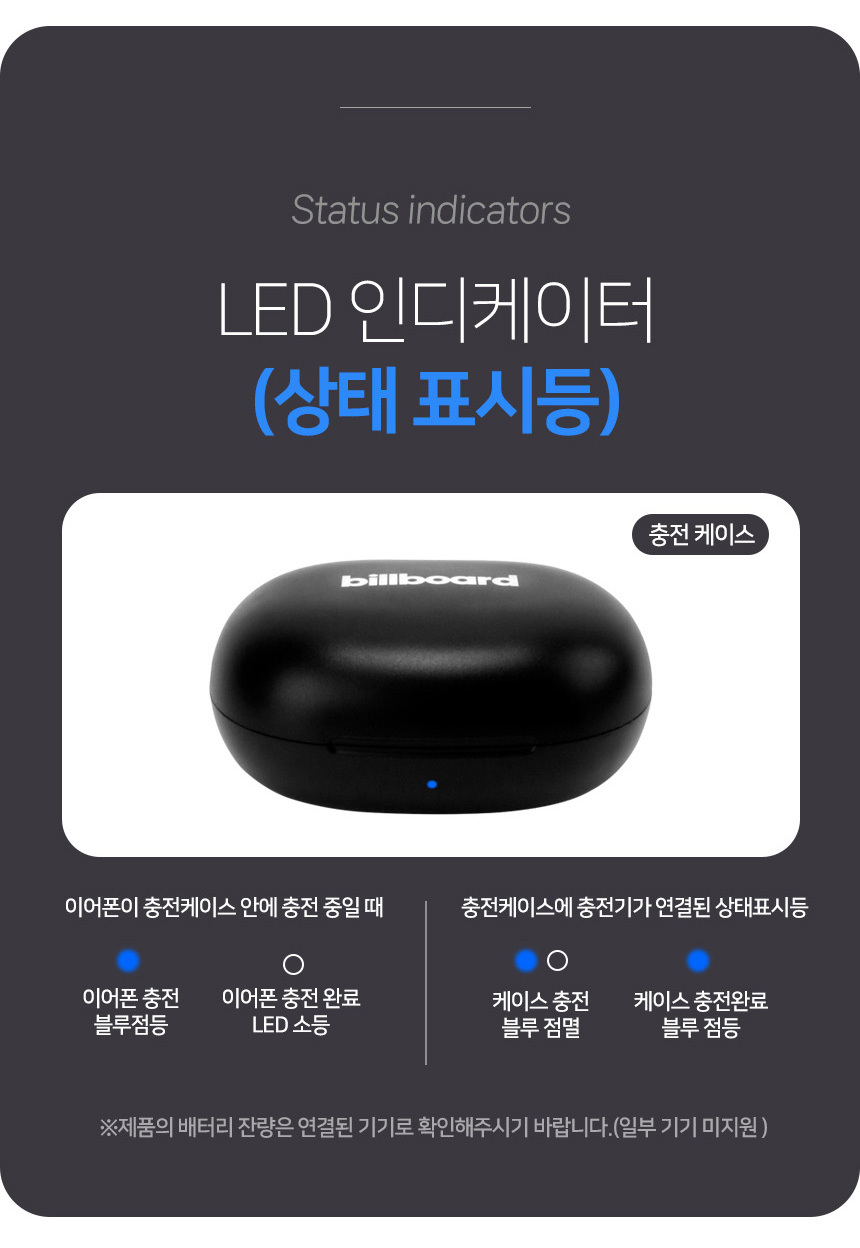
Image: Details on battery life, charging case capacity, weight, and daily life waterproof function.
7. Troubleshooting
| Problem | Possible Solution |
|---|---|
| Earphones not pairing |
|
| No sound or low volume |
|
| Charging case not charging |
|
| ANC not working effectively |
|
8. Specifications
| Feature | Detail |
|---|---|
| Model | BL-ANC002 |
| Bluetooth Version | 5.3 |
| Wireless Type | Bluetooth |
| Style | In-ear |
| Material | Plastic |
| With Microphone | Yes (Noise-blocking microphone) |
| Active Noise Cancelling (ANC) | Yes |
| Playback Time | Up to 24 hours (with charging case) |
| Charging Case Battery | 500mAh |
| Earphone Weight | Approx. 46g (total for both earphones and case) |
| Water Resistance | Daily life waterproof function |
9. Warranty and Support
This product is imported and distributed by Comgill. Please refer to the following warranty information:
- Free A/S (After-Sales Service): Available for defects within 30 days of product receipt.
- Paid A/S: For defects occurring after 30 days of product receipt.
- Warranty Exclusions: A/S is not available for damage or disconnection caused by customer negligence.
- Warranty Period: Main Bluetooth headsets and earphones have a warranty period of 6 months from the initial receipt date.
- Out-of-Warranty Service: If A/S is requested after the warranty period expires, a service fee will be charged.
- Damage/Disconnection (within warranty, due to negligence): Exchange for a new product is possible with a 50% payment of the product's original price.
For customer support, please contact the Comgill Customer Center:
Phone: 032-528-1447
Operating Hours: Weekdays 10:00 AM - 4:00 PM (Lunch Break 12:00 PM - 1:00 PM). Closed on weekends and public holidays.
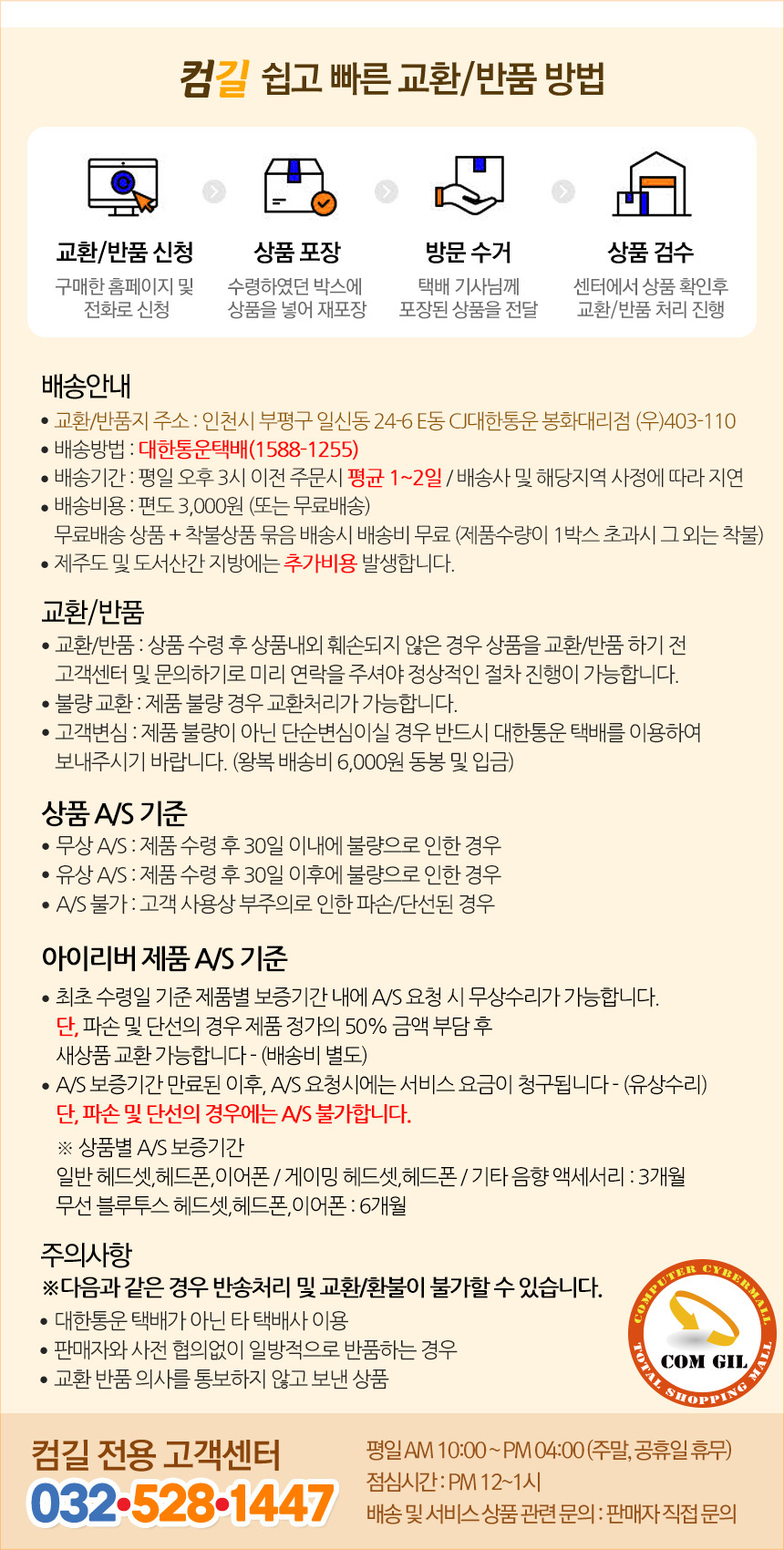
Image: Warranty and customer service details from Comgill.
10. User Tips
- Optimal ANC: For the best Active Noise Cancelling performance, ensure you select the correct size eartips for a snug fit in your ear canal. A good seal is crucial for effective noise reduction.
- Battery Preservation: Always place the earphones back into the charging case when not in use. This not only protects them but also keeps them charged and ready for your next listening session.
- Connectivity: If you experience intermittent connectivity, try resetting the earphones by placing them in the case, closing it for 10 seconds, then reopening and re-pairing.


