
Introduction
The LYMAX G1 Monitor Light Bar is designed to enhance your computer workspace by providing adjustable lighting for reading, studying, gaming, and general work. It features a dual light source design, including a main front light for screen illumination and a rear RGB ambient light with acoustic pickup functionality. With stepless dimming and color temperature adjustment, it aims to reduce eye fatigue and create an immersive environment.
Key Features
- Dual Light Source Design: Combines a front main light for screen illumination and a rear RGB ambient light.
- Stepless Dimming: Easily adjust brightness and color temperature.
- Full Spectrum LED: Built-in 80 Ra97 full-spectrum LED lamp beads simulate natural sunlight to relieve eye fatigue.
- High Color Rendering Index (>97): Ensures objects are illuminated with colors closest to natural light.
- RGB Acoustic Pickup: Rear RGB ambient light features 28 colorful LEDs with a sound pickup function, allowing ambient light to synchronize with audio rhythm.
- Work/Game Dual Mode: Switch between comfortable full-spectrum light for office work and colorful RGB fill light for gaming.
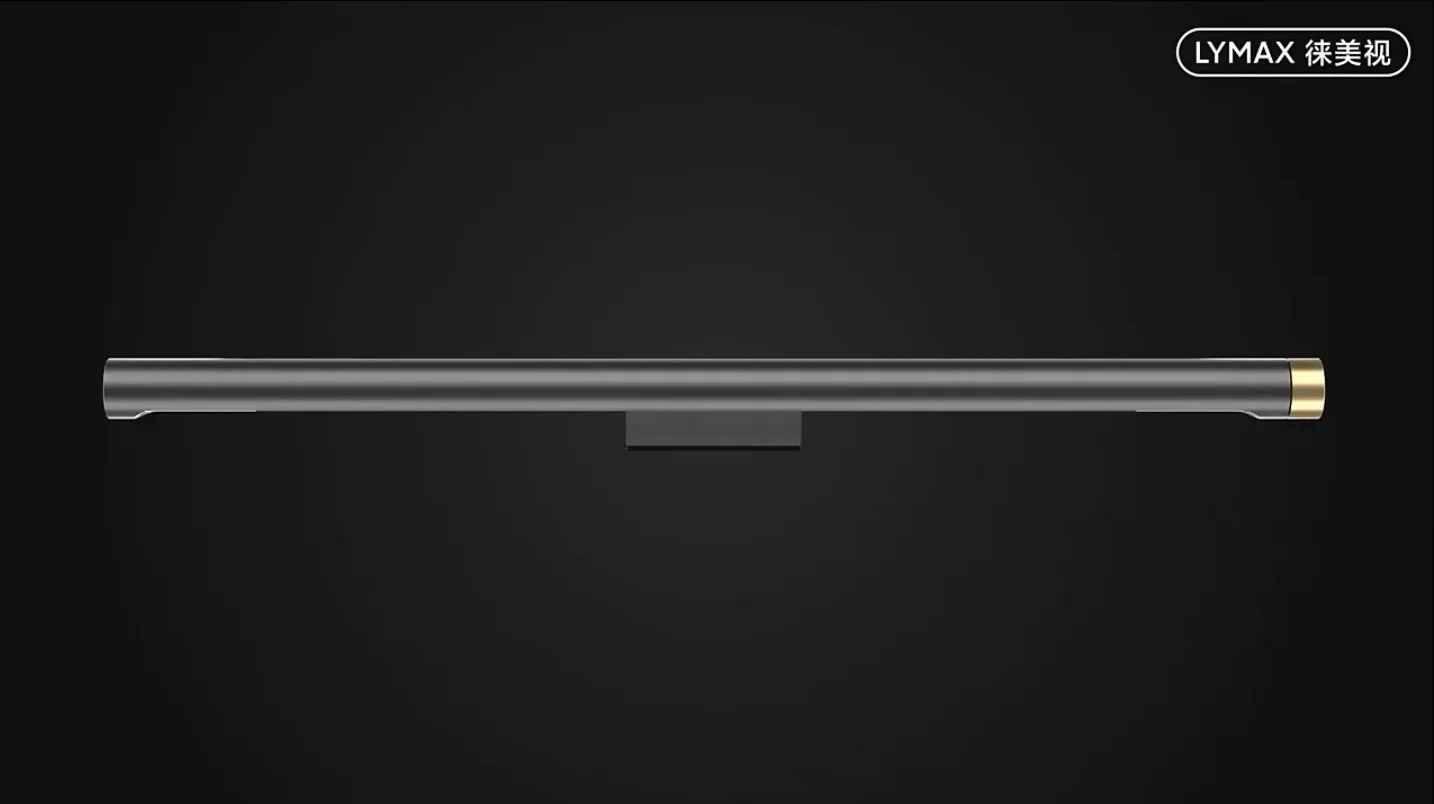
- Aviation Alloy Bracket: Made from aerospace aluminum alloy with CNC carved sandblasting oxidation process, designed to match different monitor thicknesses.
- No Visible Flicker: CE FCC certified for health and safety, ensuring no visual flicker.
- Smart Memory Chip: Automatically remembers the last used light source adjustment parameters after power failure.


Package Contents
- 1x LYMAX G1 Screen Hanging Light
- 1x Type-C Data Cable
- 1x User Manual
- 1x Remote Control (Optional, depending on version)
Specifications
| Attribute | Value |
|---|---|
| Product Name | Screen Hanging Lamp G1 |
| Model | GJS-D012 |
| Brand Name | LYMAX (also listed as 3life) |
| Material | Aluminum alloy + ABS |
| Input Voltage | 5V |
| Power | 5W (Max) |
| LED Quantity | Lighting LED / 80pcs; Ambient RGB / 28pcs |
| Color Temperature | 2900 - 6000K |
| Color Rendering Index (CRI) | > 97 |
| Working Temperature | -20 ~ +55°C |
| Product Weight | About 380g |
| Product Size | About 450 X 104 X 34.5 mm |
| Power Source | Other (USB powered) |
| Battery Included | No |
| Inbox Adaptor | No |
| State of Assembly | Ready-to-Go |
| Features | Flashing (for RGB modes) |
| Control Channels | 2 CHANNELS |
| Origin | Mainland China |

Setup
- Unpack: Carefully remove all components from the packaging.
- Attach to Monitor: The light bar features an aviation alloy bracket. Gently open the bracket and place it on top of your monitor. The damping mechanism allows it to adapt to various screen thicknesses. Ensure the light bar is stable and securely positioned.
- Connect Power: Connect the provided Type-C data cable to the light bar's power input port and then to a 5V USB power source (e.g., computer USB port, USB wall adapter).
- Remote Control (if applicable): If you have the Remote Control Version, ensure the remote is within range and has power (check battery if not working).

Operating Instructions
The LYMAX G1 Monitor Light Bar offers intuitive controls for its various lighting functions.
Knob Version Controls:
- Click: Turn the main light On/Off.
- Double Click: Turn the ambient RGB light On/Off.
- Long Press: Switch between different color temperatures for the main light.
- Rotate Clockwise: Increase lighting brightness.
- Rotate Counterclockwise: Decrease lighting brightness.
Remote Control Version Controls (if applicable):
The Remote Control Version includes a wireless controller for convenient adjustment of all functions, in addition to the knob controls.
- Main Light On/Off: Use the designated button on the remote.
- Ambient Light On/Off: Use the designated button on the remote.
- Color Temperature Adjustment: Use the remote to cycle through or select desired color temperatures (2900K - 6000K).
- Brightness Adjustment: Use the remote to increase or decrease brightness.
- RGB Mode Selection: Cycle through the four ambient light effects: "Gradient Color", "Sound Pickup", "E-sports Red Light", "E-sports Blue Light".


Maintenance
- Cleaning: Use a soft, dry cloth to wipe the light bar. Avoid abrasive cleaners or solvents that may damage the finish.
- Storage: When not in use for extended periods, disconnect the power cable and store the light bar in a cool, dry place.
- Handling: Handle the light bar with care to prevent damage to the LEDs or the aluminum alloy body.
Troubleshooting
- Light bar does not turn on:
- Ensure the Type-C data cable is securely connected to both the light bar and a working 5V USB power source.
- Try a different USB port or power adapter.
- If using the Remote Control Version, check the remote control's battery.
- RGB ambient light is not working:
- For the Knob Version, double-click the knob to toggle the ambient light.
- For the Remote Control Version, ensure the ambient light function is activated via the remote.
- Check power connection.
- Brightness or color temperature cannot be adjusted:
- For the Knob Version, ensure you are rotating the knob for brightness and long-pressing for color temperature.
- For the Remote Control Version, ensure the remote is functioning and within range.
- Light settings are not remembered after power off:
- The light bar features a smart memory chip. If settings are not remembered, ensure the power is completely disconnected for a few seconds before reconnecting. If the issue persists, contact support.
User Tips
- Optimal Placement: Position the light bar to ensure the front light illuminates your desk area without causing glare on your screen. The asymmetric light projection is designed for this purpose.
- Utilize RGB Ambient Light: Experiment with the rear RGB lights to create an immersive atmosphere, especially during gaming or media consumption. The sound pickup feature can add dynamic visual effects synchronized with your audio.
- Remote Control Convenience: If you have the Remote Control Version, take advantage of the wireless controller for quick adjustments without reaching for the light bar itself.
- Clean Aesthetic: The full metal build and lack of prominent branding contribute to a clean and modern desk setup.
Warranty and Support
For warranty information and technical support, please refer to the seller's official website or contact their customer service directly. Keep your purchase receipt as proof of purchase.