Important Information
Please read this manual carefully before using your Samsung Galaxy A55 5G Smartphone to ensure proper operation and to maximize its features.
- Product Inspection: Products may be unboxed, activated, and re-sealed for quality checks before shipment. Rest assured, the phone is brand new and unused.
- Authenticity: All products are guaranteed to be original and in stock.
- Regional Versions: You may receive a Taiwan, Hong Kong, Singapore, or Middle East version. These versions offer identical functionality, including Google Services, multi-language support, and OTA updates.

Image: Banner indicating important notes.
What's in the Box
Upon opening your Samsung Galaxy A55 5G package, you should find the following items:
- 1 x Samsung Galaxy A55 5G Smartphone
- 1 x USB Type-C Cable
- 1 x SIM Ejection Pin
- 1 x User Manual (this document)
Please note: A charger adapter is NOT included in the box.

Image: The Samsung Galaxy A55 5G phone, USB-C cable, SIM ejection pin, and user manual laid out next to the retail box.
Setup
1. Inserting the SIM Card
- Locate the SIM card tray on the side of your device.
- Insert the provided SIM ejection pin into the small hole on the tray. Press gently until the tray pops out.
- Place your Nano-SIM card(s) into the tray with the gold contacts facing down. The Galaxy A55 5G supports dual SIM cards.
- Carefully reinsert the tray into the phone.
2. Initial Power On and Setup
- Press and hold the Power button (usually on the right side) until the Samsung logo appears.
- Follow the on-screen prompts to select your language, connect to a Wi-Fi network, and set up your Google account.
- You will also be guided through setting up security features like the under-display fingerprint sensor and a screen lock.
3. Charging the Device
The Samsung Galaxy A55 5G supports 25W fast charging via its Type-C interface. To charge your device:
- Connect the provided USB Type-C cable to the charging port at the bottom of your phone.
- Connect the other end of the cable to a compatible 25W (or higher) USB-C power adapter (sold separately).
- The charging indicator will appear on the screen.
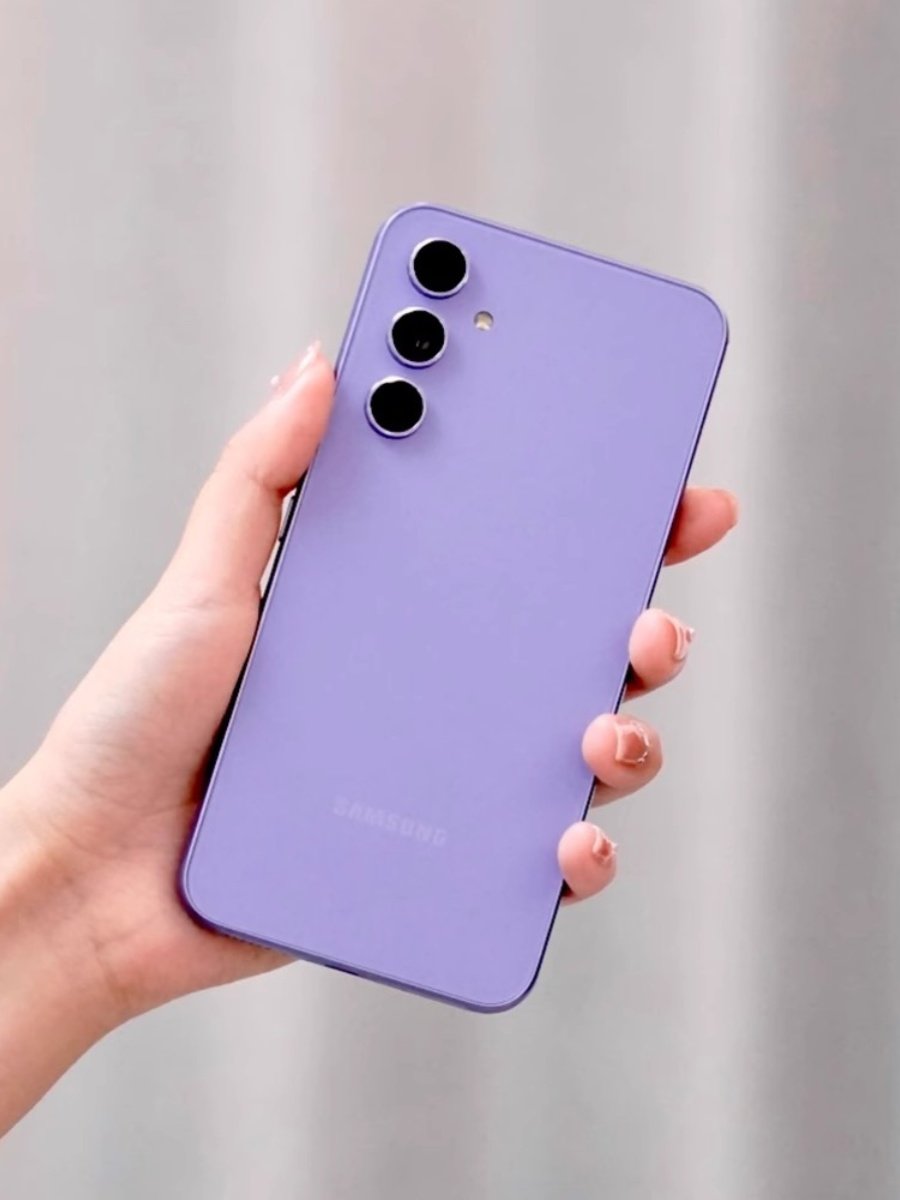
Image: The Samsung Galaxy A55 5G phone, retail box, and USB-C charging cable.
Operating Your Device
Display and Navigation
- The 6.6-inch FHD+ Super AMOLED display offers vibrant colors and smooth scrolling with its 120Hz refresh rate.
- Navigate the Android 14 operating system with Samsung's One UI 6.1 through touch gestures and on-screen buttons.
- The under-display fingerprint sensor allows for quick and secure unlocking.
Camera Usage
Your Galaxy A55 5G features a versatile camera system:
- Rear Camera: Triple lens setup with a 50 MP main sensor, 12 MP ultrawide, and 5 MP macro lens. Open the Camera app and select your desired mode (Photo, Video, Portrait, Pro, etc.).
- Front Camera: A 32 MP front camera is available for high-quality selfies and video calls.
Connectivity Features
- NFC: Use Near Field Communication for contactless payments and quick pairing with compatible devices. Enable NFC in Settings.
- GPS: The built-in GPS provides accurate location services for navigation and location-based apps.
- Bluetooth 5.3: Connect wireless headphones, speakers, and other Bluetooth accessories.

Image: Detailed views of the front display and the triple camera setup on the back of the Galaxy A55 5G.
Maintenance
Battery Care
- To prolong battery life, avoid fully discharging the 5000 mAh battery frequently.
- Use a compatible 25W fast charger for optimal charging speed.
- Avoid exposing the device to extreme temperatures.
Dust and Water Resistance
The Galaxy A55 5G is IP67 rated for dust and water resistance. This means it can withstand immersion in up to 1 meter of fresh water for up to 30 minutes. However, it is not recommended for beach or pool use. Avoid exposing the device to pressurized water or liquids other than fresh water.
Software Updates
Keep your device's software up to date to ensure optimal performance, security, and access to new features. You can check for and install Over-The-Air (OTA) updates through the device settings.
Cleaning Your Device
Use a soft, lint-free cloth to clean the screen and body of your phone. Avoid using harsh chemicals or abrasive materials.
Troubleshooting
- Device Not Responding: If your phone becomes unresponsive, press and hold the Power button and Volume Down button simultaneously for about 7-10 seconds to force restart it.
- Charging Issues: Ensure your USB Type-C cable and power adapter are functioning correctly and are securely connected. Try a different compatible charger if issues persist.
- Network Connectivity: If you experience network issues, check your SIM card insertion, ensure mobile data is enabled, or try restarting the device.
- Software Glitches: A factory reset can resolve persistent software issues, but remember to back up your data first as it will erase all information on the device.
For more complex issues or technical support, please refer to Samsung's official support channels.
Specifications
| Feature | Specification |
|---|---|
| Display | 6.6" FHD+ Super AMOLED, 120Hz, 1080 x 2340 pixels |
| Processor | Exynos 1480, Octa-core |
| Operating System | Android 14, One UI 6.1 |
| RAM | 8GB |
| Internal Storage (ROM) | 128GB / 256GB |
| Rear Camera | Triple: 50 MP (main) + 12 MP + 5 MP |
| Front Camera | 32 MP |
| Battery | 5000 mAh, 25W Fast Charging (charger not included) |
| Connectivity | 5G, Wi-Fi, Bluetooth 5.3, NFC, GPS, Type-C |
| SIM Card | Dual Nano-SIM |
| Sensors | Under-Display Fingerprint, Accelerometer, Barometer, Compass, Magnetometer, Gyroscope, Virtual Proximity Sensor |
| Durability | IP67 Dust/Water Resistant (up to 1m for 30 min) |
Network Standards (Global Version)
- 2G: GSM 850 / 900 / 1800 / 1900 (SIM 1 & SIM 2)
- 3G: HSDPA 850 / 900 / 1700(AWS) / 1900 / 2100
- 4G: 1, 2, 3, 4, 5, 7, 8, 12, 17, 20, 25, 26, 28, 32, 38, 40, 41, 66
- 5G: 1, 3, 5, 7, 8, 20, 28, 38, 40, 41, 66, 77, 78 SA/NSA/Sub6

Image: Chart detailing the supported 2G, 3G, 4G, and 5G network bands.
User Tips
- eSIM Compatibility: While the device supports dual physical Nano-SIM cards, eSIM compatibility can vary by region and carrier. Please check with your local service provider for eSIM support.
- Samsung Pay: The Samsung Galaxy A55 5G supports Samsung Pay for convenient mobile payments. Set it up through the Samsung Wallet app.
- Screen Protection: Consider using a screen protector and a protective case to safeguard your device from accidental damage.
Warranty and Support
Your Samsung Galaxy A55 5G Smartphone comes with official guarantees. For detailed warranty information, terms, and conditions, please refer to the warranty card included in your package or visit the official Samsung support website for your region.
For further assistance, technical support, or service inquiries, please contact Samsung customer service or visit an authorized service center.


