
Introduction
The ZUIDID STK-7009F is a versatile wireless game controller designed for an enhanced gaming experience across multiple platforms. Featuring Hall Effect joysticks for precise control, vibrant RGB lighting, and dual vibration feedback, this controller is compatible with Android, iOS (13.0+), Nintendo Switch, PS4 consoles, and PC. It supports various cloud gaming services and offers multiple connection modes to suit your gaming needs.

Figure 1: ZUIDID STK-7009F Wireless Game Controller
Video 1: Product Showcase - Demonstrating the controller's features and RGB lighting.
Specifications
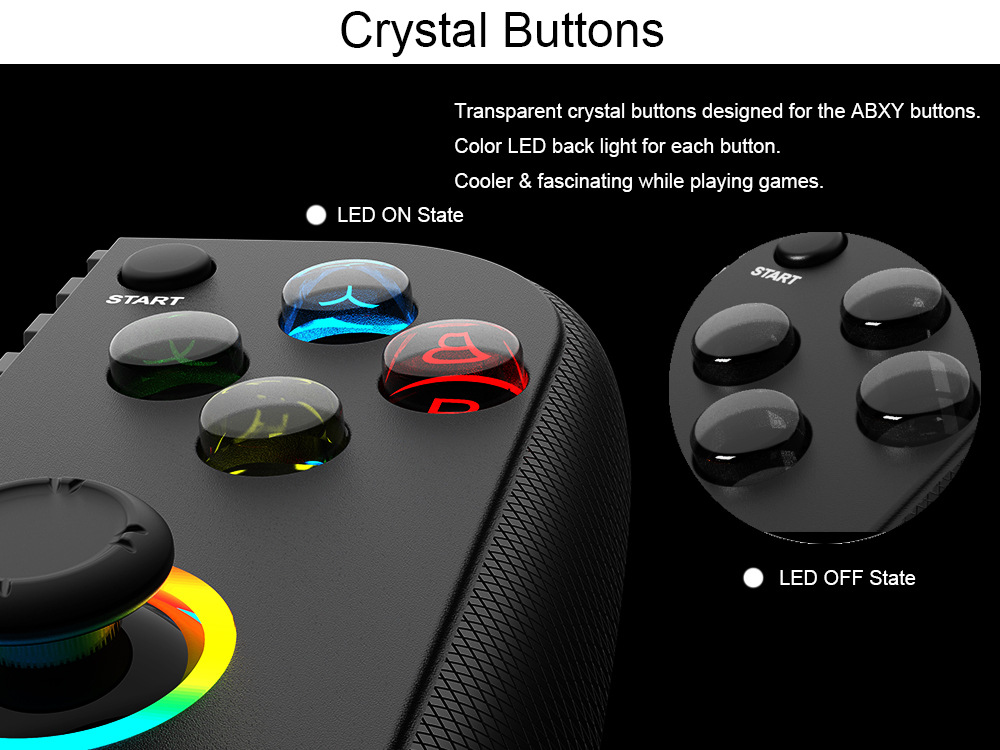
Figure 2: Product Specifications
| Feature | Detail |
|---|---|
| Product Item | STK-7009F |
| Package Size | 205*135*65mm |
| Product Size | 188*110*50mm |
| Product Weight | Around 235g |
| Power | Built-in 600mAh lithium Battery |
| Compatible Platforms | Android / iOS / Switch / PS3 / PS4 Console / PC-Windows |
| Interface Type | Bluetooth, 2.4G |
| Hall Effect | Yes (Hall stick 3D rocker, 60-degree angle, no dead zone) |
| Trigger Button Type | Hall-Linear (Mechanical Feeling Buttons for R2/L2) |
| Vibration | Dual vibration feedback (80% default intensity, not adjustable) |
| RGB Lighting | Yes (Crystal buttons with color LED backlight, joystick RGB lighting) |
| Max Phone Size | Up to 7-inch screen mobile phone (180mm max tensile distance) |
| Certification | CE |
Key Features
- Hall Effect Joysticks: Experience ultra-precise control with no drift and no dead zones, ensuring accuracy in every game. The joysticks feature dynamic RGB lighting.
- Dual Vibration Feedback: Built-in motors provide realistic and stimulated gaming sensations. The default vibration intensity is 80%.
- Adjustable Turbo Speeds: Customize your gameplay with three turbo speeds (5, 12, or 20 shots per second) to free your fingers and gain an edge in action games.
- Multi-Platform Compatibility: Seamlessly connect to Android, iOS (13.0+), Nintendo Switch, PS3, PS4, and PC (Windows via Bluetooth or mini receiver).
- RGB Lighting: Enjoy vibrant RGB lighting effects on the joysticks and transparent crystal ABXY buttons, enhancing your gaming atmosphere.
- Ergonomic Design: Features a slip-proof silicone pad for secure phone grip and comfortable "mechanic feeling" R2/L2 trigger buttons.
- Long Battery Life: A built-in 600mAh rechargeable lithium battery provides up to 8 hours of continuous playtime on a full charge.

Figure 3: Hall Joystick for ultra-precise control.
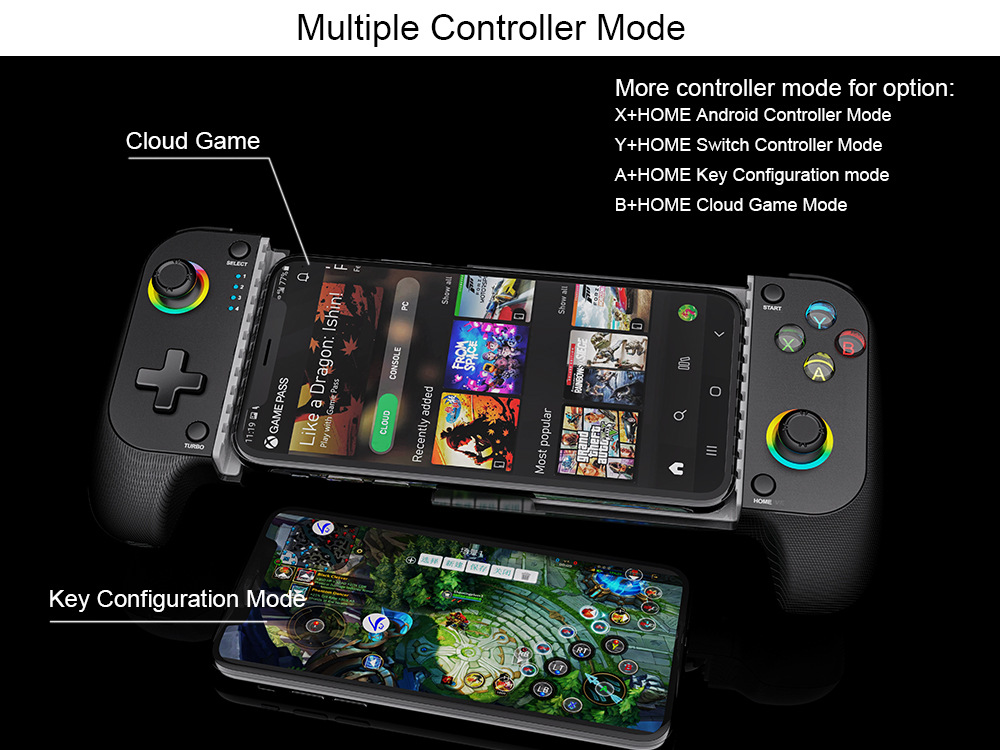
Figure 4: Crystal Buttons with LED backlights.
Setup Guide
1. Initial Connection (Bluetooth)
- Ensure the controller is sufficiently charged (refer to Maintenance section).
- To connect via Bluetooth, press and hold the 'B' button and the 'HOME' button simultaneously until the indicator lights begin to flash, indicating pairing mode.
- On your mobile device (Android/iOS) or PC, navigate to Bluetooth settings and select "STK-7009F" or similar from the list of available devices.
- Once connected, the indicator lights will stabilize.

Figure 5: Bluetooth Connection Method
2. Mounting Your Mobile Phone
- Gently extend the controller's phone holder.
- Place your mobile phone into the holder, ensuring it is securely seated against the slip-proof silicone pad. The holder supports phones up to 7 inches (180mm max tensile distance).
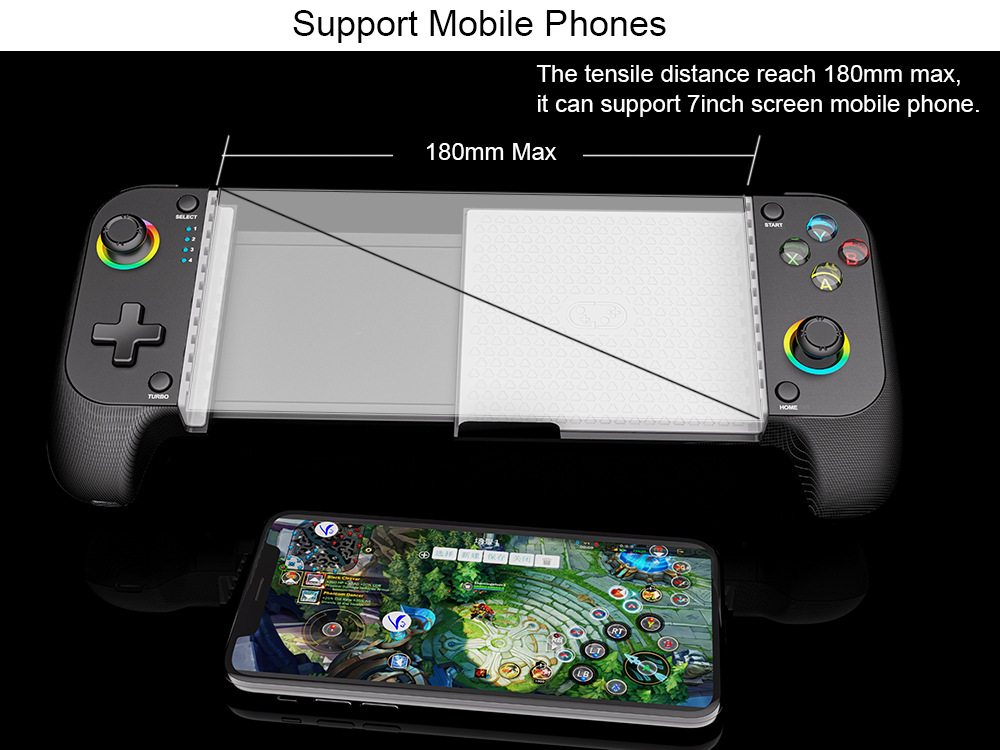
Figure 6: Mobile Phone Mounting
Operating Instructions
1. Power On/Off and Wake Up
- Power On: After initial Bluetooth pairing, press the 'HOME' button to wake up the controller.
- Power Off: The controller will automatically enter sleep mode after 5 minutes of inactivity to conserve battery.
2. Controller Modes
The STK-7009F supports various modes for different platforms and game types:
- X + HOME: Android Controller Mode
- Y + HOME: Nintendo Switch Controller Mode
- A + HOME: Key Configuration Mode (for custom key mapping, often used with companion apps like ShootingPlus V3+)
- B + HOME: Cloud Game Mode (for Xbox Cloud Gaming, PS Remote Play, Steam Link, Apple Arcade, GeForce Now)
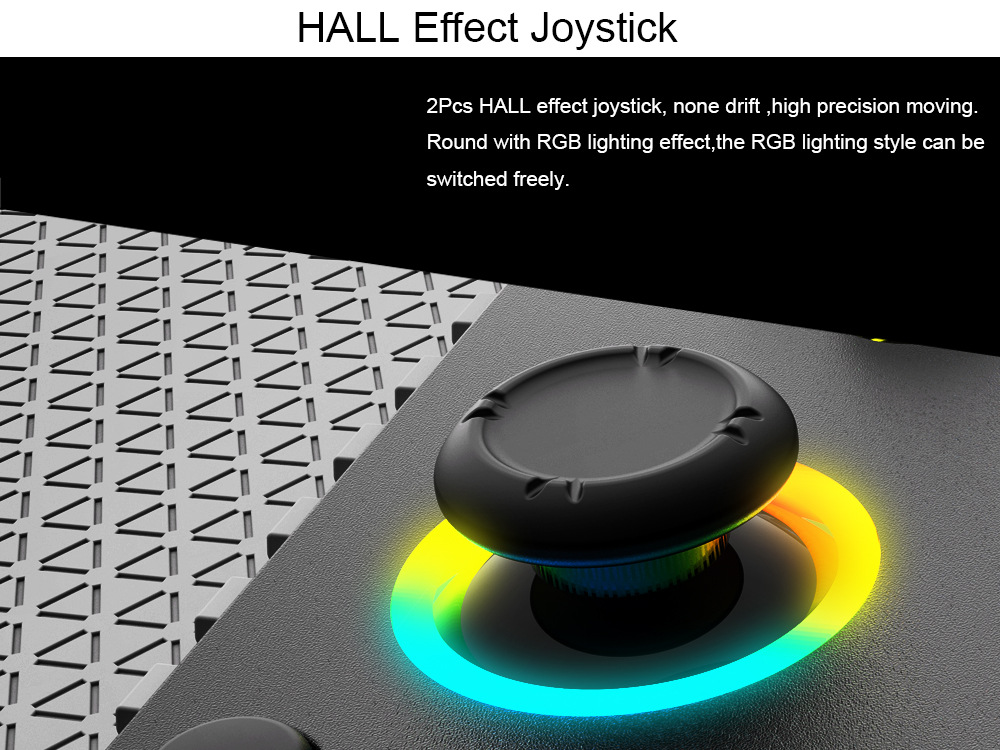
Figure 7: Controller Mode Selection

Figure 8: Compatible Cloud Gaming Services
3. Turbo Function
The controller features an adjustable turbo function for rapid firing in games.
- Press the 'TURBO' button along with the desired action button to activate turbo.
- Cycle through 3 turbo speeds (5, 12, 20 shots/s) by repeatedly pressing the 'TURBO' button.

Figure 9: Turbo Speed Settings
4. Vibration Function
The controller provides dual vibration feedback for immersive gameplay. Note that shock adjustment is not supported, and the default intensity is 80%.
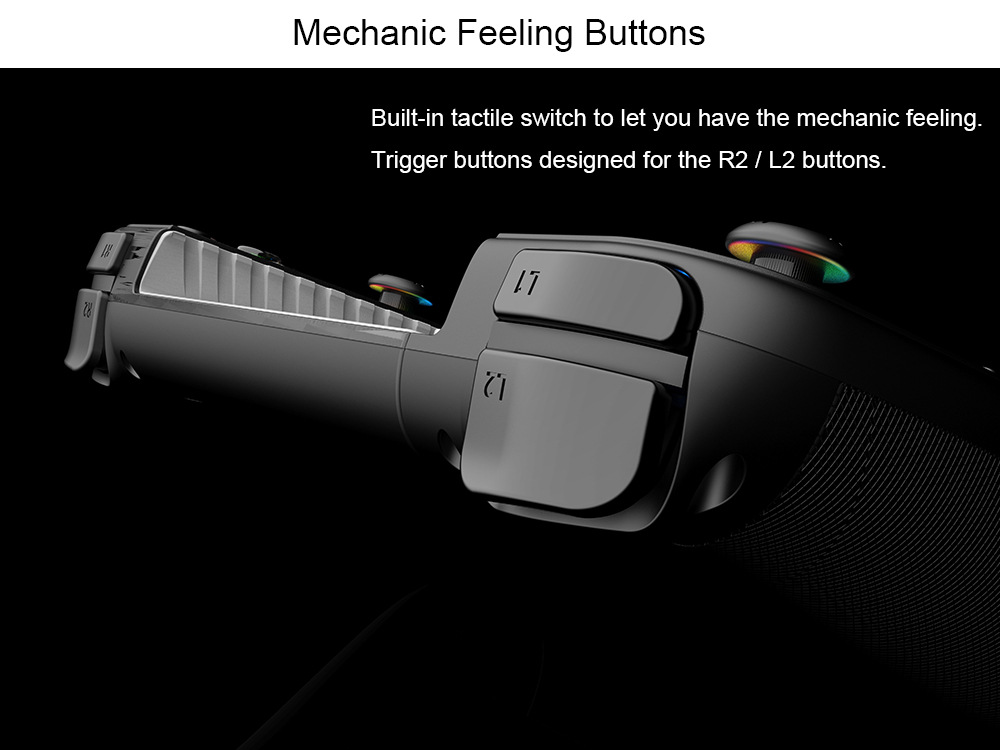
Figure 10: Dual Vibration Motors
Maintenance
1. Battery Charging
- The controller has a built-in 600mAh rechargeable lithium battery.
- Connect the controller to a power source using the provided charging cable. A full charge takes approximately 2 hours.
- The controller provides up to 8 hours of continuous use on a full charge.
- A low power warning is indicated by the LED4 light flashing. Recharge the controller when this occurs.

Figure 11: Battery and Charging Details
2. Cleaning and Storage
- Wipe the controller with a soft, dry cloth. Avoid using harsh chemicals or abrasive materials.
- Store the controller in a cool, dry place away from direct sunlight and extreme temperatures.
Troubleshooting
- Controller not connecting:
- Ensure the controller is sufficiently charged.
- Verify that the correct pairing mode (e.g., B+HOME for Bluetooth) is activated.
- Check your device's Bluetooth settings to ensure it's discoverable and the controller is selected.
- Try restarting both the controller and your device.
- Buttons or joysticks unresponsive:
- Ensure the controller is properly connected and in the correct mode for your game/platform.
- Check for any physical obstructions or debris around the buttons or joysticks.
- If using Key Configuration Mode, ensure your custom mappings are correctly set in the companion app.
- Vibration not working:
- Confirm that the game you are playing supports vibration feedback.
- The controller's vibration intensity is fixed at 80% and cannot be adjusted.
- Low battery warning (LED4 flashing):
- Connect the controller to a power source using the charging cable to recharge the battery.
User Tips
- For optimal performance with Android and iOS games, explore companion apps like "ShootingPlus V3+" for advanced key mapping and customization.
- When switching between different platforms (e.g., Android to Switch), remember to activate the corresponding mode (X+HOME, Y+HOME, etc.) for proper functionality.
- The Hall Effect joysticks are designed for precision; take advantage of this for games requiring fine motor control.
Warranty and Support
This product is covered by a standard manufacturer's warranty against defects in materials and workmanship. For warranty claims, technical support, or further assistance, please contact the seller or refer to the official ZUIDID support channels. Keep your proof of purchase for warranty validation.