1. Introduction and Overview
The obdkcan YA101 is a professional automotive scan tool designed to diagnose emission-related issues in vehicles. It provides full OBDII/EOBD diagnostic functions, helping users to quickly identify and resolve problems indicated by the Check Engine Light (MIL).
Key features include a 1.8-inch TFT color display, physical buttons for easy navigation, and a compact design for portability. The device supports a wide range of vehicles and offers lifetime free updates.

2. Setup and Vehicle Compatibility
The YA101 scanner is designed for plug-and-play operation, requiring no external battery as it draws power directly from the vehicle's DLC (Data Link Connector) socket.
2.1 Vehicle Coverage
The scanner is compatible with most American, European, and Asian models manufactured from 1996 onwards. It supports all standard OBDII protocols.
- American Cars: Standard OBD2 Protocols from 1996 to now (e.g., Chrysler, Ford, GM, Jeep).
- European Cars: Standard OBD2 Protocols from 2000 to now (e.g., Alfa Romeo, SAAB, Acura, Opel, Audi, Seat, Peugeot, Renault, Bentley, Skoda, Daewoo, Benz, Daihatsu, Land Rover, BMW, Vauxhall, Citroen, Volvo, Fiat, VW, Jaguar).
- Japanese/Korean Cars: Standard OBD2 Protocols from 2006 to now (e.g., KIA, Isuzu, Honda, Mitsubishi, Hyundai, Dacia, Lexus, Mazda, Nissan, Subaru, Suzuki, Toyota).
- Chinese Cars: Standard OBD2 Protocols from 2008 to now.
Note: The YA101 only supports 12V cars and does not support 24V trucks.

2.2 Supported Protocols
The YA101 meets the following OBDII protocols:
- SAE J1850 PWM (41.6Kbaud)
- SAE J1850 VPW (10.4Kbaud)
- ISO9141-2 (5 baud init, 10.4Kbaud)
- ISO14230-4 KWP (5 baud init, 10.4 Kbaud)
- ISO14230-4 KWP (fast init, 10.4 Kbaud)
- ISO15765-4 CAN (11bit ID, 500 Kbaud)
- ISO15765-4 CAN (29bit ID, 500 Kbaud)
- ISO15765-4 CAN (11bit ID, 250 Kbaud)
- ISO15765-4 CAN (29bit ID, 250 Kbaud)

3. Operating Instructions
The YA101 provides a comprehensive set of 10 OBDII diagnostic functions to help you understand and resolve vehicle issues.
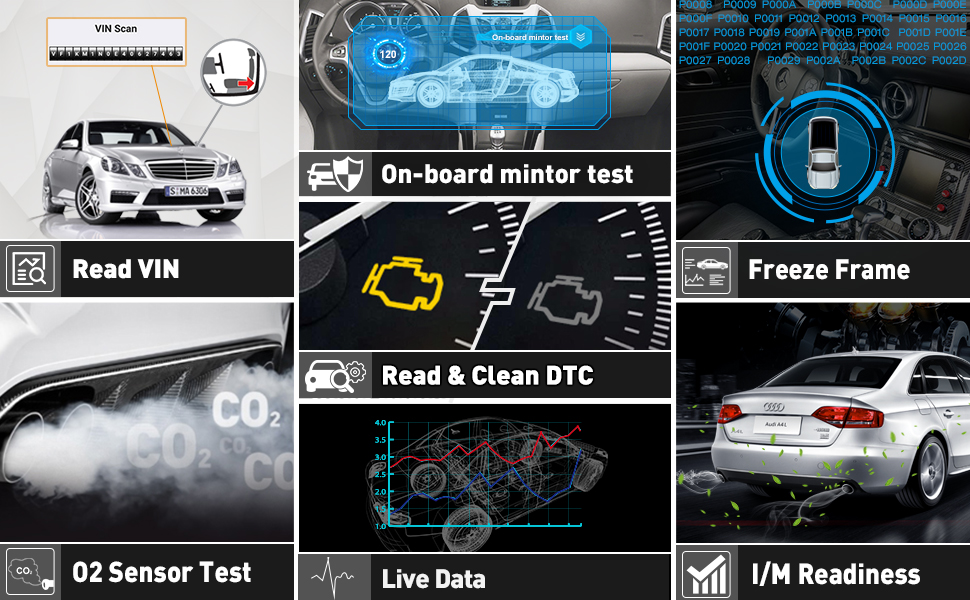
3.1 Diagnostic Functions
- Reading Codes: Displays the detailed description of Diagnostic Trouble Codes (DTCs).
- Erasing Codes & Reset: Turns off the Check Engine Light (MIL), clears codes, and resets monitors.
- Data Stream: Reads and displays live ECU/PCM data stream, with graphical plotting functions and storage of freeze frame data.
- I/M Readiness Status: Shows whether various emissions-related systems are operating correctly and are ready for inspection.
- Read Live Data Stream: Displays continuous data stream from a vehicle in a live graphic (waveform) format.
- View Freeze Frame Data: Checks specific vehicle conditions recorded by the on-board computer when an emission-related fault occurs.
- O2 Sensor Test: Allows retrieval and viewing of O2 sensor monitor test results from recently performed tests.
- On-Board Monitor Test (Mode 6): Retrieves and displays test results for emission-related powertrain components and systems.
- Read Vehicle Information: Displays information such as VIN (Vehicle Identification Number), CID (Calibration ID), and CVN (Calibration Verification Number).
- Component Test (Mode 8): Actuates certain vehicle components via commands from the scanner to test their operability.
3.2 Special Features
- DTC Look Up: Provides definitions for DTCs stored in the scan tool and suggests possible causes.
- Battery Testing: Allows you to check your car's battery status.
- Screenshot Function: Press and hold the up and down buttons for 3 seconds to quickly capture a screenshot of the display.
- Review Back Functions: Record and play back readouts or graphs, useful for diagnosing intermittent problems that do not immediately generate a code.


4. Maintenance
4.1 Lifetime Free Updates
The YA101 offers a lifetime free update service. To update the device, connect it to a PC via the USB cable. A removable disk will appear; simply copy and paste the update files into this disk. No driver installation is required.

5. Troubleshooting
- Device not powering on: Ensure the scanner is correctly and securely connected to the vehicle's 16-pin DLC socket. The device draws power directly from the vehicle.
- No communication with vehicle: Verify that your vehicle supports standard OBD2 protocols and falls within the supported model years (US 1996+, EU 2000+, Japan/Korea 2006+, China 2008+). Some specialized car models or regional variations may not be compatible.
- Incorrect readings or intermittent issues: Utilize the 'Review Back functions' to record and analyze data streams, which can help identify sporadic problems that don't immediately trigger a fault code.
- Unsupported vehicle type: Remember that the YA101 is designed for 12V passenger vehicles only and is not compatible with 24V trucks or heavy-duty vehicles.
6. Specifications
| Feature | Detail |
|---|---|
| Screen | 1.8" TFT Color Screen |
| Voltage | 12V |
| Operating Temperature | 0℃ ~ 50℃ (32℉ - 122℉) |
| Environment Temperature | -20℃ ~ 70℃ (-4℉ - 158℉) |
| Dimensions | 4.8'' x 2.6'' x 0.8'' |
| Weight | < 220g |
| Certification | CE |
| Supported Languages | English, Chinese, French, German, Italian, Japanese, Spanish, Russian, Portuguese |

7. Warranty and Support
7.1 Warranty
The obdkcan YA101 OBD2 Scanner comes with a 1-year warranty, ensuring reliability and customer satisfaction.
7.2 Product Support
Benefit from lifetime free software updates to ensure your device always has the latest car model data and diagnostic capabilities. For further assistance, please refer to the official obdkcan support channels.
8. User Tips
- Quality Assurance: Users appreciate the high quality and latest hardware version of the YA101, contributing to reliable diagnostic results.
- Portability: The compact and easy-to-carry design makes it convenient for on-the-go diagnostics, fitting easily into your toolkit.
- Cost-Effective Solution: For entry-level DIYers, the YA101 offers a comprehensive set of OBD2 functions at a budget-friendly price, making basic car maintenance accessible.
- Regular Updates: Take advantage of the lifetime free updates to keep your scanner's software current, ensuring compatibility with newer vehicle models and improved diagnostic accuracy.
