
1. Introduction
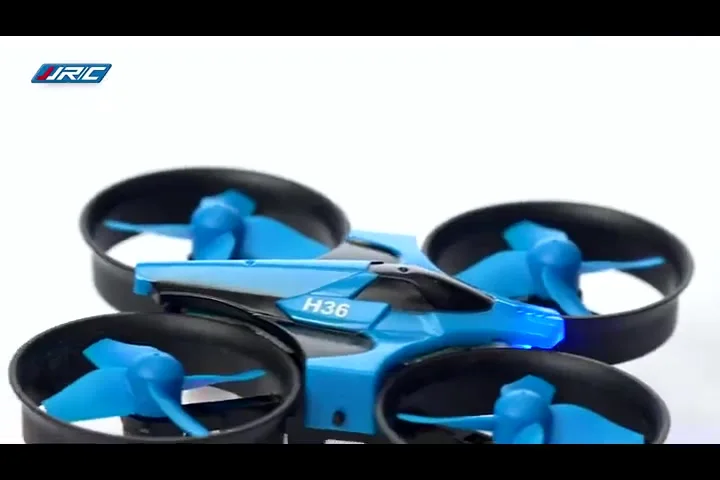
Thank you for purchasing the JJRC H36 Mini RC Drone. This compact and agile quadcopter is designed for both beginner and intermediate users, offering features like 6-axis gyro stabilization, headless mode, one-key return, and 360-degree flips. Please read this manual thoroughly before operating the drone to ensure safe and optimal performance.
2. Safety Information
- WARNING: Not suitable for children under 36 months. Contains small parts that may pose a choking hazard. Recommended age: 14+ years.
- Always operate the drone in open areas, away from people, animals, and obstacles.
- Do not fly near high-voltage lines, airports, or crowded areas.
- Ensure the drone's battery and remote control batteries are fully charged before each flight.
- Avoid flying in strong winds (Anti-wind Ability: 1, designed for light wind conditions).
- Keep fingers and hair away from rotating propellers.
- Do not touch the motors immediately after flight as they may be hot.
3. Package Contents
Verify that all items are present in your package:
- 1 x JJRC H36 Mini RC Drone (Host)
- 1 x Remote Controller
- 1 x USB Charging Cable
- 1 x 3.7V 150mAh Lithium Battery (for drone, with protection)
- 1 x Set of Spare Fan Blades (Propellers)
- 1 x Instruction Manual
Note: 2 x AA batteries for the remote controller are NOT included and must be purchased separately.

4. Specifications
| Feature | Specification |
|---|---|
| Model | H36 |
| Brand | JJRC (CONUSEA) |
| Material | Plastic |
| Drone Dimensions | 8.5 x 8.5 x 3 cm |
| Drone Weight | 100g |
| Takeoff Weight | 100g |
| Battery | 3.7V 150mAh Lithium battery (Included) |
| Charging Time | 30-50 minutes |
| Flight Time | 5-10 minutes |
| Remote Control Frequency | 2.4GHz Spread Spectrum |
| Remote Control Distance | About 30m |
| Control Channels | 4 channels |
| Controller Battery | 2*AA (Not included) |
| Gyroscope | 6-Axis Gyro |
| Features | Headless Mode, One Key Return, 360° Flips, High/Low Speed, LED Lights |
| Indoor/Outdoor Use | Indoor-Outdoor |
| State of Assembly | Ready-to-Go |
| Recommended Age | 14+y |

5. Setup Guide
5.1 Charging the Drone Battery
- Connect the drone's 3.7V 150mAh Lithium battery to the provided USB charging cable.
- Plug the USB cable into a USB power source (e.g., computer, USB wall adapter).
- The charging indicator light on the USB cable will illuminate during charging and turn off (or change color) when fully charged.
- Charging time is approximately 30-50 minutes. Do not overcharge.
5.2 Installing Remote Controller Batteries
- Open the battery compartment on the back of the remote controller.
- Insert 2 x AA batteries, ensuring correct polarity (+/-).
- Close the battery compartment securely.
5.3 Propeller Installation (if needed)
The drone comes ready-to-fly, but if propellers need replacement:
- Identify the correct propeller for each motor. Propellers are typically marked (e.g., A or B) and must match the corresponding motor.
- Gently push the propeller onto the motor shaft until it is secure.
5.4 Pairing the Drone and Remote Controller
- Place the drone on a flat, level surface.
- Turn on the drone's power switch. The LED lights on the drone will flash.
- Turn on the remote controller.
- Push the left joystick (throttle) all the way up, then pull it all the way down.
- The drone's LED lights will stop flashing and remain solid, indicating successful pairing.
6. Operating Instructions
6.1 Remote Controller Overview

- Left Joystick (Throttle): Ascend/Descend (up/down), Left/Right Turn (left/right).
- Right Joystick: Forward/Backward (up/down), Left/Right Fly (left/right).
- High/Low Speed Gear Button: Adjusts flight speed.
- 360° Rotation Button: Initiates flip maneuvers.
- One Key Return Button: Recalls the drone to its take-off direction.
- Headless Mode Button: Activates/deactivates headless mode.
- Fine-tuning Buttons: For precise adjustments to flight stability (Forward/Backward, Left/Right).
- Power ON/OFF Switch: Turns the remote controller on or off.
6.2 Basic Flight
- Take-off: After pairing, gently push the left joystick (throttle) up to make the drone ascend.
- Directional Control: Use the right joystick to move the drone forward, backward, left, or right.
- Turning: Use the left joystick left or right to rotate the drone.
- Landing: Slowly pull the left joystick (throttle) down until the drone lands.
6.3 Special Features
- Headless Mode: Press the Headless Mode button. In this mode, the drone's orientation is relative to the pilot, making it easier to control without worrying about the drone's front/back. Press again to exit.
- One Key Return: Press the One Key Return button. The drone will attempt to fly back towards its take-off position. This feature works best when the drone is within visual range and has a clear path.
- 360° Flips and Rolls: Press the 360° Rotation button, then quickly push the right joystick in the desired flip direction (forward, backward, left, or right). The drone will perform a spectacular flip.
- High/Low Speed-Shift: Press the High/Low Speed Gear button to switch between different speed modes, suitable for various skill levels and environments.
7. Maintenance
- Cleaning: Use a soft, dry cloth to clean the drone and remote controller. Avoid using water or solvents.
- Propellers: Regularly check propellers for damage (bends, cracks). Replace damaged propellers immediately using the spare set provided.
- Battery Care: Store the drone battery in a cool, dry place. Do not leave batteries fully charged or fully discharged for extended periods. Remove batteries from the remote controller if not in use for a long time.
- Storage: Store the drone and accessories in a safe place, away from direct sunlight and extreme temperatures.
8. Troubleshooting
| Problem | Possible Cause | Solution |
|---|---|---|
| Drone does not respond to remote. | Low battery (drone or remote), not paired, out of range. | Charge drone battery, replace remote batteries, re-pair drone and remote, ensure within 30m range. |
| Drone flies erratically or is unstable. | Gyro not calibrated, damaged propellers, strong wind. | Place drone on a flat surface and re-calibrate (refer to manual for specific calibration steps), check and replace damaged propellers, fly in calm conditions. |
| Short flight time. | Battery not fully charged, aging battery, aggressive flying. | Ensure battery is fully charged (30-50 mins), consider replacing old batteries, fly more gently. |
| One Key Return not working as expected. | Drone is too far, obstacles in path, initial take-off position not clear. | Use One Key Return within visual range and clear surroundings. Ensure drone was placed on a flat surface for take-off. |
9. User Tips
- Start flying in low-speed mode to get accustomed to the controls before switching to high-speed.
- Practice basic maneuvers like hovering and gentle turns in an open, indoor space before attempting outdoor flights or advanced tricks.
- Always keep the drone within your line of sight to prevent loss of control or unexpected collisions.
- If the drone crashes, immediately cut the throttle to prevent further damage to the motors or propellers.
10. Support
For any further assistance, technical support, or inquiries regarding your JJRC H36 Mini RC Drone, please contact the seller or manufacturer directly. Refer to your purchase documentation for contact details.