
Introduction
The Smart AT Robot is an interactive toy designed to be a companion for children. It features a variety of functions including recording, dialogue, walking, playing music, and dancing. This manual provides essential information for setting up, operating, and maintaining your AT Robot.
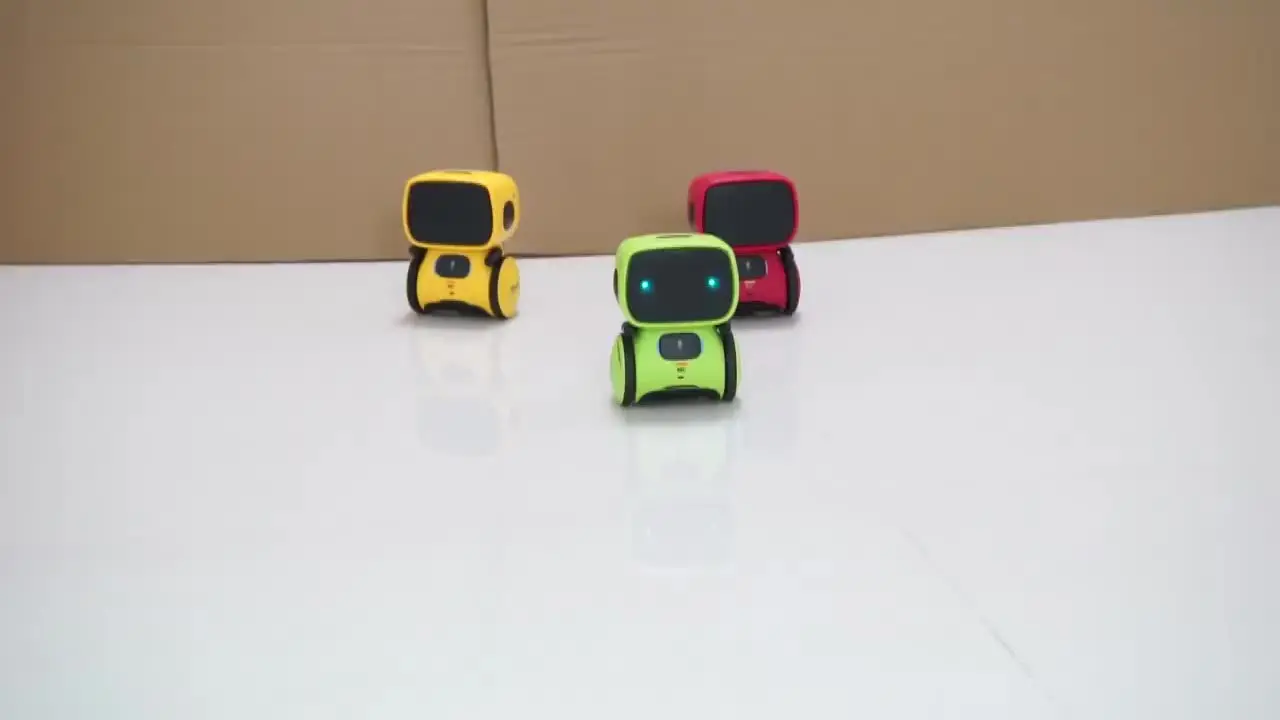
Video: Demonstration of the Smart AT Robot's interactive features.
Safety Information
- WARNING: Not suitable for children under 36 months due to small parts.
- WARNING: Batteries are not included. Please ensure correct battery type and installation.
- Always supervise young children during play.
- Do not expose the robot to water or extreme temperatures.
Package Contents
- 1 x Smart AT Robot (Model AT001)
- 1 x Instruction Manual
Setup
Battery Installation
- Locate the battery compartment on the bottom of the robot. Use a screwdriver to open the screw on the battery cover.
- Insert three (3) 1.5V AAA dry cell batteries into the compartment, ensuring correct polarity (+/-).
- Close the battery cover and secure it with the screw.

Image: Step 1 - Opening the battery compartment.

Image: Step 2 - Inserting AAA batteries.
Operating Instructions
Power On/Off
Locate the power switch on the robot's back. Slide it to the 'ON' position to power on and 'OFF' to power off.
Voice Control Mode
The robot responds to 10 specific voice commands, performing various actions and sounds. Ensure you speak clearly and directly to the robot.

Image: Voice Control Mode examples.
| Command | Action/Response |
|---|---|
| HEY AT | S1-YES + GO FORWARD + ROBOT SOUNDS |
| GO BACK | S1-YES + BACKWARD + ROBOT SOUNDS |
| TURN LEFT | S1-YES + TURN LEFT + ROBOT SOUNDS |
| TURN RIGHT | S1-YES + TURN RIGHT + ROBOT SOUNDS |
| I LOVE YOU | S1-ROBOT SOUNDS + GO FORWARD + ROBOT SOUNDS |
| ARE YOU HAPPY | S1-ROBOT SOUNDS + LAUGHTER SOUNDS |
| CAN YOU DANCE | S1-NO PROBLEM + RANDOM PLAY ONE DANCE MUSIC |
| MUSIC | S1-OKAY + RANDOM PLAY ONE MUSIC |
| BYE | S1-SEE YOU + BACKWARD |
| SOULGUY | NOISE + ROBOT SOUNDS + FORWARD + TURN RIGHT + ROBOT SOUNDS + BACKWARD + TURN LEFT + ROBOT SOUNDS + WALK IN CIRCLE |
| SLEEP | S1-SLEEPING MODE |
| WAKE UP | S1-WAKE UP |
Touch Control Mode
The robot features touch-sensitive points for direct interaction:
- Left and Right Touch Points (Ears): Touch these points to control the robot's movement (forward, backward, left turn, right turn).
- Head Touch Point: Press and hold the head to adjust the volume.

Image: Touch Control Mode points.
Intelligent Recording
The robot can record short voice messages:
- Press and hold the microphone icon button located on the robot's chest.
- Record your voice message. The robot can store up to three voice messages, each lasting 8 seconds.

Image: Intelligent Recording feature.
Maintenance
- Cleaning: Wipe the robot with a soft, dry cloth. Do not use harsh chemicals or abrasive cleaners.
- Battery Care: Remove batteries if the robot will not be used for an extended period to prevent leakage.
- Storage: Store the robot in a cool, dry place away from direct sunlight.
Troubleshooting
- Robot enters sleeping mode: If you say "good bye" to the AT Smart Robot, it will enter sleeping mode. Short press the microphone icon button on its chest to wake it up.
- Robot plays music automatically: This indicates that the 3x1.5V AAA batteries are in a low battery state and need to be replaced.
- Robot does not respond to commands: Ensure batteries are fresh and correctly installed. Speak clearly and directly to the robot. The robot understands specific English commands as listed in the manual, not general conversational language.
Specifications

Image: Product dimensions and parameters.
| Feature | Detail |
|---|---|
| Model Number | AT001 |
| Brand Name | MSFTOYS |
| Color Options | Yellow, Green, Red |
| Material | ABS + Electronic Components |
| Recommended Age | 3 Years Old and up (3-6Y, 6-12Y, 14+y) |
| Battery Type | 3 x 1.5V AAA (Not Included) |
| Product Dimensions | 9.5 cm x 9.5 cm x 13 cm |
| Product Weight | 300g |
| Package Dimensions | 15.5 cm x 13 cm x 11 cm |
| Package Weight | 380g |
| Packing | Graphic Carton |
| Max Speed | 3 km/h |
| Remote Distance | 2m |
| Power Source | Electric |
| State of Assembly | Ready-to-Go |
| Certifications | UL, CE |
User Tips
- For best voice recognition, speak clearly and at a moderate volume.
- If the robot starts playing music unexpectedly, it's a sign that the batteries are low and need to be replaced.
- Remember that the robot understands specific commands (primarily in English, as listed in this manual), not complex sentences or other languages.
Warranty and Support
This product is designed for durability and performance. If you encounter any issues or have questions regarding the operation or maintenance of your Smart AT Robot, please refer to the troubleshooting section of this manual. For further assistance, please contact the seller directly for a fast solution.