
1. Warning & Safety Information
- ATTENTION: Not suitable for children under 3 years old.
- ATTENTION: Do not swallow small parts to prevent suffocation.
2. Product Overview
The M10SD GNSS module is equipped with the UBX M10 chip, supporting simultaneous reception of global navigation satellite systems including GPS, GLONASS, Galileo, and BeiDou. This allows the receiver to select optimal signals from a large number of visible satellites. The M10SD supports both NMEA and UBX dual protocol outputs, offering a positioning frequency of 10Hz and a maximum support of 25Hz.
It features a high-gain 18x18x2mm antenna for optimal performance and integrates an electronic compass and flash memory. Its extremely small size makes it ideal for FPV racing drones and is compatible with various flight controllers such as Ardupilot, INAV, Betaflight, and Pixhawk APM.
The UBX-M10050-KB chip, based on the u-blox M10 standard precision GNSS platform, provides exceptional sensitivity and acquisition times for all L1 GNSS signals. Its low power consumption in continuous tracking mode ensures extended battery life for devices like asset trackers, without compromising GNSS performance.
The module supports concurrent reception of up to four GNSS systems, tracking over 50 satellites. This maximizes position accuracy, especially in challenging environments like deep urban canyons. UBX Super-S (Super-Signal) technology enhances RF sensitivity and improves dynamic position accuracy even with small antennas or in non-line-of-sight scenarios.
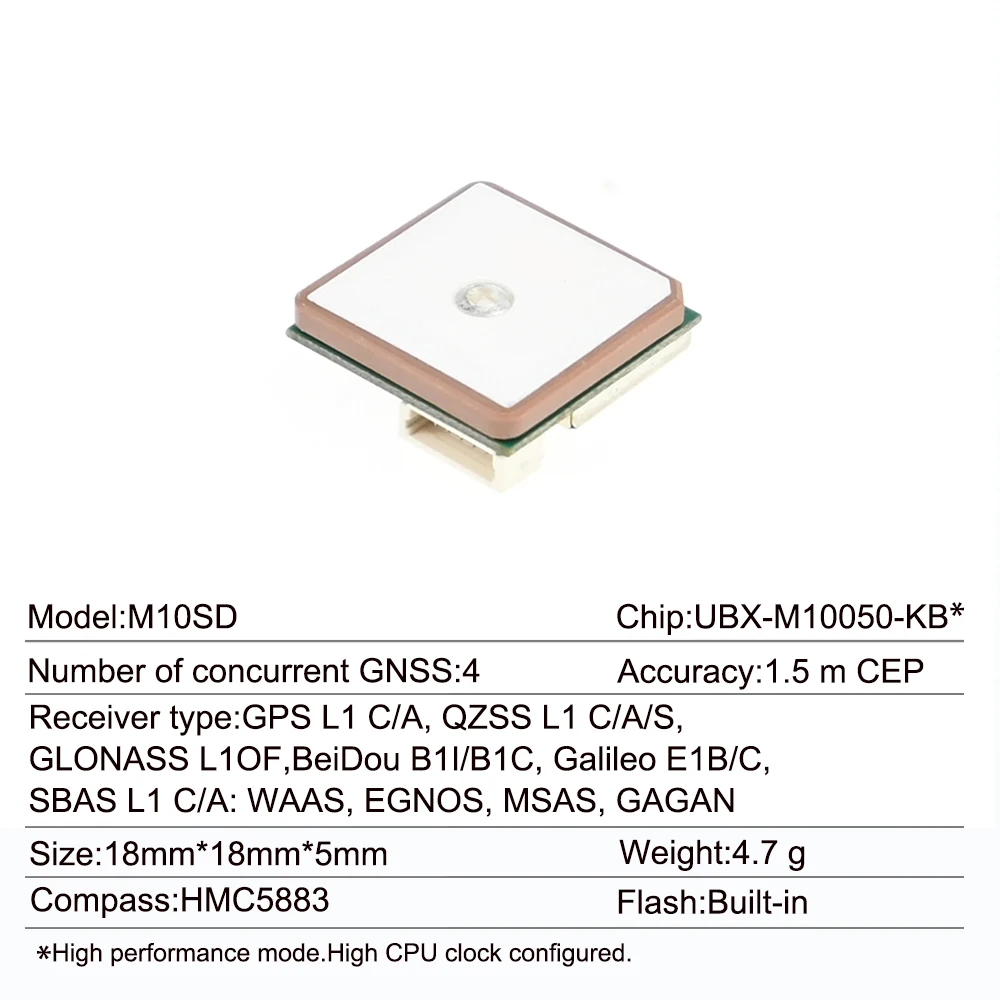
3. Specifications

| Specification | Value |
|---|---|
| Model Name | M10SD |
| Brand Name | QUESCAN |
| Origin | Mainland China |
| GPS type | Receiver & Antenna |
| GNSS | GPS GLONASS Galileo BeiDou QZSS SBAS |
| Chipset | UBX M10050 KB |
| Compass | HMC5883 |
| Nav Rate | 10Hz |
| Positioning accuracy | 1.5m CEP |
| Cold Start | 23S |
| Hot Start | 1S |
| Data level | TTL |
| Power | DC 3.3V-5V |
| Protocol | NMEA0183 and UBX |
| Baudrate | 115200 bps |
| Connector type | 1.0mm 6pins |
| Flash | Built-in |
| Size | L18mm*W18mm*H5mm |
| Weight | 4.7 g |

4. Pin Definition

| Pin NO. | Pin Name | Pin Description |
|---|---|---|
| 1 (C) | SCL | Serial Clock Line |
| 2 (G) | GND | GROUND |
| 3 (T) | TX | Transmit data |
| 4 (R) | RX | Receive data |
| 5 (V) | VCC | Main power DC3.3-5.0V |
| 6 (D) | SDA | Serial Data Line |
5. Setup and Configuration
5.1. Instructions for Use
- Connect the power supply to ensure normal power delivery to the module.
- Connect the module to peripheral devices, such as a GPS receiver or flight controller.
- Power on the device and wait for satellite signal acquisition and positioning.
5.2. Compass Setting Guide
Proper compass orientation is crucial for accurate navigation. Refer to the image below for specific settings based on your flight controller firmware:

- INAV / Betaflight: Set 'MAG Alignment' as 'CW 0° flip'.
- Ardupilot: Set 'COMPASS_AUTO_ROT' as '2'.
- PX4: Set 'Mag Orientation' as 'ROTATION_PITCH_180'.
5.3. Dynamic Platform Configuration
The dynamic platform model can be configured via the CFG-NAVSPG-DYNMODEL configuration item. The default dynamic model is 'Portable'. Refer to the tables below for supported dynamic platform models and their details.


6. Supported GNSS Constellations
The M10SD is a concurrent GNSS receiver capable of receiving and tracking multiple GNSS systems. Its single RF front-end architecture allows for concurrent reception of various GNSS constellations. The receiver can be configured to use a subset of these constellations to optimize power consumption.
The factory configuration for the M10SD includes concurrent reception of GPS, Galileo, GLONASS, and BeiDou B1C, with QZSS and SBAS enabled. The following GNSS systems and their signals are supported:


7. Supported Protocols
The M10SD module supports both UBX and NMEA protocols. For detailed information on specific messages and versions, please refer to the official documentation.

8. Factory Settings
The M10SD module comes with the following default factory configurations:
- GNSS Constellations: GPS + Galileo + GLONASS + BeiDou + QZSS + SBAS.
- Baudrate: 115200 baud, 8 bits, no parity bit, 1 stop bit.
- Mode: High performance mode.
- Navigation Update Rate: 10Hz.
- Input Messages: NMEA and UBX.
- Output Messages: NMEA GGA, GLL, GSA, GSV, RMC, VTG and TXT. / UBX-NAV-PVT, UBX-NAV-SAT.
Note: As NMEA GSV does not support BeiDou B1C signals, enable UBX-NAV-SAT to obtain C/N0 and residual data for BeiDou B1C signals. By default, NMEA-GSV GSA / UBX-NAV-SAT messages are sent at 1Hz to avoid TX buffer overflow, while NMEA-GGA RMC GLL VTG, UBX-PVT are sent at 10Hz.

9. Configuration Software
The QUESCAN M10SD GPS Module can be configured and monitored using the u-center 2 software. This software provides a comprehensive interface for managing GNSS receiver settings, viewing satellite signals, and analyzing positioning data.


10. Performance
The M10SD module is designed for high performance in various applications, including velocimeters, fixed-wing aircraft, FPV drones, UGVs, and cars. It offers a 10Hz high navigation rate and a 115200 Baudrate for efficient data transfer.

11. User Tips
- Users report very fast Time To First Fix (TTFF) and reliable operation, with effective isolation from electrical noise.
- The module is noted for catching satellites faster and with stronger signals compared to similar modules.
- This module is designed for integration into drones and other electronic projects, and does not contain an internal battery or direct phone connectivity. Power and data are managed via the connected flight controller or peripheral device.
12. Troubleshooting
- Weak signal: Check antenna connections and ensure there are no obstructions.
- Inaccurate positioning: Recalibrate the device or relocate it to a better position with a clear view of the sky.
- Device not recognized: Verify correct interface connection (e.g., TX/RX, SCL/SDA, VCC/GND).
- General Precautions:
- Avoid obstructing the antenna, as this may degrade signal reception.
- Do not operate the module in environments with strong electromagnetic interference.
- Keep the module dry, moisture-proof, and shock-resistant.
13. Packing List
The package includes:
- M10SD module x 1
- Pinout cable x 1

14. Warranty & Support
For technical support and warranty coverage, please contact customer service.
A user manual in PDF format is also available for download: View User Manual (PDF)