
1. Introduction
The FreedConn TCOM VB is a Bluetooth 5.0 motorcycle intercom helmet headset designed for clear communication and entertainment while riding. It features long-range duplex intercom, FM radio, music sharing, and high compatibility with various Bluetooth devices. This manual provides detailed instructions for installation, operation, and maintenance to ensure optimal performance and safety.

2. Package Contents
Please check the package carefully to ensure all items are present. The quantity of some items may vary depending on whether you purchased a single or two-set package.
- FreedConn T-com VB Bluetooth Device
- Microphone & Ear Speaker
- Headphone Velcro
- Vecro Clip
- Hook Clip
- Screw Driver
- USB Charge Cable (Note: Charger not included, please use your phone charger)
- User Manual
- Packing Box

3. Product Overview
The FreedConn TCOM VB unit features a compact design with intuitive controls. Key components include:
- LCD Indicator Light: Displays status information.
- Jog Wheel: Used for volume adjustment and channel selection.
- Multi-function Button: Controls various features like power, phone calls, and FM radio.
- Power On/Off and Intercom Button: For powering the device and initiating intercom.
- Noise Canceling Microphone: Ensures clear voice transmission.
- Stereo Ear Speakers: Upgraded to FreedConn V3 HiFi speakers for enhanced audio quality.
- Charger and Headset Socket: For connecting the USB charging cable and the microphone/ear speaker unit.
- Detachable Socket: For easy connection and disconnection of the headset.
- Slot Cable: Connects the headset to the main unit.

4. Installation
The FreedConn TCOM VB is suitable for various helmet types including full face, half face, open face, 3/4 face, motocross, and retro helmets. Two types of clips are provided for installation:
- Vecro Clip: Suitable for helmets with thick edges.
- Hook Clip: Suitable for helmets with thin edges.
Follow these steps to install the headset on your helmet:
- Loosen Screws: Loosen the screws on the back of the clamp with the provided screw driver.
- Position Clamp: Open the lining of the helmet, insert the clamp in the proper position on the left side of the helmet, and fasten the screw. (Caution: Overly fastened screws can damage the clamp).
- Slide BT Receiver: Slide the Bluetooth receiver into the slot of the clamp. Make sure that it is locked in securely.
- Attach Hook Surface: Open the lining of the helmet (at ear's position), clean the EPS surface, and paste the Velcro on the rough surface.
- Tidy Helmet Lining: Attach the hook surface to the rough surface of the Velcro and properly tidy the helmet lining.
- Insert Headphone Plug: Insert the headphone plug into the corresponding headphone jack on the receiver to finish the installation.


5. Operation
5.1 Power On/Off
Press and hold the Power On/Off button until the indicator light illuminates to power on the device. Repeat to power off.
5.2 Bluetooth Pairing
The TCOM VB uses Bluetooth 5.0 for faster, more stable, and compatible connections. To pair with your mobile phone, MP3 player, or GPS device:
- Ensure the TCOM VB is powered off.
- Press and hold the Multi-function button until the indicator light flashes red and blue alternately, indicating pairing mode.
- On your device (phone, MP3, GPS), search for Bluetooth devices and select "FreedConn TCOM VB".
- Once connected, the indicator light will flash blue slowly.

5.3 Intercom Function
The TCOM VB supports two-rider duplex intercom up to 1000 meters in open space and 3-way conference intercom, allowing 2 people to talk simultaneously.
- Two-Rider Intercom: Press the intercom button to initiate a connection with another TCOM VB unit.
- 3-Way Conference Intercom: Connect up to three riders, with two able to speak at the same time.


5.4 Phone Calls
When connected to a mobile phone, the TCOM VB allows you to:
- Receive Calls Automatically: Calls will be answered automatically after a few rings.
- Call Out/Answer/Reject/Hang Up: Use the Multi-function button for these actions.
- Dial Last Number: Quickly redial the last called number.
- Audio Transfer: Transfer audio between the headset and your phone.
5.5 Music and GPS
Enjoy music and GPS navigation through your headset:
- A2DP Support: Stream high-quality stereo music from your phone or MP3 player.
- AVRCP Control: Control music playback (forward, backward, play, pause) using the headset buttons.
- GPS Connection: Receive voice instructions from your GPS device.
- Music Sharing: Share your favorite music with a paired partner.

5.6 FM Radio Operation
The TCOM VB includes an FM radio function:
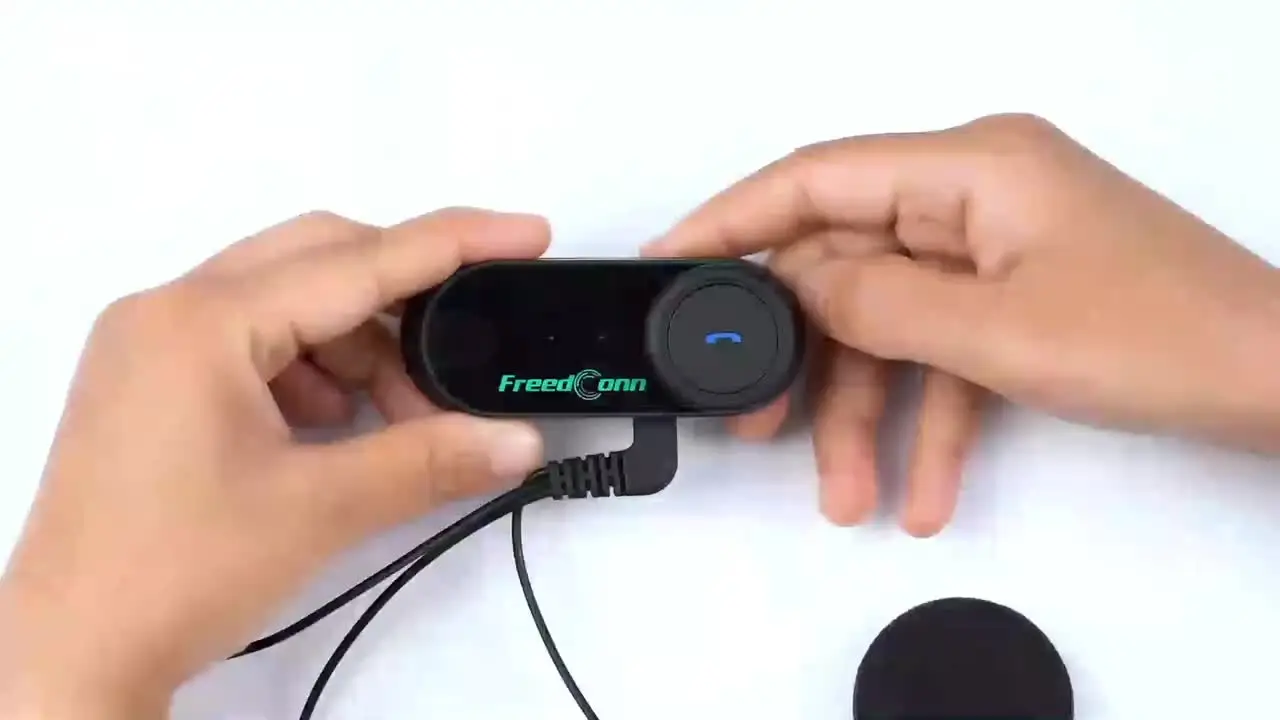
Video Description: This video demonstrates how to operate the FM radio function on the FreedConn TCOM VB. It shows how to turn on/off the radio, adjust volume, and change radio channels using the multi-function button and jog wheel.
- Turn On Radio: Double-press the Multi-function button to turn on the radio function.
- Adjust Volume: Rotate the jog wheel clockwise and counter-clockwise without releasing your hand to adjust the volume.
- Adjust Radio Channel: Rotate the jog wheel clockwise and counter-clockwise to adjust the radio channel frequency.
- Turn Off Radio: Double-press the Multi-function button to turn off the radio function.
6. Maintenance
The FreedConn TCOM VB is designed to be durable, waterproof, sunproof, and dustproof, requiring minimal maintenance.
- Charging: Use the provided USB charging cable to charge the device. Connect it to a standard USB charger (not included). The charging port has been upgraded from 8-pin to 5-pin for convenience.
- Cleaning: Wipe the unit with a soft, damp cloth. Do not use harsh chemicals or abrasive cleaners.
- Storage: Store the device in a cool, dry place when not in use.

7. Troubleshooting
If you encounter issues with your FreedConn TCOM VB, try the following:
- No Power: Ensure the device is fully charged. Connect it to a USB power source and check the charging indicator.
- Cannot Pair: Make sure the device is in pairing mode (red and blue flashing lights). Ensure no other Bluetooth devices are interfering. Try restarting both the TCOM VB and the device you are trying to pair.
- Intercom Not Connecting: Ensure both units are within range (up to 1000m in open space) and are not paired with other devices. Try re-initiating the intercom connection.
- Poor Audio Quality: Check that the microphone and speakers are correctly positioned inside the helmet. Ensure the headset plug is fully inserted into the unit's socket.
- FM Radio Issues: Ensure you are in an area with good FM signal reception. Adjust the channel using the jog wheel.
- Compatibility: The new 2021 TCOM VB walkie-talkies can be paired with older TCOM VB walkie-talkies.
8. Specifications
| Feature | Specification |
|---|---|
| Model Name | T-COM VB |
| Brand Name | FreedConn |
| Bluetooth Version | 5.0 |
| Intercom Distance | Up to 1000m (open space) |
| Maximum Number of Speakers | 6 (3 riders connection, 2 talking simultaneously) |
| Working Speed | Up to 120 Km/h |
| Battery Type | Rechargeable Lithium polymer Battery |
| Battery Model | 502533 |
| Battery Capacity | 400mAh |
| Voltage | 3.7V |
| Power | 1.48WH |
| Talking Time (Phone) | Up to 10-12 hours |
| Talking Time (Intercom) | Up to 6-8 hours |
| Standby Time | Up to 300 hours |
| Charging Time | Approx. 2.5-4 hours |
| Item Weight | 35g (excluding accessories) |
| Item Dimensions (L x W x H) | 8.2cm x 3.2cm x 2.5cm |
| Special Features | FM Radio, Noise Reduction, Music Sharing, DSP Echo Cancellation |
| Connection Mode | Wire, Bluetooth |
| Applicable Helmet Type | Half Helmet, MODULAR, MOTOCROSS, Open face, Full Face, Flip Up Helmet, Universal |
| External Testing Certification | CE |

9. User Tips
- Helmet Compatibility: The TCOM VB is highly versatile and fits most helmet types, including full-face, open-face, and modular designs. Use the appropriate clip (Velcro or hook) for your helmet's edge thickness.
- Audio Quality: For the best audio experience, ensure the speakers are positioned directly over your ears inside the helmet. The upgraded V3 HiFi speakers provide excellent sound.
- Intercom Range: While rated for up to 1000m, actual intercom range can be affected by terrain, obstacles, and weather conditions. For optimal performance, maintain a clear line of sight between units.
- Charging: Remember that the package includes a USB charging cable but not a wall adapter. You can use any standard phone charger with a USB port.
- Compatibility with Other Brands: The TCOM VB is designed to be compatible with other brands' Bluetooth intercom headsets, allowing for flexible group rides.

10. Warranty and Support
FreedConn offers a 365-day free replacement warranty for the TCOM VB. If you experience any quality problems with your product within this period, please contact FreedConn Official Store for assistance.