
Introduction
The VJOYCAR V48 is an advanced 4G GPS smart watch tracker specifically designed for the elderly. It integrates real-time positioning, comprehensive health monitoring, and emergency alert features to provide peace of mind for both users and their families. This manual provides detailed instructions on how to set up, operate, and maintain your V48 smart watch.
Product Features
- 4G LTE GPS Tracking: Real-time positioning with GPS, WiFi, and LBS triple tracking methods.
- Health Monitoring: Heart Rate, Blood Pressure, and Body Temperature monitoring.
- Fall Alarm: Automatic detection of falls with immediate alerts to emergency contacts.
- SOS Button: One-click emergency call to preset SOS numbers.
- Two-Way HD Communication: Clear voice calls over the 4G network with auto-pickup functionality.
- Geo-fence: Set up virtual boundaries and receive alerts when the wearer enters or exits them.
- Historical Route: Review past movements of the wearer via the mobile app.
- Pill Reminder: Schedule medication reminders.
- Step Counting: Track daily activity levels.
- IP67 Waterproof: Resistant to splashes and brief immersion in water, suitable for daily use.
- Talking Clock: Announces the time.
- Low Battery Alarm: Notifies when the battery is low.
- Speed Dial: Quick access to two pre-programmed contacts.
- Long Standby Battery Life: Up to two weeks on a single charge.
Package Contents
Please check the box for the following items:
- 1x VJOYCAR V48 GPS Anti-lost Host
- 1x Lanyard
- 1x USB Magnetic Charging Cable
- 1x User Manual
- 1x Screwdriver
- 1x Original Retail Box

Image: Contents of the VJOYCAR V48 smart watch package.
Product Overview
Familiarize yourself with the different parts of your V48 smart watch:

Image: Front, back, and side views of the V48 smart watch with key components labeled.
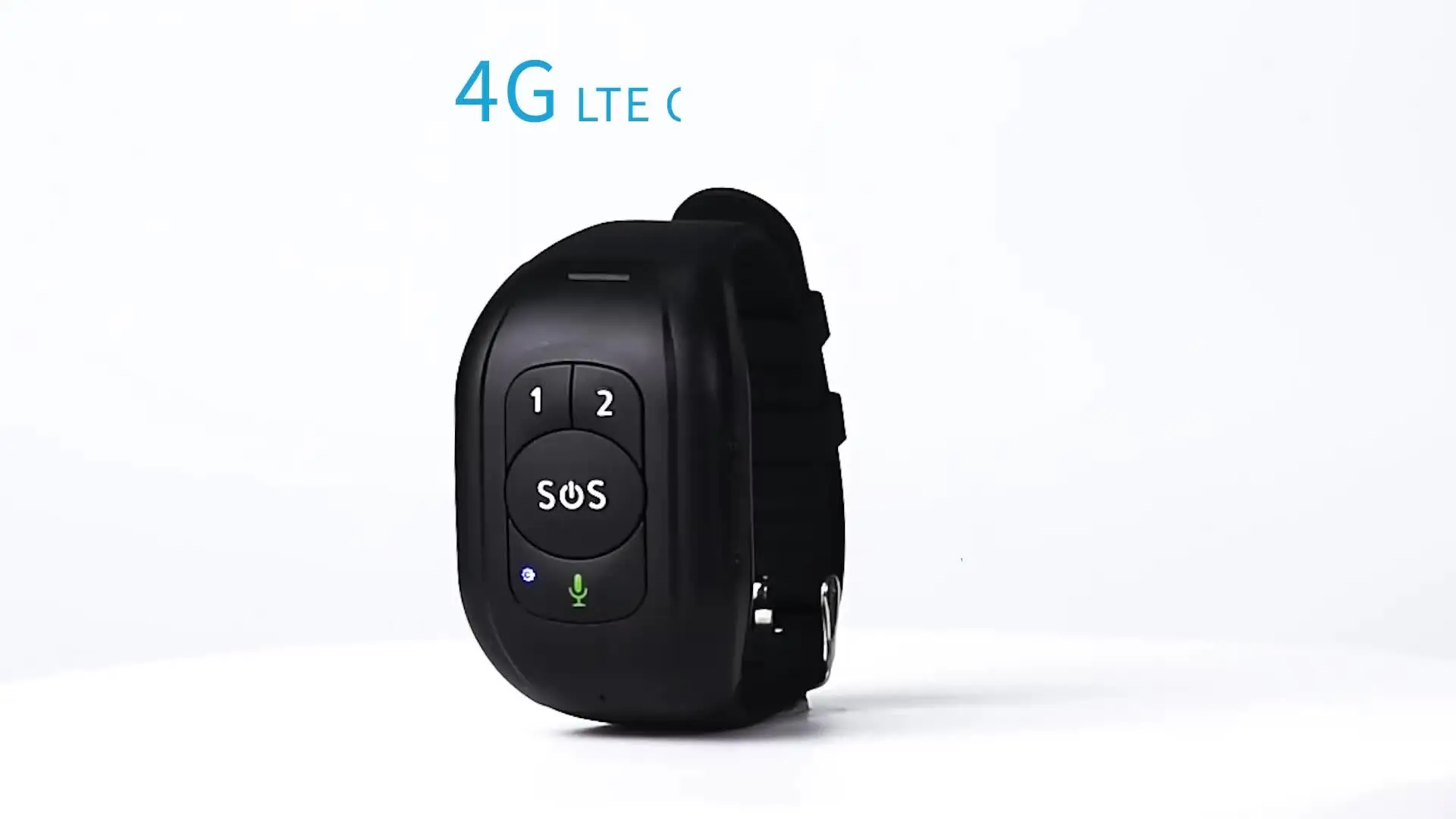
Video: A visual overview of the VJOYCAR V48 GPS Bracelet, highlighting its features and components.
Specifications
| Feature | Specification |
|---|---|
| Model | RF-V48 |
| Dimensions | 65mm (L) x 42mm (W) x 20mm (H) |
| Net Weight | 73g |
| Battery Capacity | 1000mAh |
| Network Mode | 4G LTE + 2G GSM |
| SIM Card | Available (Nano-SIM recommended) |
| GPS Positioning Accuracy | 5-15m (open sky) |
| WIFI Positioning Accuracy | 15-100m (under WIFI range) |
| GPS Locating Time (Cold Boot) | 30 seconds (open sky) |
| GPS Locating Time (Warm Boot) | 29 seconds (open sky) |
| GPS Locating Time (Hot Boot) | 5 seconds (open sky) |
| Waterproof Grade | IP67 |
| Metrics Measured | Heart Rate, Blood Oxygen, Blood Pressure, Body Temperature |
| Activity Tracked | Steps Tracker |
| Bluetooth Version | 4.1 |
| APP Download Available | Yes |
| Working Temperature | -20°C to +45°C |
| Working Humidity | 5% - 95% RH |
| Certification | CE, FCC |
Network Bands (Two Versions - selected based on region):
- Version A: FDD: Band 1/3/5/7/8/20; TDD: Band 38/39/40/41; GSM: Band 2/3/5/8
- Version B: FDD: Band 2/4/5/7/12/28A; GSM: Band 2/3/5/8
Setup and Installation
Follow these steps to configure your V48 smart watch:
-
Step 1: Insert the SIM Card
Carefully insert a Nano-SIM card into the SIM slot on the side of the watch. Use the provided screwdriver and SIM ejector tool if necessary. Ensure the SIM card is correctly oriented.
After inserting the SIM, dial the SIM's number from another phone. If the call connects (even if unanswered), the device is working correctly and has network access.
-
Step 2: Set APN (Access Point Name)
The APN settings are crucial for the watch to connect to the internet and communicate with the tracking platform. Send the following SMS command from your phone to the watch's SIM card number:
pw,123456,apn,apndata,username,user password,network code#Example: For a common network, you might send:
pw,123456,apn,cmnet,cm,pd,46000#Replace
apndata,username,user password, andnetwork codewith the specific information provided by your SIM card carrier. If the APN information is incorrect, the watch will not function properly. Wait for a reply SMS from the device confirming the settings before proceeding. -
Step 3: Set Fall Alarm
To enable the fall detection alarm, send the following SMS command to the watch:
pw,123456,falldown,1,1#This command activates the fall alarm feature. The watch will automatically detect falls and trigger an alarm to your emergency contacts.

Image: The V48's fall detection feature alerts guardians when a fall is detected.
-
Step 4: Set IP (Optional, for custom servers)
If you need to integrate the device into a custom tracking server, send the following SMS command:
pw,123456,ip,www.gps123.org,8888#Replace
www.gps123.organd8888with your server's IP address/domain and port number. -
Step 5: Factory Reset (If needed)
To reset the watch to factory settings, send the following SMS command:
pw,123456,reset#
Important: Ensure all SMS commands are in the correct format and wait for a reply from the device before proceeding to the next step.
Operating Instructions
-
SOS Function
Press and hold the large red SOS button for 5 seconds to trigger an emergency alarm. The watch will automatically call the preset SOS numbers until one is answered.

Image: One-click SOS for fast and easy help.
-
Speed Dial Buttons (1 & 2)
Use buttons '1' and '2' for quick dialing to pre-configured contacts. These numbers can be set via the mobile application.

Image: Speed dial buttons for quick communication.
-
Two-Way Communication
The watch supports two-way HD calls. Family members can call the watch, and the wearer can answer or initiate calls using the speed dial buttons.

Image: HD call for clearer communication and auto-pickup.
-
Health Monitoring
The watch continuously monitors Heart Rate, Blood Pressure, and Body Temperature. This data is accessible through the mobile application for health status overview.

Image: HR&BP monitoring, pill reminder, and step counting features.

Image: Temperature detection feature, viewable on the app.
-
Pill Reminder
Set up medication reminders through the app to ensure timely intake.
-
Step Counting
The watch tracks daily steps, providing insights into physical activity.
-
Talking Clock
The talking clock feature can announce the current time, which is helpful for users with visual impairments.
-
Ringtone Search
If the watch is misplaced nearby, you can trigger a ringtone from the app to help locate it.

Image: Ring to find feature for locating the watch.
App Usage
The V48 smart watch connects to a dedicated mobile application (available for free) and a web platform for comprehensive monitoring and management. The app allows you to:
- View real-time location and historical routes.
- Set up Geo-fences and receive alerts.
- Monitor health data (HR, BP, Temperature, Steps).
- Manage SOS numbers and speed dial contacts.
- Configure alarms and reminders (e.g., pill reminders).
- Initiate voice monitoring.

Image: Main functions and settings available within the mobile application.

Image: Multi-terminal monitoring allows families to track the wearer from various devices.

Image: Historical route tracking displayed on the app.

Image: Multiple Geo-fence alarms for monitoring movement.
Maintenance
-
Charging
Use the provided USB magnetic charging cable to charge the watch. Align the magnetic connector with the charging port on the back of the watch. A full charge can provide up to two weeks of standby time.

Image: Magnetic charging for ease of use, especially for those with poor eyesight.
-
Water Resistance
The V48 is IP67 waterproof, meaning it can withstand splashes, rain, and brief immersion in water (up to 1 meter for 30 minutes). It is suitable for daily activities but not recommended for prolonged swimming or diving.

Image: IP67 waterproof feature, suitable for various conditions.
-
Cleaning
Wipe the watch regularly with a soft, dry cloth. Avoid using harsh chemicals or abrasive materials.
Troubleshooting
-
Device Not Connecting to Network
Ensure the SIM card is correctly inserted and active. Verify that the APN settings are accurate for your carrier. Refer to Step 2 in the Setup section for APN configuration.
-
Inaccurate Location Data
Location accuracy can be affected by environmental factors (e.g., indoors, dense urban areas). Ensure the device has a clear view of the sky for optimal GPS performance. WiFi and LBS provide supplementary positioning in areas with limited GPS signal.
-
Fall Alarm Not Triggering
Ensure the fall alarm feature is enabled via SMS command (refer to Step 3 in Setup). Test the feature periodically in a safe environment to confirm functionality.
-
Short Battery Life
Check if the watch is being charged regularly. Frequent use of calling or real-time tracking can reduce battery life. Ensure the magnetic charging cable is securely connected.
User Tips
- Regular Health Checks: Encourage the wearer to check their heart rate, blood pressure, and temperature regularly through the app to monitor trends.
- Update SOS Contacts: Periodically review and update the emergency contact numbers stored in the watch to ensure they are current.
- Test Alarms: Conduct periodic tests of the SOS button and fall alarm in a controlled environment to ensure they are functioning correctly and that emergency contacts receive alerts.
- Keep Charged: Remind the wearer to charge the watch regularly to ensure continuous monitoring and communication capabilities.
- Familiarize with Buttons: Help the elderly user become familiar with the location and function of the SOS and speed dial buttons.
Warranty and Support
Your VJOYCAR V48 smart watch comes with a 12-month warranty covering any quality problems. We also provide life-time online technology support.
For technical assistance or warranty claims, please contact us:
- Email: frost@vjoycar.com
- Official Web: www.vjoychina.com

Image: After-sales assurance card detailing support and feedback options.