
Introduction
The Vjoycar MX30 Pro is an advanced Auto-Lift Mirror Head-Up Display (HUD) designed to enhance driving safety by projecting essential vehicle information directly onto a transparent mirror, keeping your eyes on the road. This device features automatic mirror lifting, clear display in various lighting conditions, and multiple display modes, along with security alarms for speed, RPM, water temperature, and voltage.
Product Highlights
- Automatic Mirror Lifting: The display mirror automatically lifts and retracts with the car's ACC (Accessory) power status.
- Clear Projection: Utilizes mirror projection for a bright and clear display, visible day and night.
- Enhanced Safety: Keeps critical driving data in your line of sight, reducing the need to look down at the dashboard.
- Easy Installation: Connects directly to the car's OBD2 port.
- Multiple Display Modes: Offers 4 different display combinations of Speed, RPM, Voltage, Clock, and Coolant Temperature.
- Comprehensive Alarms: Includes over-speed, RPM, water temperature, and voltage alarms for proactive safety.
- App Control: Companion app allows for speed calibration, brightness adjustment, speed unit switching, and alarm settings.
- Long Cable: Equipped with a 1.8M OBD cable for flexible installation.
Specifications
| Feature | Detail |
|---|---|
| Product Name | Mirror HUD |
| Model Number | MX30 Pro |
| Unit Size | 131*80mm |
| Connection | OBD2 cable |
| Speed Unit | KM/H / MPH (Switchable) |
| Cable Length | 1.8M |
| Rated Power | 11V~18Vdc (12Vdc/200mA) |
| Output Frequency | Mirror HUD Head Up Display |
| Display Content | Speed, RPM, Voltage, Clock, Coolant Temperature |
| Display Modes | Speed+RPM+Voltage, Speed+RPM+Coolant Temp., Speed+Voltage+Clock, Speed+Coolant Temp.+Clock |
| APP Settings | Speed Calibration, Brightness Adjustment, Speed Unit Switch |
| Alarm Settings | Over-speed Alarm, RPM Alarm, Water Temperature Alarm, Voltage Alarm |
| High-concerned chemical | None |
| Wire or Wireless | Wired |
| Warranty | 1 year |

Package Contents
- 1x HUD Main Host (MX30 Pro)
- 1x 16-pin OBD cable (1.8M)
- 1x Installation Tool
- 1x Anti-slip Pad
- 1x User Manual
- 4x Cable Fixers

Compatibility
The Vjoycar MX30 Pro is compatible with cars that adhere to the OBD II standard. However, please note the following limitations:
- Older Vehicles: Not compatible with almost 98% of cars manufactured before the year 2004 (including 2004 models).
- Specific Vehicle Types: May not be compatible with some old oil and electricity mixing vehicles, diesel-powered cars, pickup trucks, SUVs, ORVs, or Mini Buses.
- Electric Vehicles: Not compatible with electric cars (e.g., 2024 KIA EV6) as they may not have ACC-ON or ACC-OFF PID signals required for the device's functionality.
- Special Cars: Compatibility issues may arise with other special car models.
If you are unsure about your vehicle's compatibility, please contact Vjoycar support for assistance before installation.
Setup and Installation
Follow these steps to install your Vjoycar MX30 Pro HUD:
- Locate OBD2 Port: Identify your vehicle's OBD2 diagnostic port. This is typically located under the dashboard on the driver's side.
- Connect OBD Cable: Plug the provided 16-pin OBD cable into your vehicle's OBD2 port.
- Connect to HUD: Connect the other end of the OBD cable to the Vjoycar MX30 Pro HUD unit.
- Position HUD: Place the HUD unit on your dashboard in a position that allows for a clear view of the projected display on the mirror without obstructing your view of the road. Use the anti-slip pad to secure the device.
- Route Cable: Carefully route the OBD cable to avoid interference with driving controls and to maintain a tidy appearance. Use the provided cable fixers if necessary.
- Power On: Start your car's engine. The HUD unit should power on automatically, and the mirror will lift into position.

Operating Instructions
Automatic Mirror Lift
The mirror display will automatically lift when your car's ACC is turned ON and retract when the ACC is turned OFF. This feature ensures the display is ready when you start driving and safely stored when the vehicle is off.

Main Functions and Display Modes
The HUD displays various driving data. The brightness adjusts automatically via a light sensor for optimal visibility in both day and night conditions.


You can switch between 4 different display modes:
- Speed + RPM + Voltage
- Speed + RPM + Coolant Temperature
- Speed + Voltage + Clock
- Speed + Coolant Temperature + Clock

One-Button Operation
The device features a single button for various controls:
- Long Press: To turn the device On/Off.
- Up Press / Down Press: To adjust the screen angle.
- Single Press In: To switch between different display interfaces/modes.
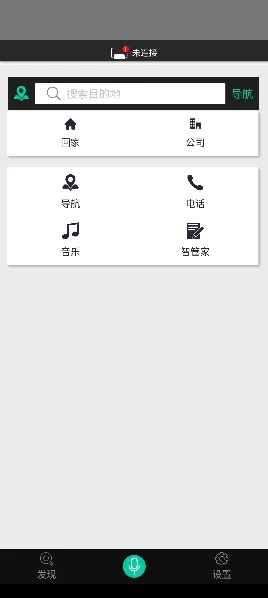
APP Settings
The Vjoycar MX30 Pro can be configured and calibrated using a companion mobile application. This allows for fine-tuning of various parameters and setting up alarms.
Downloading the APP:
- iPhone Users: Download "Dadriving" from the Apple App Store.
- Android Users: Download the APP directly from the Vjoycar official website. You may need to temporarily disable malware detection on your device to install the app.
Available Settings:
After successfully connecting the HUD via Bluetooth to the app, you can access the following settings:
- Speed Calibration: Adjust the displayed speed to match your vehicle's actual speed or GPS readings.
- Brightness Adjustment: Manually set the display brightness.
- Speed Unit Switch: Toggle between KM/H and MPH.
- Over-speed Alarm: Set a threshold for speed warnings.
- RPM Alarm: Configure an RPM limit for warnings.
- Water Temperature Alarm: Set a high-temperature threshold for alerts.
- Voltage Alarm: Define voltage limits for warnings.
- Clock Adjustment: If the display time is incorrect, you can adjust it manually within the app.

Maintenance
- Cleaning: Use a soft, dry cloth to clean the HUD unit and its mirror. Avoid abrasive cleaners or solvents that could damage the surface.
- Cable Care: Ensure the OBD cable is not pinched or excessively bent, which could lead to damage.
- Storage: If removing the HUD for an extended period, store it in a cool, dry place away from direct sunlight and extreme temperatures.
Troubleshooting
- Q: The HUD does not power on.
- A: Ensure the OBD cable is securely connected to both the HUD unit and the vehicle's OBD2 port. Verify that your car's engine is running and that your vehicle is OBD II compliant (refer to the Compatibility section). Check for any visible damage to the cable or unit.
- Q: The display shows a double image or is distorted.
- A: This can sometimes occur due to windshield characteristics. Ensure the HUD is placed on a flat, stable surface. Adjust the screen angle using the Up/Down buttons on the device. If the issue persists, try repositioning the unit slightly on the dashboard.
- Q: The Android app cannot be found or installed.
- A: For Android users, the app needs to be downloaded directly from the Vjoycar official website, not the Play Store. You might need to temporarily disable malware detection on your phone during installation, then re-enable it afterward.
- Q: The clock display is incorrect.
- A: The time can be adjusted manually through the companion mobile application. Connect the HUD to the app and navigate to the clock settings to correct the time.
- Q: The mirror angle adjustment is not saving or is inaccurate.
- A: Some users have reported issues with the mirror angle memory. A potential workaround is to turn on the ignition, let the mirror lift, then turn off the ignition and wait for the mirror to retract. Repeat this process a few times; the device may then remember the glass angle.
- Q: The HUD is not compatible with my electric car.
- A: The MX30 Pro relies on OBDII data, including ACC-ON/OFF PIDs, which may not be present or function correctly in some electric vehicles. Please refer to the Compatibility section for details. This device is primarily designed for traditional internal combustion engine vehicles.
User Tips
- Mirror Angle Memory: If the mirror angle doesn't seem to save, try this sequence: Turn on ignition (mirror lifts), turn off ignition (mirror retracts), wait for retraction to complete, then repeat this cycle a few times. This may help the device "learn" and remember the desired angle.
- Speed Calibration for Hyundai-Kia: For Hyundai-Kia vehicles, setting the speed calibration to 102 or 103 in the app has been noted to closely match GPS speed.
- App Installation on Android: Remember to download the Android app from the official Vjoycar website. If you encounter installation issues, temporarily disabling malware detection might be necessary.
- Optimal Placement: Experiment with different dashboard positions to find the best spot for clear visibility and minimal obstruction of your view.
Warranty and Support
The Vjoycar MX30 Pro comes with a 1-year warranty. For any technical assistance, warranty claims, or support inquiries, please contact Vjoycar Official Store directly. Lifelong free technical support is offered for this product.