
1. Introduction
The Snore Circle Smart Anti-Snoring Muscle Stimulator is an innovative device designed to help reduce snoring and improve sleep quality. Utilizing transcutaneous electrical stimulation technology, it works by detecting snoring sounds and emitting micro-impulses to stimulate the muscles around the throat, helping to open the airway and promote smoother breathing.

2. Safety Information
- Do not insert your fingers into any moving parts or openings of the device.
- Children under 10 years old must be accompanied by an adult when using this product.
- Do not place this product in humid, hot, or sun-exposed areas.
- If the device is not used for a long time, unplug it from the power source and store it in a dry place.
3. Package Contents
Ensure all items are present in the box:
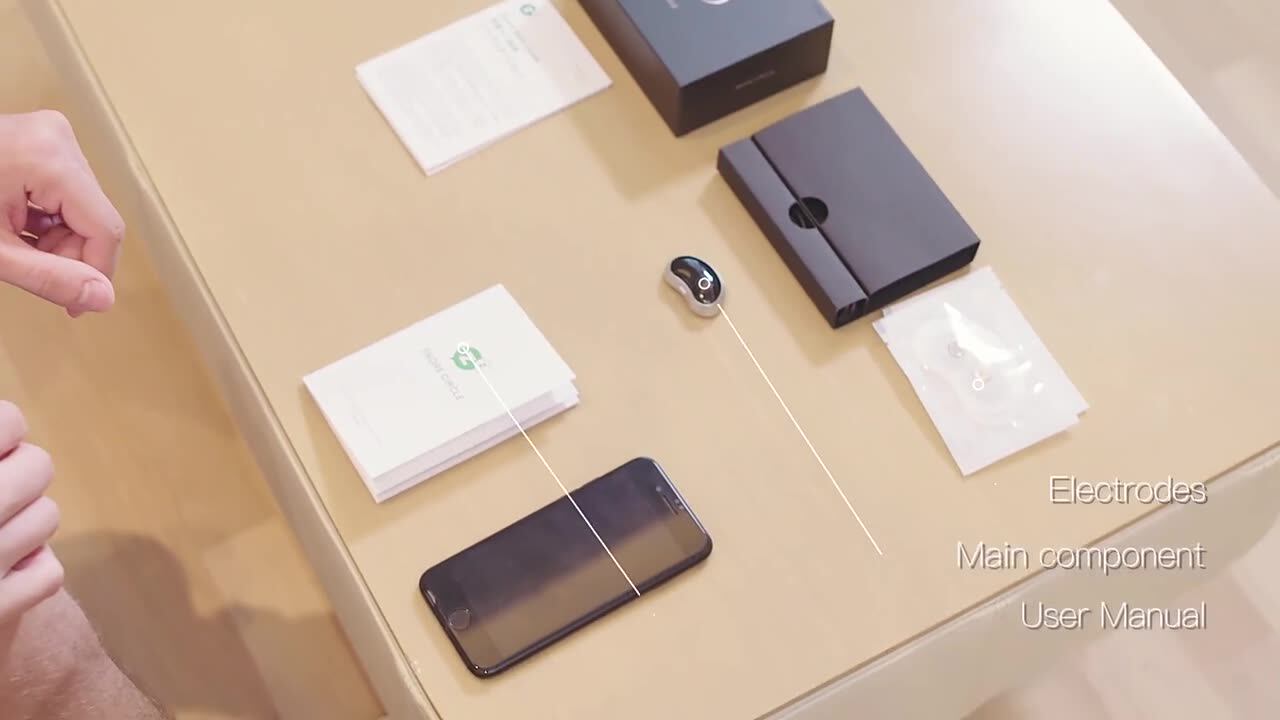
- Main Component (Snore Circle device)
- Conductive Strips (10 pieces)
- Charging Base
- Charging Cable
- User Manual

4. Product Overview
The Snore Circle device is a compact, smart anti-snoring solution. It features a sleek design with a power button and indicator lights. The device attaches to conductive strips placed under the chin.


5. Specifications
| Feature | Detail |
|---|---|
| Model Number | YA4200 |
| Function | Electric Anti-Snoring Device |
| Electronic | Yes |
| Application | Extraoral use |
| Work Mode | AUTO |
| Product Dimensions | 25.5mm x 40.5mm x 13mm |
| Material | PET + ABS & Medical-Grade Conductive Strips |
| Product Weight | 10g (with charging base: 23g) |
| Standby Time | 50 hrs |
| Run Time | 20 hrs |
| Anti-Snoring Levels | 10 Hz - 60 Hz |
| Mobile Compatibility | iPhone iOS 7.0 or above, Android 4.3 or above |

6. Installation and Setup
6.1. App Installation and Pairing
- Search for and download the 'Sleepplus' app from the Apple App Store or Google Play Store.
- Register as a new user within the app.
- Ensure Bluetooth is enabled on your smartphone.
- Turn on the Snore Circle device by pressing and holding the power switch for 3 seconds. The Bluetooth light will flash.
- In the app, search for the device and confirm pairing when 'Device found' appears.

6.2. Device Application
- Ensure your chin area is clean and dry. Avoid applying creams or using on wet skin.
- Peel off the protective film from a conductive strip and place it below your chin. Ensure proper alignment as shown in the diagram.
- Attach the Snore Circle device to the conductive strip, ensuring the two metal contacts on the device align with the corresponding points on the strip.


7. Operating Instructions
7.1. How It Works
Snoring occurs when flaccid muscles in the throat block the airways. The Snore Circle device, placed under the chin, detects snoring sounds. Upon detection, it emits micro-impulses (10-60Hz) to the chin nerves, ranging from weak to strong. This stimulation guides the throat muscles to tighten, opening the airway for smooth and quiet breathing, leading to deep and restful sleep.

7.2. Adjusting Stimulation Intensity
After pairing, you can test and adjust the stimulation intensity through the Sleepplus app. The app allows you to set the degree of stimulation from weak (1) to strong (5) to find your comfortable and effective level. Default settings are used if the device is not paired.
7.3. Sleep Tracking and Data Synchronization
The device tracks your sleep data throughout the night. In the morning, open the Sleepplus app to synchronize the data. It is recommended to synchronize data daily after waking up. The app provides insights into snoring duration, decibel levels, number of snores, and sleep quality.
8. Charging
Place the Snore Circle device onto its charging base. A full charge typically takes 2 hours and provides 1-2 nights of battery life (approximately 20 hours of run time).
9. Maintenance and Care
- After each use, gently remove the device from the conductive strip.
- Discard used conductive strips and replace with new ones for optimal hygiene and performance.
- Wipe the device with a soft, dry cloth. Do not use harsh chemicals or immerse in water.
- Store the device and unused conductive strips in a cool, dry place away from direct sunlight and extreme temperatures.
10. Troubleshooting
- Device not working: Check if the device is charged and properly connected to the conductive strips. Ensure the conductive strips are making good contact with your skin.
- Difficulty pairing with app: Ensure Bluetooth is enabled on your phone and the device is turned on. Try restarting both the device and the app.
- No stimulation felt: Increase the stimulation intensity in the app. Ensure the conductive strips are fresh and properly applied to clean, dry skin.
- Inaccurate sleep data: Ensure the device is worn correctly throughout the night and data is synchronized daily.
11. User Tips
- For best results, ensure your chin area is clean-shaven and free of any lotions or oils before applying the conductive strips.
- Experiment with different stimulation intensity levels in the app to find what works best for your comfort and snoring reduction.
- Regularly check the Sleepplus app for firmware updates to ensure optimal performance.
12. Frequently Asked Questions (FAQ)
No specific FAQs are available at this time. Please refer to the troubleshooting section or the full user manual for common issues.
13. Additional Resources
For a more detailed guide, you can view the official user manual in PDF format: Snore Circle User Manual (PDF)