
1. Introduction
This manual provides detailed instructions for the safe and efficient use of your TILTA NP-FW50/NP-FZ100 High-Capacity Batteries and the Portable Charging Station. Please read this manual thoroughly before operating the product and retain it for future reference.
Product Overview
The TILTA NP-FZ100/NP-FW50 High-Capacity Batteries are designed to provide reliable, long-lasting power for compatible cameras and accessories. Featuring an innovative high-energy-density battery cell, these batteries deliver extended endurance for both photo and video sessions. The built-in USB-C port supports PD fast charging, allowing direct recharging without a traditional charging dock. A decoding chip ensures accurate battery level displays without unapproved battery warnings. These batteries are professionally tested to meet CIPA standards and are equipped with multiple international safety certifications (CCC, FCC, CE, PSE, KC, UL, BSMI).
The TILTA Portable Charging Station for NP-FZ100 (4 Channel) is a compact charging solution designed to support Sony and third-party NP-FZ100 batteries. It features four slots for simultaneous charging and convenient storage. With 45W PD Fast Charging, it offers significantly faster charging speeds. Real-time charging status indicators keep you informed, and its lightweight, EDC-style design makes it highly portable.
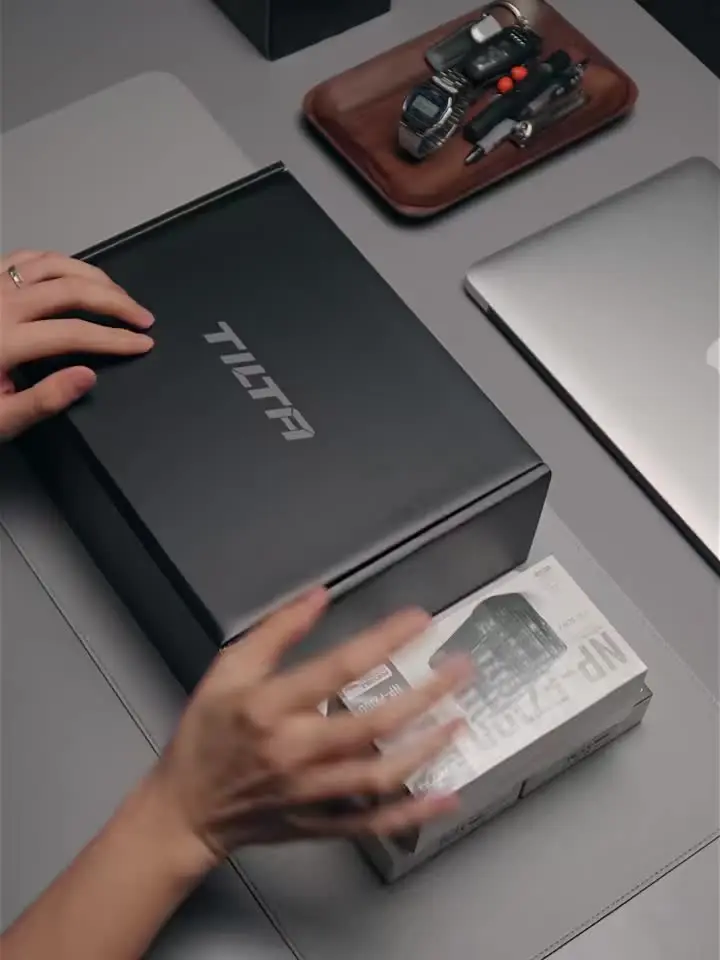
Video: TILTA Battery and Charging Station Unboxing and Overview.
2. Important Safety Warnings
- WARNING: DO NOT CHARGE VIA USB-C WHILE IN USE.
- Do not disassemble, crush, or puncture the battery.
- Do not expose the battery to high temperatures (above 60°C / 140°F) or direct sunlight.
- Keep batteries away from water, fire, and extreme humidity.
- Use only specified chargers for the battery and charging station.
- Dispose of batteries properly according to local regulations.
- Keep out of reach of children.
Comprehensive Safety Redundancy Design
The batteries and charging station are equipped with multiple protection features:
- Overcharge Protection
- Temperature Protection
- Magnetic Field Protection
- Over-Discharge Protection
- Short Circuit Protection
- Overcurrent Protection

Image: Visual representation of the multiple core protections built into the TILTA batteries.
3. Product Components
Your TILTA battery system may include the following components, depending on your purchase:
- TILTA NP-FW50 High-Capacity Battery (with USB-C Input)
- TILTA NP-FZ100 High-Capacity Battery (with USB-C Input)
- TILTA Portable Charging Station for NP-FZ100 (4 Channel)
- USB-C Charging Cable (may be included with some kits)

Image: TILTA NP-FW50 and NP-FZ100 batteries alongside the portable charging station.
4. Setup and Installation
4.1. Battery Installation into Camera
The TILTA NP-FW50 and NP-FZ100 batteries are designed to fit seamlessly into compatible camera models, matching the dimensions of original batteries for a perfect fit.
- Ensure your camera is powered off.
- Open the battery compartment door on your camera.
- Insert the TILTA battery into the compartment, aligning it correctly with the battery terminals.
- Gently push the battery until it clicks into place.
- Close the battery compartment door securely.

Image: Demonstrating the original fit of the TILTA battery into a camera.
4.2. Charging the Batteries
You have two primary methods for charging your TILTA batteries:
4.2.1. Direct USB-C Charging (for individual batteries)
Each TILTA NP-FW50 and NP-FZ100 battery features a built-in USB-C port for convenient direct charging.
- Locate the USB-C input port on the side of the battery.
- Connect a USB-C charging cable to the battery's USB-C port.
- Connect the other end of the USB-C cable to a compatible USB power adapter (e.g., wall charger, power bank) that supports PD fast charging.
- The battery will begin charging. Refer to the battery's indicator for charging status (if available).
WARNING: Do not charge the battery via USB-C while it is installed in a camera and the camera is in use.

Image: TILTA NP-FW50 battery with its integrated USB-C charging port.
4.2.2. Using the Portable Charging Station (for NP-FZ100 batteries)
The Portable Charging Station allows for simultaneous charging of up to four NP-FZ100 batteries.
- Connect the Portable Charging Station to a compatible USB-C power source (e.g., wall adapter) using a USB-C cable. The station supports 45W PD Fast Charging.
- Open the lid of the charging station.
- Insert up to four NP-FZ100 batteries into the designated slots. Ensure they are correctly oriented.
- The real-time indicator lights on the station will illuminate to show the charging status of each battery.
- Once charging is complete, the indicator lights will change (see Section 5.2 for details). Remove the batteries when fully charged.
Note: The Charging Station does not feature an internal battery and requires an external power source to function.

Image: The Portable Charging Station with batteries being charged via USB-C.
5. Operation
5.1. Battery Usage and Performance
Once installed in a compatible camera, the TILTA batteries provide extended power for your photography and videography needs.
- NP-FZ100 (2400mAh): Supports approximately 600 photos or over 2 hours of video recording on a single charge.
- NP-FW50 (980mAh): Provides reliable power for its compatible devices.
When used with the Portable Charging Station fully loaded with four NP-FZ100 batteries, you can achieve:
- Over 13 hours of video recording
- Over 2400 photos

Image: Battery performance metrics for shooting photos and recording video.
5.2. Real-time Indicator Lights (Charging Station)
The Portable Charging Station features clear indicator lights for each battery slot to show the charging status:
- Green Light: High Battery (90% - 100%)
- Yellow Light: Medium Battery (30% - 90%)
- Red Light: Low Battery (0% - 30%)
The lights automatically turn off after 5 seconds if no charging activity is detected.

Image: Explanation of the charging station's real-time indicator lights.
5.3. Accurate Power Display (Batteries)
Thanks to a built-in decoding chip, the TILTA batteries provide an accurate battery level display on compatible cameras without generating pop-up warnings, ensuring seamless operation.

Image: Camera display showing accurate battery percentage from a TILTA battery.
6. Maintenance and Storage
- Cleaning: Use a soft, dry cloth to clean the batteries and charging station. Do not use harsh chemicals or abrasive materials.
- Storage: Store the batteries and charging station in a cool, dry place away from direct sunlight and extreme temperatures.
- Long-term Storage: For optimal battery health during long-term storage (more than three months), it is recommended to charge the batteries to approximately 50-60% capacity. The batteries feature low self-discharge (as low as 0.1mA in sleep mode), but periodic charging is still advised for extended periods of inactivity.
- Avoid Impact: Protect the devices from drops and impacts.

Image: Information on energy management and low self-discharge for TILTA batteries.
7. Troubleshooting
If you encounter issues with your TILTA batteries or charging station, please refer to the following common solutions:
- Battery not charging:
- Ensure the USB-C cable is securely connected to both the battery/charging station and the power source.
- Verify that the power adapter is functioning correctly and provides sufficient power (e.g., PD fast charging for optimal performance).
- Check if the battery terminals or charging station contacts are clean and free of debris.
- Battery not recognized by camera:
- Ensure the battery is fully inserted and locked into the camera's battery compartment.
- Power cycle your camera (turn off, remove battery, reinsert, turn on).
- Confirm that your camera model is compatible with NP-FW50 or NP-FZ100 batteries (refer to Section 8.1).
- Charging station indicator lights not working:
- Ensure the charging station is connected to an active power source.
- Try a different USB-C cable or power adapter.
- Remove and reinsert the batteries.
If the problem persists, please contact TILTA customer support for further assistance.
8. Specifications
8.1. Compatible Camera Models
The TILTA NP-FZ100 and NP-FW50 batteries are compatible with a wide range of Sony, Fujifilm, and Nikon cameras. Below is a list of some compatible Sony models. For a comprehensive list, please consult the manufacturer's website or contact customer service.

Image: List of compatible Sony camera models for TILTA NP-FZ100 and NP-FW50 batteries.
8.2. TILTA NP-FW50 Battery Specifications
| Feature | Specification |
|---|---|
| Product Name | TNP-FW50 Battery |
| SKU | TNP-FW50-GN |
| Nominal Voltage | 7.4V |
| Charging Limit Voltage | 8.4V |
| Rated Capacity | 980mAh |
| USB-C Input | 5V/0.8A (4W) |
| Material | PC+ABS |
| Charging Time | 2.1 hr |
| Weight | 46.5g (0.1lb) |
| Dimensions | 45.3 x 31.9 x 18.5mm (1.8 x 1.3 x 0.7in) |

Image: Specifications for the TILTA NP-FW50 battery.
8.3. TILTA NP-FZ100 Battery Specifications
| Feature | Specification |
|---|---|
| Product Name | NP-FZ100 Battery with USB-C Input (2400mAh) - Green |
| SKU | TNP-FZ100-GN |
| Nominal Voltage | 7.2V |
| Charging Limit Voltage | 8.4V |
| Rated Capacity | 2400mAh |
| USB-C Input | 5V/2A |
| Material | PC+ABS |
| Charging Time | 2.5 hr |
| Weight | 80.5g (0.18lb) |
| Dimensions | 51.8 x 38.8 x 22.6mm (2 x 1.5 x 0.9in) |

Image: Specifications for the TILTA NP-FZ100 battery.
8.4. TILTA Portable Charging Station Specifications
| Feature | Specification |
|---|---|
| Product Name | TNP-FZ100 Battery Charging Case |
| SKU | TBC-FZ100-GN |
| Charging Compartment Output (Per Channel) | 8.4V-1.5A (Max); 8.4V-1A (Min) |
| Charging Interface Configuration | 9V-3A, 12V-3A, 15V-3A 45W (Max) |
| Material | PC+ABS |
| Charging Time (4 batteries) | 3 hrs |
| Weight | 176g (0.4lb) |
| Dimensions | 121.5 x 57 x 76 mm (4.8 x 2.3 x 4 in) |

Image: Specifications for the TILTA Portable Charging Station.
9. User Tips
Based on general usage and product features, consider the following tips for optimal performance:
- Always carry a fully charged spare battery, especially for long shooting sessions, to avoid interruptions.
- Utilize the direct USB-C charging feature on the batteries for convenience when a dedicated charging station is not available.
- When using the Portable Charging Station, ensure you use a power adapter capable of delivering 45W PD fast charging to achieve the fastest charging times.
- Periodically check the battery level display on your camera or the charging station indicators to manage your power effectively.
- For long-term storage, charge batteries to about 50-60% and store them in a cool, dry place.
10. Warranty and Support
For warranty information, technical support, or service inquiries, please contact the official TILTA customer support or the retailer from whom you purchased the product. Keep your proof of purchase for warranty claims.
TILTA products are designed with quality and reliability in mind, backed by comprehensive safety certifications (CCC, FCC, CE, PSE, KC, UL, BSMI).