
1. Umkhiqizo Uphelileview
The Philips 55MLED610/94 is a 55-inch 4K Ultra HD QLED Smart QD-Mini LED Google TV. It features advanced display technology, smart connectivity, and integrated audio solutions for an enhanced viewisipiliyoni.

Ngaphambili view of the Philips 55MLED610/94 55-inch 4K QD-Mini LED Google TV.
Izici Eziyinhloko:
- Bonisa: 4K QD-Mini LED Panel, Philips Halo Control Technology, Dolby Vision, Local Dimming, 120 Hz Motion Clarity HSR, HDR 10+, 178 Degree Wide Viewing Angle, MEMC, ALLM.
- I-Smart TV: Google TV operating system, 2GB RAM, 32GB ROM, Quad Core Processor, Dual band WIFI 5, Hands-Free Voice Control, Screen Mirroring, Google Assistant compatibility.
- Umsindo: 36 Watts Output, Dolby Atmos, Dolby Audio.
- Ukuxhumana: 3 HDMI Ports (including HDMI 2.1), 2 USB Ports, 1 LAN Port, 1 Antenna Input, 1 Satellite Input, 1 Digital Audio Out (Optical), 1 AV-IN, 1 Earphone port.
2. Ukusetha nokufakwa
2.1 Ukuqaqa kanye Nokuqukethwe
Carefully unpack the television and ensure all components are present.
- 1N TV Unit
- 2N Stand Bases
- I-1N Quick Start Guide
- Ikhadi lewaranti le-1N
- 1N Isilawuli kude
- Amabhethri e-2N AAA (ekude)
- 1N Power Cord
- 4N Screws (for stand/mount)
- 1N AV Converting Cable

Illustration showing the TV unit and its included accessories for setup.
2.2 Ukufakwa Kwesitendi noma Ukukhwezwa Odongeni
The television supports both table-top stand installation and wall mounting.
- I-Table Mount: Attach the provided stand bases to the bottom of the TV unit using the included screws. Ensure the stand is stable on a flat surface.
- I-Wall Mount: For wall mounting, use a compatible VESA wall mount (not included) and follow the instructions provided with the wall mount. Refer to the TV's back panel for mounting points.

Ngemuva view of the television, highlighting the mounting points and various input/output ports.
2.3 Ukuxhumanisa amaPheripheral
Connect your external devices such as set-top boxes, gaming consoles, and audio systems to the TV using the appropriate ports.
- I-HDMI: Use HDMI ports for high-definition video and audio from devices like Blu-ray players or gaming consoles. HDMI 2.1 supports advanced features.
- I-USB: Xhuma amadrayivu e-USB ukuze udlale imidiya noma isitoreji sangaphandle.
- I-LAN: Ukuze uthole uxhumano lwe-inthanethi olunentambo oluzinzile.
- I-Antenna/Isethelayithi: Connect your antenna or satellite dish for broadcast TV.
- I-Digital Audio Out (Optical): Okokuxhuma kumasistimu omsindo angaphandle.
- AV-IN: Okwamadivaysi amadala asebenzisa ividiyo eyinhlanganisela nomsindo we-stereo.
- I-Earphone: Okokulalela kwangasese.

Okuningiliziwe view of the television's input and output ports, including HDMI, USB, LAN, and audio connections.
3. Iziqondiso Zokusebenza
3.1 Ukuvula Ukuqala kanye Nokusetha i-Google TV
After connecting the power cord, press the power button on the remote control or TV. Follow the on-screen instructions to complete the initial setup, including language selection, network connection (Wi-Fi or LAN), and Google account sign-in.

Isixhumi esibonakalayo se-Google TV, esibonisa izinhlelo zokusebenza zokusakaza ezahlukahlukene kanye nezincomo zokuqukethwe.
3.2 Imisebenzi yokulawula kude
The provided remote control uses both IR and Bluetooth technology. Insert the two AAA batteries as indicated.

The remote control for the Philips 55MLED610/94 TV, featuring dedicated buttons for streaming services and Google Assistant.
- Inkinobho yamandla: Ivula noma ivale i-TV.
- Ukuzulazula Iphedi: Ngokuhamba kwemenyu nokukhetha.
- Inkinobho Yomsizi we-Google: Isebenzisa ukulawula izwi kwemiyalo nokusesha.
- Izinkinobho zevolumu/zesiteshi: Adjusts volume and changes channels.
- Izinkinobho Ezinqamulelayo Zohlelo Lokusebenza: Direct access to popular streaming services like Netflix and Prime Video.
3.3 Smart TV Features and Applications
The Google TV platform provides access to a wide range of applications and services.
- Izinhlelo zokusebenza ezifakwe ngaphambilini: Access popular streaming services such as Prime Video, Netflix, Hotstar, Zee5, YouTube, Eros Now, Hungama, JioCinema, and SonyLiv.
- Umsizi we-Google: Use hands-free voice control to search for content, control smart home devices, and get information.
- I-Screen Mirroring (Miracast): Cast content from compatible mobile devices to the TV screen.
- Web Isiphequluli: Phequlula i-inthanethi ngokuqondile ku-TV yakho.
3.4 Izilungiselelo Zokubonisa Nomsindo
Lungisa izilungiselelo zesithombe nomsindo ukuze uthuthukise viewisipiliyoni sokulalela nokulalela.
- Amamodi Esithombe: Select from various picture modes (e.g., Standard, Vivid, Movie, Game) or customize settings like brightness, contrast, color, and sharpness.
- I-Dolby Vision kanye ne-HDR10+: The TV automatically detects and optimizes content for Dolby Vision and HDR10+ for enhanced dynamic range and color.
- Izindlela Zomsindo: Choose sound modes (e.g., Standard, Music, Movie) or adjust equalizer settings. Dolby Atmos provides immersive audio.
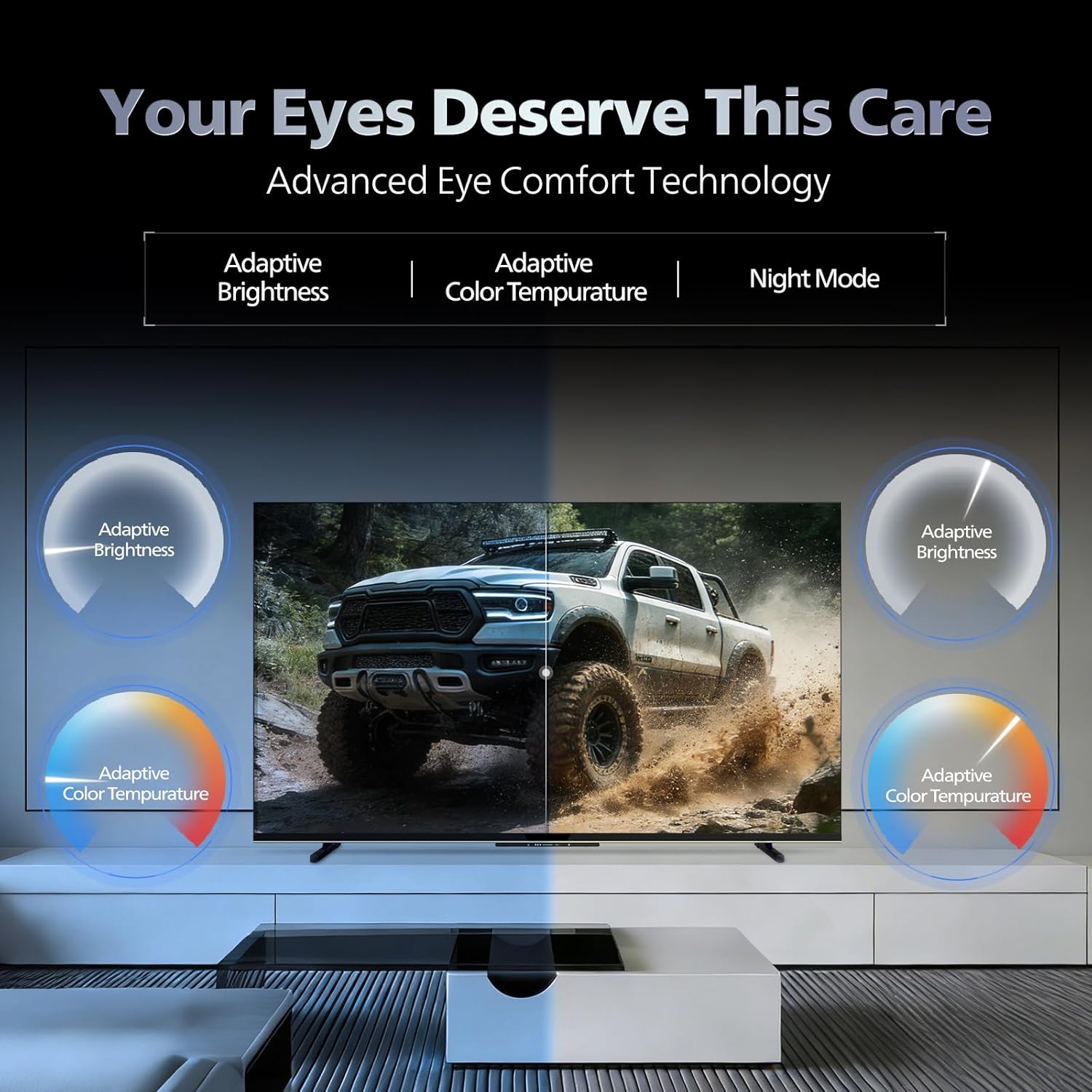
- I-Eye Comfort Technology: Features like Adaptive Brightness, Adaptive Color Temperature, and Night Mode are available to reduce eye strain.

Visual representation of the TV's advanced eye comfort technology, including adaptive brightness and color temperature.

A visual demonstrating the immersive multi-dimensional audio experience provided by Dolby Atmos on the television.
4. Isondlo
4.1 Ukuhlanza i-TV
To clean the screen and cabinet, first unplug the power cord. Use a soft, lint-free cloth. For stubborn marks, lightly dampzu indwangu enamanzi noma isicoci sesikrini esithambile esingaqhumi. Ungalokothi ufafaze isicoci ngqo esikrinini.
Okubalulekile: The television is hhayi ukumelana namanzi. Avoid exposing it to liquids.
4.2 Ukuvuselelwa Kwesoftware
Ensure your TV's software is up to date for optimal performance and security. The TV will typically prompt you for available updates. You can also manually check for updates in the settings menu.
5. Ukuxazulula izinkinga
If you encounter issues with your television, try the following basic troubleshooting steps before contacting support.
- Awekho Amandla: Ensure the power cord is securely plugged into both the TV and a working power outlet. Try a different outlet.
- Asikho Isithombe/Umsindo: Check all cable connections (HDMI, AV, Antenna). Ensure the correct input source is selected on the TV.
- Isilawuli kude asisebenzi: Shintsha amabhethri kusilawuli kude. Qinisekisa ukuthi azikho izithiyo phakathi kwesilawuli kude kanye nenzwa ye-IR ye-TV.
- Izinkinga Zokuxhumana Kwe-inthanethi: Restart your Wi-Fi router. Check the TV's network settings and ensure it's connected to the correct network. Try a wired LAN connection if possible.
- Izinkinga Zekhwalithi Yesithombe: Lungisa izilungiselelo zesithombe (ukukhanya, ukugqama, ukucija). Qinisekisa ukuthi umthombo wokuqukethwe uyikhwalithi ephezulu.
The television displaying a fast-paced gaming scene, highlighting its 120Hz refresh rate and gaming optimization features.
6. Imininingwane
| Isici | Imininingwane |
|---|---|
| Inombolo Yemodeli | 55MLED610/94 |
| Usayizi Wesikrini | Amasentimitha amane (55 cm) |
| Bonisa Ubuchwepheshe | I-QD-Mini LED |
| Isixazululo | I-4K Ultra HD (3840 x 2160) |
| Isilinganiso Sokuvuselela | 120 Hz HSR |
| Ifomethi ye-HDR isekelwe | I-HDR10+, i-Dolby Vision |
| Viewing engela | 178 degrees |
| Okukhipha Umsindo | 36 Watts |
| Umbhalo Wekhodi Womsindo | Dolby Atmos, Dolby Audio |
| Isistimu esebenzayo | I-Google TV |
| RAM | 2GB |
| I-ROM | 32GB |
| Ukuxhumana | Wi-Fi (Dual band WIFI 5), Bluetooth 5.1, 3 HDMI (1x HDMI 2.1 eARC), 2 USB, 1 LAN, 1 Antenna, 1 Satellite, 1 Digital Audio Out (Optical), 1 AV-IN, 1 Earphone |
| Ubukhulu bomkhiqizo (D x W x H) | 8D x 144.5W x 84H Amasentimitha |
| Item Weight Without Stand | 9.4 kg |
| Ukusetshenziswa kwamandla | 130 Watts |
| Isilinganiso Samandla | 3 Inkanyezi |
| Ukusetshenziswa Kwezamandla Ngonyaka | 182 kWh / Unyaka |
| Izingxenye Ezihlanganisiwe | TV Unit, Stand Bases, Quick Start Guide, Warranty Card, Remote, Batteries, Power cord, Screws, AV Converting Cable |

Dimensional drawing of the Philips 55MLED610/94 TV, showing height, width, and depth measurements.
7. Iwaranti kanye Nokusekela
7.1 Ulwazi Lwewaranti
A 1-year warranty is provided by the manufacturer from the date of purchase. Warranty claims can be processed using your Amazon e-invoice.
The warranty covers manufacturing defects but does not cover spares.
7.2 Ukwesekwa Kwamakhasimende
For assistance, contact the brand's toll-free number: 18004256396. Please provide the product's model name (55MLED610/94) and seller's details from your invoice. The service center will schedule a convenient service slot.
Umkhiqizi: Radiant Appliances And Electronics Private Limited
Survey No. 111, 112, S-2 A 1, Ecity, Fabcity, Maheshwaram Mandal Raviryala Village, Ranga Reddy, Telangana- 501141
Umngenisi: TPV Technology India Private Limited
Unit No. 307-308 3rd Floor, SEWA Corporate Park MG Road Gurugram Haryana 122002