
Isingeniso
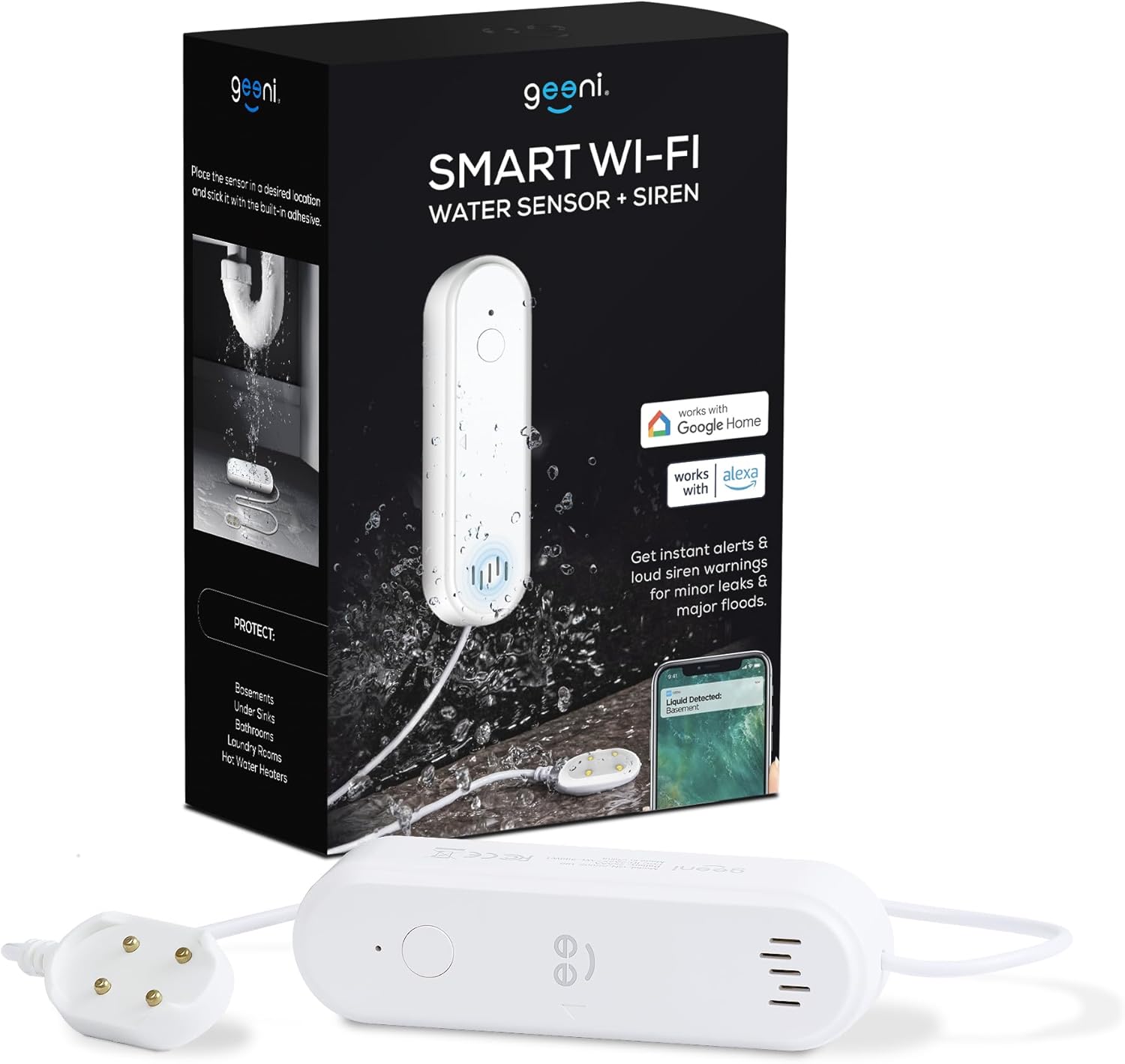
The Geeni Smart Water Alarm Leak Detector with Siren is designed to provide early warning of water leaks in your home. This device helps prevent potential water damage by detecting leaks and alerting you through its built-in siren and mobile application. It integrates with your home Wi-Fi network for remote monitoring and smart home automation.
Izici Eziyinhloko
- Instant Leak Detection: Rapidly identifies the presence of water.
- Izexwayiso Zesikhathi Sangempela: Sends immediate notifications to your smartphone.
- Built-in 80dB Alarm: Emits a loud siren to alert occupants.
- Monitor from Anywhere: Access device status and alerts remotely via the Geeni app.
- Ukuhlanganiswa Kwekhaya Elihlakaniphile: Compatible with other Geeni smart home products for automated responses.
- Isexwayiso Sebhethri Eliphansi: Notifies you when batteries need replacement.
- Ukusethwa Okulula: Designed for quick and straightforward installation.
- 24/7 Peace of Mind: Continuous monitoring for enhanced home safety.
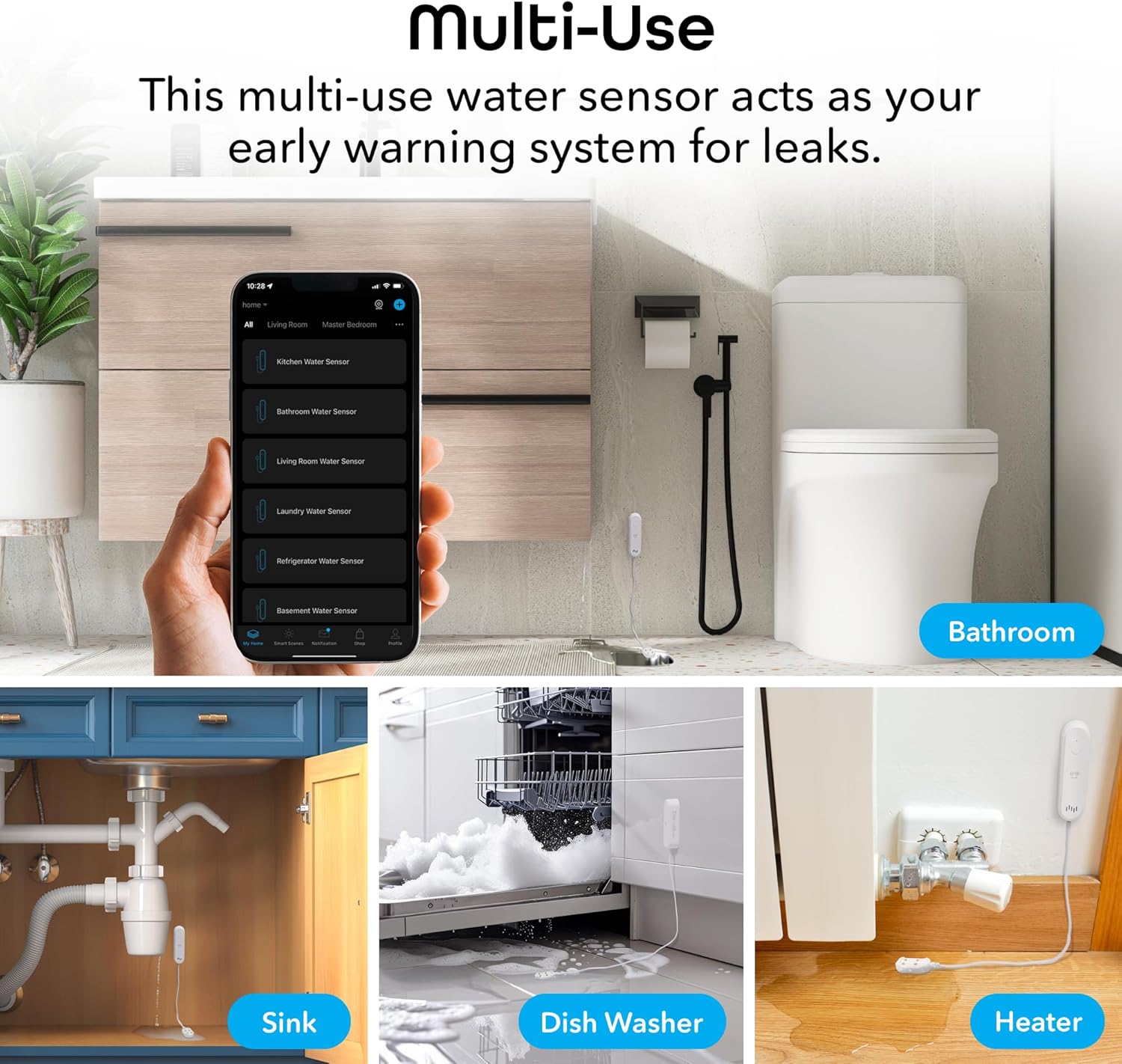
Figure 1: Key features of the Geeni Smart Water Alarm Leak Detector.
Okuqukethwe Kwephakheji
Qinisekisa ukuthi zonke izinto zikhona kuphakheji:
- 1x Geeni Smart Water Sensor
- 1x Siren Mounting Adhesive
- 1x Incwadi Yomsebenzisi
- 2x AAA Amabhethri
Umfanekiso 2: Okuqukethwe kufakwe kuphakheji yomkhiqizo.
Umkhiqizo Uphelileview
Familiarize yourself with the components of your Geeni Smart Water Alarm Leak Detector:
- Ukukhanya kwe-LED: Indicates device status (e.g., pairing mode, leak detected).
- Setha Ukhiye: Isetshenziselwa ukubhanqa nokusetha kabusha idivayisi.
- Isipikha: Emits the 80dB siren alarm.
- I-Sensor Probe: The part that detects water. Must be placed flat on the surface where leaks may occur.
- Igumbi Lebhethri: Holds 2x AAA batteries.
- Ubude bekhebula: The sensor probe is connected to the main unit by a 3.28 ft (1 m) cable.

Umfanekiso 3: Ngaphambili nangemuva view of the device with labeled components and dimensions.
Setha
1. Faka Amabhethri
- Vula indawo yebhethri ngemuva kweyunithi eyinhloko.
- Insert 2x AAA batteries, ensuring correct polarity.
- Vala indawo yebhethri ngokuphephile.
2. Download and Install the Geeni App
- Cinga "Geeni" in the Apple App Store or Google Play Store.
- Landa futhi ufake uhlelo lokusebenza.
- Bhalisela i-akhawunti entsha noma ngena uma usunayo.
3. Pair the Device with Wi-Fi
- Qinisekisa ukuthi ifoni yakho ixhunywe kunethiwekhi ye-Wi-Fi engu-2.4 GHz. Idivayisi ayisekeli amanethiwekhi angu-5 GHz.
- Open the Geeni app and tap the "+" icon to add a new device.
- Follow the on-screen instructions in the app to put the water sensor into pairing mode and connect it to your Wi-Fi network. The LED light on the device will indicate its pairing status.
4. Ukubekwa Kwedivayisi
Strategically place the water sensor in areas prone to leaks:
- Ngaphansi kosinki (ikhishi, indlu yokugezela)
- In basements
- Eduze kwama-heaters amanzi
- In laundry rooms
- Behind dishwashers or refrigerators
Use the provided mounting adhesive to secure the main unit. Ensure the sensor probe lies flat on the surface where water might accumulate first.

Umfanekiso 4: Eksamples of multi-use placement for the water sensor.
Ukusebenza
Leak Detection and Alerts
Once installed and connected, the Geeni Smart Water Alarm continuously monitors for water. When the sensor probe detects water:
- The device will emit a loud 80-decibel siren.
- You will receive an immediate notification on your smartphone via the Geeni app.
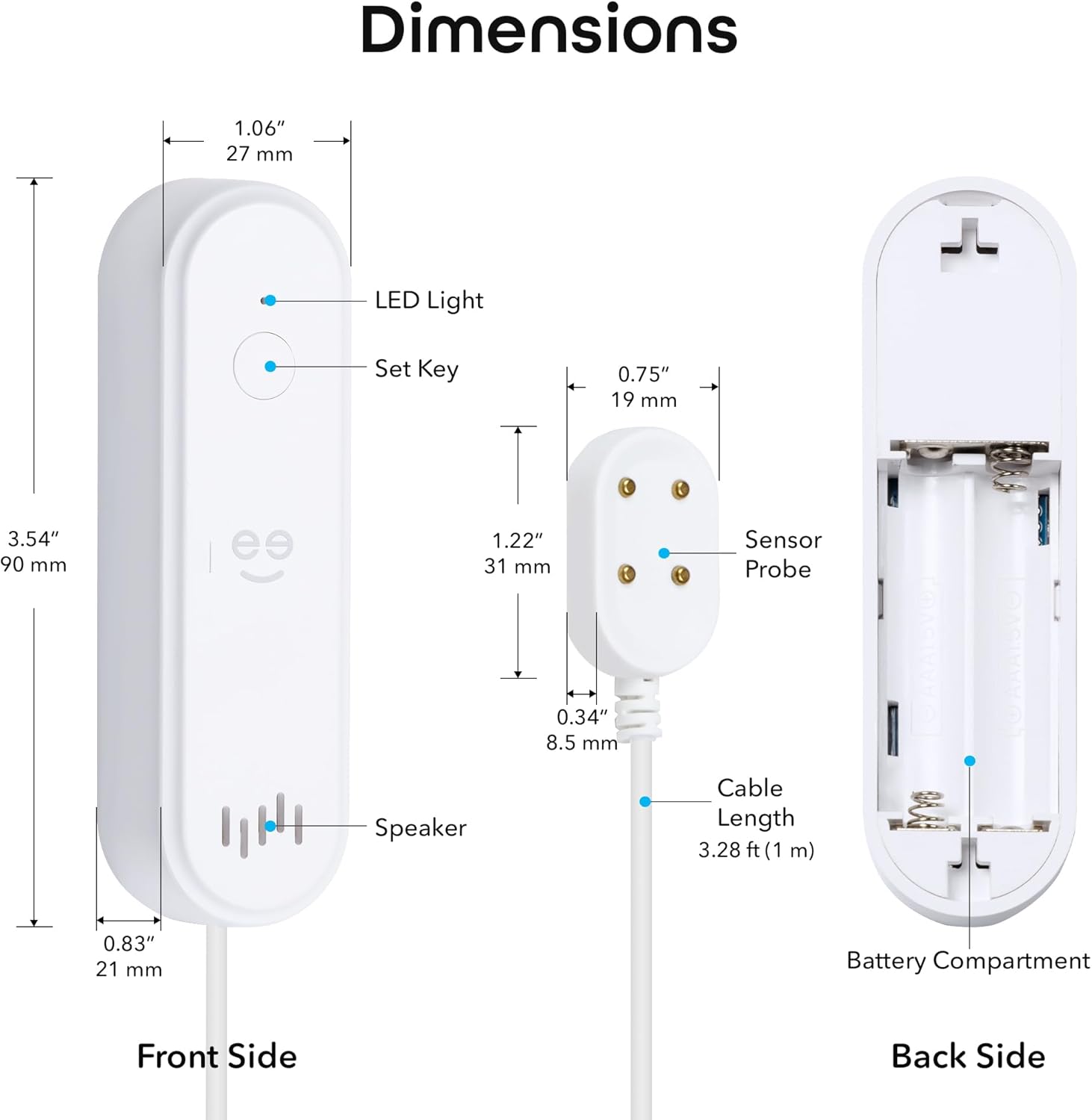
Figure 5: Real-time leak detection and app notification.
Ilungisa izilungiselelo ze-alamu
You can customize the alarm settings through the Geeni app:
- Ivolumu yeSiren: Adjust the volume from mute (0dB) up to 80dB.
- Ubude be-alamu: Set the duration of the siren from 30 seconds to 180 seconds.

Figure 6: Alarm volume and duration adjustment options.
Isondlo
Ukushintshwa Kwebhethri
The device is powered by 2x AAA batteries with an expected lifespan of 3-4 months. The Geeni app will send a low battery alert when replacement is needed.
- When a low battery alert is received, open the battery compartment.
- Remove the old batteries and insert two new AAA batteries, observing correct polarity.
- Vala indawo yebhethri.
Ihlola Idivayisi
It is recommended to periodically test the water sensor to ensure it is functioning correctly:
- Place a small amount of water (e.g., a few drops) onto the sensor probe.
- Verify that the siren sounds and you receive a notification on your smartphone.
- Dry the sensor probe thoroughly after testing.
Ukuxazulula inkinga
- Idivayisi ayixhumi ku-Wi-Fi:
Ensure your Wi-Fi network is 2.4 GHz. The device does not support 5 GHz. Try moving the device closer to your Wi-Fi router. If issues persist, try deleting the device from the Geeni app and re-pairing it following the setup instructions. - Azikho izaziso zohlelo lokusebenza:
Check your smartphone's notification settings for the Geeni app to ensure notifications are enabled. Also, verify that the device is properly connected to Wi-Fi and has sufficient battery power. - Siren not sounding or too quiet:
Check the battery level. Ensure the siren volume is not set to mute in the Geeni app settings. - Sensor not detecting water:
Ensure the sensor probe is lying flat and making good contact with the surface where water might collect. Clean the sensor contacts if they appear dirty. - Device appears offline in app:
Check your Wi-Fi connection. If the Wi-Fi network is down or unstable, the device may appear offline. Replace batteries if they are low.
For further assistance, refer to the support section within the Geeni app or visit support.mygeeni.com.
Imininingwane
| Ibhrendi | IGeeni |
| Imodeli | B0D47W56TY |
| Umthombo wamandla | Battery Powered (2x AAA) |
| Impilo Yebhethri | Cishe izinyanga eziyi-3-4 |
| Amadivayisi Ahambisanayo | Android, iOS (Smartphone, Tablet) |
| Ubukhulu bomkhiqizo (Iyunithi Eyinhloko) | 3.54"L x 1.97"W x 5.12"H (90mm L x 50mm W x 130mm H) |
| Indlela Yokulawula | Geeni App |
| Umsindo Ozwakalayo | 80 Decibel |
| Uhlobo Lokukhweza | Adhesive (for main unit), Sensor probe placed on surface |
| Ubuchwepheshe beSensor | Inzwa yokuxhumana |
| Cable Length (Sensor) | 3.28 ft (1 m) |
| Ukuxhumana kwe-Wi-Fi | 2.4 GHz kuphela |
| Isilinganiso se-IP | IP44 |
Iwaranti kanye Nokusekela
Ulwazi Lwewaranti
This Geeni product comes with a Iwaranti ekhawulelwe yeminyaka engu-1 kusukela ngedethi yokuthenga. Sicela ugcine ubufakazi bakho bokuthenga izimangalo zewaranti. Iwaranti ihlanganisa amaphutha ezintweni zokwakha kanye nokusebenza ngaphansi kokusetshenziswa okuvamile.
Ukwesekwa Kwamakhasimende
If you encounter any issues or have questions regarding your Geeni Smart Water Alarm Leak Detector, please contact Geeni customer support:
- Ukusekelwa Kwe-inthanethi: Vakashela support.mygeeni.com
- Ukusekelwa Kwangaphakathi Nohlelo Lokusebenza: Access support directly through the Geeni mobile application.