
Umkhiqizo Uphelileview
The Soundcore Infini Pro is an integrated 2.1 channel soundbar designed to elevate your home audio experience with immersive Dolby Atmos technology. Featuring built-in subwoofers and multiple connectivity options, it delivers powerful, room-filling sound for movies, music, and more.
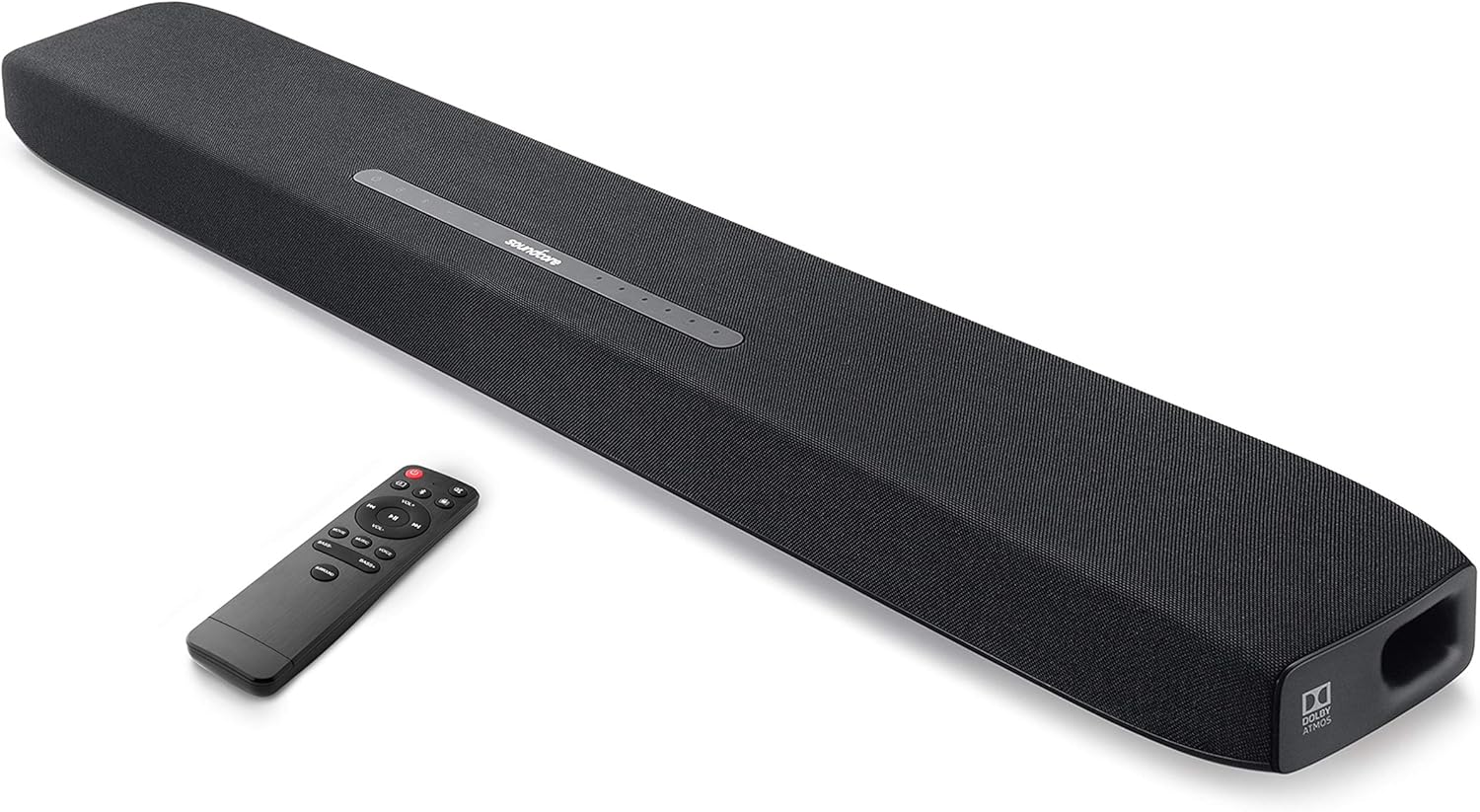
This soundbar integrates two front-facing 2.5-inch mid-range drivers, 1-inch tweeters, and dual up-facing 3-inch built-in subwoofers, complemented by symmetrical bass reflex ports and BassUp technology for intense low frequencies.
Yini EseBhokisini
Your Soundcore Infini Pro package includes the following items:
- I-Soundcore Infini Pro Soundbar
- Isilawuli kude
- Isixhumi Amandla se-AC
- Ikhebula Lomsindo elingu-3.5mm
- Ikhebula le-Optical
- Imaniwali yosebenzisayo
Umhlahlandlela Wokusetha
Follow these steps to set up your Soundcore Infini Pro soundbar for optimal performance.
1. Ukubekwa
Place the soundbar on a stable, flat surface in front of your TV. Ensure there are no obstructions in front of the soundbar to allow for optimal sound projection.

2. Ukuxhumana
The Soundcore Infini Pro offers various input options for connecting to your devices. Refer to Figure 3 for an overview of the rear ports.

- I-HDMI ARC: For the best audio quality and control, connect your TV's HDMI ARC port to the soundbar's HDMI OUT (ARC) port using an HDMI cable. This allows your TV remote to control the soundbar's volume.
- HDMI In/Out (4K HDR Pass-Through): Connect your 4K HDR or Dolby Vision compatible device (e.g., Blu-ray player) to the HDMI IN port on the soundbar, then connect the HDMI OUT (ARC) port to your TV's HDMI IN port. This ensures 4K HDR and Dolby Vision signals pass through to your TV.
- I-Optical: Connect the soundbar's TV IN (OPT) port to your TV's optical output using the provided optical cable.
- I-AUX phakathi: Use a 3.5mm audio cable to connect your device's audio output to the soundbar's AUX IN port.
- I-Bluetooth 5.0: For wireless audio streaming, pair your mobile device with the soundbar via Bluetooth.
3. Vula amandla
Connect the AC power adapter to the soundbar's power input and then to a wall outlet. The soundbar will automatically power on or enter standby mode.
Imiyalelo yokusebenza
Familiarize yourself with the controls and sound modes of your Soundcore Infini Pro.
1. Izilawuli zephaneli ephezulu
The top panel of the soundbar features touch-sensitive controls and LED indicators (Figure 4).

- Inkinobho yamandla: Press to turn on/off or enter standby mode.
- Inkinobho Yomthombo: Press to cycle through input modes (HDMI, TV, AUX, Bluetooth).
- Izinkinobho Zevolumu (+/-): Lungisa ileveli yevolumu eyinhloko.
- Izinkomba Zokokufaka: LEDs light up to show the currently selected input source (HDMI, TV, AUX, Bluetooth).
- Sound Mode Indicators: LEDs indicate the active sound mode (Movie, Music, Voice, Surround).
2. Isilawuli kude
The included remote control provides full functionality for your soundbar. Ensure the remote has 2 AAA batteries installed.
3. Izindlela Zomsindo
Optimize your audio experience by selecting one of the predefined sound modes:

- Imodi Yama-Movie: Enhances bass and dialogue clarity for cinematic experiences.
- Imodi Yomculo: Optimizes treble for greater depth and three-dimensionality in music.
- Imodi Yezwi: Increases clarity and volume level for dialogue, ideal for TV shows and news.
- Umsindo Ozungezile: Activates the Dolby Atmos surround sound experience, providing moving audio from all directions.
The Soundcore Infini Pro features integrated subwoofers for powerful bass. You can adjust the bass level using the dedicated Bass +/- buttons on the remote control.

Operating with Bluetooth
Ukuxhuma idivayisi yakho yeselula nge-Bluetooth:
- Press the Source button on the soundbar or remote until the Bluetooth indicator lights up.
- On your mobile device, enable Bluetooth and search for "Soundcore Infini Pro" in the list of available devices.
- Select the soundbar to pair. Once connected, the Bluetooth indicator will turn solid blue.
You can now stream music and other audio from your device wirelessly to the soundbar.
Isondlo
To ensure the longevity and optimal performance of your Soundcore Infini Pro, follow these maintenance guidelines:
- Ukuhlanza: Use a soft, dry cloth to clean the surface of the soundbar. Avoid using liquid cleaners or abrasive materials.
- Ukungenisa umoya: Ensure the soundbar's vents are not blocked to prevent overheating.
- Isitoreji: Uma ingasetshenziswa isikhathi eside, gcina ibha yomsindo endaweni epholile, eyomile ekude nelanga eliqondile namazinga okushisa aphezulu.
Ukuxazulula inkinga
If you encounter any issues with your Soundcore Infini Pro, refer to the following common problems and solutions:
| Inkinga | Imbangela Engenzeka | Isixazululo |
|---|---|---|
| Awukho umsindo ovela kubha yomsindo | Umthombo wokufaka ongalungile ukhethiwe | Press the Source button to select the correct input. |
| Awukho umsindo ovela kubha yomsindo | Cables not connected properly | Ensure all audio cables (HDMI, Optical, AUX) are securely connected. |
| Awukho umsindo ovela kubha yomsindo | TV audio output settings incorrect | Check your TV's audio output settings (e.g., set to External Speaker, PCM, or Bitstream). |
| Isilawuli kude asisebenzi | Amabhethri aphansi noma aphelile | Shintshanisa amabhethri e-AAA kusilawuli kude. |
| Isilawuli kude asisebenzi | Ukuvimba phakathi kwesilawuli kude nebha yomsindo | Ensure there is a clear line of sight between the remote and the soundbar's sensor. |
| Izinkinga zokumataniswa kwe-Bluetooth | Ibha yomsindo ayikho kwimodi yokubhangqa | Press and hold the Bluetooth button on the soundbar until the indicator blinks. |
| Izinkinga zokumataniswa kwe-Bluetooth | Device already connected to another Bluetooth device | Disconnect your device from other Bluetooth connections and try pairing again. |
Imininingwane
Detailed technical specifications for the Soundcore Infini Pro Soundbar:
- Igama Lemodeli: I-Infini Pro
- Inombolo Yemodeli: I-AK-A3372111
- Uhlobo lwesipika: I-Surround Sound, i-Subwoofer, ibha yomsindo
- Ukucushwa Kwesiteshi Somsindo Esizungezile: 2.1
- Amandla Okukhipha Isipikha aphezulu: 300 Watts
- Ububanzi be-Subwoofer: 3 Inches (Built-in)
- Ubuchwepheshe bokuxhuma: HDMI (ARC), Optical, AUX, Bluetooth 5.0
- Ubukhulu bomkhiqizo: 36.61 x 4.72 x 2.4 amayintshi
- Isisindo Sento: 7.28 amakhilogremu
- Umbala: Mnyama
- Umkhiqizi: I-Soundcore
- I-UPC: 848061023176
Iwaranti kanye Nokusekela
The Soundcore Infini Pro comes with a limited warranty. For detailed warranty information and support, please refer to the official Soundcore webisayithi noma uxhumane nesevisi yabo yamakhasimende.
Ukwesekwa Kwamakhasimende: For technical assistance or troubleshooting not covered in this manual, please visit the Soundcore Store on Amazon noma iziteshi zokusekela ezisemthethweni zomkhiqizi.