
1. Isingeniso
This manual provides detailed instructions for the setup, operation, maintenance, and troubleshooting of your Leopold FC750R PD 87-key High-end Mechanical Keyboard. Please read this manual thoroughly before using the product to ensure proper functionality and longevity.
2. Okuqukethwe Kwephakheji
Lapho uvula iphakheji, sicela uqinisekise ukuthi zonke izinto ezilandelayo zifakiwe:
- Leopold FC750R PD Mechanical Keyboard body
- Isembozo sekhibhodi
- PS/2 ikhebula
- USB cable (removable type, 1.8m)
- I-Keycap Puller
- Incwadi Yomsebenzisi (le dokhumenti)
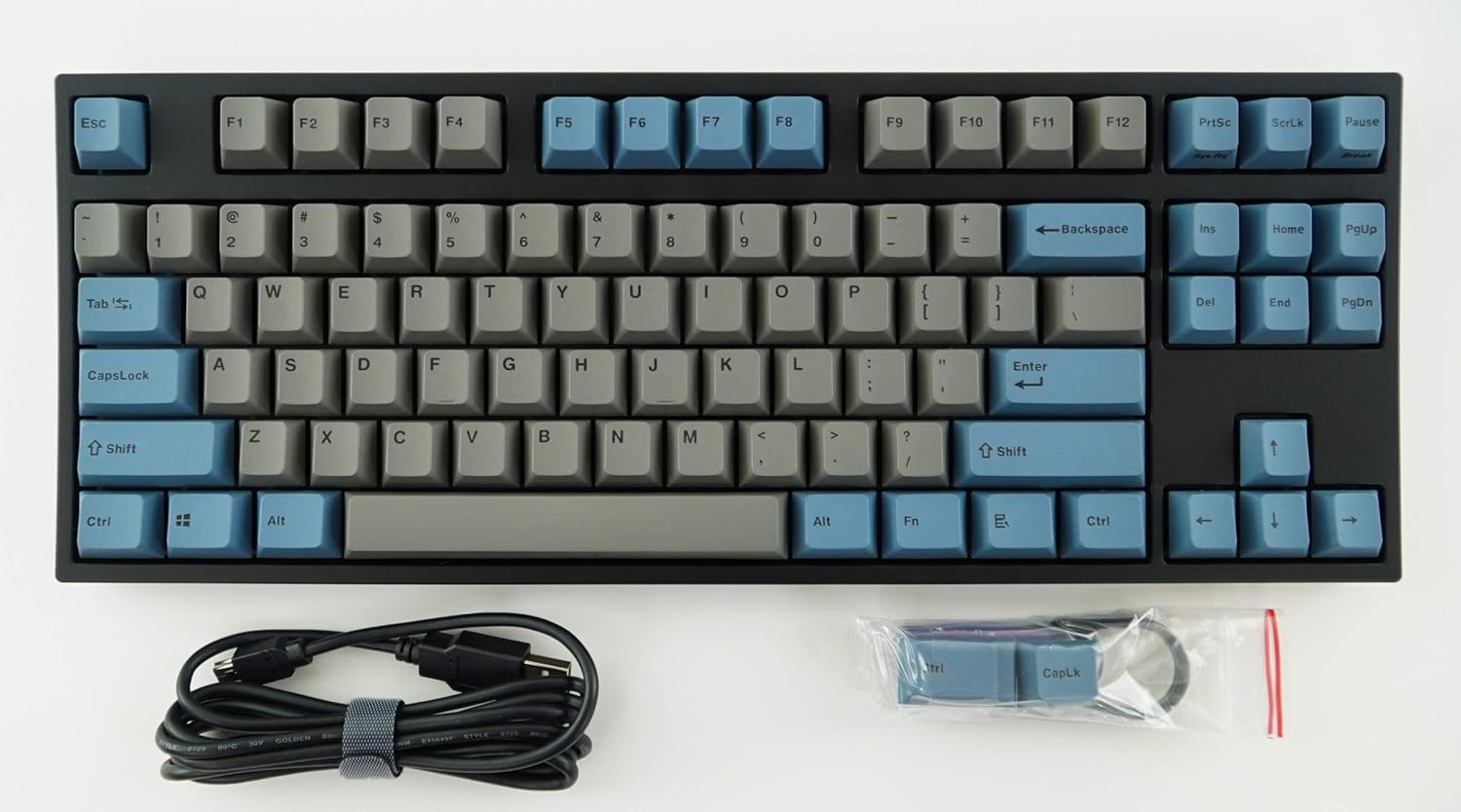
Image: The Leopold FC750R PD Mechanical Keyboard shown with its included accessories, including the USB cable and keycap puller.
3. Setha
Follow these steps to set up your Leopold FC750R PD Mechanical Keyboard:
- Khipha ikhibhodi: Susa ngokucophelela ikhibhodi nazo zonke izesekeli ephaketheni.
- Xhuma Ikhebuli: The keyboard supports both USB and PS/2 interfaces.
- For USB connection: Connect the removable USB cable to the port on the back of the keyboard and then to an available USB port on your computer.
- For PS/2 connection: Connect the PS/2 cable to the port on the back of the keyboard and then to the PS/2 keyboard port on your computer.
- Ukuhambisana Kwesistimu Esebenzayo: The keyboard is compatible with Microsoft Windows 7, 8, 10, Vista, and XP. No special drivers are typically required for basic functionality.
- Ukubekwa: Place the keyboard on a stable, flat surface. You can adjust the keyboard's angle using the flip-out feet located on the underside.

Isithombe: Side view of the Leopold FC750R PD keyboard showing the adjustable feet extended for ergonomic tilt.
4. Iziqondiso Zokusebenza
The Leopold FC750R PD is an 87-key mechanical keyboard designed for standard typing and gaming. Its layout is a Tenkeyless (TKL) design, omitting the numeric keypad for a more compact form factor.
4.1. Ukusetshenziswa Okuyisisekelo
Once connected, the keyboard should be immediately recognized by your operating system. You can begin typing and using it for all standard computer input tasks.

Image: A full top-down view of the Leopold FC750R PD mechanical keyboard, showcasing its 87-key layout with grey and blue keycaps.
4.2. Izihluthulelo Zomsebenzi (Izinhlanganisela ze-Fn)
The keyboard may feature secondary functions accessible via the Fn key. Refer to the keycaps for printed legends indicating these functions (e.g., media controls, volume adjustment, etc.). To activate a secondary function, hold down the Fn key and press the desired function key (F1-F12) or other designated key.

Isithombe: Ukuvala view of the left side of the Leopold FC750R PD keyboard, highlighting the Esc, F1-F4, Tab, CapsLock, Shift, and Ctrl keys.
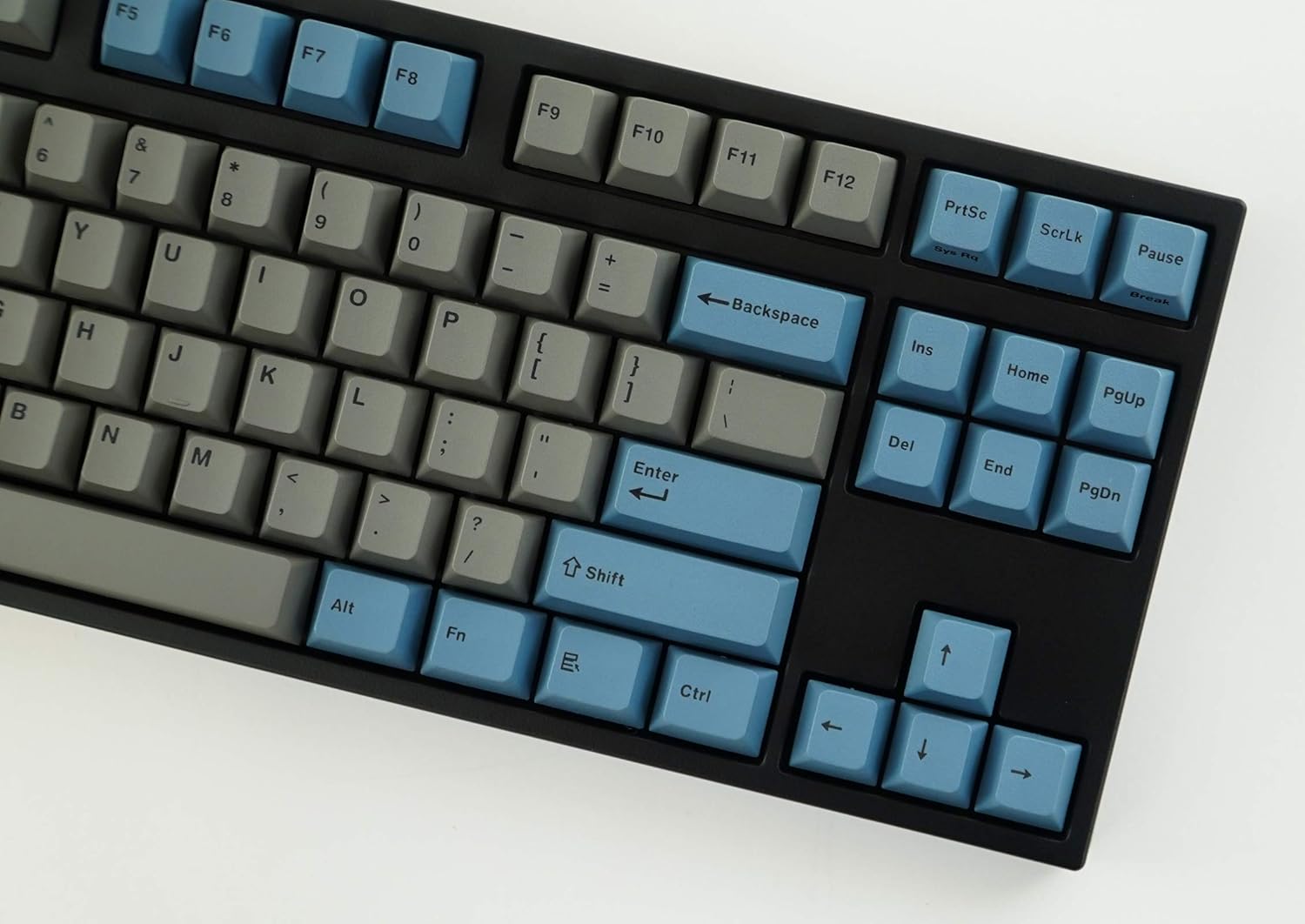
Isithombe: Ukuvala view of the right side of the Leopold FC750R PD keyboard, showing the Backspace, Enter, Shift, and arrow keys, along with the Insert, Home, Page Up, Delete, End, and Page Down keys.
5. Isondlo
Proper maintenance will extend the lifespan of your mechanical keyboard.
- Ukuhlanza Keycaps: Sebenzisa okuthambile, damp cloth to wipe down the keycaps. For deeper cleaning, you can use the included keycap puller to remove keycaps and clean them with mild soap and water. Ensure keycaps are completely dry before reattaching.
- Ukuhlanza Umzimba Wekhibhodi: Use a soft, dry cloth to wipe dust from the keyboard body. For stubborn dirt, a slightly damp indwangu ingasetshenziswa, kodwa gwema umswakama oweqile.
- Ukususa Uthuli: Sebenzisa umoya ocindezelwe ukuze ukhiphe uthuli kanye nemfucumfucu phakathi kwezikhiye kanye namaswishi.
- Gwema Uketshezi: Ungachithi uketshezi kukhibhodi. Uma kwenzeka ukuchitheka, nqamula ikhibhodi ngokushesha kukhompyutha yakho bese uyivumela yome ngokuphelele ngaphambi kokuxhuma kabusha.
- Isitoreji: When not in use, store the keyboard in a clean, dry environment, ideally using the included keyboard cover to protect it from dust.

Image: A low-angle side profile of the Leopold FC750R PD keyboard, showcasing the keycap profile and the keyboard's sturdy build.
6. Ukuxazulula izinkinga
If you encounter issues with your Leopold FC750R PD keyboard, try the following steps:
- Ikhibhodi Ayiphenduli:
- Ensure the USB or PS/2 cable is securely connected to both the keyboard and the computer.
- Try connecting the keyboard to a different USB or PS/2 port on your computer.
- Test the keyboard on another computer to determine if the issue is with the keyboard or your computer's setup.
- Qala kabusha ikhompuyutha yakho.
- Okhiye Abathize Abasebenzi:
- Hlola noma yiziphi izithiyo zomzimba ngaphansi kwekepisi elingukhiye.
- Carefully remove the keycap using the keycap puller and inspect the switch for any visible damage or debris.
- Ukulibaziseka Kokufaka noma Ukunqanyulwa:
- Ensure the cable is not damaged or kinked.
- Avoid connecting the keyboard through unpowered USB hubs; connect directly to the computer if possible.
If the problem persists after trying these steps, please contact Leopold customer support for further assistance.
7. Imininingwane
| Isici | Imininingwane |
|---|---|
| Inombolo Yemodeli | FC750R_EGBPD |
| Shintsha Umkhiqizo | Cherry MX (Black Switch) |
| Ukubala Okubalulekile | 87 okhiye |
| Iphimbo Eliyinhloko | 19 mm |
| I-keystroke | 4 ± 0.5mm |
| Izinto ze-Keycap | 1.5mm PBT (Polybutylene Terephthalate) |
| Ubukhulu (L x W x H) | 36.00cm X 14.00cm X 3.30cm (14.17"L x 5.51"W x 1.3"H) |
| Isisindo | 1kg (2.2 pounds) |
| Ubude bekhebula | 1.8m (Removable type) |
| PCB | FR-4 Dual Layer |
| I-OS esekelwe | Microsoft Windows 7, 8, 10, Vista, XP |
| Isixhumi esibonakalayo | USB & PS/2 |
| Umbala | Grey/Blue |
8. Iwaranti kanye Nokusekela
Leopold products are manufactured to high quality standards. For information regarding warranty coverage, please refer to the warranty card included with your product or visit the official Leopold website. For technical support or service inquiries, please contact Leopold customer service through their official channels.
You can visit the Leopold Store on Amazon for more information: Leopold Store