

1. 简介
The ASUS VY249HGR Eye Care Gaming monitor is engineered for optimal visual comfort and performance. Featuring an IPS Full HD panel, it delivers exceptional visuals with wide viewing angles. This monitor is suitable for various applications including e-learning, professional work, and entertainment. Its combination of a 120 Hz (OC) refresh rate and Adaptive Sync support ensures consistently smooth visuals, free from tearing and stuttering. Integrated ASUS Eye Care Plus technology prioritizes user well-being, providing comfortable viewing experiences during extended use.

The IPS panel offers ultra-wide 178-degree view调整角度,确保从任何角度都能保持一致的色彩和亮度。
2. 包装内容
Upon unboxing your ASUS VY249HGR monitor, please verify that all the following components are included:
- VY249HGR Monitor
- 快速入门指南
- 保修卡
- 电源线
- L型螺丝刀
- HDMI 线
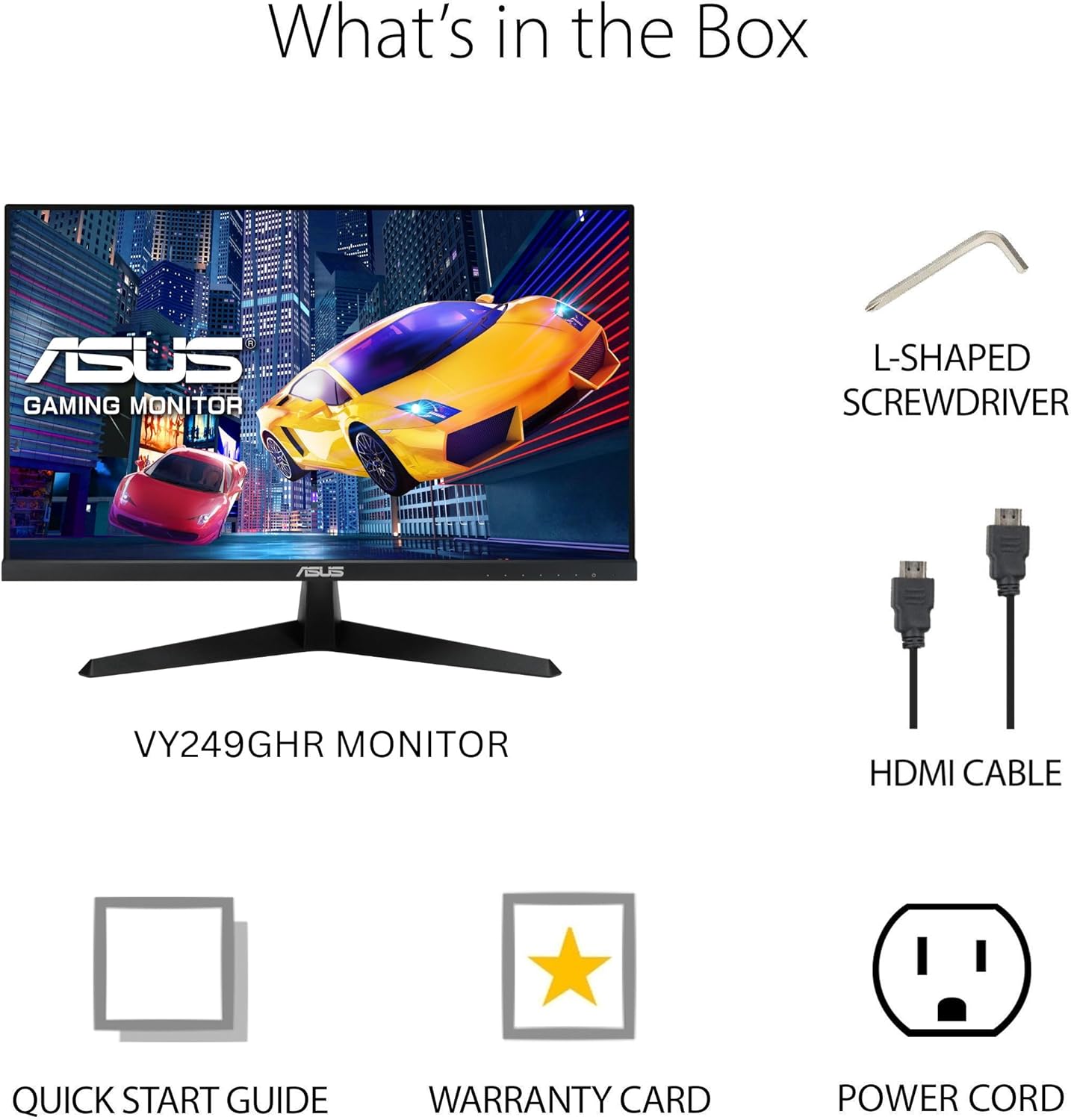
Visual representation of the items included in the monitor packaging.
3. 设置
3.1 组装显示器支架
- 小心地将显示器从包装中取出,注意保护好显示器。
- Attach the base to the monitor stand. The base is designed for easy, tool-free attachment. Align the stand with the slot on the back of the monitor and push until it clicks into place.
- Secure the base to the stand using the integrated screw at the bottom of the base. This screw often has a foldable handle for hand-tightening.
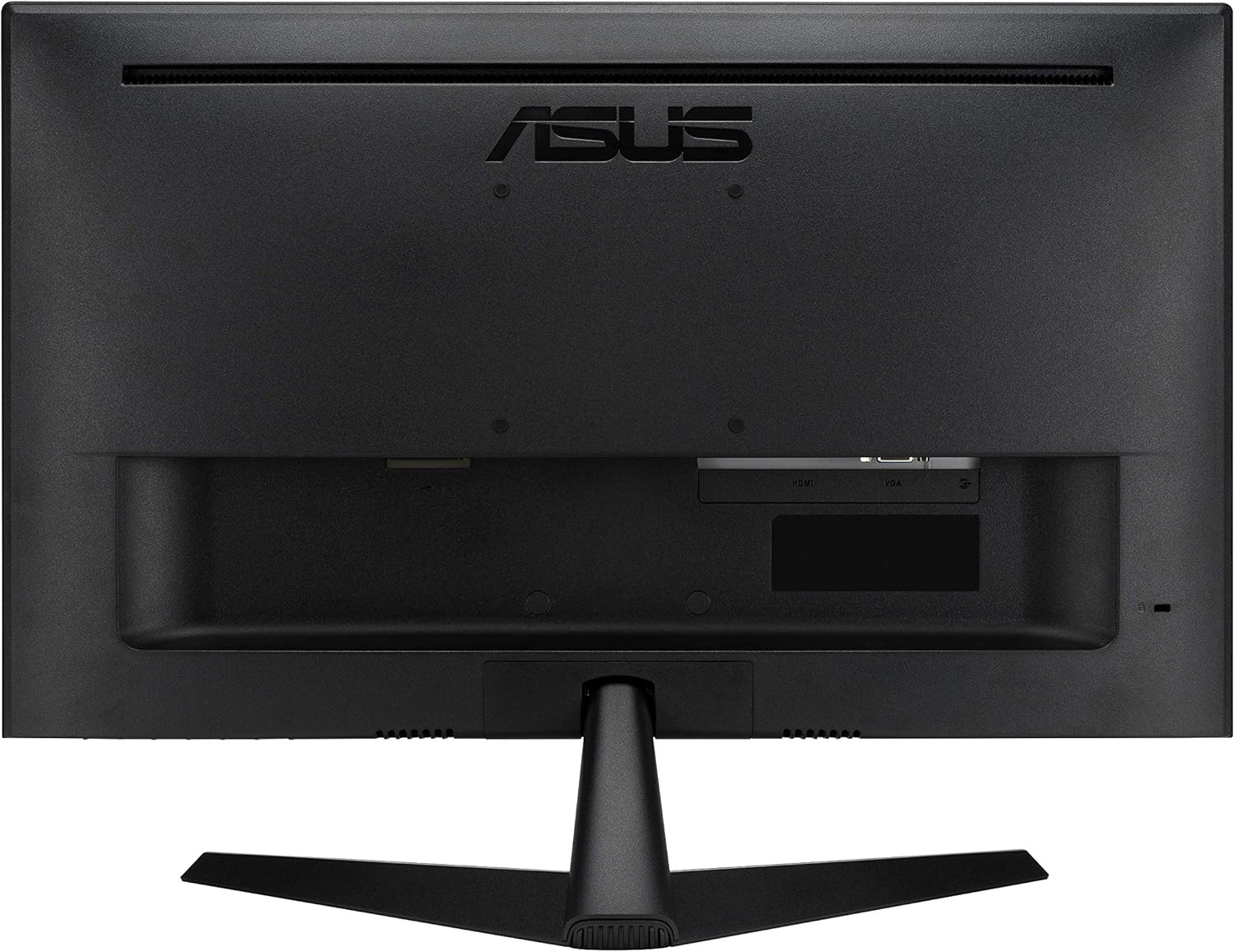
显示器支架支持倾斜角度调节,以优化您的使用体验。 view角。
3.2 连接线
The ASUS VY249HGR monitor offers multiple connectivity options. Identify the appropriate ports on the back of your monitor:
- HDMI端口: For digital video and audio input. Use the included HDMI cable to connect to your computer or other HDMI-enabled devices.
- VGA 端口: For analog video input. A VGA cable may be included for compatibility with older systems.
- 音频插孔(3.5mm): For audio input from your device if not using HDMI audio, or for connecting external speakers/headphones.
- 电源输入: Connect the power cord to this port and then to a power outlet.
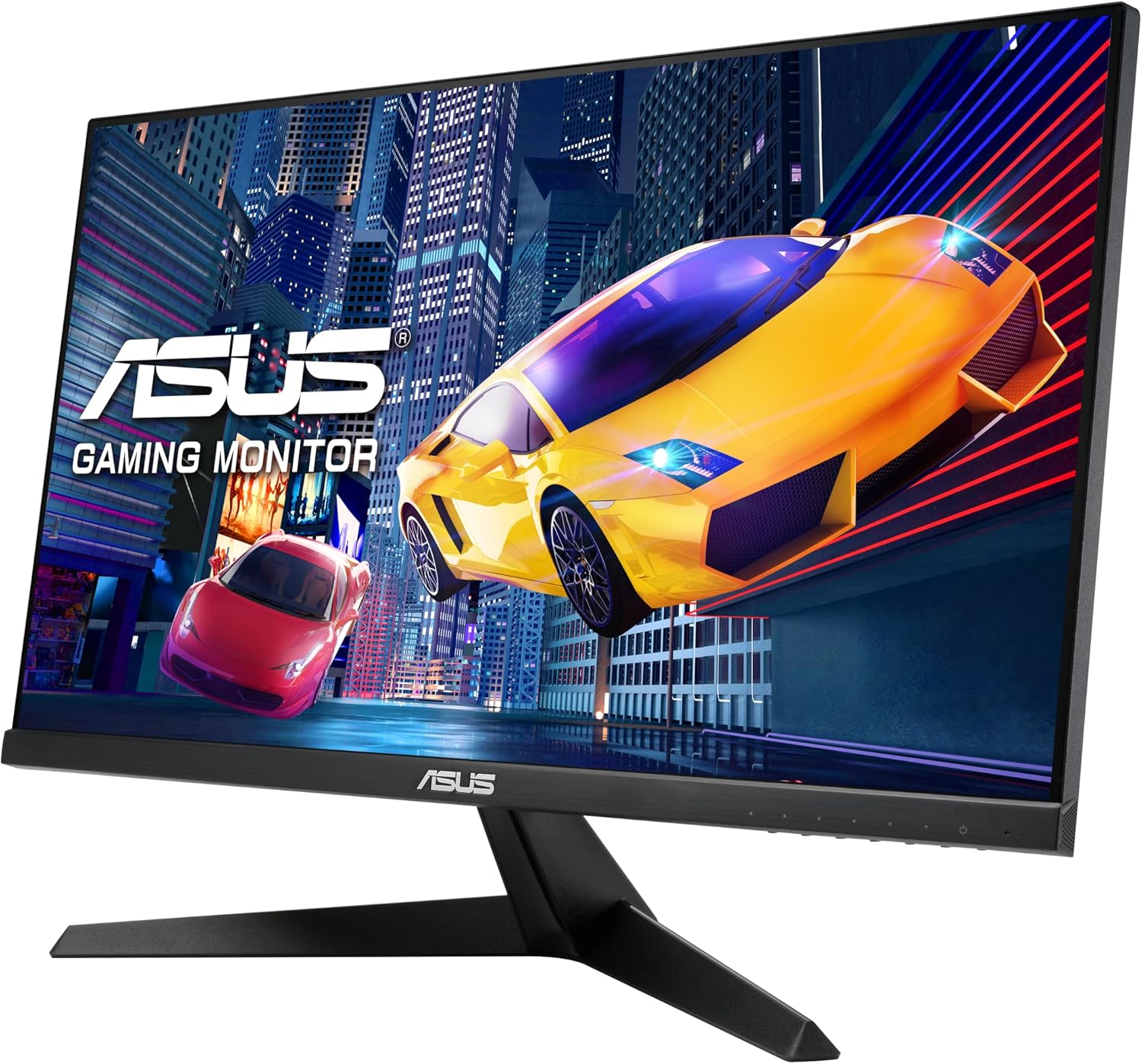
后部 view 显示器上,突出显示各种用于连接的输入端口。
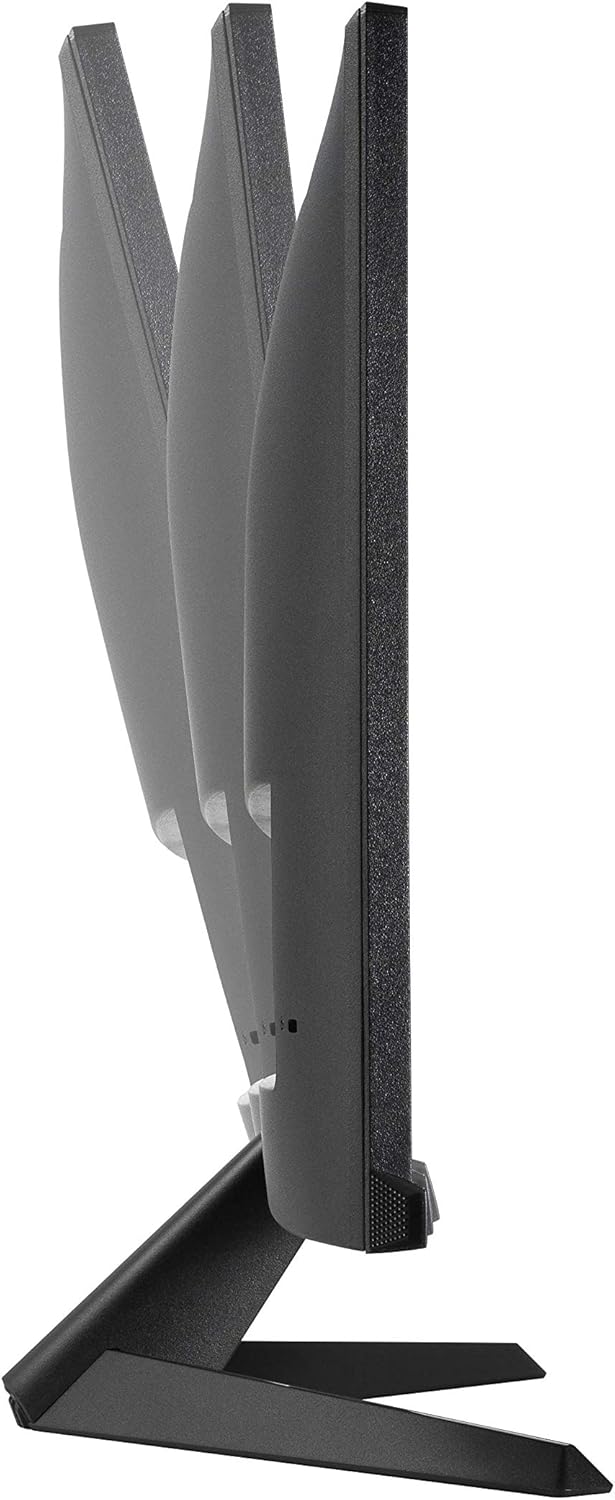
详细 view of the HDMI, VGA, and audio input ports, along with the power input.
4.操作说明
The monitor's On-Screen Display (OSD) menu allows you to adjust various settings for optimal performance and viewing comfort. The control buttons are located on the bottom right side of the monitor.
4.1 导航 OSD 菜单
- 按下任意 OSD 按钮即可激活菜单。
- 使用导航按钮(通常是箭头)浏览菜单选项。
- 按“确定”或“确认”按钮选择选项或确认设置。
- 使用“退出”或“返回”按钮返回上一个菜单或退出 OSD。
4.2 主要 OSD 设置
- Splendid Modes: Access various preset display modes optimized for different content types (e.g., Scenery, Standard, Theater, Game, Night View, sRGB, Reading, Darkroom). Select the mode that best suits your current activity.
- 蓝光过滤器: Reduce harmful blue light emissions to prevent eye strain. Multiple levels are available. It is recommended to adjust this setting based on ambient light and personal comfort.

Illustration of the Blue Light Filter feature, showing its effect on screen color temperature.
For more information on TÜV Rheinland certification, visit certipedia.com.
- 颜色设置: Adjust Brightness, Contrast, Saturation, Color Temperature, and Skin Tone. Experiment with these settings to achieve your preferred visual output.

Demonstration of the Color Augmentation mode, which assists users with color-vision deficiency.
- 免费跟踪: This setting helps eliminate ghosting in fast-moving images. It is generally recommended to keep it at a level of 60 for optimal performance.
- Adaptive-Sync / FreeSync: This technology synchronizes the monitor's refresh rate with the GPU's frame rate, eliminating screen tearing and stuttering for a smoother gaming experience. Ensure this is enabled for compatible graphics cards.
- 游戏加: Access gaming-specific enhancements such as Crosshair overlays, Timers, FPS Counters, and Display Alignment tools.

超过view of GamePlus features including Crosshair, Timer, FPS Counter, and Display Alignment.
5. 特点
The ASUS VY249HGR monitor is equipped with several advanced features to enhance your visual experience:
- 23.8" Full HD IPS Panel with 120Hz (OC) Refresh Rate: 体验鲜艳的色彩和广阔的 viewing angles with the IPS panel, combined with a high refresh rate for fluid motion and responsive gameplay.

视觉对比展示了 120Hz 刷新率与 60Hz 刷新率的流畅度差异。
- SmoothMotion Technology and 1ms MPRT: These technologies work together to eliminate motion blur and ghosting, ensuring crisp and clear video playback and a responsive experience for daily usage and gaming.
- 自适应同步支持: Provides a tear-free and stutter-free visual experience by synchronizing the monitor's refresh rate with your graphics card's frame rate.
- 眼部护理加强技术: Includes features like a TÜV Rheinland-certified Adjustable Blue Light Filter and Flicker-Free technology to minimize eye strain during prolonged viewing. It also offers a Color Augmentation mode for users with color-vision deficiency and a Rest Reminder to manage screen time.
- 华硕DisplayWidget中心: An intuitive software interface that allows users to easily change monitor settings directly from their desktop.
6. 维护
Proper maintenance ensures the longevity and optimal performance of your ASUS VY249HGR monitor:
- 清洁屏幕: 用柔软的无绒布轻轻擦拭屏幕。对于顽固污渍,请使用显示器专用清洁剂,将其涂抹在布上,切勿直接涂抹在屏幕上。
- 清洁 Casing: 用柔软的干布清洁显示器表面。asing. 避免使用研磨性清洁剂或溶剂。
- 通风: 确保显示器上的通风口畅通无阻,以防止过热。
- 处理: Always handle the monitor by its edges or stand. Avoid pressing on the screen.
- 关机: 长时间不使用时,请关闭显示器电源并将其从电源插座上拔下。
7。 故障排除
If you encounter issues with your ASUS VY249HGR monitor, refer to the following common troubleshooting steps:
| 问题 | 可能的原因 | 解决方案 |
|---|---|---|
| 屏幕上没有图像 | 电源线已断开;视频线已断开;选择了错误的输入源。 | Ensure power cable is securely connected. Check video cable (HDMI/VGA) connections. Select the correct input source via the OSD menu. |
| 图像模糊或失真 | Incorrect resolution; Loose video cable; Monitor settings (e.g., Trace Free). | Set display resolution to 1920x1080. Reconnect video cable. Adjust "Trace Free" setting in OSD (recommended 60). |
| 画面撕裂或卡顿 | Adaptive Sync/FreeSync not enabled or incompatible GPU. | Ensure Adaptive Sync/FreeSync is enabled in the OSD menu and your graphics card settings. Verify GPU compatibility. |
| Eye discomfort | Blue light exposure; Flicker. | Adjust Blue Light Filter level in OSD. Ensure Flicker-Free technology is active (it is by default). Take regular breaks. |
If the issue persists after trying these steps, please contact ASUS customer support for further assistance.
8. 规格
Detailed technical specifications for the ASUS VY249HGR monitor:
- 屏幕尺寸: 23.8 英寸
- 面板类型: 入侵防御系统
- 解决: 1920x1080(全高清)
- 最大屏幕分辨率: 1920 x 1080 像素
- 刷新率: 120Hz(可超频)
- 响应时间: 1毫秒最大回弹率
- 长宽比: 16:9
- 屏幕表面描述: 哑光的
- 颜色: 黑色的
- 商品重量: 7.5 磅
- 产品尺寸(长x宽x高): 7.3 x 21.3 x 15.6 英寸
- 制造商: 华硕
- 系列: VY249HGR
- 型号: VY249HGR

图示为华硕 VY249HGR 显示器的物理尺寸。
9.保修与支持
Your ASUS VY249HGR monitor comes with a Warranty Card included in the box. Please refer to this card for detailed information regarding your product's warranty coverage and terms.
For technical support, service, or additional product information, please visit the official ASUS support web请访问网站或联系客服。请妥善保管您的购买收据和序列号,以便更快地获得服务。