
1. Ifihan
This manual provides detailed instructions for the installation, operation, and maintenance of your Vtopek 7-inch Motorcycle CarPlay Android Auto Screen. Please read this manual thoroughly before using the product to ensure proper function and safety. Keep this manual for future reference.
2. Alaye Aabo
- Always prioritize road safety. Do not operate the device in a manner that distracts you from driving.
- Ensure all connections are secure and properly insulated to prevent electrical hazards, especially in wet conditions.
- Mount the device securely to prevent it from detaching during operation.
- Ma ṣe gbiyanju lati tunto tabi yi ẹrọ naa pada. Tọkasi gbogbo iṣẹ si oṣiṣẹ oṣiṣẹ.
- The device is IP67 waterproof; however, avoid prolonged submersion or high-pressure water jets.
3. Package Awọn akoonu
Jẹrisi pe gbogbo awọn ohun kan wa ninu package:
- 1 x Vtopek 7-inch Motorcycle CarPlay Screen
- 1 x Apo akọmọ iṣagbesori
- 1 x Power Cable (ACC+12V and Ground)
- 1 x Eriali GPS
- 1 x Iṣakoso latọna jijin ti firanṣẹ
- 1 x 4K Front Camera
- 1 x 1080P Ru Kamẹra
- 1 x 64GB TF Kaadi
- 1 x Itọsọna olumulo

Image 3.1: The Vtopek 7-inch Motorcycle CarPlay Android Auto Screen shown with its main components including the display, mounting hardware, GPS antenna, remote, dual cameras, and 64GB TF card.
4. Eto
4.1 Iṣagbesori ẹrọ
- Attach the U-shaped reinforced bracket to your motorcycle's handlebar. Ensure it is securely fastened and positioned for optimal viewń ṣe láìsí ìdíwọ́ rẹ view ti opopona tabi awọn iṣakoso.
- Mount the 7-inch display unit onto the bracket. The bracket allows for 360-degree rotation to adjust the viewigun igun.

Image 4.1: The Vtopek 7-inch screen mounted on a motorcycle handlebar, demonstrating its placement and visibility.
4.2 Wiwa ati Asopọ agbara
- Connect the power cable to your motorcycle's ACC+12V power source and ground. Ensure proper polarity. The device supports DC12V-24V input.
- Connect the GPS antenna to the designated port on the main unit.
- Connect the wired remote control to its port for easy access to functions.
4.3 Fifi sori ẹrọ Kamẹra
- Install the 4K front camera at the front of your motorcycle, ensuring a clear, unobstructed view ti opopona wa niwaju.
- Install the 1080P rear camera at the rear of your motorcycle, providing a clear view ti opopona sile.
- Route the camera cables securely, avoiding moving parts and heat sources. Connect them to the corresponding ports on the main unit.

Image 4.2: A diagram illustrating the wiring connections for the main unit, cameras, and power supply.
4.4 Fifi Kaadi TF sii
Insert the provided 64GB TF card into the designated slot on the main unit. This card is essential for dash cam recording.
5. Awọn ilana Iṣiṣẹ
5.1 Titan / Pa a
The device will power on automatically when your motorcycle's ignition is turned on (ACC+12V connection). To power off, turn off the ignition.
5.2 Àwọn Ẹ̀yà Ìbòjú
The 7-inch IPS touchscreen offers a resolution of 1560x720p and up to 1000 nits brightness for clear visibility in various lighting conditions. The integrated sun visor further enhances readability.

Image 5.1: The 7-inch HD IPS touchscreen displaying navigation, mounted on a motorcycle handlebar.
5.3 Alailowaya CarPlay ati Android Auto
The device supports wireless CarPlay and Android Auto for seamless smartphone integration.
- CarPlay Requirements: An iPhone with iOS 6 or later. Ensure CarPlay system and voice control are enabled on your iPhone.
- Android Auto Requirements: A phone that supports 5 GHz Wi-Fi and runs Android 11 or higher. Ensure the Android Auto app is updated to the latest version.
- Asopọmọra: Pair your smartphone with the CarPlay screen via Bluetooth and Wi-Fi. Follow the on-screen prompts for initial setup.

Aworan 5.2: Examples of the Wireless CarPlay and Android Auto interfaces displayed on the screen.
5.4 Asopọmọra Bluetooth Meji
The device features dual Bluetooth for enhanced audio management:
- Pair the CarPlay screen with your smartphone.
- Connect your Bluetooth headset or helmet communication system to the CarPlay screen. This allows for hands-free calls and music playback directly through your headset.
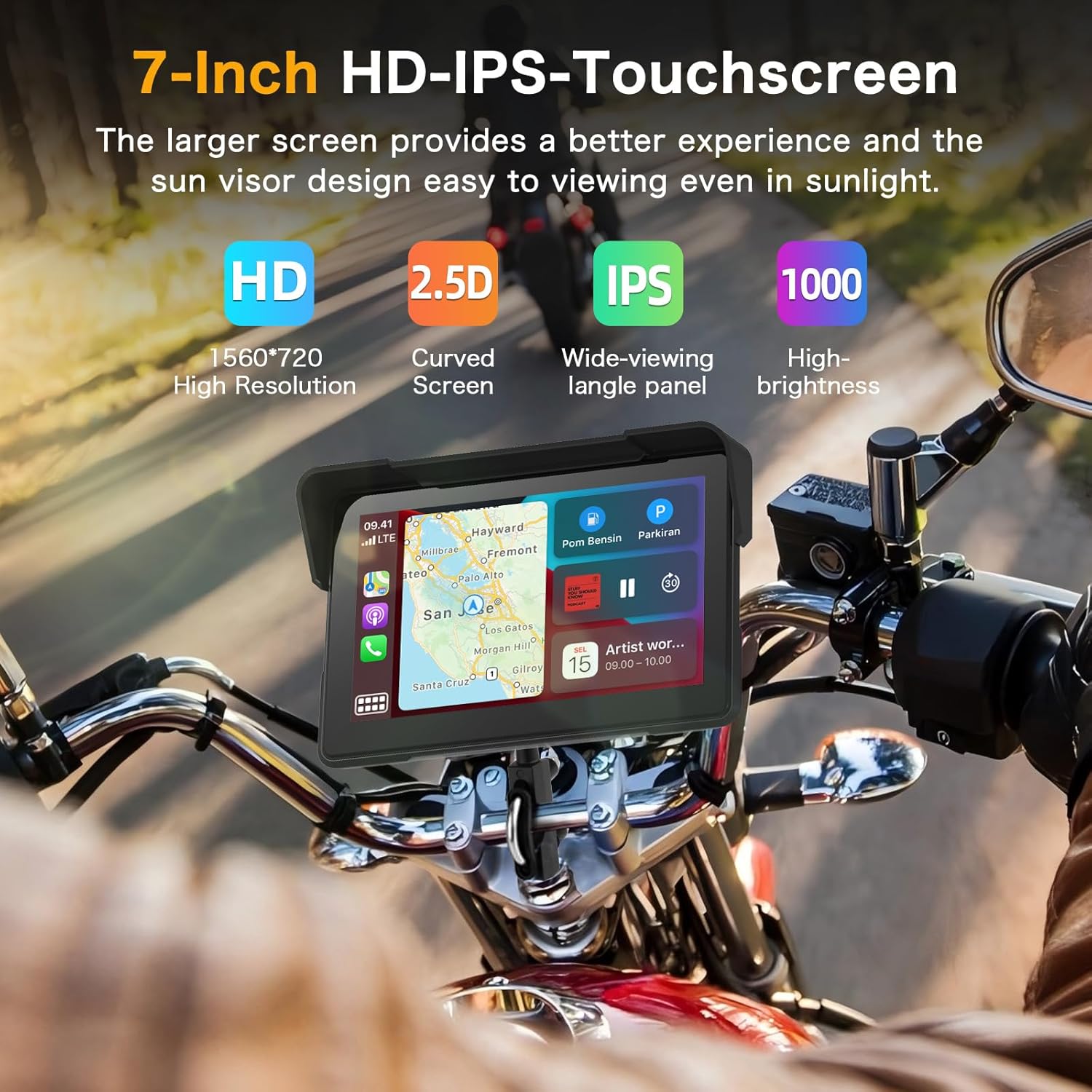
Image 5.3: A visual representation of the dual Bluetooth connectivity, showing the screen connecting to a smartphone and a Bluetooth headset/helmet.
5.5 Iṣakoso ohun
Utilize voice assistants like Siri (for iOS) or Google Assistant (for Android) for safe, hands-free operation. This allows you to navigate, play music, and make calls without touching the screen.
Image 5.4: A motorcycle rider using voice commands for navigation, demonstrating hands-free operation.
5.6 Dash Cam (DVR) Features
The integrated dual cameras provide comprehensive recording capabilities:
- Kamẹra iwaju: 4K UHD resolution with a 150° ultra-wide angle.
- Kamẹra Tẹhin: 1080P AHD resolution with a 150° ultra-wide angle.
- Gbigbasilẹ Loop: Laifọwọyi ìkọlélórí agbalagba files when the TF card is full, ensuring continuous recording.
- Ifihan Iboju Pipin: View front and rear camera feeds simultaneously on the screen.
- Imọ-ẹrọ HDR: Enhances image quality for clear and detailed recordings, even at night.

Image 5.5: The screen displaying simultaneous views from the 4K front camera and 1080P rear camera, highlighting the dual recording capability.
5.7 WiFi-App Control
Connect the device to your smartphone via Wi-Fi to use the dedicated app. This allows you to:
- Ṣaajuview ifiwe kamẹra kikọ sii.
- Ṣe igbasilẹ awọn fidio ti a gbasilẹ si foonu rẹ.
- Pin awọn fidio taara lati inu ohun elo naa.

Image 5.6: A smartphone screen showing the app interface for managing dash cam recordings and sharing content.
5.8 Real-time Display
The screen can display real-time information relevant to your ride, including:
- Iyara
- Mileage
- Giga
- Kompasi
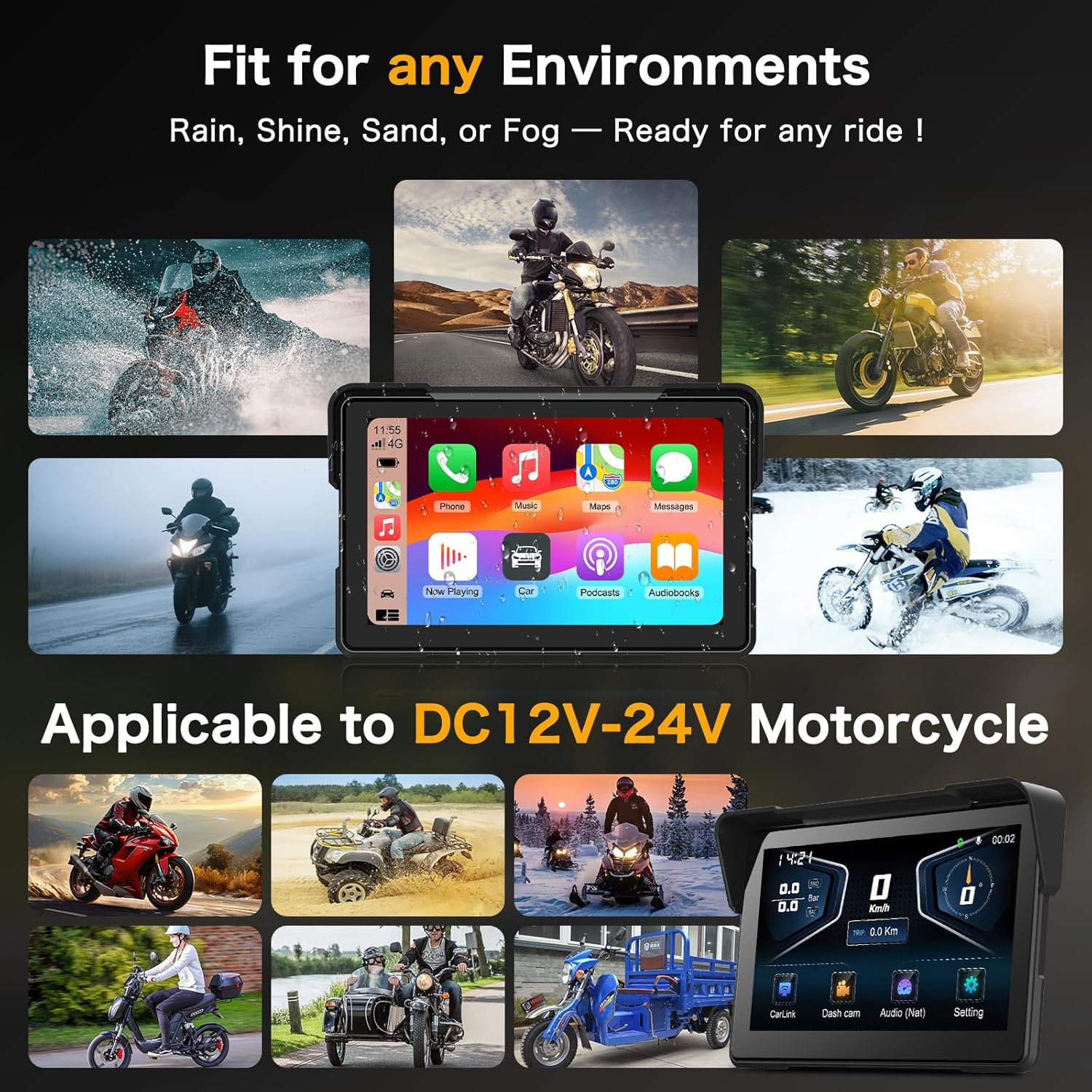
Image 5.7: The screen showing real-time riding data such as speed, altitude, and compass, enhancing situational awareness.
6. Itọju
6.1 Ninu iboju
Lo asọ rirọ, ti ko ni lint lati pa iboju naa rọra. Fun agidi smudges, die-die dampen awọn asọ pẹlu omi tabi a iboju-ailewu regede. Yago fun awọn ohun elo abrasive tabi awọn kemikali lile.
6.2 Apẹrẹ Omi Omi
The device features an IP67 waterproof rating, making it resistant to dust and water immersion up to 1 meter for 30 minutes. This ensures optimal performance in various weather conditions, including heavy rain.

Image 6.1: The Vtopek screen mounted on a motorcycle, demonstrating its waterproof capability during rain.
7. Laasigbotitusita
7.1 CarPlay/Android Auto Connectivity Issues
- Ibamu: Ensure your smartphone meets the minimum requirements (iOS 6+ for CarPlay, Android 11+ with 5GHz Wi-Fi for Android Auto).
- Specific Phone Models: Note that compatibility may be limited with certain Samsung (Note/S series), Huawei, and Xiaomi models. Verify your phone's wireless CarPlay/Android Auto support before purchase.
- Awọn Igbesẹ Asopọmọra: Re-attempt pairing via Bluetooth and Wi-Fi. Ensure both are enabled on your phone and the device.
7.2 Dash Cam Recording Problems
- Kaadi TF: Ensure the 64GB TF card is properly inserted and not full. The loop recording function should manage space automatically.
- Iṣeto: If issues persist, try formatting the TF card through the device settings.
- Ibi ti ina elekitiriki ti nwa: Verify stable power supply to the device.
7.3 General Device Malfunctions
- Tun bẹrẹ: Turn off your motorcycle's ignition and restart it to power cycle the device.
- Firmware: Ṣayẹwo awọn olupese ká webojú òpó wẹ́ẹ̀bù fún àwọn àtúnṣe firmware tó wà.
8. Awọn pato
| Ẹya ara ẹrọ | Sipesifikesonu |
|---|---|
| Brand | Vtopek |
| Orukọ awoṣe | Vtopek MotoCarplay |
| Iwon iboju | 7 inches |
| Ipinnu iboju | 1560x720p |
| Imọlẹ iboju | Titi di 1000 nits |
| Kamẹra iwaju | 4K UHD, 150° wide angle |
| Kamẹra ẹhin | 1080P AHD, 150° wide angle |
| Asopọmọra | Bluetooth, Wi-Fi (5GHz for Android Auto) |
| Ibi ipamọ | Kaadi TF 64GB (pẹlu rẹ) |
| Agbara Input | DC12V-24V |
| Mabomire Rating | IP67 |
| Iṣagbesori Iru | Handlebar Mount |
9. Atilẹyin ọja ati Support
Your Vtopek MotoCarplay device comes with a 1-odun atilẹyin ọja from the date of purchase. Additionally, Vtopek provides lifetime technical assistance.
If you encounter any issues or require support, please contact Vtopek customer service. Refer to the contact information provided with your product packaging or on the official Vtopek webojula.