
1. Ifihan
This manual provides detailed instructions for the installation, operation, and maintenance of your Weiser Tavaris x Breton Front Door Lock and Handle Set. This handleset is designed for exterior doors, offering both keyed entry and enhanced security. It features a sleek, modern design with a Satin Nickel finish, complementing various home aesthetics.
The handleset includes a matching deadbolt with a 1-inch throw for robust security. It can be locked or unlocked using a key from the outside or a key/turnpiece from the inside. The product is ANSI/BHMA Grade 2 Certified, ensuring durability and performance.

Image 1.1: Weiser Tavaris x Breton Handleset, showcasing the exterior handle and deadbolt in Satin Nickel finish.
2. Package Awọn akoonu
Ṣaaju ki o to bẹrẹ fifi sori ẹrọ, rii daju pe gbogbo awọn paati wa ninu package rẹ:
- Ita ilekun Handle
- Inu Lever
- Deadbolt Assembly
- Latches (for both handle and deadbolt)
- Strikes (for both handle and deadbolt)
- Fasteners and Accessories
- 2 Awọn bọtini
- Ọpa SmartKey
- Ilana Afowoyi (iwe yii)

Image 2.1: All included components of the handleset, including the exterior handle, interior lever, deadbolt, latches, strikes, keys, and SmartKey tool.
3. fifi sori
The Weiser Tavaris x Breton handleset is designed for easy installation, typically requiring only a screwdriver. The adjustable latch mechanism accommodates all standard door preparations.
3.1 Pre-Fifi sori Ṣayẹwo
- Ensure your door thickness and backset measurements are compatible with the handleset.
- Confirm the door is properly prepared with standard bore holes.
3.2 Step-by-Step Installation Overview
- Fi sori ẹrọ awọn deadbolt latch sinu ẹnu-ọna eti.
- Install the deadbolt cylinder and thumbturn assembly.
- Install the lower latch (spring latch) into the door edge.
- Attach the exterior handleset to the door.
- Fi sori ẹrọ apejọ lefa inu.
- Secure all components with the provided fasteners.
- Install the strike plates on the door frame.
For detailed visual instructions, refer to the full installation guide included in your package or visit the official Weiser support webojula.

Image 3.1: The handleset installed on a door, illustrating the exterior pull handle and deadbolt, and the interior lever and turnpiece.
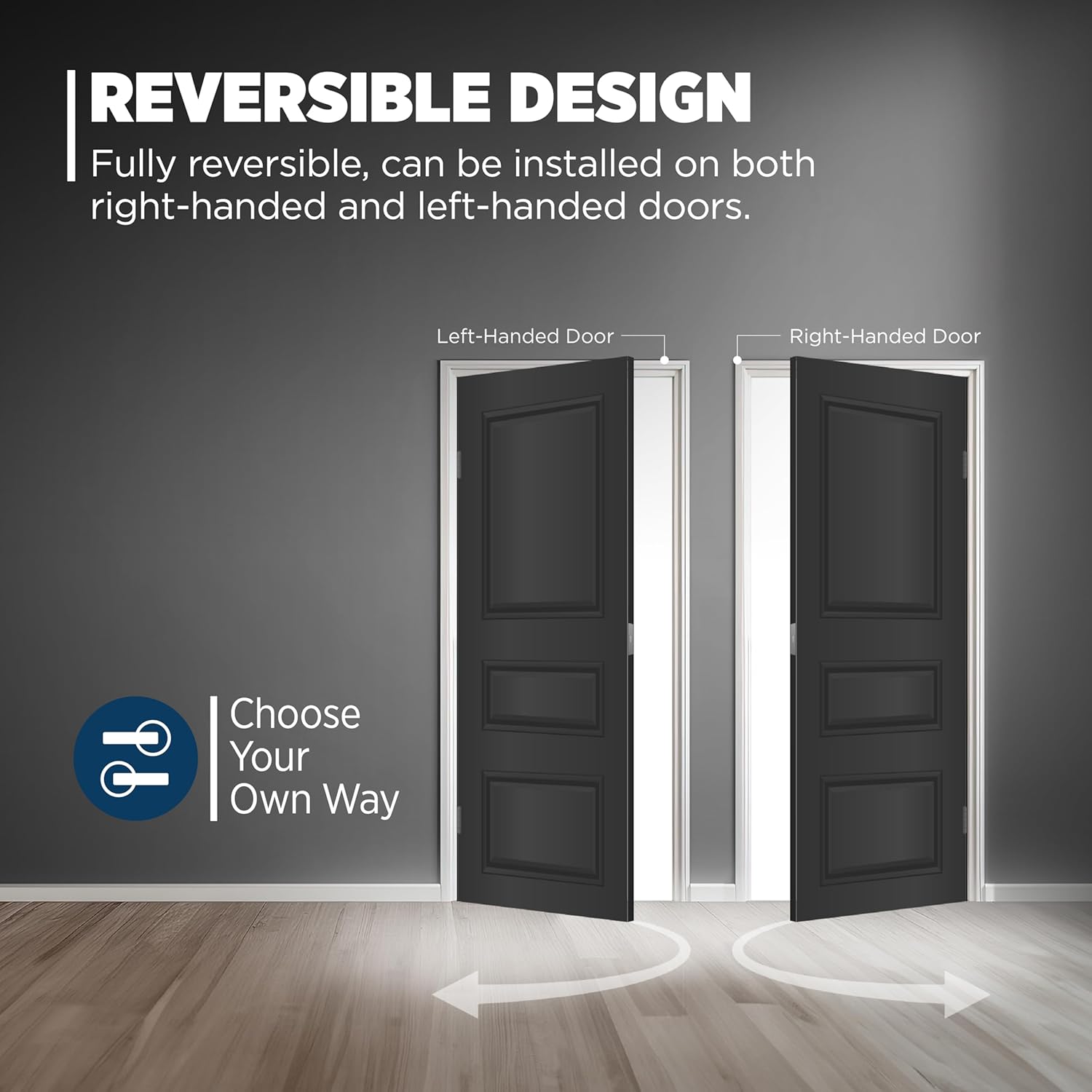
Image 3.2: This handleset features a fully reversible design, allowing installation on both left-handed and right-handed doors.
4. Isẹ
4.1 Titiipa ati ṣiṣi silẹ
- Lati ode: Insert the key into the deadbolt cylinder and turn to lock or unlock.
- Lati inu inu: Use the turnpiece on the deadbolt to lock or unlock.
- The lower handle operates a spring latch and does not provide security locking.
4.2 SmartKey Security Technology
Your Weiser handleset is equipped with SmartKey Security, a re-key technology that allows you to re-key your lock yourself in seconds. This feature protects against advanced break-in techniques and provides convenience by allowing you to match your lock to an existing key.
Re-keying Instructions:
- Insert your functioning key into the cylinder and turn it 90 degrees clockwise.
- Fi ohun èlò SmartKey sinu ihò SmartKey patapata ati ṣinṣin. Yọ ohun èlò SmartKey kuro.
- Yọ bọtini iṣẹ rẹ kuro.
- Insert your new key fully and firmly into the cylinder. Turn the new key 180 degrees counter-clockwise.
- Your lock is now re-keyed. Test the new key to ensure proper operation.

Image 4.1: Diagram illustrating the SmartKey re-keying process and highlighting security features such as kick-in, bump, pick, drill, and saw resistance.
5. Itọju
To ensure the longevity and smooth operation of your Weiser handleset, follow these maintenance guidelines:
- Ninu: Fọ ọwọ́ ìdènà náà pẹ̀lú asọ, damp Aṣọ. Yẹra fún àwọn ohun ìfọṣọ, àwọn ohun tí a fi ń pa nǹkan, tàbí àwọn kẹ́míkà líle, nítorí pé àwọn wọ̀nyí lè ba ìparí rẹ̀ jẹ́.
- Lubrication: Periodically apply a silicone-based lubricant to the latch and deadbolt mechanisms to maintain smooth operation. Do not use oil-based lubricants.
- Awọn ohun mimu: Máa ṣàyẹ̀wò gbogbo àwọn skru àti àwọn ohun tí a fi so mọ́ ara wọn láti rí i dájú pé wọ́n lẹ̀ mọ́ ara wọn. Má ṣe fún wọn ní okun jù.
6. Laasigbotitusita
If you encounter issues with your handleset, refer to the following common troubleshooting tips:
| Isoro | Owun to le Fa | Ojutu |
|---|---|---|
| Key does not turn smoothly or is difficult to insert. | Dirt or debris in the cylinder; worn key; improper re-keying. | Clean the cylinder with compressed air. Try a new key. Re-key the lock following SmartKey instructions. |
| Deadbolt kò nà tàbí fà sẹ́yìn pátápátá. | Misalignment of strike plate; obstruction in door frame; loose fasteners. | Check strike plate alignment and adjust if necessary. Clear any obstructions. Tighten all fasteners. |
| Interior lever is loose or wobbly. | Loose iṣagbesori skru. | Tighten the screws securing the interior lever assembly. |
If the issue persists after attempting these solutions, please contact Weiser Customer Support.
7. Awọn pato
- Ohun elo: Metal or alloy
- Àwọ̀: Didan yinrin Nickel
- Ara: Tavaris x Breton
- Awọn iwọn ọja: 45.5L x 6.7W Centimita
- Ìwọ̀n Nkan: 3.9 iwon
- Ipari ode: Satin Nickel (Brushed)
- Imudani Iru: Fa mu Ọwọ
- Awọn Lilo Pataki: Ode ilekun
- Titiipa Iru: Titiipa bọtini
- Iṣalaye Ọwọ: Ambidextrous (Universal Handling)
- Awọn ẹya pataki: ANSI/BHMA Grade 2 Certified, Adjustable Latch, SmartKey Technology
- Nọmba awoṣe: 9GLA94710-039
- GTIN/UPC: 059184444445
8. Atilẹyin ọja ati Support
8.1 Olupese ká atilẹyin ọja
This Weiser product is backed by a Limited Lifetime Warranty. For specific terms and conditions, please refer to the warranty information provided with your product or visit the official Weiser webojula.
8.2 Onibara Support
For further assistance, technical support, or warranty claims, please contact Weiser Customer Support through their official webaaye tabi alaye olubasọrọ ti a pese ninu apoti ọja rẹ.
9. Ọja Ipariview Fidio
Wo yi osise fidio fun a okeerẹ loriview of Weiser products, highlighting key features and benefits, including SmartKey technology and various styles.
Video 9.1: An official Weiser brand video showcasing the range of products, including smart locks and handlesets, emphasizing security, technology, and convenience. This video demonstrates the SmartKey re-keying process and various design options.