
Ọrọ Iṣaaju
The System Sensor HR-LF is a low frequency sounder designed for indoor use in security and surveillance systems, specifically for sound detection and alarm output. This device is engineered to provide clear and effective audible alerts, crucial for life safety applications. This manual provides essential information for the proper installation, operation, and maintenance of your HR-LF sounder.
Alaye Aabo
Please read and understand all instructions before installing or operating the HR-LF sounder. Failure to follow these instructions may result in property damage, injury, or death. This device must be installed by qualified personnel in accordance with all local and national electrical and fire codes.
- Ge Agbara: Máa ge ina mọ́ ẹ̀rọ náà kí o tó fi sori ẹ̀rọ náà, kí o sì tún un ṣe, tàbí kí o yọ ọ́ kúrò.
- Asopọmọra to tọ: Ensure all wiring connections are secure and comply with the wiring diagram provided with the device.
- Awọn ipo Ayika: Install the device in an environment that meets its specified operating conditions.
- Idanwo: Regularly test the device after installation and during routine maintenance to ensure proper operation.
Package Awọn akoonu
Rii daju pe gbogbo awọn ohun kan wa ṣaaju ki o to bẹrẹ fifi sori ẹrọ:
- System Sensor HR-LF Low Frequency Sounder (Red)
- Ohun elo iṣagbesori (awọn skru, awọn ìdákọró)
- Itọsọna fifi sori ẹrọ (iwe yii)
Eto ati fifi sori
The HR-LF sounder is designed for surface mount installation. Follow these steps for proper setup:
- Yan Ibi: Select an indoor location that provides optimal sound coverage and complies with local codes. Ensure the mounting surface is flat and secure.
- Mura Waya: Route the necessary electrical wiring to the chosen mounting location. Ensure power is disconnected before proceeding.
- Iṣagbesori:
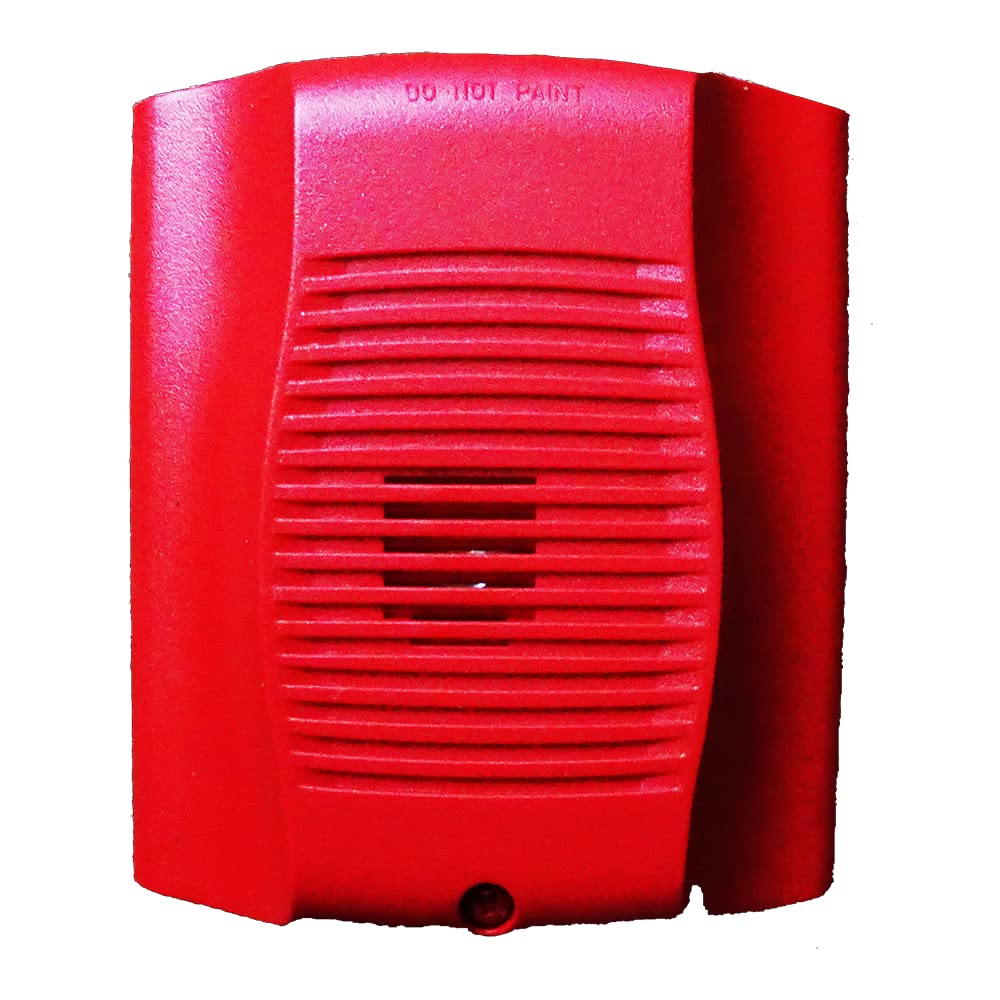
Aworan: Iwaju view of the System Sensor HR-LF low frequency sounder. This red device features a grille for sound emission and mounting points for surface installation.
- Position the sounder base against the wall or ceiling at the desired mounting point.
- Mark the locations for the mounting screws.
- Lu awọn ihò awaoko ti o ba jẹ dandan, ki o fi awọn ìdákọró ogiri sii ti o ba n gbe sinu ogiri gbigbẹ.
- Secure the sounder base to the mounting surface using the provided screws.
- Awọn isopọ onirin: Connect the field wiring to the terminal block on the sounder base according to the wiring diagram provided with the device. Pay close attention to polarity.
- Attach Sounder Head: Once wiring is complete and secure, attach the sounder head to the mounted base, ensuring it locks into place.
- Pada Agbara pada: After verifying all connections, restore power to the circuit.
- Iṣiṣẹ Idanwo: Perform an operational test as described in the "Operating Instructions" section.
Awọn ilana Iṣiṣẹ
The System Sensor HR-LF low frequency sounder operates as an alarm output device, typically activated by a connected fire alarm control panel or security system. It is designed to produce a distinct low-frequency tone for occupant notification.
- Muu ṣiṣẹ: The sounder will activate when it receives a signal from the connected control panel, indicating an alarm condition.
- Sound Pattern: The HR-LF typically produces a temporal 3 pattern (three short pulses followed by a pause), which is standard for fire alarm notification. Refer to your control panel's documentation for specific output patterns.
- Pa aṣiṣẹ: The sounder will deactivate when the alarm condition on the control panel is cleared or reset.
Note: The HR-LF is an output device and does not have user-configurable settings directly on the unit. All operational parameters are controlled by the connected fire alarm or security system.
Itoju
Regular maintenance ensures the continued reliable operation of your HR-LF sounder.
- Ninu: Periodically clean the exterior of the sounder with a soft, dry cloth to remove dust and debris. Do not use abrasive cleaners or solvents.
- Idanwo: Conduct periodic functional tests in accordance with local codes and manufacturer recommendations (typically annually) to ensure the sounder activates and produces the correct sound pattern.
- Ayewo: Visually inspect the device for any signs of damage, loose connections, or obstructions to the sound output.
Laasigbotitusita
If your HR-LF sounder is not functioning as expected, refer to the following common issues and solutions:
| Isoro | Owun to le Fa | Ojutu |
|---|---|---|
| Sounder does not activate. | Ko si agbara si ẹrọ naa. Ti firanṣẹ ti ko tọ. Control panel not sending activation signal. | Daju ipese agbara. Check wiring connections against diagram. Inspect control panel status and output. |
| Sounder activates intermittently. | Loose onirin asopọ. Faulty control panel output. | Secure all wiring connections. Consult control panel manual or contact qualified technician. |
| Ohùn náà kò lágbára tàbí ó yípadà. | Obstruction in front of sounder. Ibajẹ ẹrọ. | Ko eyikeyi idiwo kuro. Ṣayẹwo fun ibajẹ ti ara; ropo ti o ba wulo. |
If troubleshooting steps do not resolve the issue, contact System Sensor technical support or a qualified service technician.
Awọn pato
| Brand | Sensọ eto |
| Nọmba awoṣe | HR-LF |
| Ohun elo | Ṣiṣu |
| Ara | Igbalode |
| Iṣagbesori Iru | Oke Oke |
| Ojade Irisi | Itaniji |
| Awọn Lilo pato | Indoor, Sound Detection |
| ASIN | B015NEAOB2 |
| Ọjọ Akọkọ Wa | Oṣu Kẹwa Ọjọ 5, Ọdun 2016 |
Atilẹyin ọja ati Support
System Sensor products are designed for reliability and performance. For specific warranty information, please refer to the warranty statement included with your product packaging or visit the official System Sensor website. For technical support, installation assistance, or service inquiries, please contact System Sensor customer service or your authorized distributor.
Alaye olubasọrọ le ṣee ri ni igbagbogbo lori olupese webaaye tabi apoti ọja.