
1. הקדמה
The Thermalright TL-UB36 is a 360mm single-frame PC cooling case fan designed for efficient heat dissipation in computer chassis and liquid cooling systems. This unit integrates three fans into a single frame, simplifying installation and cable management. It features PWM control for adjustable fan speed and ARGB lighting for customizable aesthetics. The fan is engineered with an S-FDB V2 bearing for quiet operation and extended lifespan, and a balanced glue process for stable performance.

Figure 1: Thermalright TL-UB36 360mm Single-Frame PC Cooling Case Fan.
2. פֿעיִקייטן
- Integrated Single-Frame Design: Three fans are combined into one unit, simplifying installation and reducing cable clutter. This design also streamlines ARGB lighting control.
- הויך פאָרשטעלונג קאָאָלינג: Operates at a rated speed of 2150 RPM (±10%), providing high airflow of 69 CFM per fan (total 207 CFM for the unit) and an air pressure of 2.87 mm H2O for effective heat dissipation.
- Advanced Bearing Technology: Equipped with S-FDB V2 bearings, which minimize fan blade shaking and reduce noise levels while ensuring maximum cooling performance and extending the fan's operational life.
- Dynamic Balance Correction: Utilizes a three-dimensional dynamic balancing correction process to ensure stable output and consistent performance across various orientations. The fan's rear features a triangular symmetrical back frame, increasing effective wind area and enhancing structural strength.
- Addressable RGB (ARGB) Lighting: Features customizable ARGB lighting for aesthetic enhancement, compatible with motherboard synchronization.
- ווערסאַטאַל אַפּלאַקיישאַן: Suitable for use as a PC case fan or in conjunction with liquid cooling systems to enhance overall system cooling.
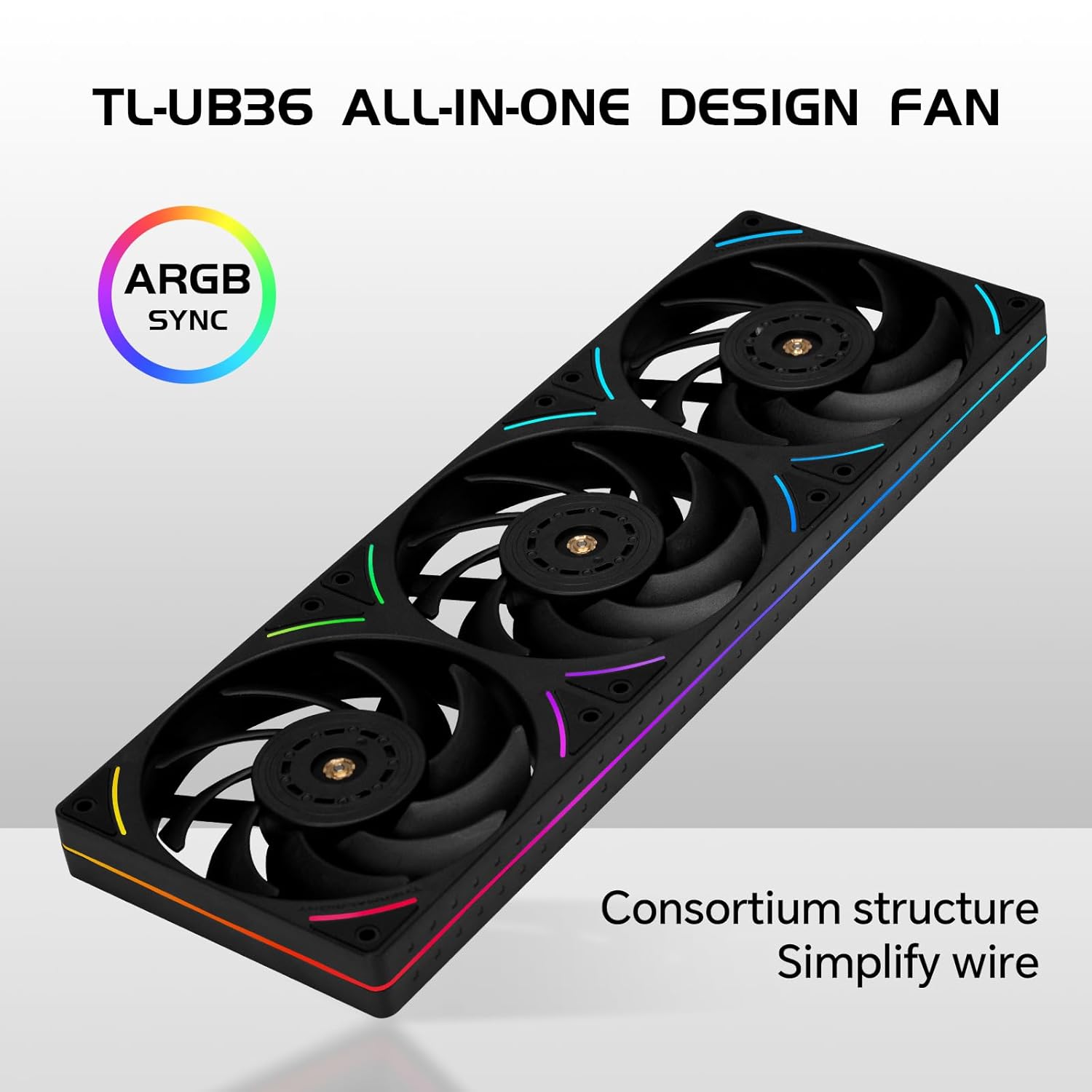
Figure 2: The TL-UB36 features an all-in-one design with ARGB synchronization, simplifying wiring and installation.

פיגורע 3: נאָענט-אַרויף view of the TL-UB36 highlighting the S-FDB V2 bearing, minimalist ARGB lighting, and glue dispensing 3-axis dynamic balance for stable operation.
3. פּעקל אינהאַלט
ביטע קאָנטראָלירט די אינהאַלט פון דער פּאַקעט ווען איר נעמט עס אויס. אויב עס פעלט עפּעס אָדער עס זענען צעבראָכן, קאָנטאַקטירט אייער הענדלער.
- Thermalright TL-UB36 360mm Single-Frame Fan Unit
- מאַונטינג סקרוז
- PWM Fan Power Supply Cable (55cm)
- ARGB Fan Lighting Interface Cable (55cm)

Figure 4: The TL-UB36 uses a single line connected power supply with dedicated PWM and ARGB cables for simplified connectivity.
4. ספּעסאַפאַקיישאַנז
| פּאַראַמעטער | ווערט |
|---|---|
| מאָדעל | TL-UB36 |
| דימענסיעס (L X W X H) | 360 mm x 120 mm x 25 mm (14.17"L x 4.72"W x 0.98"H) |
| ראַטעד ספּיד | 2150 רפּם ±10% (מאַקס) |
| ראַש מדרגה | ≤27 dBA (MAX) |
| לופט לויפן | 69 CFM per fan (207 CFM total for 3 fans) |
| לופט דרוק | 2.87 מ״מ H2O (מאַקס) |
| Ampער | 0.6 א |
| PWM קאַנעקטער | 4-פּין |
| ARGB קאַנעקטער | 3-Pin 5V |
| שייַכעס טיפּ | S-FDB V2 Bearing |
| Voltage | 12 וואלטס |
| וואָסtage | 12 וואטס |
| מאַטעריאַל | פּלאַסטיק |
| פּונקט וואָג | 0.65 קילאָגראַמס |

Figure 5: Performance metrics for the TL-UB36 fan, including speed, airflow, pressure, and noise level.
5. ינסטאַללאַטיאָן גייד
Follow these steps to properly install your Thermalright TL-UB36 fan unit:
- צוגרייטן אייער סיסטעם: Power off your computer and disconnect it from the power source. Open your PC case to access the fan mounting locations.
- אידענטיפיצירן מאָנטירונג אָרט: Determine where you want to install the 360mm fan unit (e.g., top, front, or bottom of the case, or on a liquid cooler radiator). Ensure there is sufficient clearance.
- מאָנטירן די ווענטילאַטאָר אַפּאַראַט: Align the screw holes on the TL-UB36 fan unit with the corresponding holes on your PC case or radiator. Secure the fan unit using the provided mounting screws. Do not overtighten.
- פאַרבינדן PWM קאַבל: Locate the 4-pin PWM fan header on your motherboard. Connect the 4-pin PWM cable from the TL-UB36 unit to this header. This allows your motherboard to control the fan speed based on system temperature.
- פאַרבינדן ARGB קאַבל: Locate the 3-pin 5V ARGB header on your motherboard. Connect the 3-pin 5V ARGB cable from the TL-UB36 unit to this header. Ensure correct orientation to avoid damage. Note: Do not connect to a 12V RGB header, as this will damage the LEDs.
- קאַבלע פאַרוואַלטונג: Route the cables neatly to prevent interference with other components and to improve airflow within the case.
- פֿאַרמאַכן דעם קעסטל און אָנצינדן: Close your PC case, reconnect the power, and power on your computer.

פיגורע 6: עקסample of the TL-UB36 fan unit installed at the top of a PC case.

Figure 7: A complete PC setup showcasing the integrated ARGB lighting of the TL-UB36 fans.
6. אַפּערייטינג ינסטרוקטיאָנס
6.1 פען גיכקייט קאנטראל (PWM)
The TL-UB36 fan unit supports Pulse Width Modulation (PWM) for dynamic speed control. This allows your motherboard to automatically adjust the fan speed based on CPU or system temperatures, optimizing cooling performance and noise levels.
- Access your motherboard's BIOS/UEFI settings or use a compatible fan control software provided by your motherboard manufacturer.
- Configure fan curves to set desired speed profiles for different temperature ranges.
6.2 ARGB לייטינג קאָנטראָל
The Addressable RGB (ARGB) lighting of the TL-UB36 can be controlled via your motherboard's ARGB software. This allows for synchronization with other ARGB components in your system and customization of lighting effects.
- Install the ARGB control software specific to your motherboard (e.g., ASUS Aura Sync, MSI Mystic Light Sync, Gigabyte RGB Fusion, ASRock Polychrome Sync).
- Use the software to select colors, lighting patterns, and synchronize effects across your system.

Figure 8: Various custom lighting effects achievable with the TL-UB36 ARGB fans.
Video 1: Official product video demonstrating the Thermalright TL-UB36 360mm Single-Frame PC Cooling Case Fan's features and ARGB lighting effects.
7. וישאַלט
Regular maintenance helps ensure optimal performance and longevity of your fan unit.
- באַזייַטיקונג פון שטויב: Periodically clean the fan blades and frame to remove accumulated dust. Use compressed air or a soft brush. Ensure the fan is powered off before cleaning.
- טשעק קאַנעקשאַנז: Occasionally check that all power and ARGB cables are securely connected to the motherboard and the fan unit.
- קאָנטראָלירן פֿאַר אַבסטראַקשאַנז: Ensure no cables or other components are obstructing the fan blades, which could lead to increased noise or reduced performance.
8. טראָובלעשאָאָטינג
| פּראָבלעם | מעגלעך סיבה | לייזונג |
|---|---|---|
| פאָכער נישט ספּיננינג |
|
|
| ARGB לייטינג ארבעט נישט אדער אומרעכטע פארבן |
|
|
| יבעריק ראַש |
|
|
9. וואָראַנטי און שטיצן
The Thermalright TL-UB36 fan unit comes with a 2 יאָר וואָראַנטי פון די דאַטע פון קויפן. די וואָראַנטי קאָווערס חסרונות אין מאַטעריאַלס און ווערקמאַנשיפּ אונטער נאָרמאַל נוצן.
For technical support, warranty claims, or further assistance, please contact your retailer or visit the official Thermalright webפּלאַץ פֿאַר קאָנטאַקט אינפֿאָרמאַציע.
ביטע באַהאַלטן אייער קויפן-באַווייַז פֿאַר גאַראַנטיע צוועקן.