
1. הקדמה
Thank you for choosing the Airdog X3D Black Air Purifier. This manual provides essential information for the safe and efficient operation, maintenance, and troubleshooting of your device. Please read this manual thoroughly before use and retain it for future reference.

פיגורע 1: פראָנט view of the Airdog X3D Black Air Purifier.
2. זיכערקייַט אינפֿאָרמאַציע
To reduce the risk of electric shock, fire, or injury, always follow basic safety precautions when operating electrical appliances. This device is for indoor use only.
- ייַנטונקען די אַפּאַראַט נישט אין וואַסער אָדער אנדערע ליקווידס.
- האַלטן די מאַכט שנור אַוועק פון העאַטעד סערפאַסיז.
- דו זאלסט נישט אַרבעטן די אַפּאַראַט מיט אַ דאַמידזשד שנור אָדער צאַפּן.
- Ensure the air inlets and outlets are not blocked.
- נעמט ארויס דעם אַפּאַראַט איידער איר רייניגט אדער פירט אויס קיין שום אויפהאלטונג.
- האַלטן אויס פון דערגרייכן פון קינדער און פּעץ.
3. פּעקל אינהאַלט
באַשטעטיקן אַז אַלע זאכן זענען פאַראַן אין פּעקל:
- Airdog X3D Black Air Purifier Unit
- מאַכט אַדאַפּטער
- ווייַט קאָנטראָל
- באַניצער מאַנואַל (דעם דאָקומענט)
4. פּראָדוקט איבערview
The Airdog X3D features a compact design with advanced air purification technology, including a TPA filter system, light sensor, human sensor, and a 3-way wide-angle exhaust system for efficient air circulation.
4.1. Main Unit Components
- קאָנטראָל פּאַנעל/דיספּליי: Shows air quality index (AQI) and operational status.
- לופט ינלעט: Located on the sides and back of the unit.
- לופט אָוטלעט: Top of the unit, designed for 3-way wide-angle exhaust.
- TPA Filter System: Internal, washable filter components.
- סענסאָרס: Integrated light and human presence sensors.
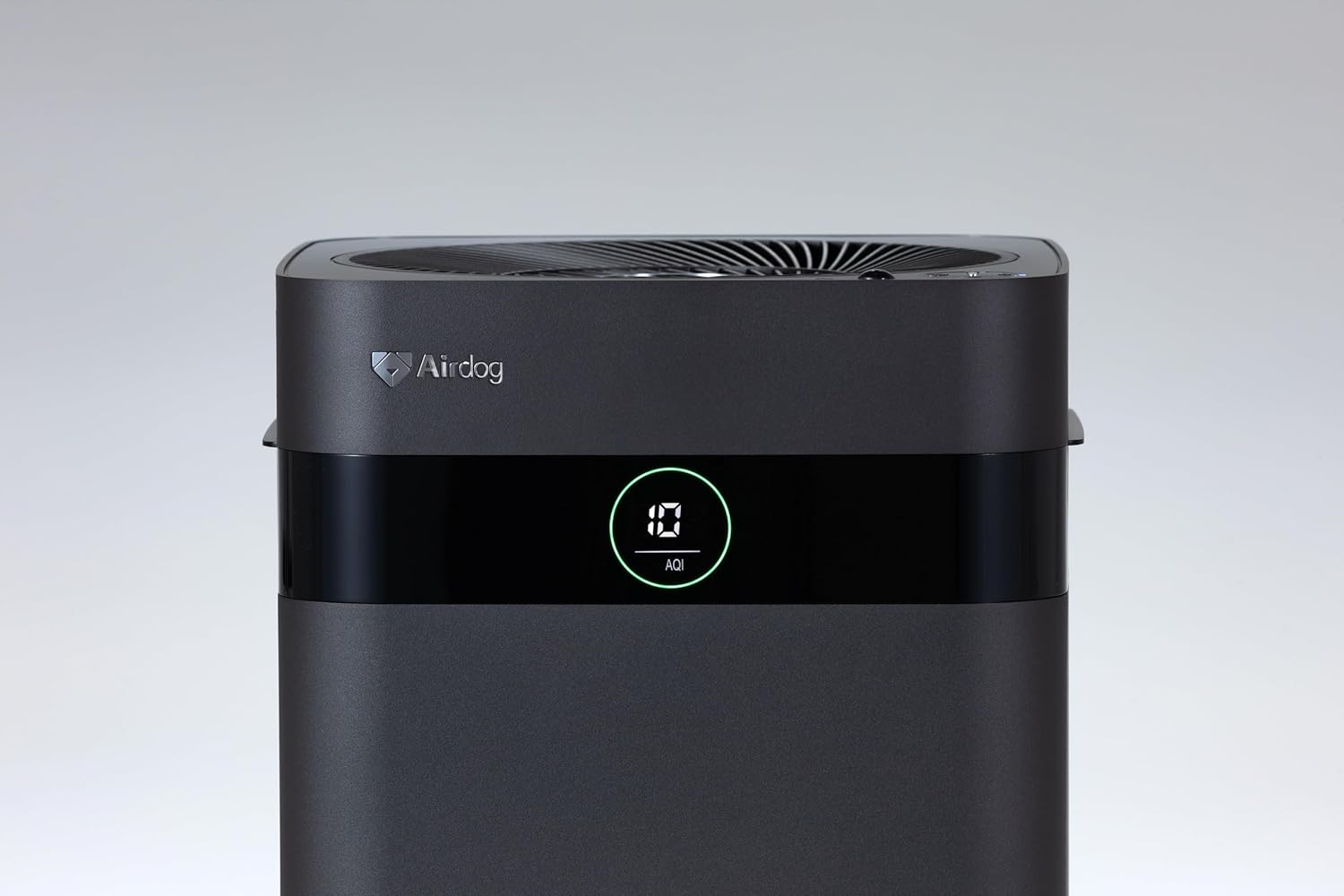
Figure 2: Close-up of the control panel and AQI display.

פיגורע 3: שפּיץ view illustrating the air outlet design.

Figure 4: The bottom light indicator provides visual feedback on air quality.
5. סעטאַפּ
5.1. ונפּאַקקינג
- נעמט פֿאָרזיכטיק אַרויס דעם לופֿט רייניגער פֿון זײַן פּאַקעט.
- Remove all protective films and packaging materials from the unit.
- זיכער מאַכן אַז אַלע קאָמפּאָנענטן וואָס זענען ליסטעד אין סעקציע 3 זענען פאַראַן.
קסנומקס. פּלאַסעמענט
Place the air purifier on a flat, stable surface. For optimal performance, ensure there is adequate space around the unit for air circulation. Avoid placing it directly against walls or furniture that might obstruct the air inlets or the 3-way wide-angle exhaust.

פיגורע 5: עקסample placement in a kitchen area.

פיגורע 6: עקסample placement in a living room.
5.3. מאַכט קאַנעקשאַן
Connect the power adapter to the power input port on the back of the unit, then plug the adapter into a suitable electrical outlet.
6. אַפּערייטינג ינסטרוקטיאָנס
6.1. מאַכט אויף / אויסגעלאשן
Press the power button on the control panel or the remote control to turn the unit on or off. The display will illuminate when the unit is active.
6.2. מאָדע סעלעקציע
The Airdog X3D offers various operating modes:
- אַוטאָ מאָדע: The unit automatically adjusts fan speed based on detected air quality (AQI).
- מאַנואַל מאָדע: ערלויבט אייך צו מאַנועל אויסקלײַבן די געוואונטשענע ווענטילאַטאָר גיכקייט.
- שלאָפן מאָדע: Operates at the lowest fan speed with reduced display brightness for quiet operation.
Use the mode button on the control panel or remote control to cycle through the available modes.
6.3. Sensor Functions
- ליכט סענסאָר: Automatically adjusts display brightness based on ambient light conditions.
- Human Sensor: Detects human presence to optimize operation, potentially saving energy when the room is unoccupied.
6.4. רימאָוט קאָנטראָל
The included remote control allows for convenient operation from a distance. Point the remote control directly at the unit's sensor. Note that the effective range of the remote control may be limited (approximately 1 meter).
7. וישאַלט
Regular maintenance ensures the longevity and optimal performance of your Airdog X3D air purifier.
7.1. TPA Filter Cleaning
The TPA filter system is washable and reusable. Refer to the detailed instructions in the full user manual for specific cleaning procedures. Generally, the collector plates should be cleaned regularly to maintain purification efficiency.
- Turn off and unplug the unit before opening the filter compartment.
- Remove the collector plates and wash them with water and mild detergent.
- Ensure all filter components are completely dry before reinserting them into the unit.
7.2. עקסטעריאָר רייניקונג
ווישן די יקסטיריער פון די אַפּאַראַט מיט אַ ווייך, דamp שטאָף. דו זאלסט נישט נוצן אַברייסיוו קלינערז אָדער סאָלוואַנץ.
8. טראָובלעשאָאָטינג
If you encounter issues with your Airdog X3D, please refer to the following common problems and solutions:
| פּראָבלעם | מעגלעך סיבה | לייזונג |
|---|---|---|
| דער אַפּאַראַט טוט נישט מאַכט אויף. | קיין עלעקטרע, א פרייע פארבינדונג. | קאָנטראָלירט די פֿאַרבינדונג פֿון דער עלעקטרישער שנור און די וואַנט־אַויטלעט. |
| שלעכטע לופט רייניקונג פאָרשטעלונג. | Dirty TPA filter, obstructed air inlets/outlets. | Clean TPA filter components. Ensure clear airflow paths. |
| די ווײַטקאָנטראָל רעאַגירט נישט. | Low battery, out of range, obstruction. | Replace remote battery. Ensure direct line of sight within 1 meter. |
| ומגעוויינטלעך ראַש. | Foreign object, improper filter installation. | Check for obstructions. Reinstall filter components correctly. |
אויב די פראבלעם בלייבט נאך פרובירן די לייזונגען, ביטע קאנטאקטירט קאסטומער סופארט.
9. ספּעסאַפאַקיישאַנז
| שטריך | דעטאַל |
|---|---|
| סאָרט | Airdog |
| מאָדעל נומער | AIR-X3-AMB310 |
| קאָליר | מאַט שווארצע |
| פּראָדוקט דימענשאַנז | 26 ס״מ (ט) x 27 ס״מ (ברייט) x 56 ס״מ (ה) |
| פּעקל וואָג | 7.5 קג |
| באַטערי נוצן | יא (פֿאַר ווײַטקאָנטראָל) |
| באַטערי ינקלודעד | ניין |
| מאַנופאַקטורינג יאָר | 2024 |
| ספּעציעלע פֿעיִקייטן | Light & Human Sensor, 3-way Wide-Angle Exhaust System, TPA Filter |
10. וואָראַנטי און שטיצן
The Airdog X3D Black Air Purifier comes with a manufacturer's warranty. Please refer to the warranty card included with your product for specific terms and conditions. For technical support, service, or warranty claims, please contact Airdog customer service through their official webזייטל אדער די קאָנטאַקט אינפֿאָרמאַציע וואָס איז צוגעשטעלט אין אייער פּראָדוקט דאָקומענטאַציע.