
CORN SB-186
CORN Gaming Wired USB Mouse User Manual
מאָדעל: סב-186
הקדמה
Thank you for choosing the CORN Gaming Wired USB Mouse. This manual provides detailed instructions for setting up, operating, and maintaining your new mouse, ensuring optimal performance and longevity. Please read this manual thoroughly before using the product.
סעטאַפּ גייד
פּעקל אינהאַלט:
- 1 x CORN Gaming Wired USB Mouse (Model SB-186)
- 1 x באַניצער מאַנואַל (דאָס דאָקומענט)
סיסטעם רעקווירעמענץ:
- Operating System: Windows 2000/2003/XP/Vista/Win7/Win8/Win10, Mac OS, Android
- בנימצא וסב פּאָרט
ייַנמאָנטירונג:
- Locate an available USB port on your computer (PC, Desktop, Laptop, Macbook, Tablet).
- Insert the USB connector of the CORN Gaming Wired USB Mouse into the USB port.
- די אָפּערירן סיסטעם וועט אויטאָמאַטיש דעטעקטירן און אינסטאַלירן די נייטיקע דרייווערס. דער פּראָצעס קען נעמען אַ פּאָר מינוט.
- Once the installation is complete, the mouse will be ready for use. No additional software installation is required.
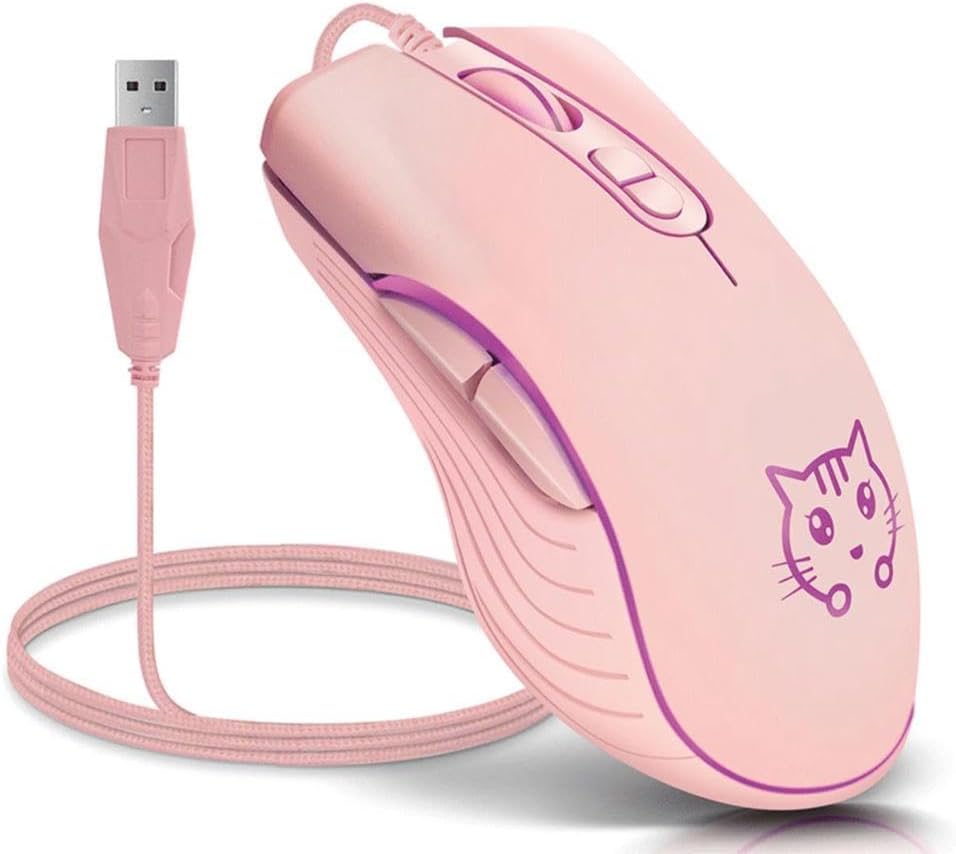
Image: The CORN Gaming Wired USB Mouse with its USB cable, illustrating the wired connection.
אַפּערייטינג ינסטראַקשאַנז
Mouse Layout and Functions:
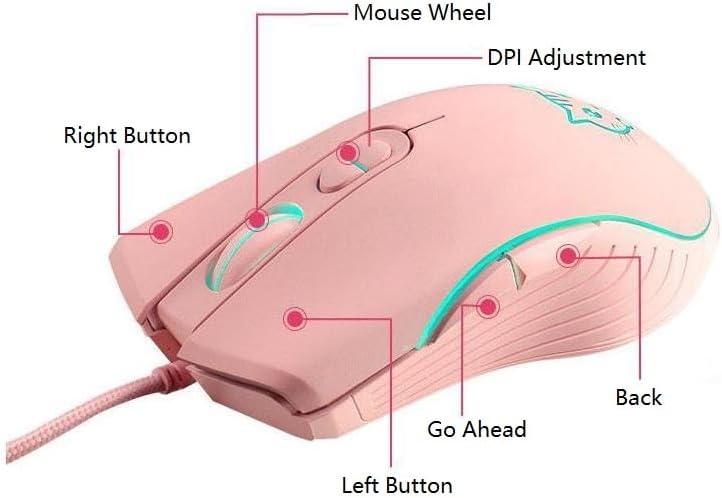
Image: Labeled diagram of the mouse showing the location and function of each button.
- לינקס קנעפּל: נאָרמאַלע לינקס-קליק פונקציע.
- רעכט קנעפּל: נאָרמאַלע רעכט-קליק פונקציע.
- Mouse Wheel: Scroll up or down. Can also be pressed for middle-click functionality.
- DPI אַדזשאַסטמענט קנעפּל: גייט דורך די DPI סעטטינגס.
- Go Ahead Button: נאַוויגירט פאָרויס אין web בראַוזערז אָדער file עקספּלאָרערס.
- צוריק קנעפּל: נאַוויגירט צוריק אין web בראַוזערז אָדער file עקספּלאָרערס.
Adjusting DPI (Dots Per Inch):
The mouse features 4 adjustable DPI levels, allowing you to change cursor sensitivity on the fly. Press the DPI Adjustment Button located behind the scroll wheel to cycle through the following settings:
- 800 DPI (Lowest sensitivity, suitable for precise tasks)
- 1200 DPI (Standard sensitivity)
- 1600 DPI (Increased sensitivity)
- 2400 DPI (Highest sensitivity, ideal for fast-paced gaming)
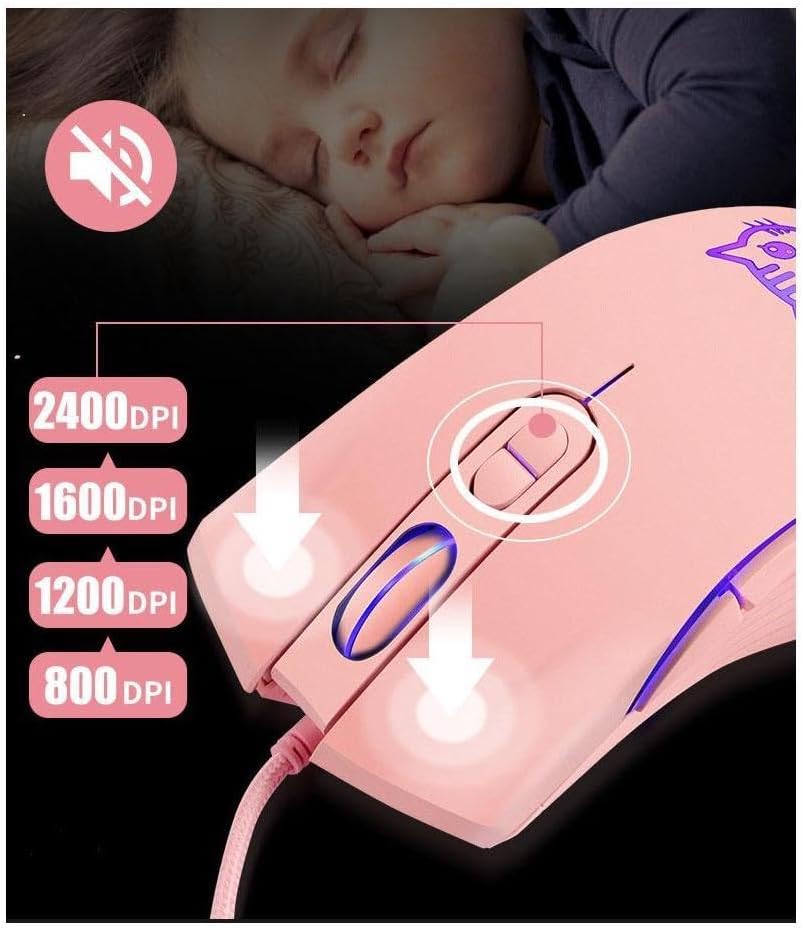
Image: Visual guide for DPI adjustment, highlighting the button and available sensitivity levels.
שטילע קליק פֿונקציע:
The CORN Gaming Mouse is designed with noiseless click buttons, reducing sound output during use. This feature is beneficial in quiet environments, preventing disturbance to others.

Image: Depiction of the mouse's silent click functionality, emphasizing its quiet operation.
7-Color Backlight Modes:
The mouse features a dynamic 7-color backlight system that changes automatically, adding to its aesthetic appeal. The cute kitten pattern on the mouse also illuminates with these changing colors.
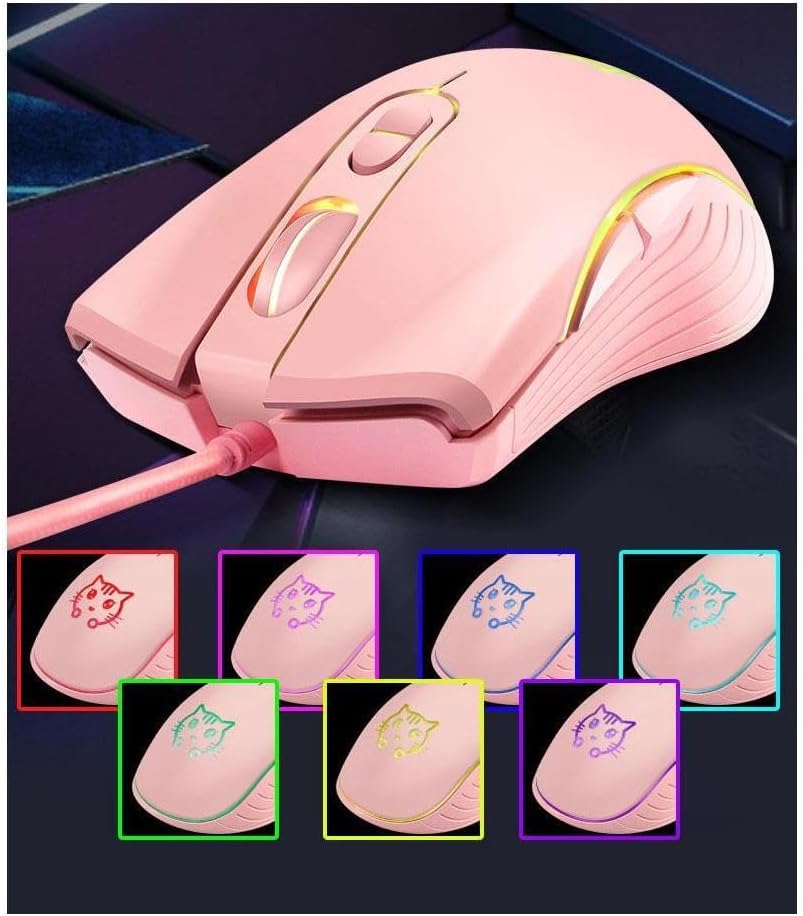
בילד: די מויז שאָוasing its 7-color backlight modes, highlighting the visual effects.
ערגאָנאָמיק פּלאַן:
The mouse is designed to fit the natural curvature of your palm, providing a comfortable and breathable grip for extended use. Its anti-skid side wing design further enhances stability and prevents slipping.
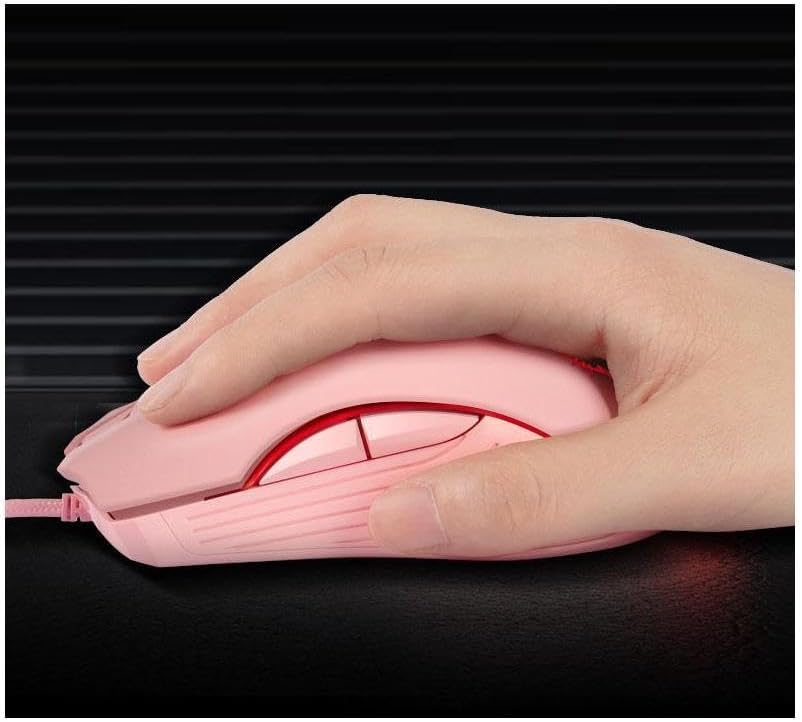
Image: A hand demonstrating the ergonomic grip of the mouse.
וישאַלט
To ensure the longevity and optimal performance of your CORN Gaming Wired USB Mouse, follow these simple maintenance guidelines:
- רייניקונג: ניצט אַ ווייכע, טרוקענע שטאָף צו ווישן די ייבערפלאַך פון דער מויז. פֿאַר שווערע שמוץ, אַ ביסל ווייכער מאַכןampווישט דעם שטאָף מיט וואַסער אָדער אַ מילדער רייניקונג לייזונג. פֿאַרמייַדט ניצן שטרענגע כעמיקאַלן אָדער אַברייסיוו מאַטעריאַלן.
- סענסאָר זאָרגן: Keep the optical sensor on the bottom of the mouse clean and free from dust or debris. Use a cotton swab or compressed air to gently clean the sensor area.
- קאַבלע פאַרוואַלטונג: Avoid sharp bends or kinks in the USB cable. Store the mouse with the cable neatly coiled to prevent damage.
- סטאָרידזש: When not in use for extended periods, store the mouse in a clean, dry place away from extreme temperatures and direct sunlight.
- ויסמיידן טראפנס: While built with solid construction, avoid dropping the mouse or subjecting it to strong impacts, as this can damage internal components.
טראָובלעשאָאָטינג
If you encounter any issues with your CORN Gaming Wired USB Mouse, please refer to the following common problems and their solutions:
| פּראָבלעם | מעגלעך סיבה | לייזונג |
|---|---|---|
| מויז ענטפערט נישט. | USB cable not properly connected; faulty USB port; driver issue. |
|
| קורסאָר באַוועגונג איז אומשטענדלעך אָדער שפּרינגען. | Dirty optical sensor; unsuitable mouse pad surface. |
|
| DPI adjustment button not changing sensitivity. | Software conflict; temporary glitch. |
|
| Back/Forward buttons not working. | Application specific; driver issue. |
|
פּראָדוקט ספּעסאַפאַקיישאַנז
| סאָרט | פּאַפּשוי |
| מאָדעל נומער | סב-186 |
| קאַנעקטיוויטי טעכנאָלאָגיע | וסב ווייערד |
| באַוועגונג דעטעקשאַן טעכנאָלאָגיע | אָפּטיש |
| דפּי לעוועלס | 800 / 1200 / 1600 / 2400 דפּי |
| נומער פון קנעפּלעך | 6 |
| ספּעציעלע פֿעיִקייטן | Ergonomic Design, LED Lights, Silent Click |
| קאָליר | ראָזעווע |
| פּונקט וואָג | 9.9 אונסעס (בעערעך 280 ג) |
| פּעקל דימענשאַנז | 5.59 X 4.02 X 2.05 אינטשעס |
| אַפּערייטינג וואָלtage | DC 5V |
| אַפּערייטינג קראַנט | 10מאַ |
| סוויטש לעבן | 5 מיליאָן מאל |
| Roller Life | 10 מיליאָן מאל |
| קאַמפּאַטאַבאַל סיסטעמען | Windows 2000/2003/XP/Vista/Win7/Win8/Win10, Mac OS, Android |

Image: Detailed product information including a labeled diagram and a table of technical specifications.
וואָראַנטי אינפֿאָרמאַציע
CORN products are manufactured to the highest quality standards. This product comes with a standard manufacturer's warranty against defects in materials and workmanship from the date of purchase. Please retain your proof of purchase for warranty claims. The warranty does not cover damage caused by misuse, accident, unauthorized modification, or normal wear and tear.
קונה שטיצן
For further assistance, technical support, or warranty inquiries, please contact CORN customer service through the retailer's platform where you purchased the product or visit the official CORN webפּלאַץ פֿאַר קאָנטאַקט דעטאַילס.
We are committed to providing you with the best possible experience with your CORN product.
Ask a question about this manual
Ask about setup, troubleshooting, compatibility, parts, safety, or missing instructions. Manuals+ will review the question and use this page’s manual context to help answer it.