
PROSCAN PDVD1332
Proscan 13.3" Portable DVD Player
Model: PDVD1332 - User Manual
הקדמה
This manual provides comprehensive instructions for the safe and efficient operation of your Proscan 13.3" Portable DVD Player, model PDVD1332. Please read this manual thoroughly before using the device and retain it for future reference.
וויכטיק סאַפעטי אינפֿאָרמאַציע
To reduce the risk of electric shock, fire, or injury, always follow basic safety precautions when using this product.
- דו זאלסט נישט ויסשטעלן די אַפּאַראַט צו רעגן אָדער נעץ.
- דו זאלסט נישט פאַרשפּאַרן קיין ווענטאַליישאַן אָופּאַנינגז.
- ניצן בלויז אַטאַטשמאַנץ / אַקסעסעריז ספּעסיפיעד דורך דער פאַבריקאַנט.
- אָפּשטעקן די אַפּאַראַט בעשאַס בליץ סטאָרמז אָדער ווען אַניוזד פֿאַר לאַנג פּיריאַדז.
- אָפּשיקן אַלע סערוויסעס צו קוואַלאַפייד סערוויס פּערסאַנעל.
פּעקל אינהאַלט
באַשטעטיקט אַז אַלע זאכן וואָס זענען אויסגערעכנט אונטן זענען אַרייַנגערעכנט אין אייער פּעקל:
- Proscan 13.3" Portable DVD Player (PDVD1332)
- ווייַט קאָנטראָל
- אַק מאַכט אַדאַפּטער
- מאַשין טשאַרדזשער
- עאַרבודז
- באַניצער מאַנואַל

Image showing the Proscan 13.3" Portable DVD Player alongside its travel essentials: remote control, earbuds, car charger, and AC power adapter. These accessories are designed to enhance the user's experience, especially during travel.
פּראָדוקט איבערview
Familiarize yourself with the various components and controls of your portable DVD player.
פראָנט און שפּיץ View

The Proscan 13.3" Portable DVD Player shown open, displaying its large screen and the intuitive control panel located on the base. The screen is swiveled for optimal viewing.
זייַט View און פּאָרטן

א דעטאַלירטע זייט view of the Proscan Portable DVD Player, illustrating the accessible ports including USB, Card Slot (SD/MMC), Headphone Jack, AV Out, AV In, On/Off Switch, and DC 12V Power input.
שליסל קאָנטראָלס:
- MODE/SETUP: Access menu settings.
- VOL +/-: סטרויערן די באַנד מדרגה.
- שפּיל / פּויזע: אָנהייב אָדער פּויזע פּלייבאַק.
- האַלטן: האַלטן פּלייבאַק.
- PREV/ווייַטער: Navigate tracks or chapters.
- USB/SD/MMC: Ports for external media.
- AV IN/OUT: Audio/Video input and output.
- DC 12V: מאַכט אַרייַנגאַנג פֿאַר AC אַדאַפּטער אָדער מאַשין טשאַרדזשער.
סעטאַפּ
טשאַרדזשינג די באַטאַרייע
The portable DVD player is equipped with a built-in lithium-polymer battery for extended playback. Before first use, fully charge the battery.
- Connect the AC power adapter to the DC 12V input port on the player.
- צאַפּן די אַק מאַכט אַדאַפּטער אין אַ נאָרמאַל וואַנט ווענטיל.
- The charging indicator light will illuminate. Once fully charged, the light may change color or turn off (refer to specific indicator behavior in the manual if available).
- For car use, connect the car charger to the DC 12V input and plug it into your vehicle's cigarette lighter socket.
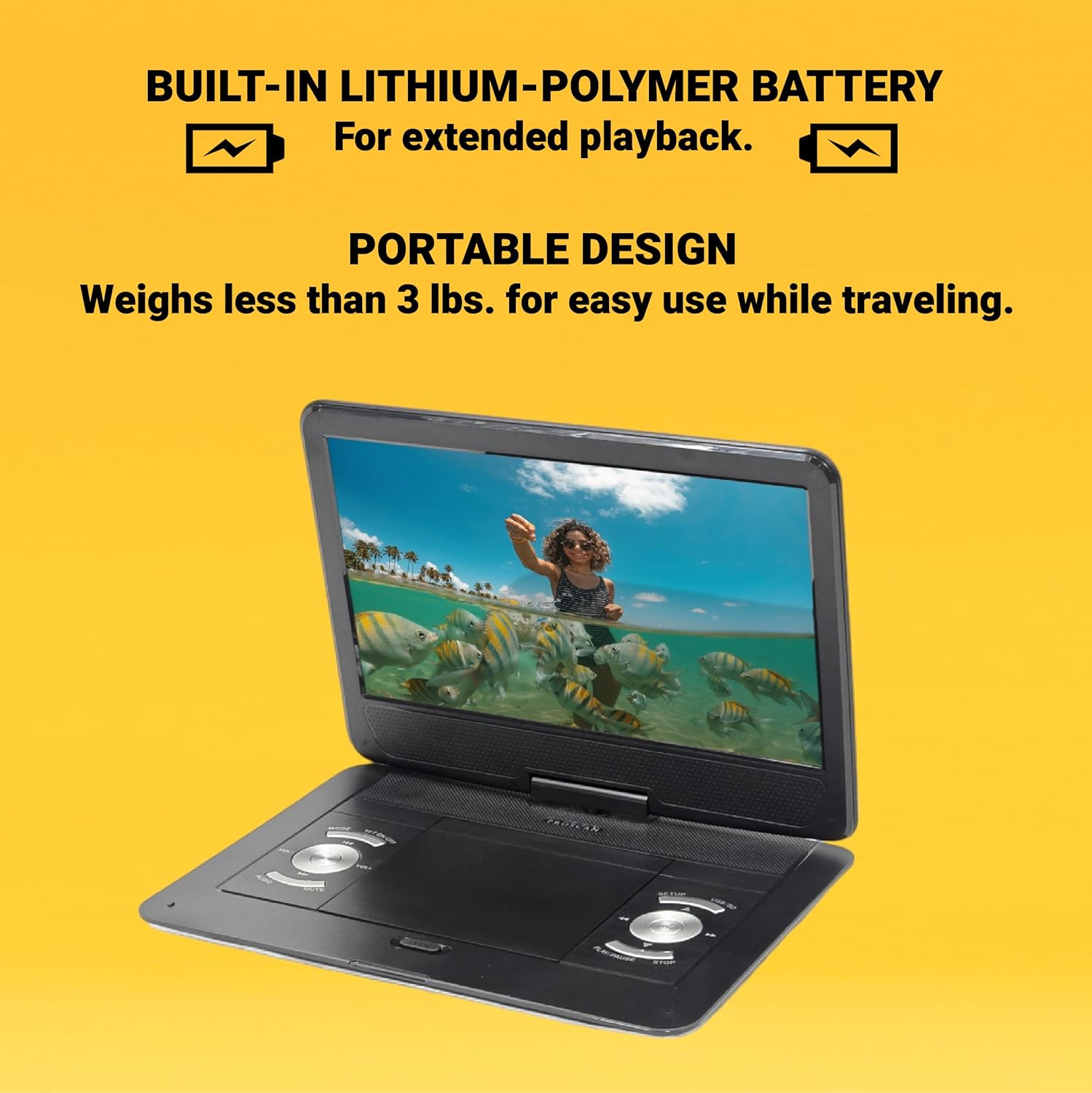
This image emphasizes the Proscan Portable DVD Player's built-in lithium-polymer battery, which provides extended playback, and its lightweight, portable design, weighing less than 3 lbs, making it ideal for travel.
מאַכט אויף / אַוועק
- To power on, slide the ON/OFF switch to the "ON" position.
- צו אויסלאָשן, רוקט דעם אָן/אויס קנעפּל צו דער "אויס" פּאָזיציע.
אַפּערייטינג ינסטראַקשאַנז
Playing a DVD/CD
- Open the disc compartment cover.
- Carefully place a DVD or CD onto the disc spindle with the label side facing up.
- דריק דעם דיסק אראפ מיט א גוטן טון ביז ער קליקט אריין אין פלאץ.
- Close the disc compartment cover.
- The player will automatically begin reading the disc. If not, press the שפּיל / פּויזע קנעפּל.
Using USB/SD/MMC Media
The player supports MP3 and JPEG files from USB drives, SD cards, and MMC cards.
- Insert your USB drive into the USB port or your SD/MMC card into the card slot.
- ניצן די מאָדע button to select the appropriate input source (USB or CARD).
- נאַוויגירן דורך דיין files ניצן די PREV/NEXT buttons and select with the שפּיל / פּויזע קנעפּל.
אַדזשאַסטינג באַנד
ניצן די וואָל +/- buttons on the player or the remote control to adjust the audio volume.
ניצן די רימאָוט קאָנטראָל
The included remote control provides full functionality for operating the DVD player from a distance. Ensure the remote has working batteries and is pointed towards the player's IR sensor.
וישאַלט און זאָרג
- רייניקונג די פאַרשטעלן: Use a soft, lint-free cloth to gently wipe the screen. Do not use liquid cleaners or abrasive materials.
- רייניקונג די אַפּאַראַט: ווישט ווי די אויסערליכע זייט פון דעם שפּילער מיט אַ ווייכן, טרוקענעם שטאָף.
- דיסק באַהאַנדלונג: האַלט די דיסקס ביי די ברעגעס. האַלט זיי ריין און אָן קראַצן. לייגט די דיסקס אין זייערע קעסטלעך ווען זיי ווערן נישט גענוצט.
- סטאָרידזש: ווען נישט אין באַנוץ פֿאַר לענגערע פּעריאָדן, זאָל מען דעם שפּילער אַוועקהאַלטן אין אַ קיל, טרוקן אָרט, אַוועק פֿון דירעקטער זון און עקסטרעמע טעמפּעראַטורן.
טראָובלעשאָאָטינג
| פּראָבלעם | מעגלעך סיבה | לייזונג |
|---|---|---|
| קיין מאַכט | Battery drained; Power adapter not connected properly. | לאָדט אויף די באַטאַרייע; מאַכט זיכער אַז דער מאַכט אַדאַפּטער איז זיכער פארבונדן. |
| No disc playback | Disc inserted incorrectly; Disc is dirty or scratched; Incorrect region code. | Reinsert disc correctly; Clean or replace disc; Ensure disc is compatible with player's region. |
| קיין געזונט | Volume too low; Mute function activated; Headphones not connected properly. | Increase volume; Deactivate mute; Reconnect headphones securely. |
| ווייַט קאָנטראָל נישט ארבעטן | באַטעריעס זענען טויט אָדער נישט ריכטיק אַרײַנגעשטעלט; אַ שטערונג צווישן דער ווײַטקאָנטראָלירער און דעם שפּילער. | פאַרבייטן באַטעריעס; זיכער מאַכן די ריכטיקע פּאָלאַריטעט; אַראָפּנעמען שטערונגען. |
ספּעסאַפאַקיישאַנז
- מאָדעל: PDVD1332
- פאַרשטעלן גרייס: 13.3 אינטשעס טפט לקד
- ווייַז טיפּ: לקד
- שטיצט דיסק פֿאָרמאַטירונגען: DVD, DVD-R/RW, CD-R/RW
- Supported Media Formats: MP3, JPEG (via USB/SD/MMC)
- אַרייַנשרייַבן: USB, SD/MMC Card Slot, AV In, DC 12V
- אויסגאבעס: Headphone Jack, AV Out
- באַטערי: Built-in Lithium-Polymer
- וואָג: בעערעך 4 פונט
- דימענסיעס: בעערעך 15.85 X 14.37 X 3.47 אינטשעס
- קאָליר: שוואַרץ
וואָראַנטי און שטיצן
This product is sold as a renewed item. Please refer to the specific warranty terms provided by the seller or retailer at the time of purchase. For technical support or service inquiries, please contact the seller or the Proscan customer service department. Keep your purchase receipt as proof of purchase for any warranty claims.
For further assistance, you may visit the official Proscan website or contact their customer support line, details for which are typically found on the product packaging or the seller's information page.