הקדמה
Thank you for choosing the HyperMotion Tobi Velar Evolutive Baby Tricycle. This versatile product is designed to grow with your child, offering multiple configurations from a parent-controlled stroller to an independent tricycle. Suitable for children aged 12 months to 5 years, and supporting a maximum weight of 25 kg, it provides a safe, comfortable, and enjoyable experience for both child and parent. This manual provides essential information for assembly, operation, maintenance, and safety to ensure optimal use of your tricycle.
זיכערקייַט אינפֿאָרמאַציע
- Always supervise your child when using the tricycle.
- זיכער מאַכן אַז אַלע טיילן זענען זיכער באַפעסטיקט איידער יעדן נוצן.
- Do not overload the tricycle beyond the maximum weight limit of 25 kg.
- Keep children's fingers and clothing away from moving parts.
- Use the safety harness at all times when the child is seated.
- Avoid using the tricycle on uneven or steep terrain without proper parental control.
- Regularly inspect the tricycle for any signs of wear or damage. Discontinue use if any damage is found.
- This product is not intended for use in traffic.
פּראָדוקט איבערview
The HyperMotion Tobi Velar Tricycle is designed with adaptability in mind, featuring several key components:
- פאָלדינג ראַם: פֿאַר גרינג סטאָרידזש און אַריבערפירן.
- Adjustable Swivel Seat: Can rotate 360 degrees and adjust for comfort.
- זיכערקייַט כאַרניס: Ensures your child is securely fastened.
- Removable Parental Guide Handle: Allows parents to steer and push.
- אַדזשאַסטאַבאַל פאָאָטרעסץ: Provides comfort for younger children who cannot yet pedal.
- Inflatable Wheels: For a smooth ride on various terrains.
- כופּע: Provides shade and protection.
- סטאָרידזש קאָרב: For carrying essentials.
- רעגן קאָווער: Included for weather protection.

Image: The HyperMotion Tobi Velar Tricycle in its full configuration with parental handle and canopy.
סעטאַפּ און אַסעמבלי
Assembly of your HyperMotion Tobi Velar Tricycle is straightforward. Please follow these steps:
- אָפּלייגן קאַמפּאָונאַנץ: נעמט פֿאָרזיכטיק אַרויס אַלע טיילן פֿון דער פּאַקעט. קאָנטראָלירט אַז אַלע קאָמפּאָנענטן זענען פֿאַראַן לויט דער פּאַקינג־ליסטע.
- Attach Front Wheel and Handlebar: Insert the front wheel assembly into the main frame. Secure the handlebar by aligning it and tightening any locking mechanisms.
- אינסטאַלירן הינטערשטע רעדער: Attach the rear wheels to the axle on the main frame. Ensure they click into place or are secured with the provided fasteners.
- Mount Seat and Safety Bar: Place the seat onto the frame's mounting point. The seat can be rotated 360 degrees. Attach the safety bar around the seat.
- Attach Parental Handle: Insert the parental guide handle into the designated slot at the rear of the tricycle. Adjust its height as needed.
- אינסטאַלירן קאַנאָפּי: Secure the canopy to the seat frame. It should be adjustable for different sun angles.
- Attach Footrests and Basket: Deploy the adjustable footrests if needed for younger children. Attach the storage basket to the rear of the tricycle.
- לעצט טשעקס: Ensure all screws, bolts, and locking mechanisms are tight and secure before first use.

Image: Visual guide showing the various configurations and evolution stages of the tricycle.
Video: This video demonstrates the assembly and key features of an evolutive tricycle with a foldable frame and 360-degree swivel seat, similar to the Tobi Velar model.
אַפּערייטינג ינסטראַקשאַנז
מעטהאָדס פון נוצן:
- Parent-Controlled Stroller Mode (12 months+):
In this mode, the parental guide handle is attached, allowing the parent to steer and push the tricycle. The child can rest their feet on the adjustable footrests. The safety harness should always be used. The 360-degree swivel seat allows the child to face forward or backward.

Image: The tricycle in parent-controlled mode, with a child comfortably seated and the parent guiding.
- Assisted Tricycle Mode (Older Toddlers):
As your child grows, they can begin to use the pedals. The freewheel function allows the pedals to rotate independently of the front wheel, preventing them from hitting the child's legs while the parent is pushing. The parental handle can still be used for guidance.
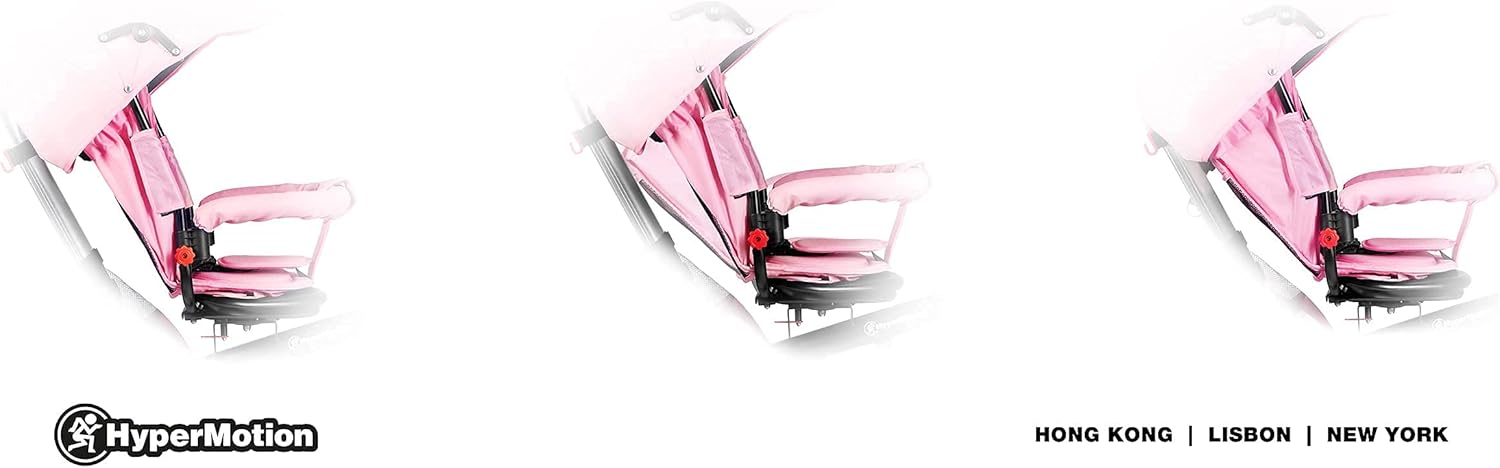
Image: Detail of the inflatable wheels and adjustable footrests, highlighting the freewheel function.
- Independent Tricycle Mode (3-5 years):
Once your child is confident in pedaling and steering, the parental guide handle, canopy, and safety bar can be removed, transforming it into a classic tricycle for independent riding.

Image: A child riding the HyperMotion Tobi Velar Tricycle in its independent bike mode.
אַדזשאַסטמאַנץ:
- Parental Handle Height: Adjust the height of the parental handle using the quick-release mechanism to a comfortable pushing position.
- אַוועקזעצן שטעלע: The seat can be rotated 360 degrees by pressing the release button underneath and turning. It can also be adjusted forward or backward to accommodate your child's leg length.
- פוס רעסץ: The footrests can be folded up or down, or removed entirely, depending on your child's age and ability to pedal.
- כופּע: Adjust the canopy's angle to provide optimal shade. It can also be folded back or removed.
וישאַלט
- רייניקונג: ווישט אַראָפּ דעם ראַם מיט אַדamp cloth and mild soap. Fabric parts can be spot cleaned or removed for hand washing if specified on the care label.
- ווהעעלס: Check the inflatable wheels regularly for proper inflation and wear. Ensure they are free from debris.
- שמירן: Periodically apply a small amount of lubricant to moving parts like the pedal axle and steering mechanism to ensure smooth operation.
- פאַסטענערס: Regularly check all screws, bolts, and locking mechanisms to ensure they are tight and secure.
- סטאָרידזש: Store the tricycle in a dry place, away from direct sunlight and extreme temperatures, to prolong its lifespan. The folding frame allows for compact storage.
טראָובלעשאָאָטינג
| פּראָבלעם | מעגלעך סיבה | לייזונג |
|---|---|---|
| Tricycle difficult to steer | Loose handlebar or parental handle connection. | Check and tighten all connections for the handlebar and parental handle. |
| Pedals not moving freely | Freewheel mechanism engaged incorrectly or debris. | Ensure the freewheel function is correctly engaged/disengaged. Check for any obstructions around the pedals. |
| אומסטאַבילע רייזע | Loose wheel connections or uneven tire pressure. | Check that all wheels are securely attached. Ensure inflatable tires have even pressure. |
| Seat not swiveling smoothly | Debris in the swivel mechanism or lack of lubrication. | Clean the swivel mechanism and apply a small amount of lubricant if necessary. |
ספּעסאַפאַקיישאַנז
- פּראָדוקט דימענשאַנז (L x W x H): 78 X 55 X 103 סענטימעטער
- נומער וואָג: 12.64 קג
- מאַקסימום מאַסע קאַפּאַציטעט: 25 קג
- הויפּט מאַטעריאַל: פּלאַסטיק
- קאָליר: רויז
- עלטער קייט (דיסקריפּשאַן): 1 צו 5 יאָר
- אַסעמבלי פארלאנגט: יא
- בילדונגקרייז ווערט: Promotes independence and creativity in children

Image: The tricycle with its main dimensions indicated for reference.
וואָראַנטי און שטיצן
For warranty information, please refer to the documentation provided with your purchase or contact HyperMotion customer service. If you encounter any issues or have questions regarding your HyperMotion Tobi Velar Tricycle, please reach out to our support team for assistance. Contact details can typically be found on our official webוועבזייטל אדער אויף אייער קויף קוויטל.