
RICOO S4964
RICOO S4964 Universal Swivel Tilt TV Wall Mount Instruction Manual
Model: S4964 | Brand: RICOO
1. הקדמה
Thank you for choosing the RICOO S4964 Universal Swivel Tilt TV Wall Mount. This manual provides detailed instructions for safe installation, operation, and maintenance of your new TV mount. Please read this manual thoroughly before installation and keep it for future reference.
2. זיכערקייַט אינפֿאָרמאַציע
WARNING: Improper installation may result in serious personal injury or property damage. If you do not understand these instructions, or have doubts about the safety of the installation, please contact a qualified installer.
- זיכער מאַכן אַז די מאָנטירונג ייבערפלאַך קען זיכער שטיצן די קאַמביינד וואָג פון די מאָונט און די טעלעוויזיע.
- דו זאלסט נישט יקסיד די מאַקסימום מאַסע קאַפּאַציטעט פון 60 קג (132 לבס).
- Verify VESA compatibility with your TV before installation.
- Use appropriate tools and follow all steps carefully.
- האַלטן קינדער און פּעץ אַוועק בעשאַס ינסטאַלירונג.
3. פּעקל אינהאַלט
Please check that all parts are present and undamaged before beginning installation. If any parts are missing or defective, contact RICOO customer support.
- Pre-assembled TV Wall Mount
- Wall Plugs (for concrete walls only)
- Various TV Screws (M4, M6, M8)
- Wall Mounting Screws and Washers
- Assembly Accessories (e.g., spacers, level)
- ינסטראַקשאַנז מאַנואַל
4. ינסטאַללאַטיאָן גייד
4.1 פאַר-ינסטאַלירונג טשעקס
- Check TV VESA Compatibility: Ensure your TV's VESA mounting pattern falls within the supported range of 300x200, 300x300, 400x200, 400x300, 400x400, or 600x400 mm.
- טשעק טעלעוויזיע וואָג: Confirm your TV's weight does not exceed the maximum load capacity of 60 kg (132 lbs).
- באַשטימען וואַנט טיפּ: Identify your wall type (e.g., concrete, brick, wood stud) to use appropriate mounting hardware.

Image: VESA compatibility and recommended TV sizes (42-75 inches).
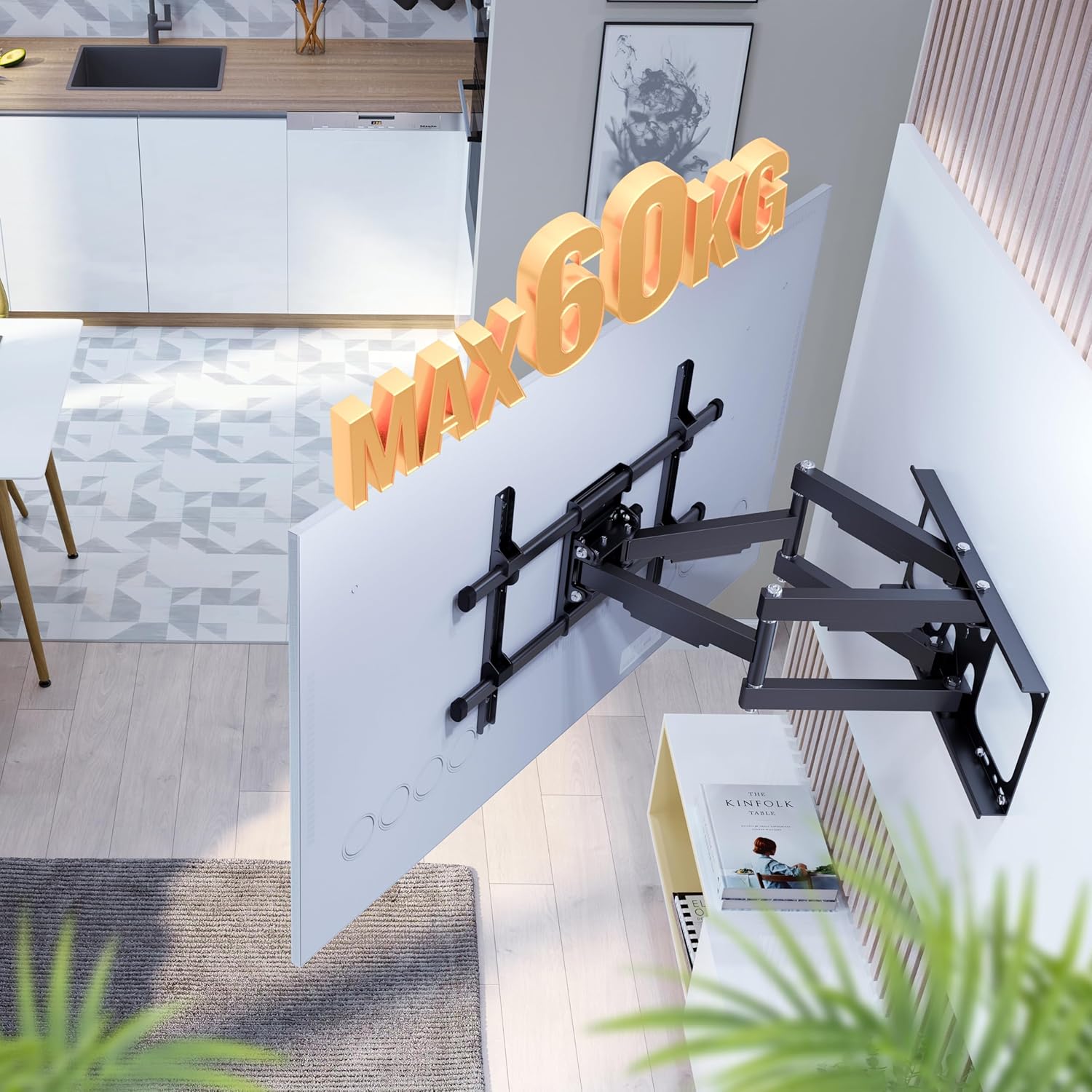
Image: Maximum load capacity of 60 kg.
4.2 וואנט מאָונטינג
- מאַרקירן דרילינג לעכער: Use the provided drilling template or the wall plate itself to mark the desired drilling locations on the wall. Ensure the mount is level.
- בויער האָלעס: Drill holes at the marked locations using an appropriate drill bit for your wall type.
- אַרײַנשטעלן וואַנט פּלאַגז: Insert the wall plugs (if applicable for your wall type) into the drilled holes.
- צוטשעפּען וואַנט פּלאַטע: Secure the wall plate to the wall using the wall mounting screws and washers. Ensure it is firmly attached.
4.3 Attaching the TV
- צוטשעפּען טעלעוויזיע קלאַמערן: Secure the TV mounting brackets to the back of your television using the appropriate TV screws and spacers.
- Hang TV on Mount: Carefully lift the TV and hook the brackets onto the wall mount's arms. Ensure the TV is securely seated.
- זיכערע טעלעוויזיע: Tighten any safety screws or locking mechanisms on the TV brackets to prevent accidental dislodgement.

Image: Attaching the TV to the wall mount.
5. אַפּערייטינג ינסטרוקטיאָנס
The RICOO S4964 mount offers various adjustment options for optimal viewing.
5.1 דריי-אדזשאַסטמענט
The mount allows for a 120-degree swivel range, providing flexible viewing angles. This range is optimal for TVs up to 125 cm (approx. 49 inches) wide to prevent hitting the wall.

Image: 120-degree swivel adjustment.
5.2 טילט אַדזשאַסטמאַנט
Adjust the vertical tilt of your TV for reduced glare and improved viewing comfort. The mount supports a tilt range of +15 degrees (upward) to -5 degrees (downward).

Image: Tilt adjustment range (+15/-5 degrees).
5.3 Rotation Adjustment
The front panel of the mount allows for a slight rotation of +/-3 degrees. This feature helps in fine-tuning the horizontal level of your TV after installation.
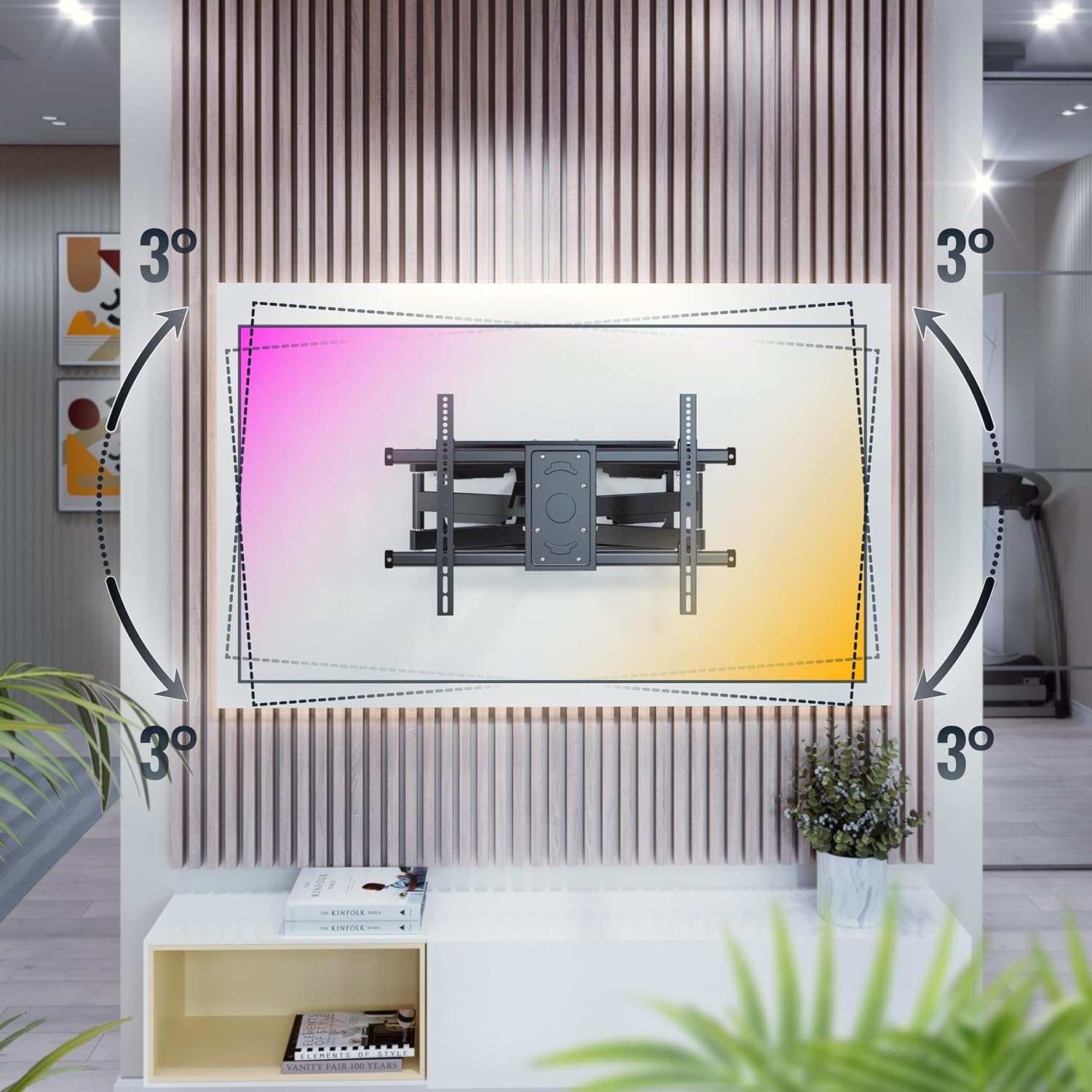
Image: +/-3 degree rotation adjustment.
5.4 Wall Distance Adjustment
The mount allows for adjustment of the distance from the wall, ranging from 69 mm (minimum) to 635 mm (maximum).

Image: Adjustable wall distance (69mm - 635mm).
6. וישאַלט
כדי צו זיכער מאַכן די לאַנגלעבעדיקייט און זיכערע אָפּעראַציע פון אייער טעלעוויזיע וואַנט מאָונט, נאָכפאָלגן די וישאַלט גיידליינז:
- רעגולער טשעקס: קאָנטראָלירט פּעריִאָדיש אַלע שרויפן און פֿאַרבינדונגען צו זיכער מאַכן אַז זיי זענען פֿעסט און זיכער.
- רייניקונג: רייניקט דעם מאָונט מיט אַ ווייכן, טרוקענעם שטאָף. פֿאַרמייַדט ניצן אַברייסיוו רייניגער אָדער סאָלווענטן.
- שמירן: Moving parts may benefit from occasional lubrication with a silicone-based spray to maintain smooth operation.
7. טראָובלעשאָאָטינג
If you encounter any issues with your RICOO S4964 TV wall mount, refer to the table below for common problems and solutions.
| פּראָבלעם | מעגלעך סיבה | לייזונג |
|---|---|---|
| טעלעוויזיע איז נישט גלייך | Minor rotational misalignment | Adjust the +/-3 degree rotation feature on the front panel. |
| Mount feels loose on the wall | Wall screws are not tight or wall material is insufficient | Retighten wall screws. If problem persists, consult a professional installer to assess wall integrity. |
| Difficulty swiveling/tilting | Joints are stiff or too tight | Apply a small amount of silicone lubricant to the moving joints. Do not overtighten pivot bolts. |
| TV does not fit VESA pattern | Incorrect VESA size | This mount supports VESA 300x200, 300x300, 400x200, 400x300, 400x400, 600x400. If your TV's VESA is different, this mount is not compatible. |
8. ספּעסאַפאַקיישאַנז
Detailed technical specifications for the RICOO S4964 TV Wall Mount:
| שטריך | באַשרייַבונג |
|---|---|
| מאָדעל נומער | S4964 |
| סאָרט | RICOO |
| מאַטעריאַל | אַללוי סטיל |
| קאָליר | נייטראַל שווארצע |
| קאָמפּאַטיבלע טעלעוויזיע סיזעס | 42 - 75 אינטשעס (107 - 191 ס״מ) |
| מאַקסימום מאַסע קאַפּאַציטעט | 60 קג (132 לבס) |
| VESA קאַמפּאַטאַבילאַטי | 300x200, 300x300, 400x200, 400x300, 400x400, 600x400 mm |
| סוויוואַל ווינקל | Up to 120 degrees (depending on TV width) |
| טילט ווינקל | +15 degrees (up) / -5 degrees (down) |
| ראָוטיישאַן ווינקל | +/-3 דיגריז |
| וואנט דיסטאַנסע | 69 מ״מ - 635 מ״מ |
| טיפּ פון באַוועגונג | Pivotant (Swivel) |
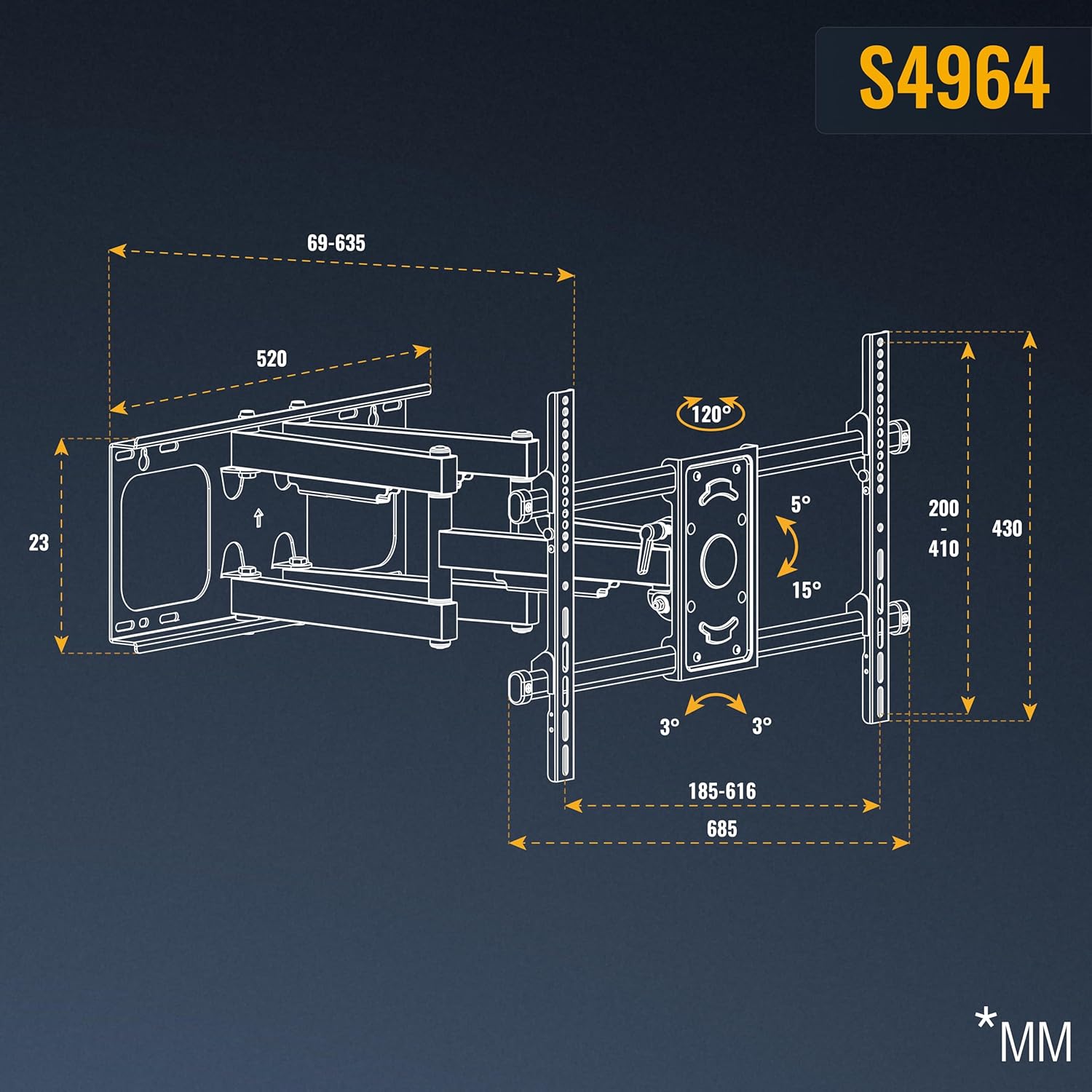
Image: Detailed dimensions of the S4964 mount.
9. וואָראַנטי און שטיצן
RICOO products are designed for durability and performance. For warranty information or technical support, please refer to the contact details provided with your purchase or visit the official RICOO webזייטל. האַלט דיין קויפן באַווייַז פֿאַר וואָראַנטי קליימז.
Ask a question about this manual
Ask about setup, troubleshooting, compatibility, parts, safety, or missing instructions. Manuals+ will review the question and use this page’s manual context to help answer it.