
Giới thiệu
Cảm ơn bạn đã muaasing the Leadjoy Xeno Plus Game Controller. This controller is designed to provide a versatile and high-performance gaming experience across multiple platforms. This manual will guide you through the setup, operation, and maintenance of your new controller to ensure optimal performance and longevity.
Sản phẩm trênview và các thành phần
The Leadjoy Xeno Plus controller offers advanced features such as multi-mode connectivity, TMR joysticks, microswitch buttons, and customizable triggers. Familiarize yourself with the controller's components and included accessories.
Nội dung gói hàng:
- Leadjoy Xeno Plus Game Controller Unit
- Đế sạc thông minh
- Replaceable Magnetic Cover (Clear Blue)
- Replaceable Cross D-pad
- Nhãn dán trang trí
- Cáp sạc USB-C
- Hướng dẫn sử dụng
Bố trí bộ điều khiển:

Hình ảnh: Trênview of the Leadjoy Xeno Plus Game Controller highlighting its various features and components, including TMR sticks, microswitch buttons, dual triggers, and back buttons.

Image: The complete package contents of the Leadjoy Xeno Plus Game Controller, including the controller, charging dock, USB-C cable, and interchangeable parts.
Cài đặt
1. Sạc ban đầu
- Connect the USB-C charging cable to the smart charging dock and a power source.
- Place the Leadjoy Xeno Plus controller onto the smart charging dock. The controller will automatically power off and begin charging.
- Allow the controller to fully charge before first use. The LED indicators on the controller will show charging status.
2. Kết nối với thiết bị
The Leadjoy Xeno Plus supports three connection modes: Wired, 2.4GHz Wireless, and Bluetooth.

Image: The Leadjoy Xeno Plus controller connected to various devices, illustrating its wired, 2.4G wireless, and Bluetooth connectivity options for PC, Switch, Android, and iOS.
Kết nối có dây:
- Connect the USB-C cable directly from the controller to your PC or compatible device.
- The controller will be automatically recognized.
2.4GHz Wireless Connection (via Dock):
- Plug the 2.4GHz wireless receiver (located in the smart charging dock) into a USB port on your PC or compatible device (e.g., Xbox Series S/X with R20 receiver, sold separately).
- The controller will automatically connect to the receiver.
Kết nối Bluetooth:
- Press and hold the Bluetooth pairing button on the controller until the LED indicator flashes rapidly.
- On your device (Nintendo Switch, PC, Mac, iOS, Android), go to Bluetooth settings and select "Leadjoy Xeno Plus" from the list of available devices.
- Once paired, the LED indicator will become solid.
- For Nintendo Switch, the controller supports one-click wake-up from sleep mode.
Hướng dẫn sử dụng
Bật/Tắt nguồn:
- To power on, press the Home button.
- To power off, press and hold the Home button for a few seconds, or place it on the smart charging dock.
TMR Joysticks and Microswitch Buttons:
The controller features advanced TMR joysticks for high precision and durability, minimizing drift over time. The ABXY buttons utilize microswitches for a tactile and responsive click.

Hình ảnh: Một sơ đồ chi tiết thể hiện...asing the internal components and features of the TMR joysticks, emphasizing high-level sampling, resolution, linear feel, ultra-low latency, durability, and full customization.
Dual Trigger Modes:
The Xeno Plus controller features dual-mode triggers, allowing you to switch between Hair Trigger and Full Trigger modes based on your game type.
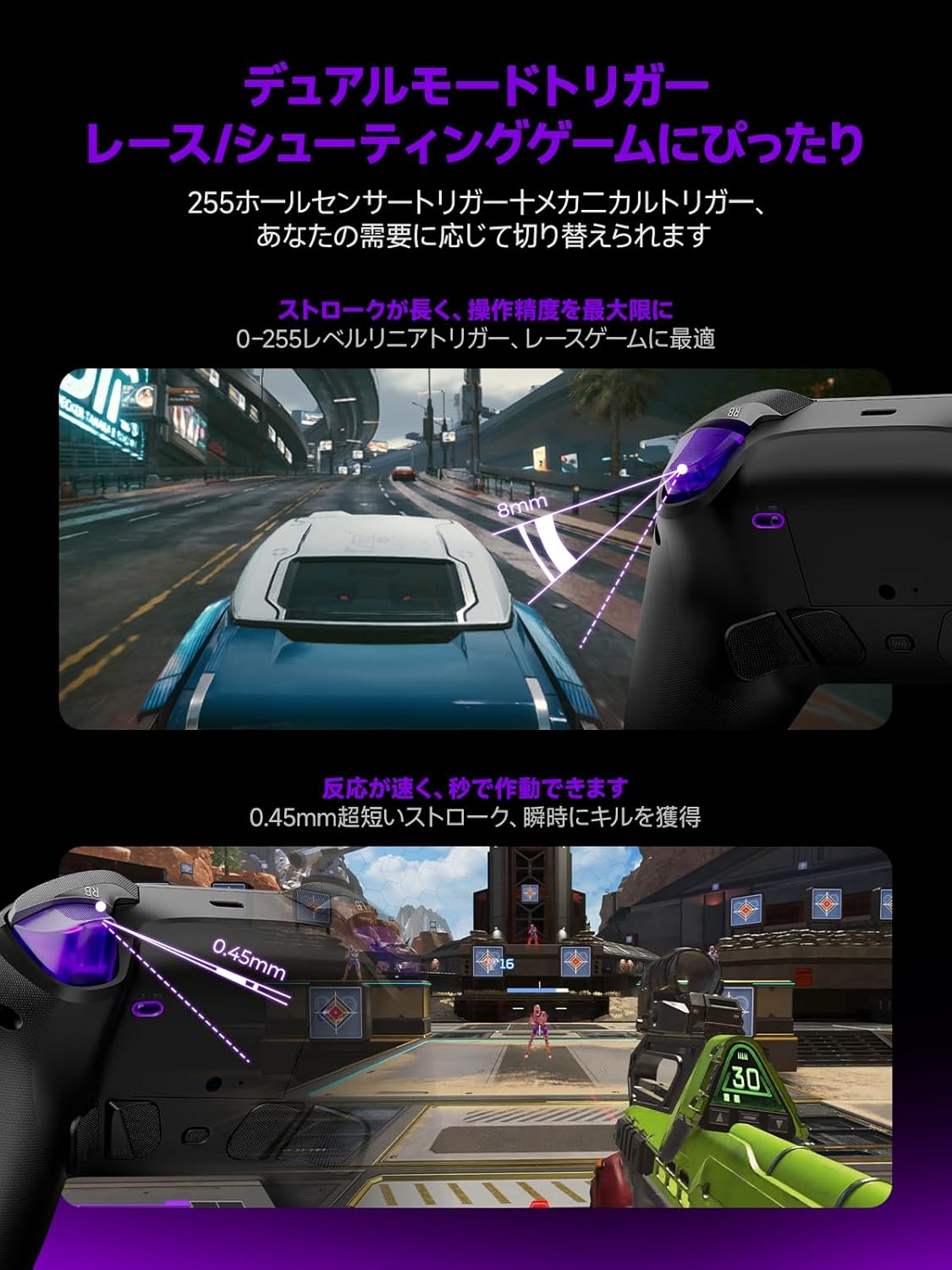
Image: Illustrations demonstrating the dual trigger modes. The top image shows a full trigger pull (8mm) ideal for precise throttle control in racing games. The bottom image shows a hair trigger pull (0.45mm) for rapid firing in shooting games.
- Full Trigger Mode: Ideal for racing games, providing analog input for precise throttle and brake control.
- Chế độ kích hoạt tóc: Optimized for FPS games, offering a short travel distance for instant firing and quicker reactions.
- To switch modes, use the dedicated switch located on the back of the controller.
Nút Quay lại có thể tùy chỉnh:
The controller includes four customizable back buttons (R5, R4, L4, L5) that can be mapped to various functions or macros for enhanced gameplay.

Hình ảnh: A view of the back of the Leadjoy Xeno Plus controller, highlighting the four customizable back buttons (R5, R4, L4, L5) and their mechanical microswitch design.
- Refer to the dedicated application for detailed instructions on mapping and creating macros for these buttons.
Motion Aim:
The controller supports motion aim, compatible with all games, offering precise control through gyroscope technology.
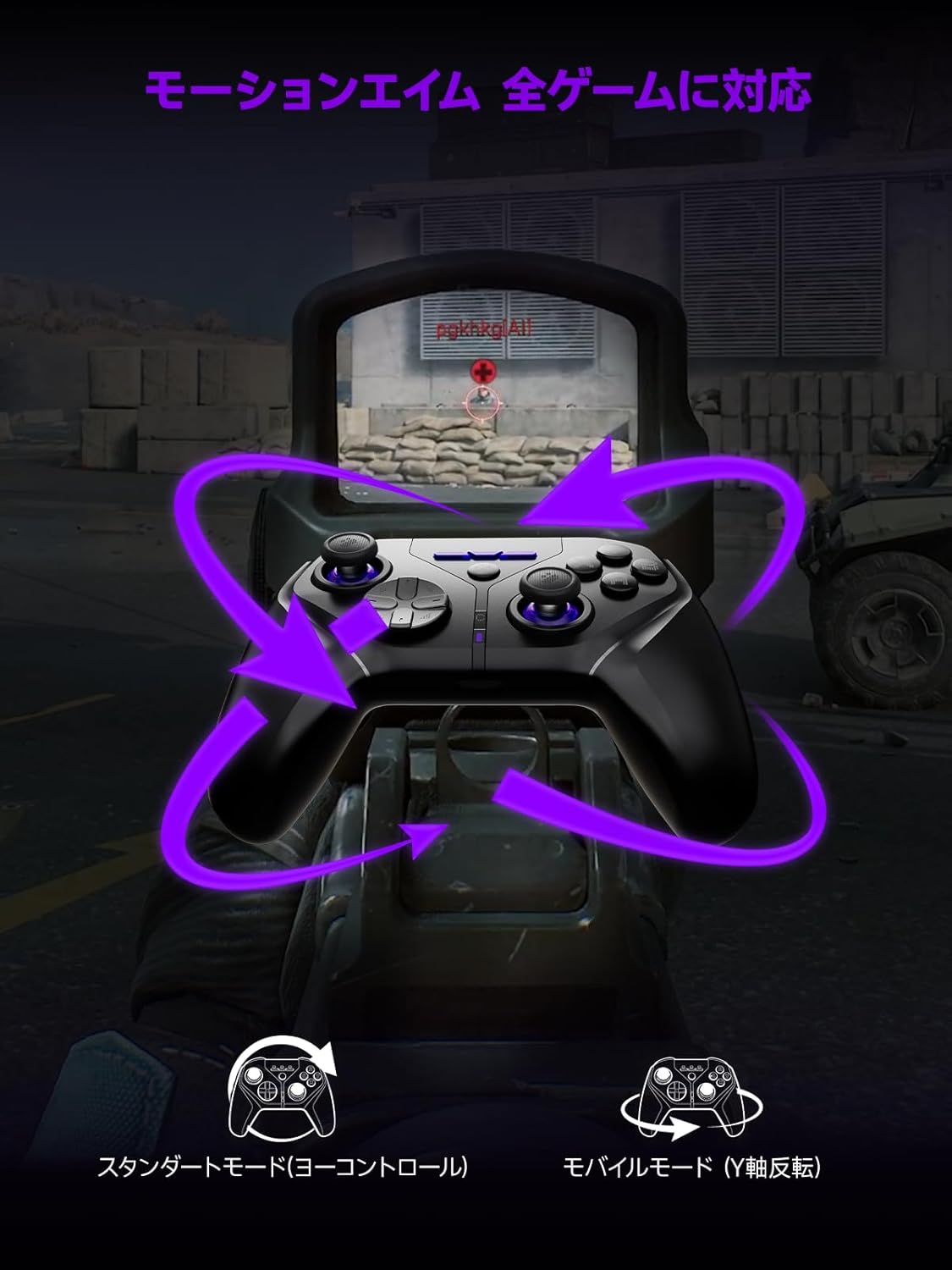
Image: A visual representation of the motion aim feature, showing how tilting the controller translates to in-game aiming, with options for standard (yaw control) and mobile (Y-axis inversion) modes.
- The controller features 1000Hz 6-axis gyroscope control for precise motion aiming.
- Settings for motion aim can be adjusted via the dedicated application.
Chức năng NFC:
The controller is fully compatible with NFC functions, including amiibo for Nintendo Switch.
- To use NFC, place your amiibo figure or card on the designated NFC touchpoint on the controller.
- Ensure your game supports amiibo functionality.
BẢO TRÌ
Vệ sinh:
- Lau sạch bộ điều khiển bằng một miếng vải mềm, khô.
- Không sử dụng chất tẩy rửa hoặc dung môi có tính mài mòn.
Chăm sóc pin:
- Tránh để bộ điều khiển tiếp xúc với nhiệt độ quá cao hoặc quá thấp.
- Để bảo quản lâu dài, hãy sạc pin đến khoảng 50% và cất giữ ở nơi khô ráo, thoáng mát.
- The smart charging dock includes overcharge protection to preserve battery life.
Xử lý sự cố
| Vấn đề | Nguyên nhân có thể | Giải pháp |
|---|---|---|
| Bộ điều khiển không bật nguồn. | Pin yếu. | Charge the controller using the smart charging dock or USB-C cable. |
| Không thể kết nối qua Bluetooth. | Không ở chế độ ghép nối; Bluetooth của thiết bị đã tắt; bị nhiễu sóng. | Ensure controller is in pairing mode (flashing LED). Check device Bluetooth settings. Move closer to the device. |
| 2.4GHz wireless connection issues. | Receiver not properly connected; interference. | Ensure the 2.4GHz receiver is securely plugged into a USB port. Reduce distance between controller and receiver. |
| Buttons or joysticks unresponsive. | Software glitch; low battery; physical damage. | Restart the controller. Ensure battery is charged. If issues persist, contact support. |
| Máy tính không nhận diện được tay cầm điều khiển. | Driver issues; incorrect mode. | Ensure controller is in the correct mode (Xinput/Dinput if applicable). Try a different USB port. Update PC drivers. |
Thông số kỹ thuật
- Người mẫu: Xeno Plus
- Kết nối: Kết nối có dây (USB-C), không dây 2.4GHz, Bluetooth
- Tỷ lệ bỏ phiếu: 1000Hz
- Cần điều khiển: TMR (Magnetic Hall Effect)
- Các nút: Microswitch ABXY buttons, 4 customizable back buttons
- Các tác nhân kích hoạt: Dual-mode (Hair Trigger / Full Trigger)
- Ắc quy: 1000mAh (up to 30+ hours playtime)
- Sạc: Smart Charging Dock (USB-C)
- Rung động: HD Vibration (ALPS linear motors)
- Chiếu sáng: RGB có thể tùy chỉnh
- Tính năng đặc biệt: NFC (amiibo support), One-click Switch wake-up
- Khả năng tương thích: Nintendo Switch (1/2/Lite/OLED), PC (Xinput/Dinput), iOS 13.4+, Android 10+, Steam Deck
- Kích thước sản phẩm: 17.5 x 17.5 x 10cm
- Trọng lượng sản phẩm: 230 gam
- Nguồn gốc: Trung Quốc
Bảo hành và Hỗ trợ
Bảo hành:
The Leadjoy Xeno Plus Game Controller comes with a 12-month warranty covering initial defects and operational malfunctions. Please retain your proof of purchase for warranty claims.
Hỗ trợ khách hàng:
For any questions, technical assistance, or warranty claims, please contact Leadjoy customer support through the retailer where you purchased the product or visit the official Leadjoy webtrang web cho các tài nguyên hỗ trợ.