
Giới thiệu
This manual provides essential information for the safe and efficient operation of your CUKTECH 10 Ultra 120W Wall Charger. Please read it thoroughly before use and retain it for future reference. This charger features a smart control screen and multiple ports for versatile device charging.
Thông tin an toàn
- Không để bộ sạc tiếp xúc với nước, mưa hoặc độ ẩm quá cao.
- Tránh làm rơi hoặc va đập mạnh vào bộ sạc.
- Do not disassemble, modify, or attempt to repair the charger yourself. Unauthorized repairs may void the warranty and pose safety risks.
- Ensure proper ventilation when in use to prevent overheating. Do not cover the charger.
- Use only compatible charging cables and devices. Incompatible accessories may cause damage or malfunction.
- Giữ bộ sạc xa tầm tay trẻ em và vật nuôi.
- Rút bộ sạc ra khỏi ổ cắm điện khi không sử dụng hoặc khi có giông bão điện.
- If the charger emits smoke, unusual odors, or excessive heat, immediately unplug it and discontinue use.
Sản phẩm trênview
The CUKTECH 10 Ultra 120W Wall Charger (Model AD1204US) is a high-performance charging device utilizing advanced GaN technology for efficient power delivery in a compact form factor. It is designed to charge multiple devices simultaneously.
- Thiết kế nhiều cổng: Features three USB-C ports and one USB-A port, allowing up to four devices to be charged concurrently.
- Màn hình điều khiển thông minh: An integrated display provides real-time charging data, including total power output, individual port wattage, tậptage, current, and temperature status.
- Phân phối điện thông minh: The charger automatically adjusts power output to optimize charging for all connected devices.
- Các tính năng an toàn tiên tiến: Equipped with multi-layered safety protections, including temperature control, overcurrent, overvoltage, và bảo vệ ngắn mạch.

Image: The CUKTECH 10 Ultra charger connected to a laptop, illustrating its capability for fast charging. The screen displays charging wattage, indicating efficient power delivery to the connected device.
Cài đặt
- Giải nén: Carefully remove the CUKTECH 10 Ultra 120W Wall Charger and the included 240W USB-C cable from its packaging.
- Kết nối với nguồn điện: Plug the charger into a standard 120V AC wall outlet. Note: This charger is designed with US-style foldable pins and operates on 120V input voltage. Ensure compatibility with your local power supply.
- Kết nối thiết bị: Use a compatible charging cable (such as the included 240W USB-C cable) to connect your device to one of the charger's available USB-C or USB-A ports.
- Xác minh kết nối: The smart screen on the charger will activate, displaying real-time charging information for the connected device(s).
Hướng dẫn sử dụng
Kết nối các thiết bị để sạc
- The charger is equipped with three USB-C ports and one USB-A port. Connect your devices using appropriate and certified charging cables.
- For optimal fast charging performance, ensure that your device and the charging cable support the required Power Delivery (PD) or other fast charging protocols.
- The charger can deliver up to 100W from a single USB-C port when used with a compatible device and cable. The total maximum output for all ports combined is 120W.
Using the Smart Display and Touch Control

Image: Close-up image of the CUKTECH 10 Ultra charger's smart display, highlighting its various information modes including total output power, power/current/voltage per port, and temperature status. A touch control area is also visible for interaction.
- Dữ liệu thời gian thực: The display automatically shows current charging information, such as total wattage, individual port wattage, tậptage và hiện tại.
- Chế độ chu kỳ: Tap the touch-sensitive area located below the screen to cycle through different display modes and view thông tin chi tiết.
- Cài đặt truy cập: Press and hold the touch area for approximately 2 seconds to enter the settings menu. Options may include screen lock, always-on display, or specific charging scenario settings.
Phân phối điện thông minh

Image: The CUKTECH 10 Ultra charger simultaneously charging a laptop, tablet, smartphone, and smartwatch, demonstrating its capability to power multiple devices efficiently.
- When multiple devices are connected, the charger's intelligent system dynamically allocates the total 120W output across all active ports.
- This ensures that each connected device receives an optimized charge based on its power requirements and the overall load.
BẢO TRÌ
- Vệ sinh: Clean the exterior of the charger with a dry, soft, lint-free cloth. Do not use liquid cleaners, abrasive materials, or aerosols.
- Kho: Bảo quản bộ sạc ở nơi khô ráo, thoáng mát, tránh ánh nắng trực tiếp và nhiệt độ cao khi không sử dụng.
- Kiểm tra cáp: Regularly inspect all charging cables for any signs of wear, fraying, or damage. Replace damaged cables immediately to prevent safety hazards.
Xử lý sự cố
| Vấn đề | Nguyên nhân có thể / Giải pháp |
|---|---|
| Thiết bị không sạc |
|
| Sạc chậm |
|
| Display not working or blank |
|
| Bộ sạc có cảm giác ấm khi sử dụng |
|

Image: The CUKTECH 10 Ultra charger illustrating its advanced intelligent temperature shield, which performs over 36,000 hour temperature checks to ensure safe operation.
Thông số kỹ thuật
| Thương hiệu | CUKTECH |
| Số hiệu mẫu | AD1204US |
| Đầu vào Voltage | 120 Volts (US-style foldable pins) |
| Tổng sản lượng Wattage | 120W (Tối đa) |
| Dòng điện đầu ra | 6 Amps (Tối đa) |
| Đầu ra Voltage | 20 Vôn (Tối đa) |
| Cổng | 3x USB-C, 1x USB-A |
| Thiết bị tương thích | Cellular Phones, Headphones, Laptops, Smartwatches, Tablets |
| Phụ kiện kèm theo | 1 x 240W USB-C to USB-C Cable (1 meter length) |

Image: The CUKTECH 10 Ultra charger demonstrating wide compatibility with a range of devices, including smartphones and tablets from different brands.
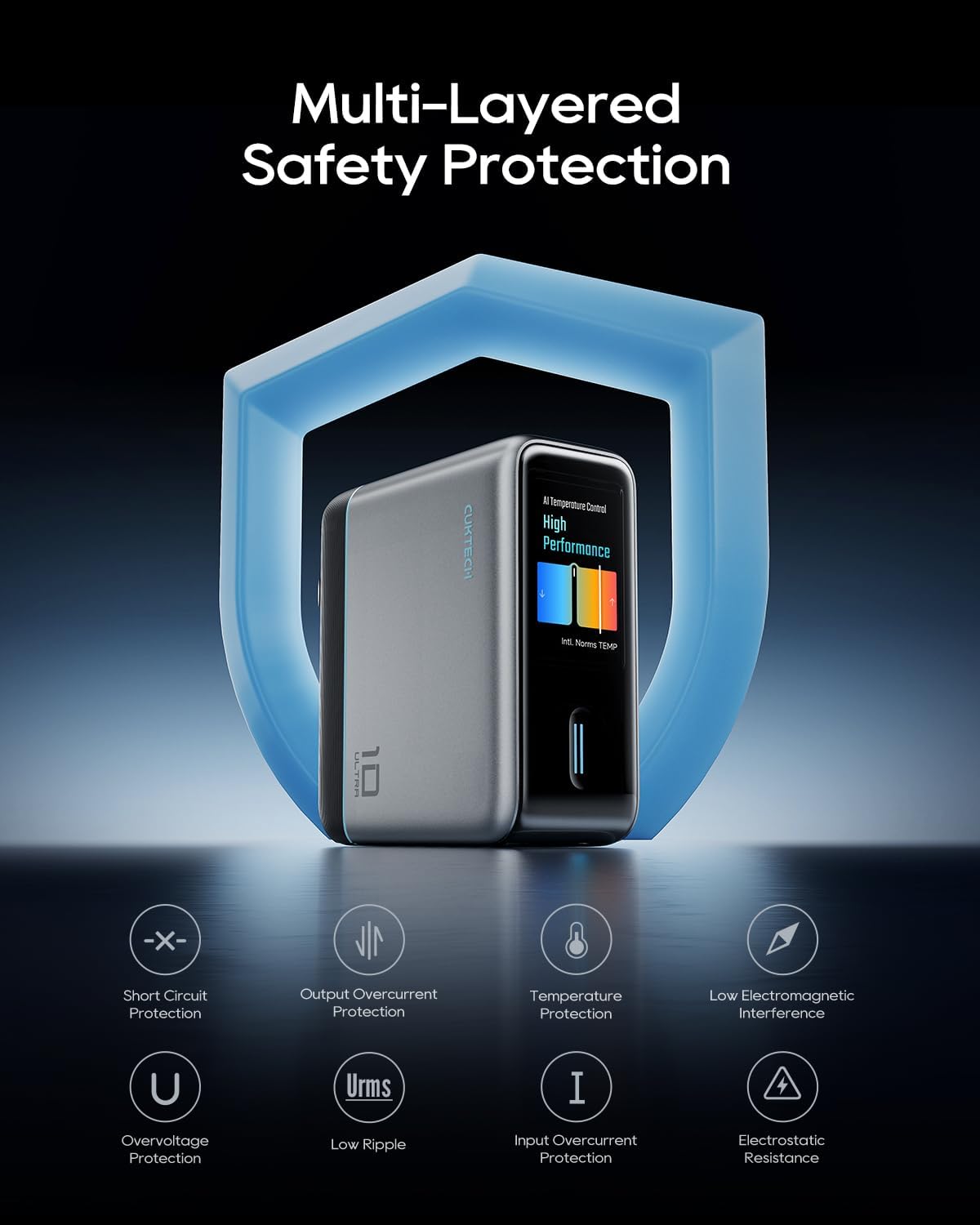
Image: The CUKTECH 10 Ultra charger highlighting its multi-layered safety protection features, including short circuit, overcurrent, temperature, and overvoltage bảo vệ.
Bảo hành và Hỗ trợ
For detailed warranty information, technical support, or customer service inquiries, please visit the official CUKTECH website or contact their authorized support channels. It is recommended to retain your purchase receipt as proof of purchase for any warranty claims.
Bạn có thể tìm thêm thông tin và chi tiết liên lạc trên CUKTECH Brand Store.