
1. Giới thiệu
This manual provides essential information for using your new vivo Y31 Pro 5G smartphone. Please read it carefully to ensure proper operation and to maximize the device's features. Keep this manual for future reference.

Hình ảnh: Mặt trước view of the vivo Y31 Pro 5G smartphone, showcasinmàn hình của nó.
2. Có gì trong hộp
Xác minh rằng tất cả các mặt hàng đều có trong bao bì sản phẩm của bạn:
- Điện thoại thông minh vivo Y31 Pro 5G
- Ốp điện thoại
- Bộ đổi nguồn
- Cáp USB
- Khay đẩy SIM
- Miếng dán màn hình (Đã dán sẵn)
3. Thiết lập
3.1. Cài đặt thẻ SIM
- Xác định vị trí khay thẻ SIM ở bên cạnh thiết bị của bạn.
- Đưa dụng cụ đẩy khay SIM vào lỗ nhỏ bên cạnh khay và ấn nhẹ cho đến khi khay bật ra.
- Đặt thẻ Nano-SIM và/hoặc thẻ microSD vào khay với các điểm tiếp xúc mạ vàng hướng xuống dưới, đảm bảo chúng được đặt đúng hướng.
- Cẩn thận lắp lại khay vào điện thoại cho đến khi khớp vào đúng vị trí.
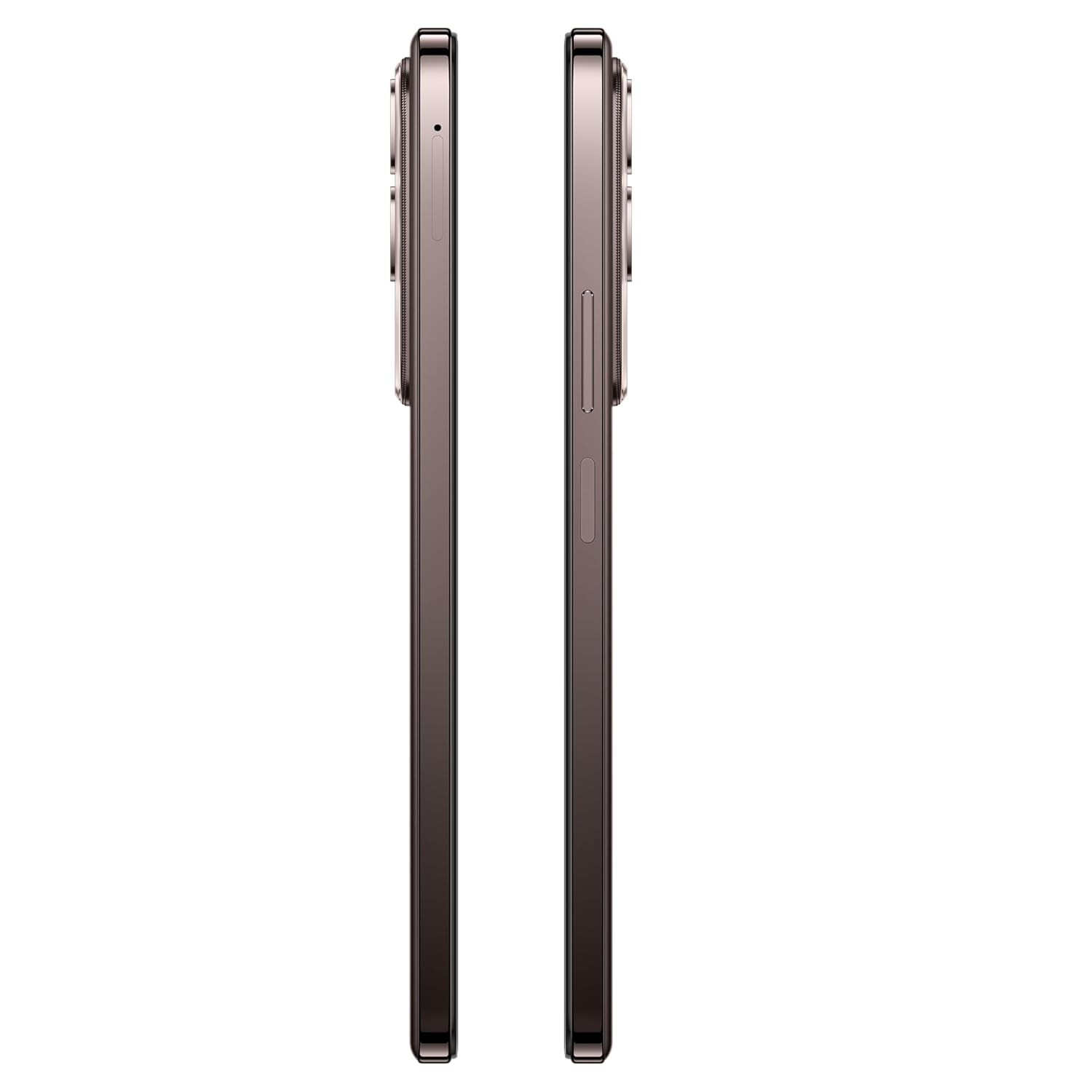
Hình ảnh: Bên view of the vivo Y31 Pro 5G, showing the SIM card tray location.
3.2. Bật nguồn ban đầu và Cài đặt cơ bản
- Press and hold the Power button (located on the right side) until the vivo logo appears.
- Làm theo lời nhắc trên màn hình để chọn ngôn ngữ, khu vực và kết nối với mạng Wi-Fi.
- Đăng nhập bằng tài khoản Google của bạn hoặc tạo tài khoản mới để truy cập các dịch vụ của Google và Cửa hàng Play.
- Thiết lập phương pháp khóa màn hình (mã PIN, hình mở khóa, mật khẩu, vân tay hoặc mở khóa bằng khuôn mặt).
4. Vận hành thiết bị của bạn
4.1. Tính năng hiển thị
The vivo Y31 Pro 5G features a 17.06 cm (6.72 inch) High Brightness FHD+ display with a 120 Hz refresh rate and up to 1050 Nits brightness for clear visuals and smooth scrolling.

Image: Illustration highlighting the phone's high brightness FHD display with 1050 Nits and 120 Hz refresh rate.
4.2. Sử dụng máy ảnh
Your device is equipped with a 50 MP + 2 MP rear camera system and an 8 MP selfie camera. It supports 4K video recording.
- Chụp hình: Open the Camera app, select 'Photo' mode, and tap the shutter button.
- Quay video: Switch to 'Video' mode and tap the record button to start/stop.
- Tính năng AI: Utilize AI Erase and AI Photo Enhance for improved image quality and editing.
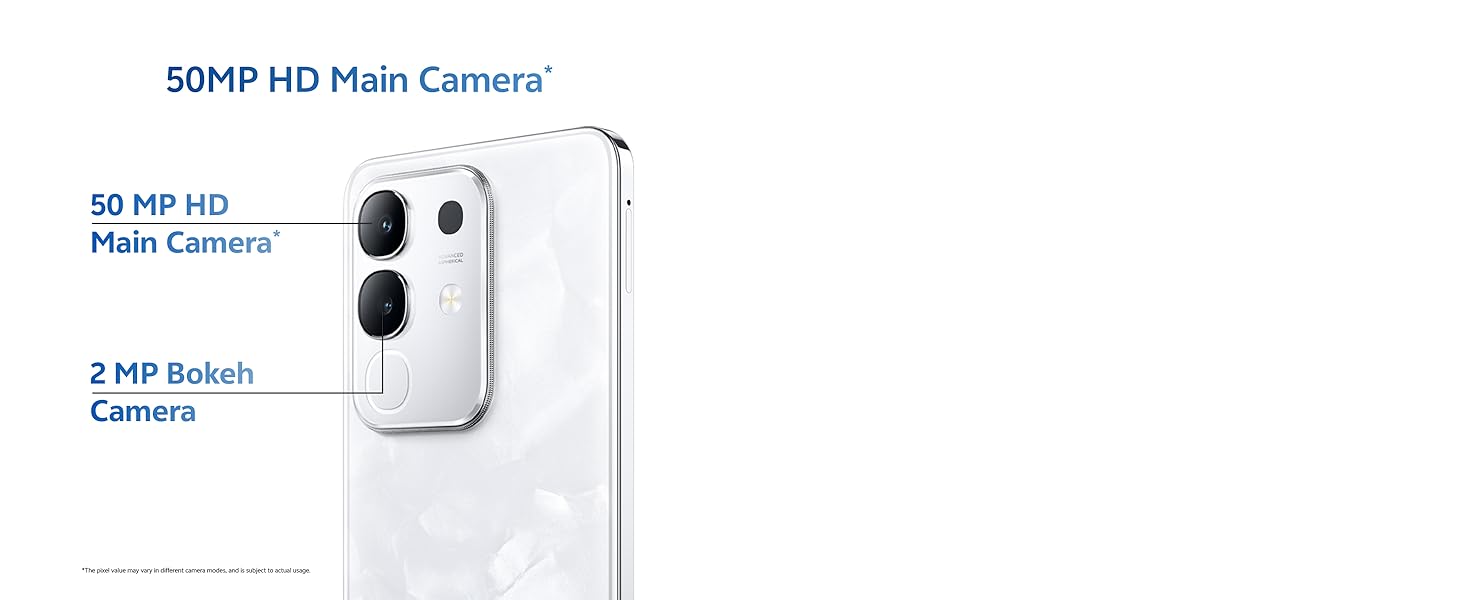
Image: Close-up of the vivo Y31 Pro 5G's rear camera module, showing the 50 MP main camera and 2 MP bokeh camera.

Image: Comparison showing video quality with and without 4K recording on the vivo Y31 Pro 5G.
4.3. Quản lý pin
The device is powered by a 6500 mAh battery and supports 44W FlashCharge. For optimal battery life:
- Sử dụng bộ đổi nguồn và cáp USB được cung cấp để sạc.
- Tránh nhiệt độ quá cao.
- Quản lý việc sử dụng ứng dụng nền và độ sáng màn hình.
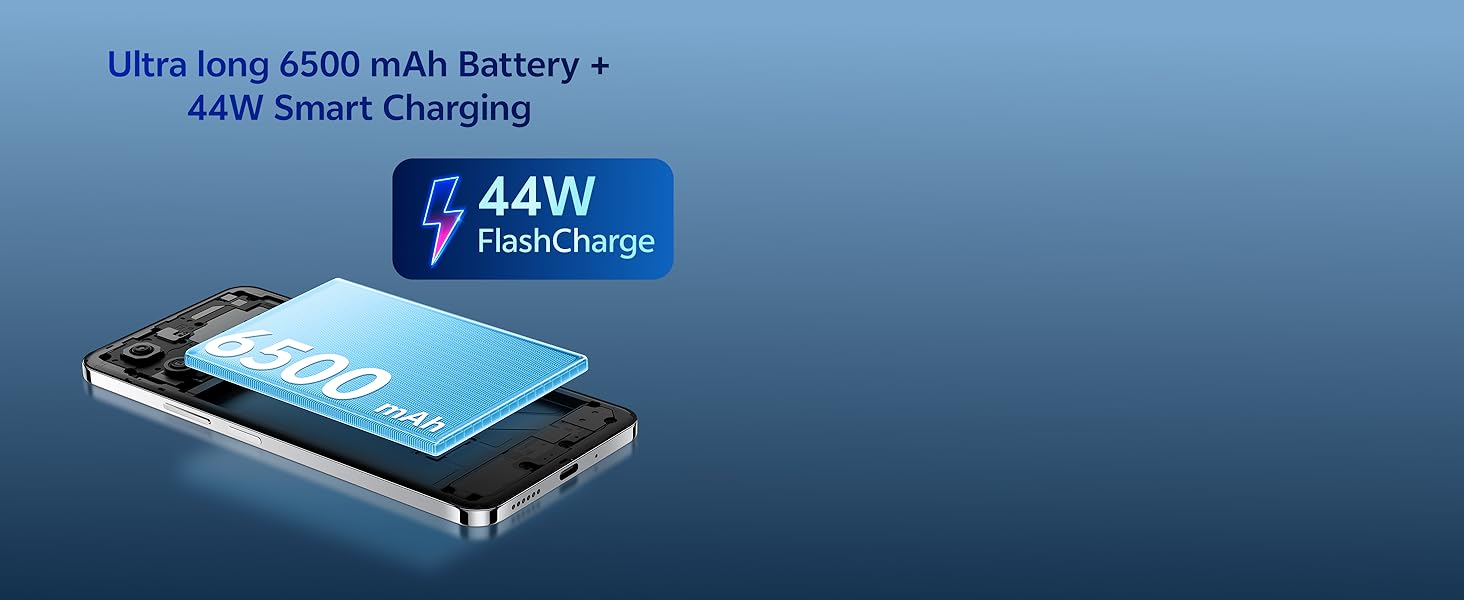
Image: Illustration of the vivo Y31 Pro 5G's 6500 mAh battery and 44W FlashCharge technology.
4.4. Kết nối
The vivo Y31 Pro 5G supports 5G network connectivity, Bluetooth, and built-in GPS.
- Wi-Fi: Vào Cài đặt > Mạng & Internet > Wi-Fi để kết nối với các mạng khả dụng.
- Bluetooth: Go to Settings > Connected devices > Bluetooth to pair with other devices.
- 5G: Ensure your SIM card and plan support 5G for high-speed mobile data.
4.5. Âm thanh
The device features dual stereo speakers for enhanced audio output.

Image: Illustration depicting the dual stereo speaker system of the vivo Y31 Pro 5G.
5. Bảo trì
5.1. Vệ sinh thiết bị của bạn
- Sử dụng vải mềm, không xơ để lau màn hình và thân máy.
- Tránh sử dụng hóa chất mạnh hoặc vật liệu mài mòn.
- The device has an IP64 rating for dust and splash resistance. Avoid submerging it in water.
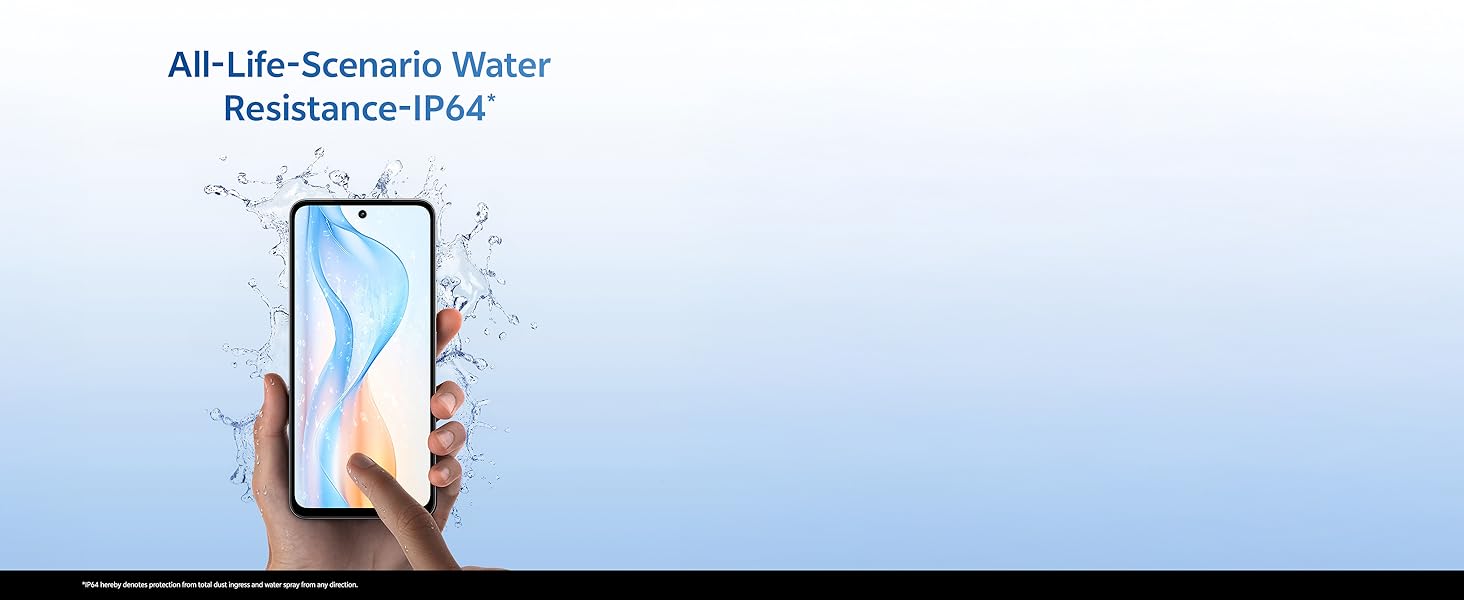
Image: Illustration demonstrating the IP64 water resistance of the vivo Y31 Pro 5G against splashes.
5.2. Cập nhật phần mềm
Thường xuyên kiểm tra các bản cập nhật phần mềm để đảm bảo thiết bị của bạn có các tính năng và bản vá bảo mật mới nhất. Vào Cài đặt > Hệ thống > Cập nhật hệ thống.
KHAI THÁC. Xử lý sự cố
6.1. Các vấn đề chung
- Thiết bị không bật: Ensure the battery is charged. Connect to the power adapter for at least 10 minutes before attempting to power on.
- Ứng dụng bị sập: Clear the cache of the problematic app (Settings > Apps > [App Name] > Storage & cache > Clear cache). If the issue persists, reinstall the app.
- Tín hiệu mạng kém: Kiểm tra việc lắp đặt thẻ SIM của bạn. Di chuyển đến khu vực có vùng phủ sóng mạng tốt hơn.
- Pin hết nhanh: Giảm độ sáng màn hình, tắt các ứng dụng nền không cần thiết và tắt Wi-Fi/Bluetooth khi không sử dụng.
6.2. Khôi phục cài đặt gốc
Nếu thiết bị của bạn gặp sự cố kéo dài, việc khôi phục cài đặt gốc có thể giải quyết được vấn đề. Cảnh báo: Thao tác này sẽ xóa tất cả dữ liệu trên điện thoại của bạn. Hãy sao lưu dữ liệu quan trọng trước khi thực hiện. Vào Cài đặt > Hệ thống > Tùy chọn đặt lại > Xóa tất cả dữ liệu (khôi phục cài đặt gốc).
7. Thông số kỹ thuật
| Tính năng | Đặc điểm kỹ thuật |
|---|---|
| Người mẫu | vivo Y31 Pro 5G |
| Hệ điều hành | Hệ điều hành Funtouch 15 |
| Bộ xử lý | MediaTek Dimensity 7300 |
| ĐẬP | 8GB |
| Bộ nhớ trong | 128GB |
| Trưng bày | 17.06 cm (6.72 inch) FHD+, 1050 Nits, 120 Hz Refresh Rate |
| Camera sau | 50 MP + 2 MP |
| Máy ảnh tự sướng | 8MP |
| Dung lượng pin | 6500mAh |
| Sạc | Sạc nhanh 44W |
| Kết nối | 5G, Bluetooth, GPS |
| Kích thước | 16.6 x 7.6 x 0.8cm |
| Cân nặng | 204 gam |
| Độ bền | Military Grade (MIL-STD-810H tested), IP64 Dust and Splash Resistance |
Hình ảnh: Trênview of the vivo Y31 Pro 5G's powerful Dimensity 7300 processor and ultra-long 6500 mAh battery with 44W FlashCharge.

Image: The vivo Y31 Pro 5G demonstrating military-grade durability (MIL-STD-810H tested).
8. Bảo hành và Hỗ trợ
Your vivo Y31 Pro 5G smartphone comes with a standard manufacturer's warranty. For detailed warranty terms and conditions, please refer to the warranty card included in your product packaging or visit the official vivo support webđịa điểm.
For technical support, service, or further assistance, please contact vivo customer service through their official channels. You can find contact information on the vivo website or in your device's 'Settings' under 'About phone' or 'Support'.
Nhà sản xuất: Công ty TNHH Vivo Mobile Ấn Độ
Nước xuất xứ: Ấn Độ