
Giới thiệu
Welcome to the user manual for your new Generic X10 MINI Smart Watch. This guide provides essential information on setting up, operating, and maintaining your device to ensure optimal performance. Please read this manual thoroughly before using your smartwatch.
Có gì trong hộp
Xác minh rằng tất cả các mặt hàng đều có trong bao bì sản phẩm của bạn:
- X10 MINI Smart Watch (with one pink band attached)
- Additional Pink Watch Band
- Cáp sạc không dây
- Hướng dẫn sử dụng (tài liệu này)

Image: The X10 MINI Smart Watch, an additional pink band, and the wireless charging cable as typically found in the box.
Sản phẩm trênview
The X10 MINI Smart Watch features a 2.19-inch display, wireless charging, and a sleek design. It is designed to help you stay connected and track your activities throughout the day.
- Trưng bày: Large 2.19-inch touchscreen for clear visibility and easy navigation.
- Thiết kế: Sleek smartwatch with a modern square face and comfortable pink band.
- Sạc: Khả năng sạc không dây tiện lợi.
- Kết nối: Advanced wireless technology for seamless synchronization with compatible devices.
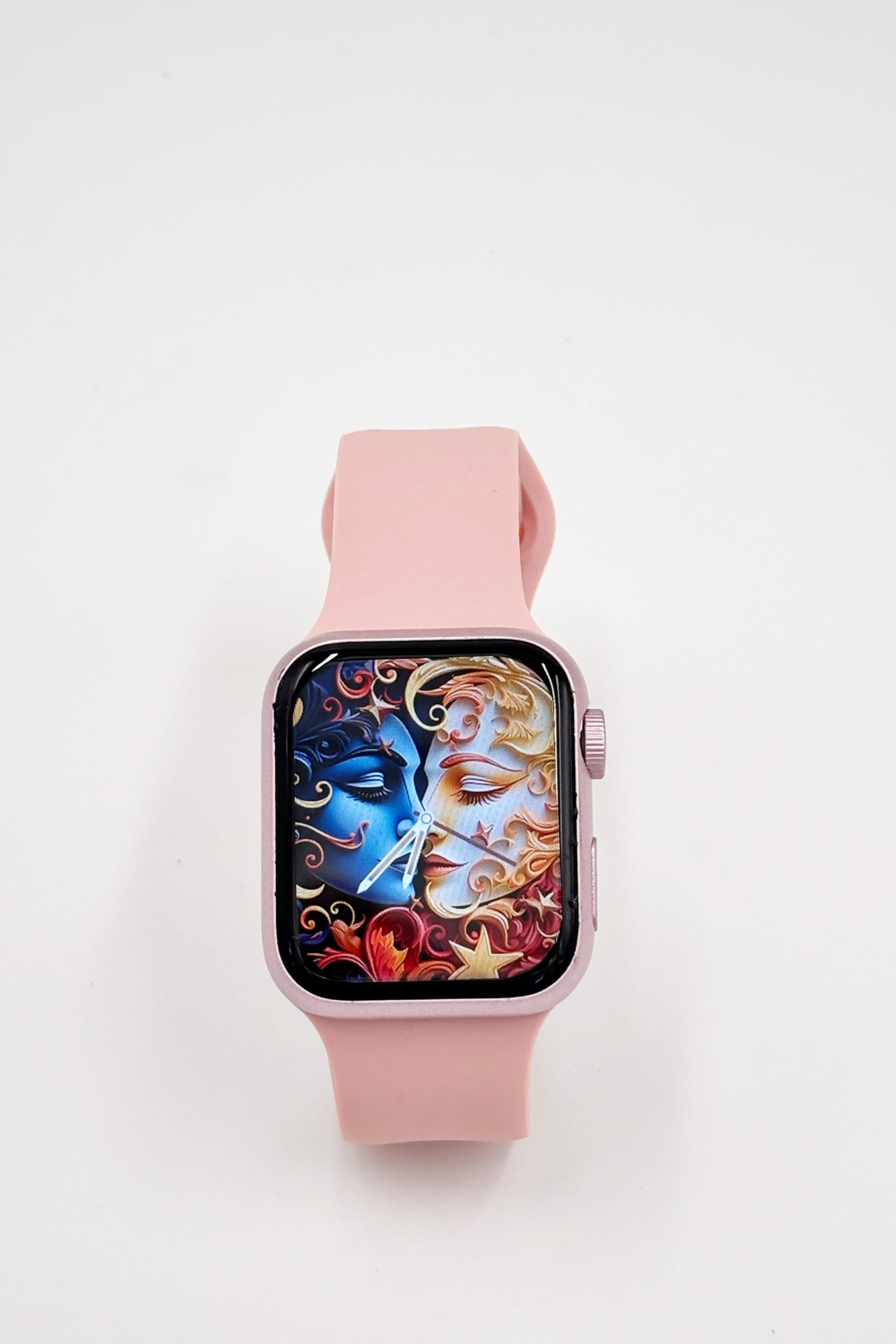
Image: A close-up of the X10 MINI Smart Watch, showcasing its 2.19-inch display and pink band.
Cài đặt
1. Sạc ban đầu
Before first use, fully charge your smartwatch. Connect the wireless charging cable to a USB power source and place the back of the watch onto the charging pad. The watch display will indicate charging status.
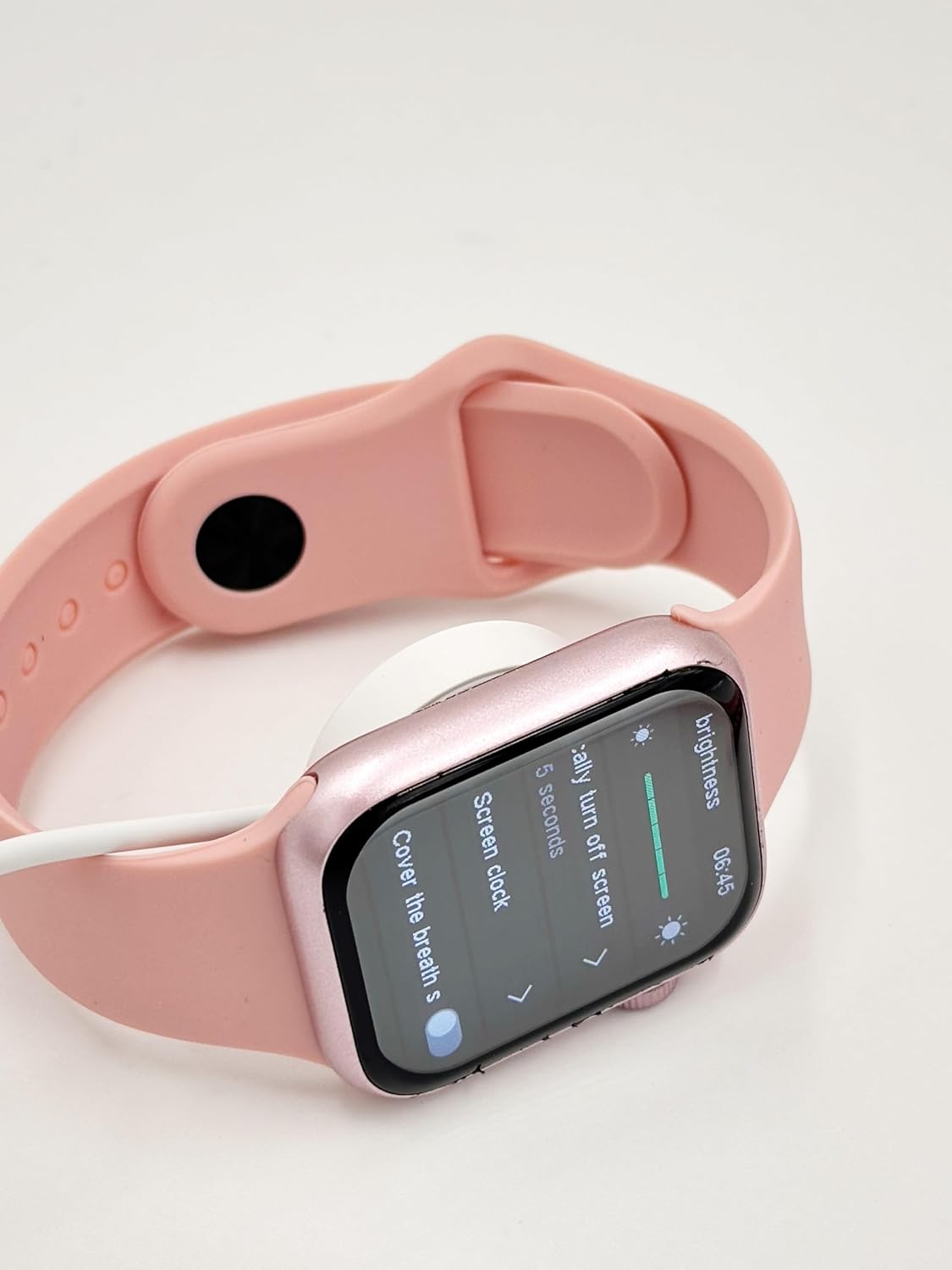
Image: The X10 MINI Smart Watch resting on its wireless charging pad, displaying the brightness settings.
2. Bật / Tắt nguồn
- Để bật nguồn: Nhấn và giữ nút bên cạnh cho đến khi màn hình sáng lên.
- Để Tắt Nguồn: Nhấn và giữ nút bên cạnh, sau đó chọn 'Tắt nguồn' trên màn hình.
3. Cài đặt và ghép nối ứng dụng
To unlock full functionality, download the companion application on your smartphone. Refer to the 'Download APP' option in the watch's General settings for the correct application. Once installed, open the app and follow the on-screen instructions to pair your smartwatch via Bluetooth.

Image: The smartwatch display showing the 'General' settings menu, including options for Bluetooth, About, Language, and Download APP.
Hướng dẫn sử dụng
Điều hướng
The X10 MINI Smart Watch features a responsive touchscreen. Swipe left, right, up, or down to navigate through menus and access different features. Press the side button to return to the home screen or wake the device.
Các tính năng chính
- Thông báo: Nhận thông báo cuộc gọi, tin nhắn và thông báo ứng dụng trực tiếp trên cổ tay của bạn.
- Theo dõi hoạt động: Monitor your steps, distance, and calories burned throughout the day.
- Cuộc gọi thoại: Thực hiện và nhận cuộc gọi trực tiếp từ đồng hồ thông minh khi được kết nối với điện thoại.
- Phone/Contacts: Access your call log and contacts list.

Image: The smartwatch display showing activity tracking metrics, including steps, distance, and calories burned.

Image: The smartwatch display showing the phone-related menu, with options for Phone, Call Log, and Contacts.
Sạc
The X10 MINI Smart Watch supports wireless charging. Use the provided wireless charging cable. Ensure the watch is properly aligned on the charging pad for efficient charging. A full charge typically takes approximately 2-3 hours and provides up to 48 hours of average use.
BẢO TRÌ
Vệ sinh
Wipe the watch screen and body with a soft, dry cloth. For the bands, use a slightly damp cloth and mild soap if necessary, then rinse and dry thoroughly. Avoid using harsh chemicals or abrasive materials.
Thay thế băng tần
The X10 MINI Smart Watch comes with dual bands, allowing for customization. To replace a band, locate the quick-release pins on the underside of the watch where the band connects. Slide the pin to detach the band, then align the new band and slide the pin back into place to secure it.
Xử lý sự cố
- Đồng hồ không bật nguồn: Đảm bảo đồng hồ đã được sạc đầy. Kết nối đồng hồ với bộ sạc trong ít nhất 30 phút.
- Không thể ghép nối với điện thoại: Đảm bảo Bluetooth đã được bật trên điện thoại và đồng hồ. Khởi động lại cả hai thiết bị và thử ghép nối lại. Đảm bảo ứng dụng đồng hành đã được cài đặt và đang chạy.
- Vấn đề sạc: Check if the charging cable is properly connected to a power source and the watch is correctly placed on the wireless charging pad.
- Theo dõi hoạt động không chính xác: Hãy đảm bảo đồng hồ được đeo vừa khít trên cổ tay. Hiệu chỉnh thiết bị theo dõi hoạt động thông qua ứng dụng đi kèm nếu có.
Thông số kỹ thuật
| Thương hiệu | Chung chung |
| Tên mẫu | X10 NHỎ |
| Kích thước hiển thị | 2.19 inch |
| Kiểu hiển thị | DẪN ĐẾN |
| Hệ điều hành | Android (tương thích) |
| Dung lượng lưu trữ bộ nhớ | 40MB |
| Dung lượng pin | 1200 triệuamp Giờ |
| Tuổi thọ trung bình của pin | 48 giờ |
| Loại không dây | Tần số vô tuyến 2.4 GHz |
| Loại đầu nối | Bluetooth |
| Tính năng đặc biệt | Activity Tracker, Notifications, Touchscreen, Voice Call, Wireless Charging |
| Thiết bị tương thích | Điện thoại thông minh, Máy tính bảng |
| Trọng lượng sản phẩm | 200 gam |
| Nước xuất xứ | Trung Quốc |
Bảo hành và Hỗ trợ
This product comes with a standard manufacturer's warranty. For specific warranty details, claims, or technical support, please refer to the documentation provided with your purchase or contact the retailer. Keep your proof of purchase for warranty purposes.