
1. Giới thiệu
Cảm ơn bạn đã muaasing the Sofirn HS21 and D25S headlamps. These headlamps are designed for various outdoor activities, offering reliable illumination and convenient features. This manual provides detailed instructions for the safe and effective use, setup, operation, and maintenance of your new headlamps. Please read this manual thoroughly before use and retain it for future reference.
2. Hướng dẫn an toàn
- Do not shine the light directly into eyes. The powerful beam can cause temporary vision impairment or permanent eye damage.
- Để xa tầm tay trẻ em.
- Không tháo rời headlamp. This may damage the device and void the warranty.
- Use only the recommended battery types. Improper battery use can lead to fire, explosion, or leakage.
- Tránh để lộ phần đầuamp với nhiệt độ khắc nghiệt hoặc ánh sáng mặt trời trực tiếp trong thời gian dài.
- Hãy đảm bảo nắp đậy cổng sạc USB-C được đóng chặt khi không sạc để duy trì khả năng chống nước.
3. Nội dung gói hàng
- 1 x Sofirn HS21 Headlamp
- 1 x Sofirn D25S Headlamp
- 2 x Băng Đô
- 2 x Cáp sạc USB-C
- 2 x Rechargeable Batteries (pre-installed or separate)
- 1 x Hướng dẫn sử dụng
4. Sản phẩm hếtview
4.1 Sofirn HS21 Headlamp
The Sofirn HS21 is a versatile headlamp featuring a combination of spotlight, floodlight, and red light. It is equipped with a convenient rotary switch for easy mode selection and offers a wide 130° rotation adjustment for optimal illumination angle.

Image 1: Sofirn HS21 Headlamp showing its various light modes including red light, spotlight, and floodlight.

Image 2: The Sofirn HS21 headlamp demonstrating its 130-degree rotation capability for adjustable light direction.
4.2 Sofirn D25S Headlamp
The Sofirn D25S is a compact and powerful headlamp utilizing an SST40 LED, offering multiple brightness levels. It features a hidden USB-C charging port for convenient recharging and a simple user interface with memory mode.

Image 3: Sofirn D25S Headlamp highlighting its comfortable switch and simple user interface.
5. Thiết lập
5.1 Lắp đặt pin
Both HS21 and D25S headlamps typically come with batteries pre-installed. If not, or if replacing batteries:
- Tháo nắp đuôi của đèn pha.amp thân hình.
- Insert the rechargeable battery with the positive (+) terminal facing towards the head of the lamp.
- Vặn chặt nắp đuôi lại để đảm bảo tiếp xúc tốt và khả năng chống nước.
5.2 Sạc
Cả hai đềuamps feature a built-in USB-C charging port.
For HS21:
- Tìm cổng sạc USB-C ở bên cạnh đèn pha.amp thân hình.
- Gently lift the protective rubber cover to expose the port.
- Kết nối cáp USB-C được cung cấp với đầu đèn.amp và kết nối với nguồn điện USB (ví dụ: bộ chuyển đổi nguồn, pin dự phòng, máy tính).
- The indicator light will show red during charging and turn green when fully charged.
- Once charging is complete, securely close the rubber cover to protect the port from dust and water.
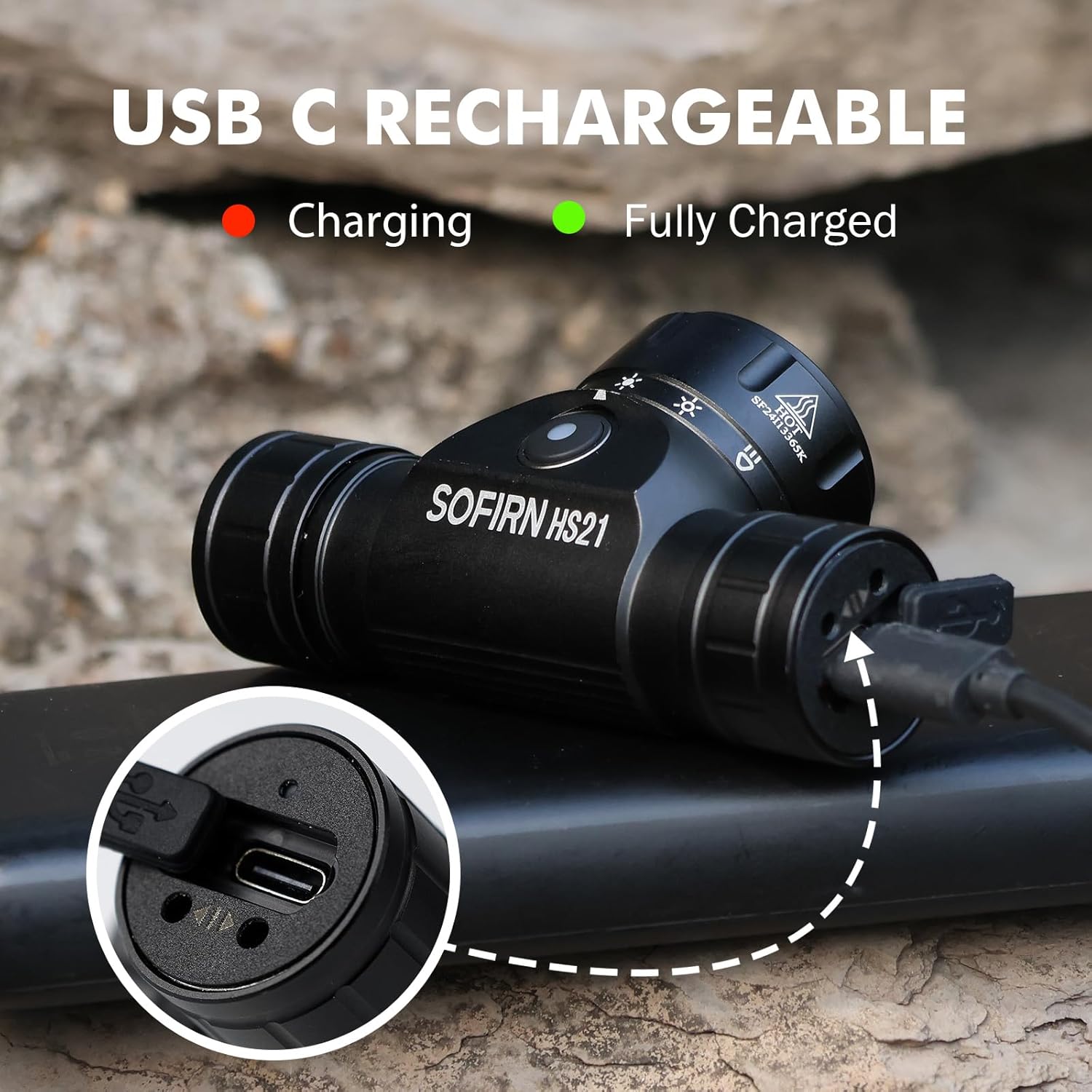
Image 4: Sofirn HS21 Headlamp connected to a USB-C charging cable, showing the charging indicator light.
For D25S:
- Unscrew the head of the D25S headlamp to reveal the hidden USB-C charging port.
- Kết nối cáp USB-C được cung cấp với đầu đèn.amp and to a USB power source.
- The indicator light will show red during charging and turn green when fully charged.
- After charging, screw the head back on tightly to ensure water resistance.

Image 5: Sofirn D25S Headlamp with its head unscrewed, revealing the built-in USB-C charging port.
6. Hướng dẫn vận hành
6.1 Sofirn HS21 Headlamp Hoạt động
The HS21 features a rotary switch for easy mode selection and a separate power button.
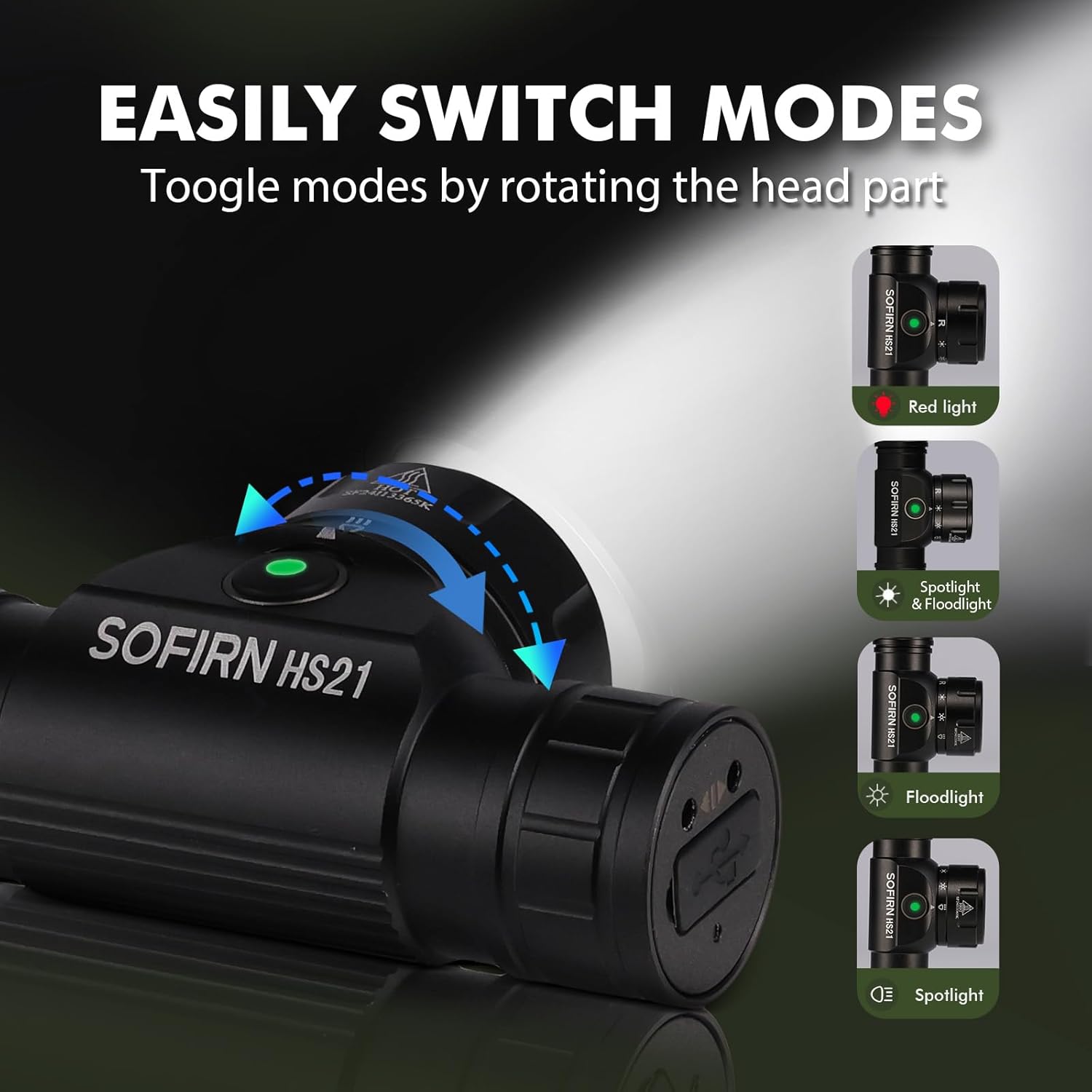
Image 6: Illustration of the Sofirn HS21's rotary switch mechanism for changing light modes.
- Bật/Tắt nguồn: Nhấn nút nguồn một lần để bật đèn pha.amp bật hoặc tắt.
- Lựa chọn chế độ: Rotate the head part of the headlamp to cycle through the main light modes: Red Light, Spotlight, Floodlight, and Spotlight + Floodlight (combined).
- Điều chỉnh độ sáng: While a mode is active, press and hold the power button to cycle through brightness levels (Low, Medium, High). Release the button at your desired brightness.
- Kích hoạt bằng đèn đỏ: Rotate to the red light setting. Press and hold the power button for additional red light modes (e.g., red strobe, red beacon).
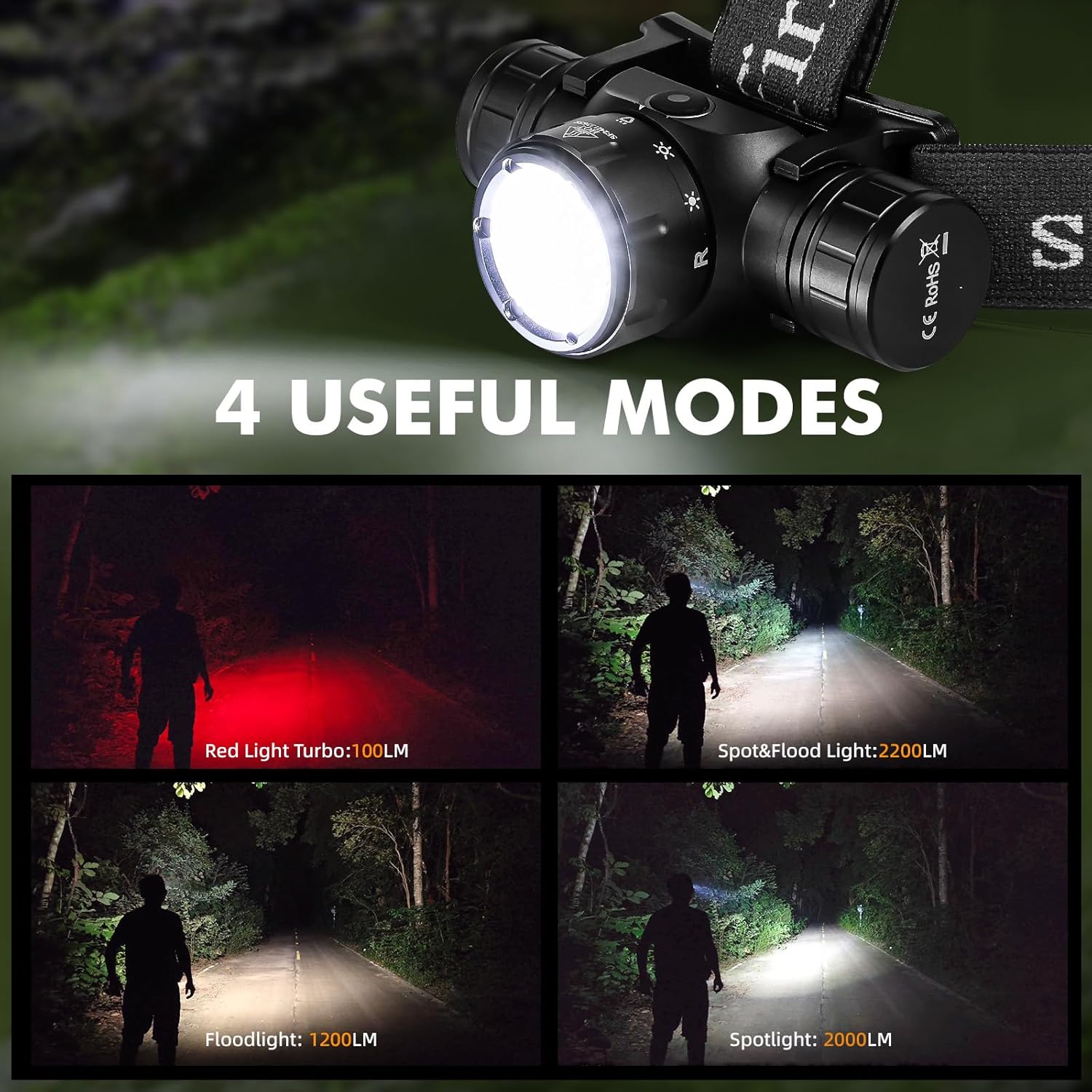
Image 7: The Sofirn HS21 headlamp displaying its four primary light modes: Red Light, Spot & Flood, Floodlight, and Spotlight.
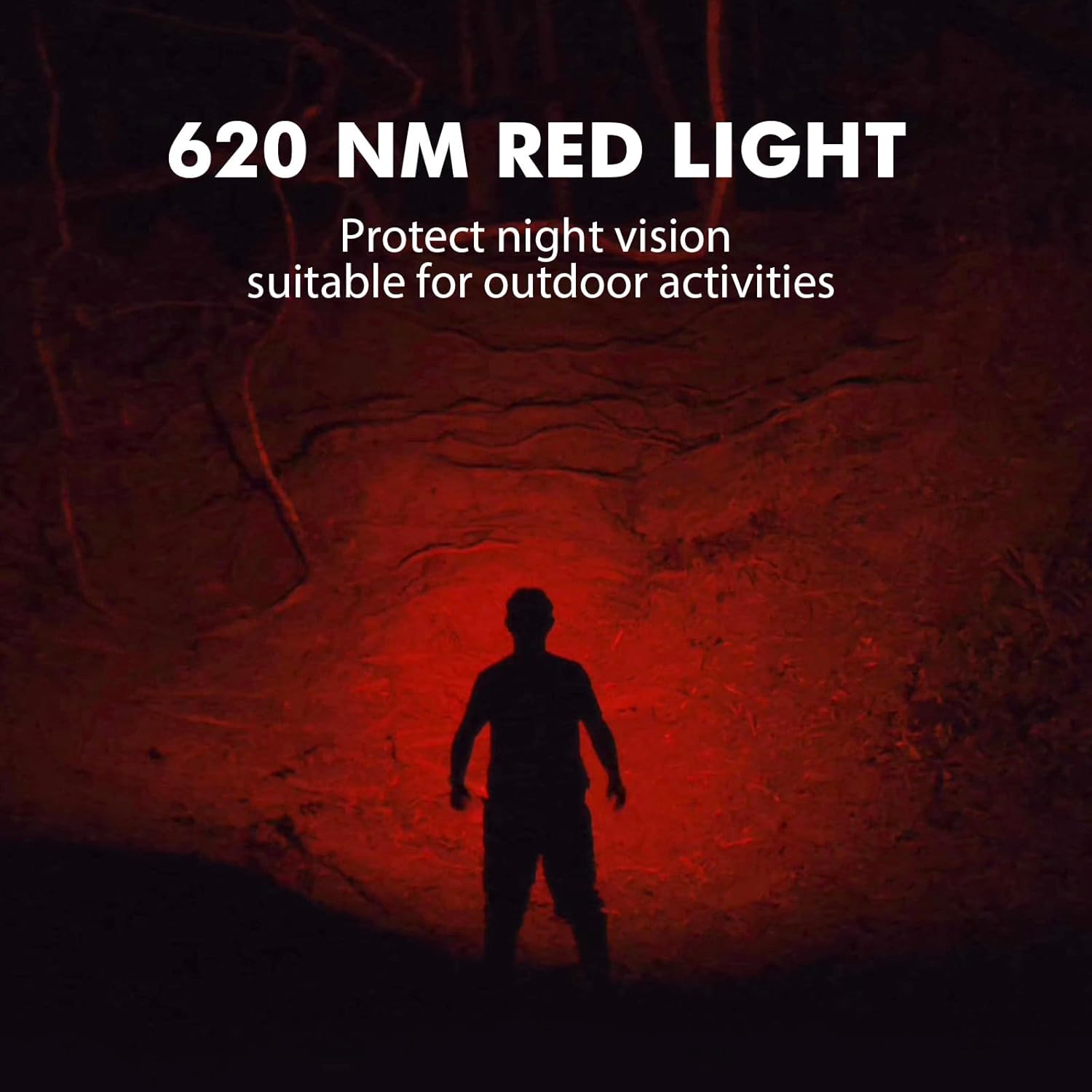
Image 8: The Sofirn HS21 headlamp emitting a 620 NM red light, suitable for preserving night vision.
6.2 Sofirn D25S Headlamp Hoạt động
The D25S operates with a single button interface.
- Bật/Tắt nguồn: Nhấn nút một lần để xoay đầu xe.amp bật hoặc tắt.
- Chế độ đạp xe: Trong khi cái đầuamp is on, press and hold the button to cycle through brightness modes: Low → Medium 1 → Medium 2 → High. Release the button at your desired mode.
- Chế độ Turbo: From any mode, double-click the button to activate Turbo mode. Double-click again to return to the previous mode.
- Chức năng bộ nhớ: The D25S will remember the last used brightness level (excluding Turbo) and turn on in that mode.
7. Bảo trì
- Vệ sinh: Lau đầuamp với một mềm mại, damp vải. Không sử dụng chất tẩy rửa có tính mài mòn hoặc dung môi.
- Vòng chữ O: Periodically check and lubricate the O-rings with silicone grease to maintain water resistance. Replace damaged O-rings.
- Chăm sóc pin: Nếu người đứng đầuamp will not be used for an extended period, remove the battery to prevent leakage. Recharge batteries regularly to prolong their lifespan.
- Kho: Lưu trữ tiêu đềamp ở nơi khô mát, tránh ánh nắng trực tiếp.
KHAI THÁC. Xử lý sự cố
| Vấn đề | Nguyên nhân có thể | Giải pháp |
|---|---|---|
| cái đầuamp không bật | Low battery; Battery incorrectly installed; Loose tail cap; Faulty battery. | Charge battery; Reinstall battery with correct polarity; Tighten tail cap; Replace battery. |
| Ánh sáng đầu ra mờ | Pin yếu; Ống kính bị bẩn. | Charge battery; Clean the lens. |
| Sạc không hoạt động | Cable not connected properly; Faulty cable or power source; Charging port obstructed. | Ensure secure connection; Try a different cable/power source; Clean charging port. |
| Thấm nước | O-rings damaged or missing; Tail cap/charging port cover not sealed properly. | Check and replace O-rings; Ensure all caps are tightly sealed. |
9. Thông số kỹ thuật
9.1 Sofirn HS21 Headlamp
| Tính năng | Chi tiết |
|---|---|
| Nguồn sáng | LED (Spotlight, Floodlight, Red Light) |
| Đầu ra tối đa | 2200 Lumens (Spotlight + Floodlight) |
| Bước sóng ánh sáng đỏ | 620 NM |
| Loại công tắc | Rotary Switch + Push Button |
| Sạc | USB-C có thể sạc lại |
| Sự xoay vòng | Có thể điều chỉnh 130° |
| Kích thước | 3.4 x 1.8 x 1.4 inch |
| Cân nặng | 0.3 lbs (bao gồm cả pin) |
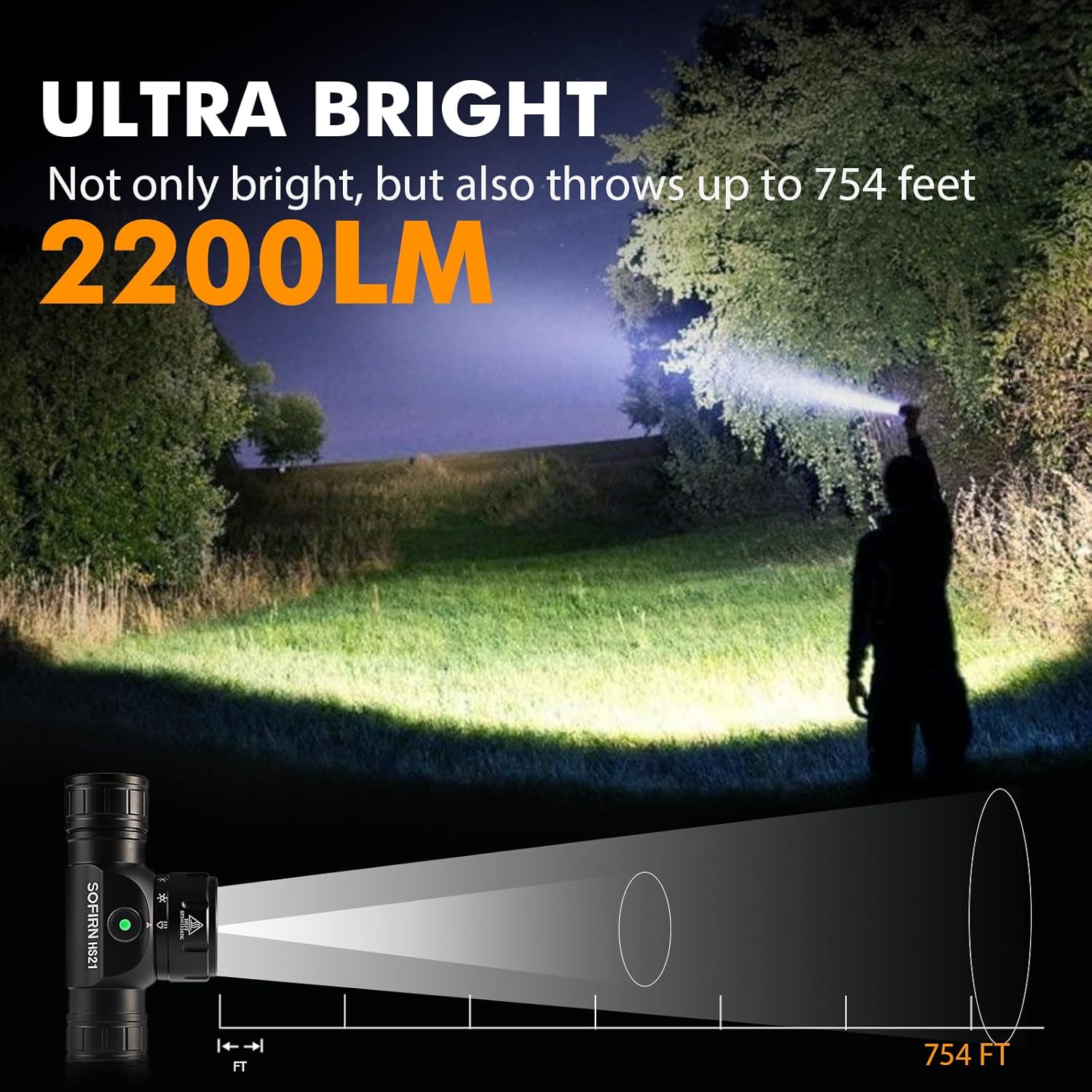
Image 9: The Sofirn HS21 headlamp demonstrating its ultra-bright output and beam distance of up to 754 feet.
9.2 Sofirn D25S Headlamp
| Tính năng | Chi tiết |
|---|---|
| Nguồn sáng | Đèn LED SST40 |
| Đầu ra tối đa | 1200 Lumen |
| Chế độ | Low, Medium 1, Medium 2, High, Turbo |
| Sạc | Hidden USB-C Rechargeable |
| Tính năng đặc biệt | Chế độ bộ nhớ |
10. Bảo hành và Hỗ trợ
Sofirn products are covered by a limited warranty. For specific warranty details, please refer to the warranty card included with your product or visit the official Sofirn website. For technical support, troubleshooting assistance, or warranty claims, please contact Sofirn customer service through the retailer where you purchased the product or via the contact information provided on the official Sofirn webđịa điểm.