
1. Giới thiệu
This manual provides detailed instructions for the installation, operation, and maintenance of your ANKEWAY XBH-8801 car radio. Please read this manual thoroughly before use to ensure proper functionality and safety.
1.1 Sản phẩm trênview
The ANKEWAY XBH-8801 is an advanced car radio system designed for specific Opel models. It integrates modern features such as wireless Apple CarPlay, Android Auto, Bluetooth 5.0, FM/RDS radio, and supports a rearview camera. The system runs on an Android operating system, allowing for internet connectivity via Wi-Fi and installation of various applications.

Image 1.1: ANKEWAY XBH-8801 Car Radio and included accessories.
1.2 Khả năng tương thích với xe
This car radio is specifically designed for the following Opel models and years:
- Astra (2004-2009)
- Antara (2006-2011)
- Vectra (2003-2008)
- Corsa (2006-2011)
- Zafira (2005-2011)
- Meriva (2006-2011)
- Kết hợp (2004-2011)
- Dấu hiệu (2003-2011)
- Tigra Twin Top (2004-2011)
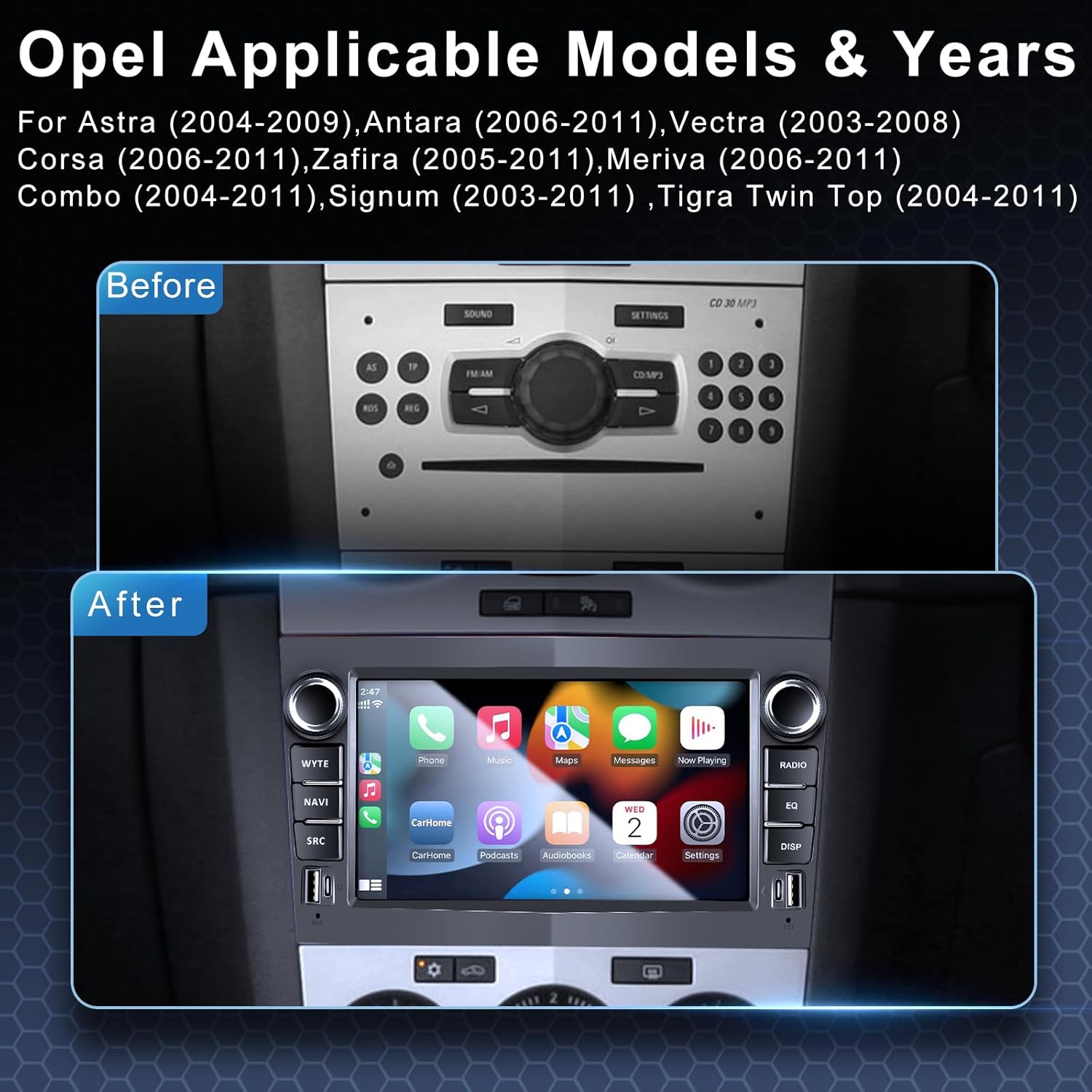
Image 1.2: Visual comparison of the original Opel dashboard and the ANKEWAY XBH-8801 installed.
2. Nội dung gói hàng
Kiểm tra xem tất cả các mặt hàng được liệt kê dưới đây có trong gói hàng của bạn không. Nếu có bất kỳ mặt hàng nào bị thiếu hoặc hư hỏng, vui lòng liên hệ với bộ phận hỗ trợ khách hàng.
- 1x ANKEWAY XBH-8801 Car Radio Unit
- 1x Phía sauview Máy ảnh
- 1x Microphone
- 1x CANBUS Decoder
- 2x Panel Removal Tools
- Cáp Camera 2x
- Cáp nguồn 2x
- 1x Bộ chuyển đổi ăng ten radio
- 1x AHD Camera
- 1x Ăng ten GPS
- 1x Cáp RCA
- 1x Cáp USB

Image 2.1: Product dimensions and a visual list of all included components.
3. Cài đặt
Professional installation is recommended. Ensure the vehicle's power is disconnected before beginning installation. The included CANBUS adapter ensures compatibility with original steering wheel controls.
3.1 Các bước cài đặt chung
- Carefully remove the original car radio using the provided panel removal tools.
- Connect the power cables, CANBUS decoder, and other necessary wiring harnesses to the vehicle's original connectors. The cables are pre-grouped for easier connection.
- Lắp đặt ăng-ten GPS ở vị trí có tầm nhìn thoáng đãng view của bầu trời.
- Kết nối phía sauview camera cable and install the camera at the rear of the vehicle.
- Mount the ANKEWAY XBH-8801 unit into the dashboard opening.
- Kết nối lại nguồn điện của xe và kiểm tra thiết bị.
3.2 Phía sauview Lắp đặt camera
Phần phía sau đi kèmview camera supports high-definition input and night vision. Connect the camera to the designated input on the car radio. The system will automatically display the camera feed when the vehicle is in reverse gear.

Hình ảnh 3.1: Phía sauview camera connection and display functionality.
4. Thiết lập
4.1 Khởi động ban đầu và lựa chọn ngôn ngữ
Upon first power-on, the system may guide you through initial setup steps, including language selection. The system supports multiple languages, including Italian, Spanish, German, and French.
4.2 Kết nối Wi-Fi
To access internet-dependent features and install applications, connect the unit to a Wi-Fi network. This can be done by tethering to your mobile phone's hotspot or connecting to an available Wi-Fi network.
- Truy cập vào cài đặt hệ thống.
- Chọn 'Mạng & Internet' hoặc 'Wi-Fi'.
- Bật Wi-Fi và chọn mạng bạn muốn sử dụng.
- Nhập mật khẩu nếu được yêu cầu.
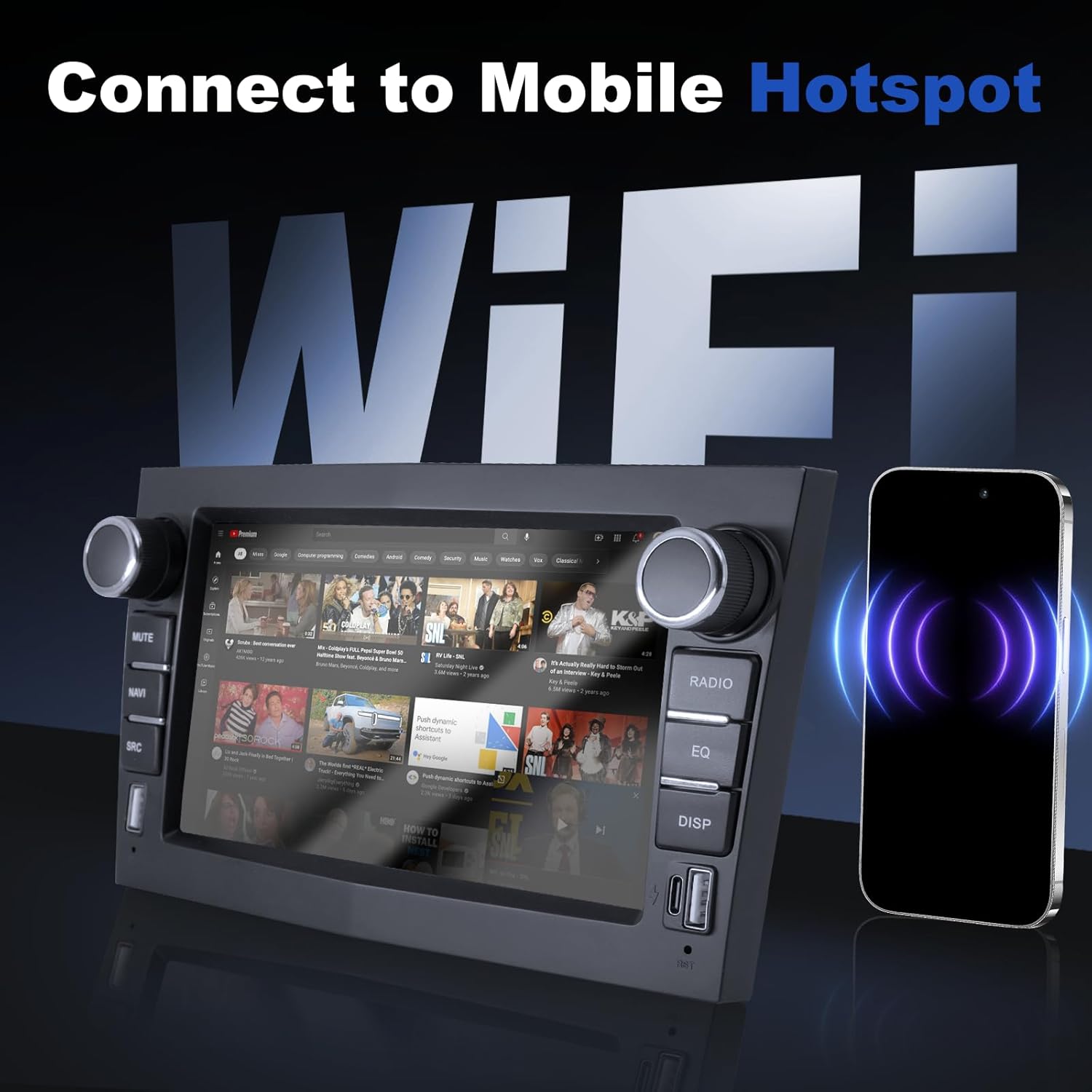
Image 4.1: Connecting the car radio to a mobile hotspot via Wi-Fi.
5. Hướng dẫn vận hành
5.1 CarPlay và Android Auto
The unit supports both wireless and wired Apple CarPlay and Android Auto. This allows seamless integration with your smartphone for navigation, music, calls, and other applications.
- Đảm bảo Bluetooth và Wi-Fi được bật trên điện thoại thông minh của bạn.
- On the car radio, select the CarPlay or Android Auto application.
- Follow the on-screen prompts to connect your device. For wired connection, use a USB cable.

Image 5.1: Apple CarPlay interface displayed on the car radio.
5.2 chức năng Bluetooth
Bluetooth 5.0 enables hands-free calling and audio streaming.
- Vào phần cài đặt Bluetooth trên đài phát thanh ô tô.
- Bật Bluetooth trên điện thoại thông minh của bạn và tìm kiếm các thiết bị có sẵn.
- Select the car radio from your phone's list and pair.
- Sau khi ghép nối, bạn có thể thực hiện/nhận cuộc gọi và phát trực tuyến âm thanh.
5.3 Đài FM/RDS
The radio supports FM with RDS (Radio Data System) for displaying station information.
- Chọn ứng dụng 'Radio' từ menu chính.
- Sử dụng các điều khiển trên màn hình hoặc các nút vật lý để quét tìm các trạm.
- Adjust audio settings using the built-in DSP and equalizer.

Image 5.2: FM/RDS Radio interface and Equalizer settings.
5.4 cổng USB
The unit features 2 USB-A ports and 1 USB-C port for charging devices and playing media from USB storage.
- Connect USB drives to play audio or video files.
- Use the ports to charge compatible electronic devices.
5.5 System Settings and UI
The Android system allows for customization, including split-screen functionality and various user interface themes.
- Access the 'Settings' menu to configure system preferences, display, sound, and network options.
- Utilize the split-screen feature to run two applications simultaneously.
- Explore different UI interfaces available in the system settings.

Hình ảnh 5.3: Ví dụamples of various Android user interfaces.
6. Thông số kỹ thuật
| Tính năng | Đặc điểm kỹ thuật |
|---|---|
| Người mẫu | XBH-8801 |
| Hệ điều hành | Android |
| Bộ nhớ (RAM + ROM) | RAM 2GB + ROM 32GB |
| Kết nối | Wi-Fi, Bluetooth 5.0, USB, USB-C |
| Tích hợp điện thoại thông minh | Wireless CarPlay, Android Auto, Mirror-Link |
| Tính năng âm thanh | FM/RDS Radio, DSP, Equalizer |
| Hỗ trợ máy ảnh | Ở phía sauview Camera (included), Front Camera (optional) |
| CANBUS Adapter | Included (for steering wheel controls) |
| Kích thước (Đơn vị) | Approximately 20.3 cm (width) x 12 cm (height) x 1 cm (depth) |
| Cân nặng | 1.1kg |
KHAI THÁC. Xử lý sự cố
7.1 Các vấn đề thường gặp và giải pháp
- Không có điện: Kiểm tra tất cả các kết nối nguồn và cầu chì. Đảm bảo công tắc đánh lửa của xe đã bật.
- Không có âm thanh: Verify speaker connections. Check volume levels and audio output settings. Ensure the correct audio source is selected.
- CarPlay/Android Auto không kết nối: Ensure Bluetooth and Wi-Fi are active on your phone and the car radio. Try restarting both devices. For wired connections, try a different USB cable.
- Điều khiển vô lăng không hoạt động: Confirm the CANBUS decoder is correctly installed and configured in the system settings.
- Thu sóng radio kém: Kiểm tra kết nối ăng-ten radio. Đảm bảo ăng-ten được lắp đặt đúng cách và không bị vật cản.
- Ở phía sauview Camera không hiển thị: Check the camera's power and video signal connections. Ensure the vehicle is in reverse gear.
8. Bảo trì
8.1 Vệ sinh
Use a soft, dry cloth to clean the screen and exterior of the unit. Avoid abrasive cleaners or solvents that may damage the surface.
8.2 Cập nhật phần mềm
The manufacturer regularly releases firmware updates to optimize system performance and add new features. To receive update packages, please contact customer support.
9. Bảo hành và Hỗ trợ
For warranty information, please refer to the documentation provided with your purchase or contact the seller directly. For technical assistance, troubleshooting, or software updates, please reach out to ANKEWAY customer support. They are available to assist with installation and operational queries.