
1. Sản phẩm hếtview
The Cloudray 30W Fiber Laser Engraver & Cutter is a portable, all-in-one laser marking machine designed for metal fabrication. It offers high precision and speed for engraving and etching various metal materials. This device is suitable for both small businesses and individual users.

Image 1.1: The Cloudray 30W Fiber Laser Engraver and Cutter.
Key features include a maximum marking speed of 10,000 mm/s, an engraving depth of up to 0.5 mm, and an accuracy of 0.01 mm. It is compatible with EZCAD2 and Lightburn software, supporting various image formats like BMP, GIF, JPG, JPEG, DXF, DST, and AI.
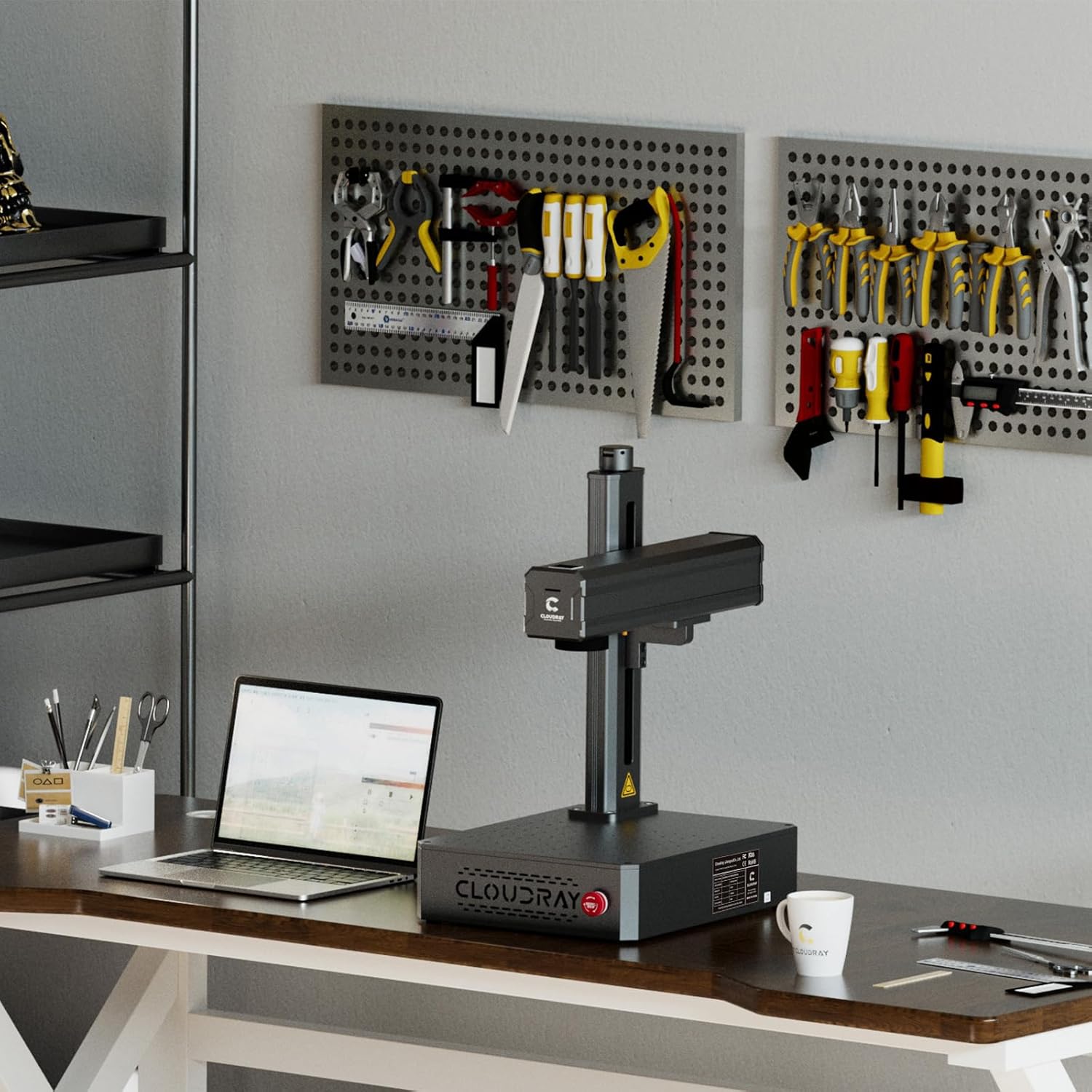
Image 1.2: Key specifications and software compatibility.
2. Thông tin an toàn
This laser engraver is classified as a Class 1 Laser device when used with the appropriate laser protective cover. Always ensure the protective cover is in place during operation to maintain Class 1 safety standards. Failure to do so may expose users to Class 4 laser radiation, which can cause severe eye and skin damage.
- Always wear certified laser safety goggles when operating the machine, especially if the protective cover is not used or is compromised.
- Ensure the work area is well-ventilated to dissipate any fumes or particles generated during engraving.
- Do not look directly into the laser beam or at reflections from shiny surfaces.
- Hãy giữ các vật liệu dễ cháy tránh xa đường đi của tia laser.
- Familiarize yourself with the emergency stop button location and function before operation.
3. Nội dung gói hàng
3.1 Phụ kiện tiêu chuẩn

Image 3.1: Standard accessories included with the engraver.
- Safety Goggles (1x)
- U Disk (1x, containing manuals and software)
- Foot Switch (1x)
- Craft Kit (1x set, with screws)
- Bộ nguồn (1x)
- Cáp USB (1x)
3.2 Optional Accessories (Purchased Separately)
- Protective Cover: Enhances safety by enclosing the laser working area.
- Rotation Axis: Allows for engraving on cylindrical objects.

Image 3.2: Optional Protective Cover.

Image 3.3: Optional Rotation Axis.
4. Hướng dẫn thiết lập
- Tháo hộp: Cẩn thận lấy tất cả các bộ phận ra khỏi bao bì. Kiểm tra xem có hư hỏng nào trong quá trình vận chuyển không.
- Vị trí: Place the laser engraver on a stable, level surface in a well-ventilated area. Ensure sufficient space around the machine for operation and heat dissipation.
- Kết nối nguồn điện: Connect the power supply to the machine and then to a suitable power outlet.
- Kết nối USB: Connect the laser engraver to your computer using the provided USB cable.
- Cài đặt phần mềm: Insert the U disk into your computer and install the EZCAD2 software. Alternatively, install Lightburn software if preferred. Follow the on-screen instructions for installation.
- Kiểm tra ban đầu: Perform a small test engraving on a scrap piece of material to ensure proper functionality and calibration.

Image 4.1: Engraver set up in a workspace.
5. Hướng dẫn vận hành
5.1 Sử dụng phần mềm
- Launch EZCAD2 or Lightburn software on your computer.
- Import your desired design. The software supports various image formats including BMP, GIF, JPG, JPEG, DXF, DST, and AI.
- Adjust laser parameters such as power, speed, and frequency according to the material being engraved. Refer to the software's documentation for detailed parameter settings.
- Position the material on the workbed. The default working area is 4.3"x4.3" (110x110mm). Larger working areas (5.9"x5.9" or 7.9"x7.9") are available with customizable field lenses.
- Sử dụng đèn đỏ trướcview function to verify the engraving area and position before starting the laser.
- Initiate the engraving process. Monitor the process closely.
5.2 Compatible Materials and Applications
The Cloudray 30W Fiber Laser Engraver is designed for marking and engraving a wide range of metals, including:
- Vàng
- Nhôm
- Bạc
- Steel (including Stainless Steel)
- Thau
- Titan
- Đồng
Common applications include creating custom metal business cards, personalized pens, nameplates, pet tags, and various items for print shops or decorative purposes.
Video 5.1: Demonstration of the Cloudray 30W Fiber Laser Engraver with Rotary Axis in action, showcasing its capabilities on various materials.
6. Bảo trì
Bảo trì thường xuyên đảm bảo hiệu suất tối ưu và tuổi thọ của máy khắc laser.
- Vệ sinh: Periodically clean the lens and mirrors with a soft, lint-free cloth and appropriate lens cleaning solution. Ensure the workbed is free of debris.
- Kết nối: Check all electrical and USB connections regularly to ensure they are secure.
- Cập nhật phần mềm: Keep your engraving software updated to the latest version for improved features and stability.
- Điều kiện môi trường: Operate the machine within the recommended temperature and humidity ranges to prevent damage.
KHAI THÁC. Xử lý sự cố
If you encounter issues with your Cloudray 30W Fiber Laser Engraver, refer to the following common troubleshooting steps:
- Không có đầu ra laser: Check power connections, emergency stop button, and software settings. Ensure the laser is enabled in the software.
- Chất lượng khắc kém: Verify laser parameters (power, speed, frequency) are appropriate for the material. Clean the lens and check focus.
- Software Not Connecting: Ensure the USB cable is securely connected and the correct drivers are installed. Restart both the machine and the computer.
- Máy không phản hồi: Press the emergency stop button, then release it. Restart the machine. If the issue persists, contact customer support.
8. Thông số kỹ thuật

Image 8.1: Product specifications table.
| Tính năng | Đặc điểm kỹ thuật |
|---|---|
| Mô hình sản phẩm | 30W |
| Max Marking Speed | 10,000 mm/giây |
| Độ chính xác đánh dấu | 0.01mm |
| Độ sâu đánh dấu | ≤ 0.5 mm |
| Working Area (Default) | 110x110 mm (4.3"x4.3") |
| Working Area (Customized) | 150x150 mm (5.9"x5.9"), 175x175 mm (6.9"x6.9") |
| Loại Laser | Chất xơ |
| Công suất định mức | 30W |
| Bước sóng | 1064nm |
| Tần số điều chế | 27-60 kHz |
| Độ rộng xung | 90±10 ns |
| Phân loại an toàn laser | Class 4 Laser system, possibility to switch to Class 1 with laser protective cover |
| Phần mềm điều hành | EZCAD2 (Included) / Lightburn |
| Hệ thống máy tính áp dụng | Windows 7, 8, 10, 11 |
| Định dạng hình ảnh áp dụng | BMP, GIF, JPG, JPEG, DXF, DST, AI, etc. |
| Đầu vào Voltage | AC 110V 50/60 Hz, AC 220V 50/60 Hz |
| Làm mát | Không khí |
| Nhiệt độ hoạt động | 0-40 °C (32-104 °F) |
| Độ ẩm hoạt động | 10% - 95% |
| Kích thước sản phẩm | 22 x 15.7 x 11.2 inch |
| Trọng lượng sản phẩm | 35 pound |
9. Bảo hành và Hỗ trợ
Cloudray provides comprehensive support for its products:
- Bảo hành: The Cloudray 30W Fiber Laser Engraver & Cutter comes with 2 years of comprehensive coverage.
- Hỗ trợ kỹ thuật: Lifetime technical support is available to assist with any operational or technical queries.
For further assistance, please refer to the contact information provided on the U disk or visit the official Cloudray webđịa điểm.