
Giới thiệu
Thank you for choosing the Phomemo M836 A4 Portable Thermal Printer. This device offers convenient, inkless printing for various document types, making it ideal for business, travel, and personal use. This manual will guide you through the setup, operation, and maintenance of your printer to ensure optimal performance.
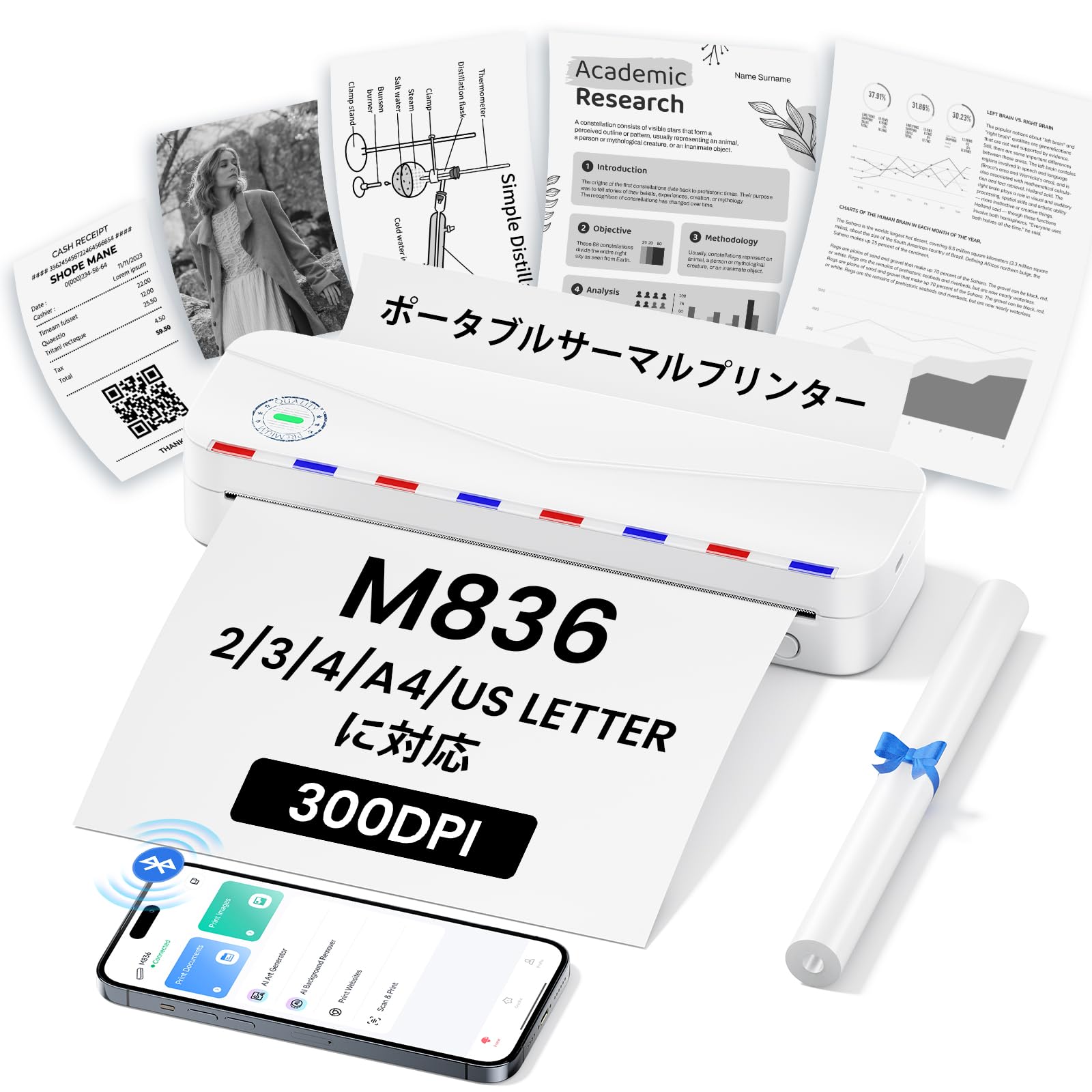
Image: The Phomemo M836 A4 Portable Thermal Printer, showcasing its compact design and portability.
Sản phẩm trênview
Các tính năng chính
- In nhiệt không cần mực: Utilizes advanced thermal printing technology, eliminating the need for ink cartridges or toner.
- Nhỏ gọn và di động: Weighing approximately 750g, it is designed for easy transport in a bag, perfect for on-the-go printing.
- Hỗ trợ nhiều kích cỡ giấy: Compatible with A4 (8.27 x 11.69 inches) and other thermal paper sizes including 53mm, 80mm, and 110mm. Supports standard thermal sheets, roll paper, and fanfold thermal paper.
- Độ phân giải cao: Delivers clear and vivid prints at 304dpi resolution.
- Khả năng tương thích rộng: Connects via Bluetooth to iPhones, Android phones, and iPads, and via USB cable to laptops and computers (Windows, macOS).
- Pin sử dụng lâu dài: Equipped with an upgraded 2600mAh battery, ensuring extended use throughout the day.
- In ấn đa năng: Capable of printing PDF, Word, image (JPG), web pages, TXT, office documents, receipts, contracts, resumes, invoices, drawings, and school notes.

Image: The Phomemo M836 printer highlighting its compact dimensions (264mm length, 78mm width, 45mm height) and light weight (715g).

Image: The printer demonstrating compatibility with single sheets, fanfold paper, and roll paper. Note: Only thermal paper is supported, not ordinary copy paper.
Hướng dẫn thiết lập
1. Nạp giấy in nhiệt
- Mở nắp giấy của máy in.
- Insert the thermal paper with the printable side facing up. Ensure the paper is aligned correctly.
- Close the paper cover. The printer will automatically adjust the paper.

Image: Illustration of how to load thermal paper into the printer, showing the adjustable snaps for different paper widths.
2. Kết nối thiết bị di động (Bluetooth)
- Download the "Phomemo" app from the Apple App Store or Google Play Store.
- Turn on your mobile phone's Bluetooth.
- Press and hold the power button on the M836 printer to turn it on.
- Open the "Phomemo" app and connect to the printer via Bluetooth within the app.

Image: Step-by-step guide for connecting the Phomemo M836 to a smartphone via the Phomemo app and Bluetooth.
3. Kết nối với máy tính (USB)
- Turn on the printer by pressing and holding the power button. Ensure thermal paper is loaded.
- Kết nối máy in với máy tính bằng cáp USB Type-C được cung cấp kèm theo.
- Download and install the printer driver from M836.phomemo.com.
- After driver installation, select "[M836] Printer" from your computer's print options to begin printing.

Image: Instructions for connecting the Phomemo M836 to a PC via USB, including driver download and print selection.
Hướng dẫn sử dụng
General Printing Steps
- Ensure the printer is powered on and connected to your device (mobile or PC) as described in the Setup section.
- Mở tài liệu hoặc hình ảnh bạn muốn in trên thiết bị của mình.
- Initiate the print function from your application (e.g., "Print" in the Phomemo app, or "File" > "Print" on PC).
- Select the "M836 Printer" from the list of available printers.
- Điều chỉnh các cài đặt in như kích thước giấy, hướng giấy và số lượng bản sao theo nhu cầu.
- Xác nhận và gửi lệnh in đến máy in.

Image: The Phomemo app interface, showing options to print various file types like Word, TXT, PDF, Excel, Web pages, and images, along with scanning functionality.
BẢO TRÌ
Vệ sinh đầu máy in
- Tắt máy in và ngắt kết nối khỏi bất kỳ nguồn điện nào.
- Mở nắp giấy.
- Nhẹ nhàng lau đầu in nhiệt bằng tăm bông.ampđược tẩm cồn isopropyl.
- Hãy để đầu in khô hoàn toàn trước khi đóng nắp và tiếp tục sử dụng.
- Do not touch the print head with bare hands to avoid damage or residue transfer.
Chăm sóc pin
- Charge the printer regularly, especially if it will not be used for an extended period, to maintain battery health.
- Use the provided Type-C USB cable for charging.
- Avoid exposing the printer to extreme temperatures, which can affect battery life.
Xử lý sự cố
| Vấn đề | Nguyên nhân có thể | Giải pháp |
|---|---|---|
| Máy in không bật. | Pin yếu hoặc có vấn đề về nguồn. | Charge the printer using the Type-C USB cable. Ensure the power adapter is working. |
| Không thể kết nối qua Bluetooth. | Bluetooth is off, incorrect pairing, or app issue. | Ensure Bluetooth is enabled on your device. Restart the printer and your device. Try pairing again through the Phomemo app. |
| Poor print quality (faint or blank). | Incorrect paper loading, non-thermal paper, or dirty print head. | Ensure thermal paper is loaded correctly with the printable side up. Verify you are using thermal paper. Clean the print head as described in the Maintenance section. |
| Máy tính không nhận diện được máy in. | Trình điều khiển chưa được cài đặt hoặc sự cố với cáp USB. | Cài đặt trình điều khiển chính xác từ M836.phomemo.com. Try a different USB port or cable. |
| Kẹt giấy. | Nạp giấy không đúng cách hoặc có vật lạ. | Turn off the printer. Carefully open the paper cover and remove any jammed paper or obstructions. Reload paper correctly. |
Thông số kỹ thuật
| Tính năng | Chi tiết |
|---|---|
| Thương hiệu | Phomemo |
| Tên mẫu | M836 |
| Công nghệ kết nối | Bluetooth, USB |
| Công nghệ in ấn | Nhiệt |
| Tính năng đặc biệt | Cầm tay |
| Màu sắc | Trắng |
| Đầu ra máy in | Đơn sắc |
| Tốc độ in tối đa (Đơn sắc) | 20 trang/phút |
| Kích thước sản phẩm (D x R x C) | 210mm x 47mm x 65mm |
| Kích thước tối đa của giấy (Media) | 8.5 x 11 inch (A4) |
| Loại phương tiện in | Giấy nhiệt |
| Các chức năng bổ sung của máy in | Chỉ in |
| Nghị quyết | 304dpi |
| Công suất tờ đầu vào tối đa | 10 tờ |
| Giao diện phần cứng | USB-C |
| In hai mặt | Không (Simplex) |
| Dung lượng pin | 2600mAh |
Bảo hành và Hỗ trợ
The Phomemo M836 A4 Portable Thermal Printer comes with a Bảo hành 1 năm của nhà sản xuất kể từ ngày mua. Bảo hành này bao gồm các lỗi về vật liệu và tay nghề trong quá trình sử dụng bình thường.
For technical support, warranty claims, or any questions regarding your product, please contact Phomemo customer service through their official website or the retailer where you purchased the product. Please have your model number (M836) and proof of purchase ready when contacting support.