
1. Giới thiệu và kết thúcview
The Sofirn SC13 is a powerful and compact mini flashlight designed for versatile use in various environments. It features a high Color Rendering Index (CRI) LED, providing natural and comfortable light, making it ideal for detailed observation. Its robust construction and convenient recharging make it a reliable tool for everyday carry, outdoor activities, and emergency situations.
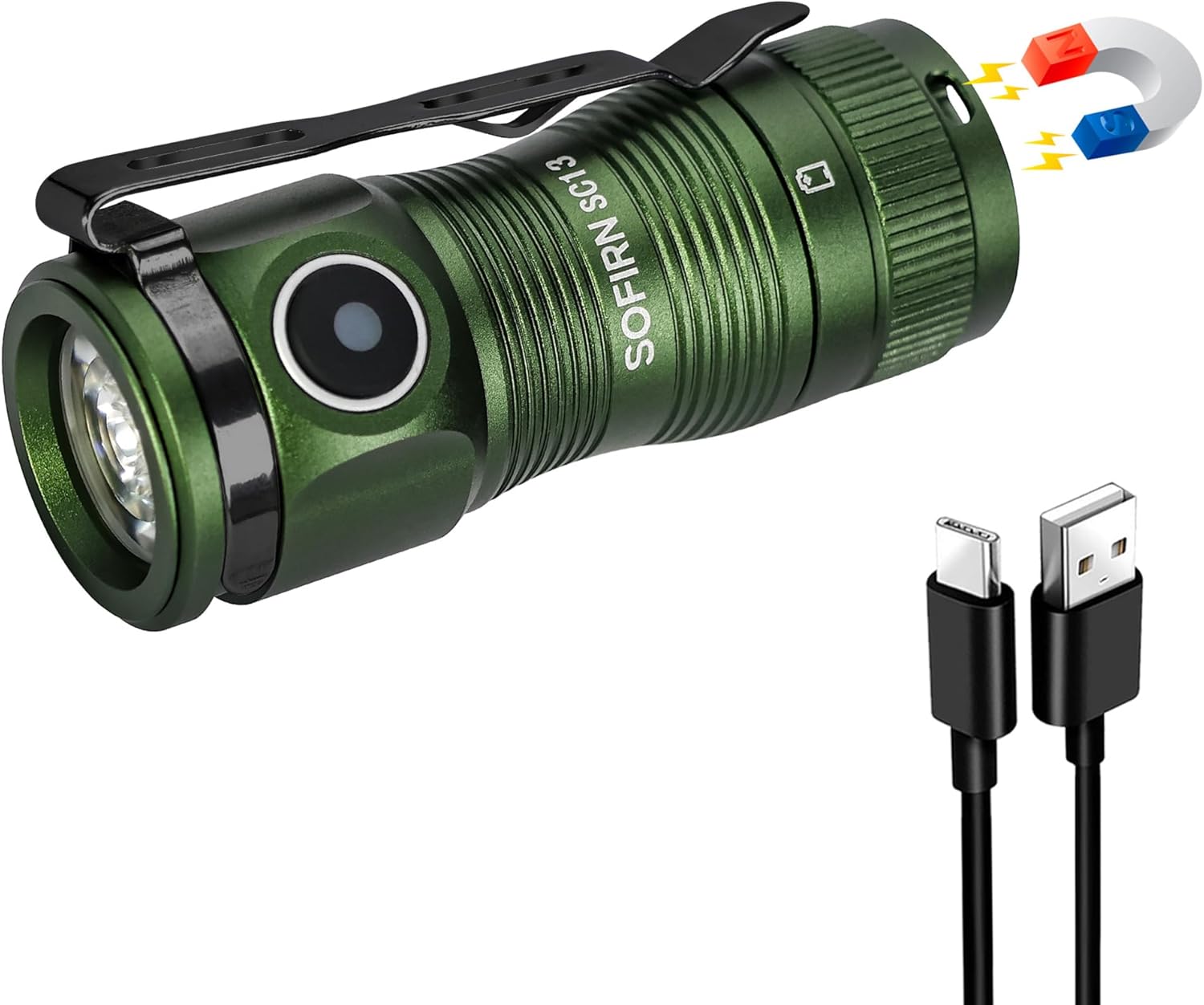
Figure 1: Sofirn SC13 HCRI LED Flashlight with included accessories.
2. Tính năng sản phẩm
- High CRI Mini Flashlight: Features a LED with a high CRI of 90 (Neutral White 5000K), delivering soft, comfortable light that reveals true colors, making object observation easier and clearer.
- Ultra-Bright and Compact: Packs 1100 lumens and a 150-meter beam into a 2.54-inch, 1.41-ounce design. Its lightweight build makes it perfect for pocket carry.
- USB Type-C có thể sạc lại: Keeps you powered up anywhere with easy USB Type-C recharging.
- Tính năng khóa: Prevents accidental activation, saving power during transport or storage.
- Độ bền chắc chắn: Made from AL6061-T6 aluminum alloy, it withstands 1-meter impacts and is IPX8 water-resistant.

Figure 2: High CRI (Color Rendering Index) provides more accurate and vibrant color representation compared to lower CRI lights.

Figure 3: The compact dimensions and versatile clip allow for easy everyday carry.

Figure 4: The magnetic tail cap allows for convenient hands-free use by attaching to metal surfaces.
3. Thiết lập
Before first use, it is essential to remove the battery isolator tab. Unscrew the tail cap, remove the orange tab located between the battery and the spring, and then reassemble the flashlight. This ensures proper electrical contact and allows the flashlight to function.

Video 1: Unboxing and initial setup of the Sofirn SC13 flashlight. This video demonstrates how to open the flashlight, remove the battery isolator tab, and reassemble it for first use.
The package includes the flashlight, a USB-C charging cable, a lanyard, and spare O-rings for maintenance.
4. Hướng dẫn vận hành
The Sofirn SC13 features a side e-switch for all operations. The indicator light on the switch displays the power status for 5 seconds after turning on:
- Bật liên tục xanh: 70% -100% pin
- Màu đỏ luôn sáng: 30% -70% pin
- Đèn nháy đỏ: 0-30% pin
Hoạt động chung:
- BẬT/TẮT: Single click the switch.
- Mode Cycling (Low, Medium, High): When the flashlight is ON, long press the switch to cycle through Low, Medium, and High modes. Release the switch to select the desired mode.
- Chế độ ánh trăng: When the flashlight is OFF, long press the switch to directly activate Moonlight mode.
- Chế độ Turbo: Double click the switch from any state (ON or OFF) to activate Turbo mode.
- Chế độ nhấp nháy: From Turbo mode, double click the switch again to activate Strobe mode. Single click to exit Strobe.
- Khóa/Mở khóa: From OFF, triple click the switch to lock or unlock the flashlight. The flashlight will flash twice to confirm it is locked. In lockout mode, any operations will cause nothing to happen but the light flashes twice to remind you. If you long press in lockout mode, it will activate momentary moonlight.
5. Lighting Modes and Performance (ANSI/NEMA FL1 Chart)
The following table details the output, beam distance, runtime, and peak intensity for each lighting mode. Performance parameters are based on tests using one 1100mAh 18350 battery. Results may vary with different batteries or under different environmental conditions.
| Chế độ | Ánh trăng | Thấp | Trung bình | Cao | Turbo | nhấp nháy |
|---|---|---|---|---|---|---|
| Đầu ra | 1lm | 10lm | 140lm | 420lm | 1100-420lm | 1100lm |
| Khoảng cách chùm tia | 4M | 14 triệu | 55 triệu | 95 triệu | 150 triệu | - |
| Thời gian chạy | 90H | 18H | 3H 40MIN | 1H 30MIN | 1H 5MIN | - |
| Cường độ cao nhất | 5CD | 47CD | 760CD | 2275CD | 5675CD | - |
Note: Turbo mode output steps down from 1100lm to 420lm after approximately 2 minutes to prevent overheating and maintain battery life.

Figure 5: The flashlight provides a powerful beam suitable for illuminating distant objects.
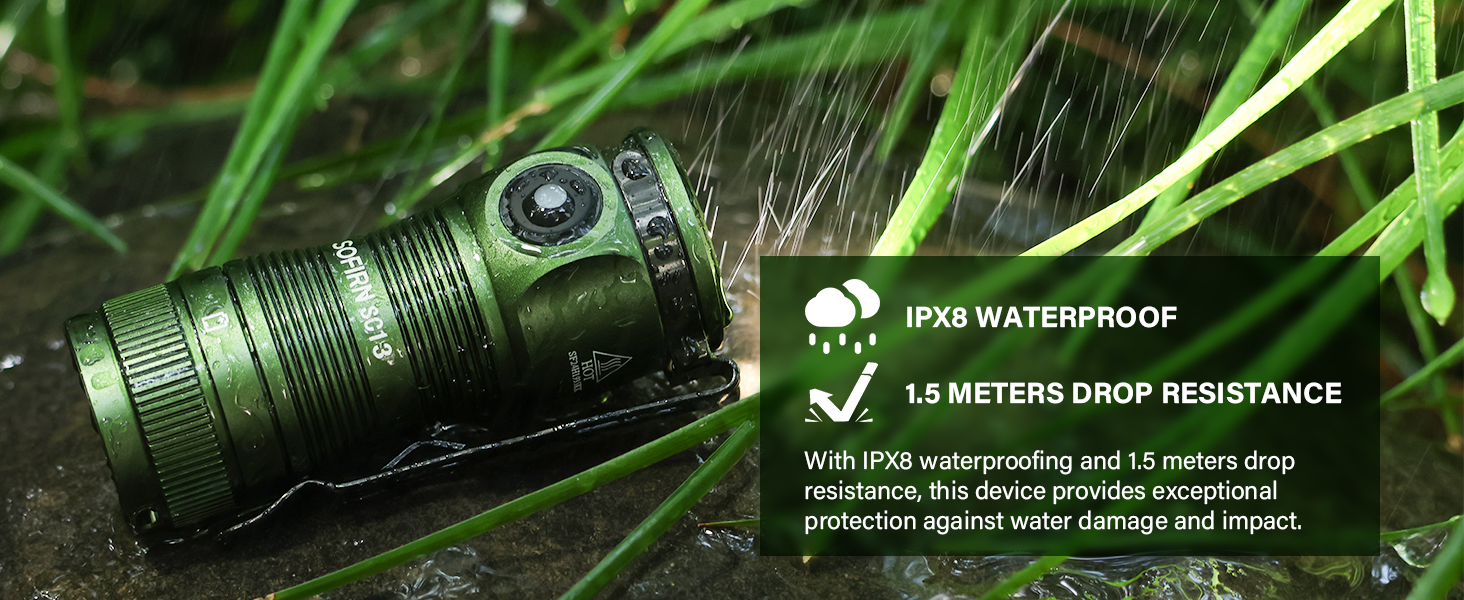
Figure 6: Various lighting modes offer flexibility for different illumination needs, from subtle moonlight to intense turbo and strobe.
6. Sạc
The Sofirn SC13 is equipped with a USB Type-C charging port for convenient recharging. To charge the flashlight, open the rubber cover on the side to reveal the USB-C port. Connect the included USB-C cable to the flashlight and a compatible USB power source.
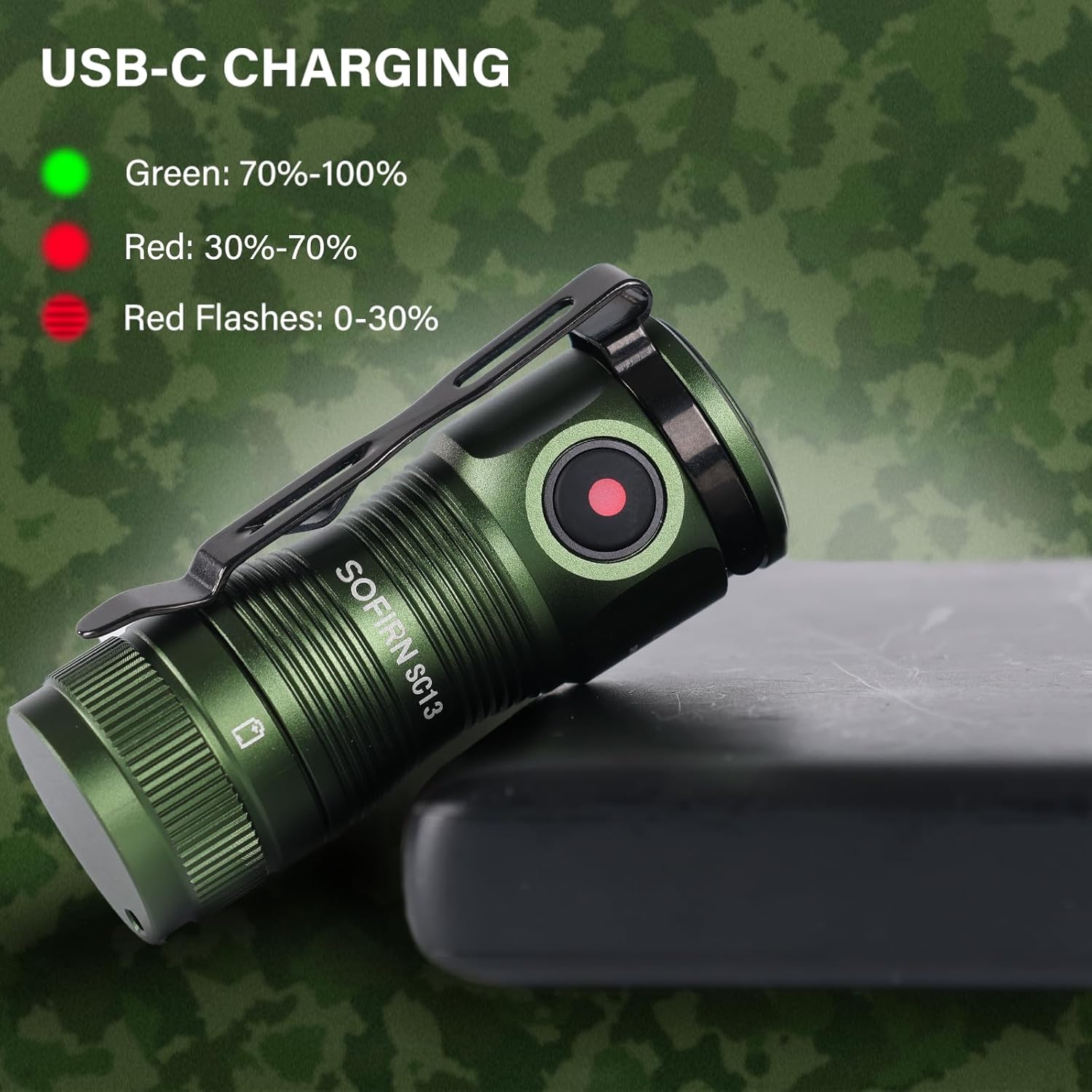
Figure 7: The charging indicator light provides clear feedback on the battery status during charging.
The indicator light on the switch will glow red while charging and turn green when fully charged.
7. Bảo trì
To ensure optimal performance and longevity of your Sofirn SC13 flashlight, follow these maintenance guidelines:
- Vệ sinh: Hãy lau đèn pin bằng một miếng vải mềm, sạch. Tránh sử dụng hóa chất mạnh hoặc vật liệu có tính mài mòn.
- Bôi trơn: Periodically lubricate the O-rings and threads with silicone grease to maintain water resistance and smooth operation. Spare O-rings are included in the package.
- Chăm sóc pin: Store the flashlight with a partially charged battery if not in use for extended periods. Avoid fully discharging the battery frequently.
- Khả năng chống nước: Ensure the USB-C port cover is securely closed to maintain IPX8 water resistance.
KHAI THÁC. Xử lý sự cố
If you encounter issues with your Sofirn SC13 flashlight, consider the following common troubleshooting steps:
- Đèn pin không bật:
- Check if the battery isolator tab has been removed.
- Ensure the battery is properly inserted with correct polarity.
- Xác minh rằng pin đã được sạc.
- Check if the flashlight is in lockout mode (triple click to unlock).
- Hoạt động không liên tục:
- Vệ sinh các điểm tiếp xúc và ren của pin.
- Hãy đảm bảo nắp đuôi được vặn chặt.
- Overheating in Turbo Mode: This is normal behavior. The flashlight is designed to step down output to prevent damage from excessive heat. Allow it to cool down before re-activating Turbo mode.
9. Thông số kỹ thuật
- Bộ phát: High-powered LED (519A)
- Tùy chọn pin: 1 x 18350 battery (included)
- Khối lượng làm việctage: 2.7V-4.2V
- Chế độ hoạt động: Công tắc điện bên hông
- Sạc: USB loại C
- Vật liệu: Hợp kim nhôm AL6061-T6
- Khả năng chống nước: IPX8 waterproof (not for diving)
- Kích cỡ: 28.5mm (head diameter) x 64.6mm (length)
- Cân nặng: 40g (không có pin)
- Tính năng đặc biệt: Magnetic tail cap, Reverse polarity protection
10. Bảo hành và Hỗ trợ
For any product inquiries, warranty claims, or support needs, please contact Sofirn customer service directly. Ensure you have your purchase details readily available.
- Công ty TNHH Sofirn:
- Điện thoại: +86-755-23440047
- E-mail: chúng tôi@sofirnlight.com
- Web: www.sofirn.cn