
1. Giới thiệu
Thank you for choosing the LEADZM Piano209 Digital Piano. This instrument combines the authentic feel of an acoustic piano with modern digital features, including a fully weighted 88-key hammer action keyboard, a high-quality DREAM sound source, and versatile connectivity options like MIDI and Bluetooth audio. This manual provides essential information for setup, operation, and maintenance to ensure optimal performance and longevity of your digital piano.
2. Có gì trong hộp
Vui lòng kiểm tra xem tất cả các mục được liệt kê dưới đây có trong gói hàng của bạn không:
- 1 x LEADZM Digital Piano
- 1 x Bộ đổi nguồn
- 1 x Triple Pedal Unit
- 1 x Tai nghe
- 1 x Headphone Adapter
- 1 x Cáp USB
- 1 x Android Cable
- 1 x Piano Towel
- 1 x Vỏ đàn piano
- 1 x Keyboard Sticker Set
- 1 x Đoạn nhạc
- 1 x Screwdriver and Screw Accessories
- 1 x Hướng dẫn sử dụng
If any items are missing or damaged, please contact LEADZM customer support.
3. Hướng dẫn thiết lập
3.1 Giải nén và đặt
- Cẩn thận loại bỏ tất cả các thành phần khỏi bao bì.
- Place the digital piano on a stable, flat surface. Ensure adequate space around the instrument for comfortable playing and connections.
- Avoid placing the piano in direct sunlight, near heat sources, or in areas with extreme temperature fluctuations or high humidity.
3.2 Lắp ráp chân đế (nếu có)
If your piano includes a stand, follow these general steps. Refer to the separate assembly diagram for detailed instructions and screw identification.
- Identify all stand components and hardware (screws, bolts, etc.).
- Assemble the side panels and crossbars using the provided screws. Ensure all connections are secure.
- Carefully place the main piano unit onto the assembled stand, aligning the mounting holes.
- Secure the piano to the stand using the appropriate screws. Do not overtighten.
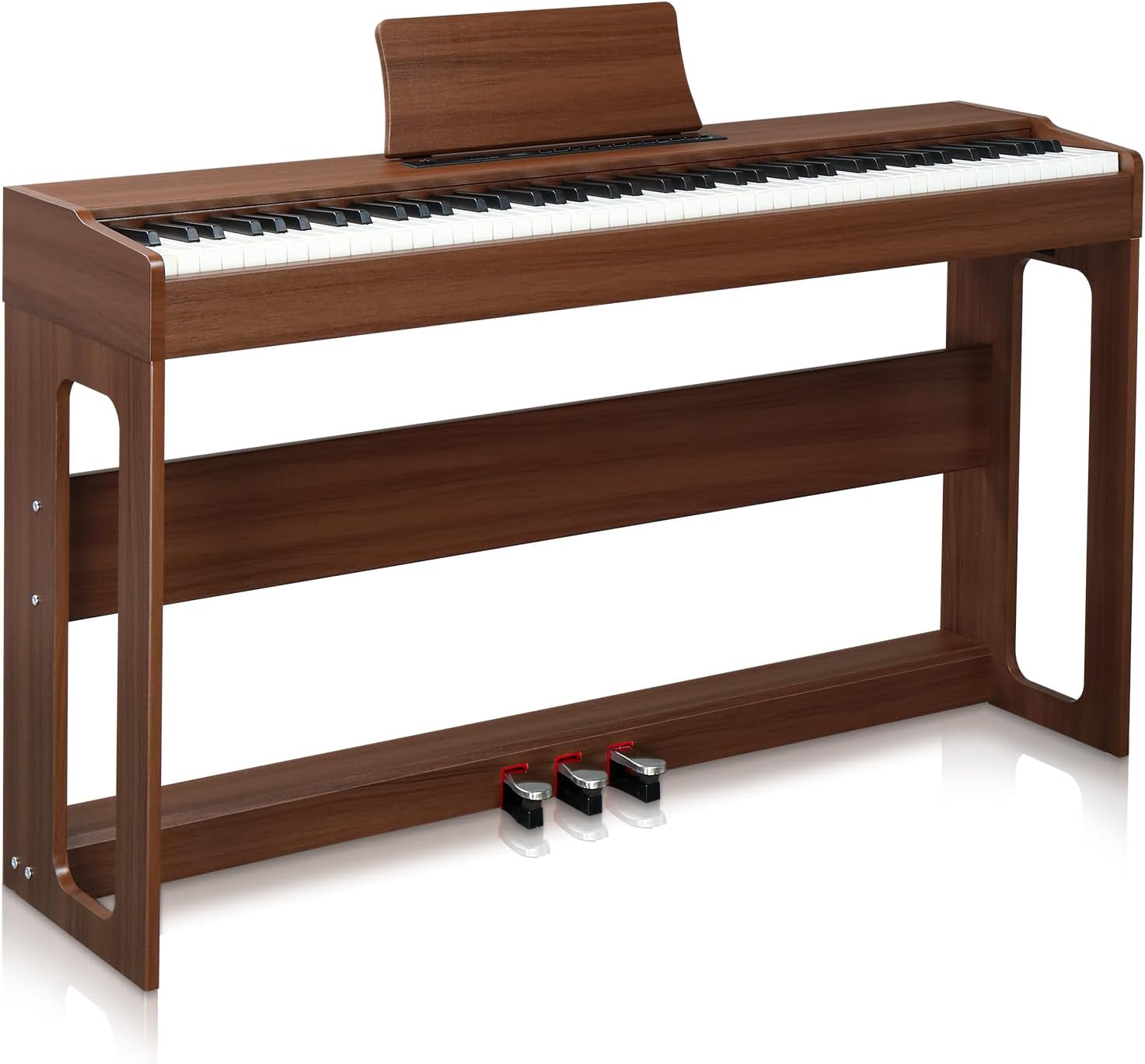
Image: The LEADZM Piano209 Digital Piano fully assembled, showcasing its elegant design and integrated stand.
3.3 Connecting the Triple Pedal Unit
- Locate the pedal input port on the underside or rear panel of the piano.
- Connect the cable from the triple pedal unit firmly into the designated port.

Hình ảnh: Cận cảnh view of the triple pedal system, showing the Soft, Sustain, and Sostenuto pedals.
3.4 kết nối nguồn
- Connect the power adapter to the DC IN jack on the piano.
- Cắm bộ đổi nguồn vào ổ cắm điện tiêu chuẩn.
4. Hướng dẫn vận hành
4.1 Bật/Tắt nguồn
- Để bật nguồn, hãy nhấn QUYỀN LỰC nút nằm trên bảng điều khiển.
- Để tắt nguồn, hãy bấm và giữ QUYỀN LỰC cho đến khi màn hình tắt.

Image: The simple control panel of the LEADZM Digital Piano, featuring power, volume, and function buttons.
4.2 Tính năng bàn phím
- 88 Fully Weighted Keys: The hammer action keyboard provides a realistic piano feel, with heavier touch in the lower register and lighter touch in the higher register.
- Điều khiển cảm ứng: Adjust the keyboard's sensitivity to your playing style. This allows for dynamic expression, from soft to powerful tones.
- Chức năng tách: Divide the keyboard into two sections, allowing two different voices to be played simultaneously.
- Chuyển vị: Shift the pitch of the entire keyboard up or down in semitone steps without changing your fingerings.
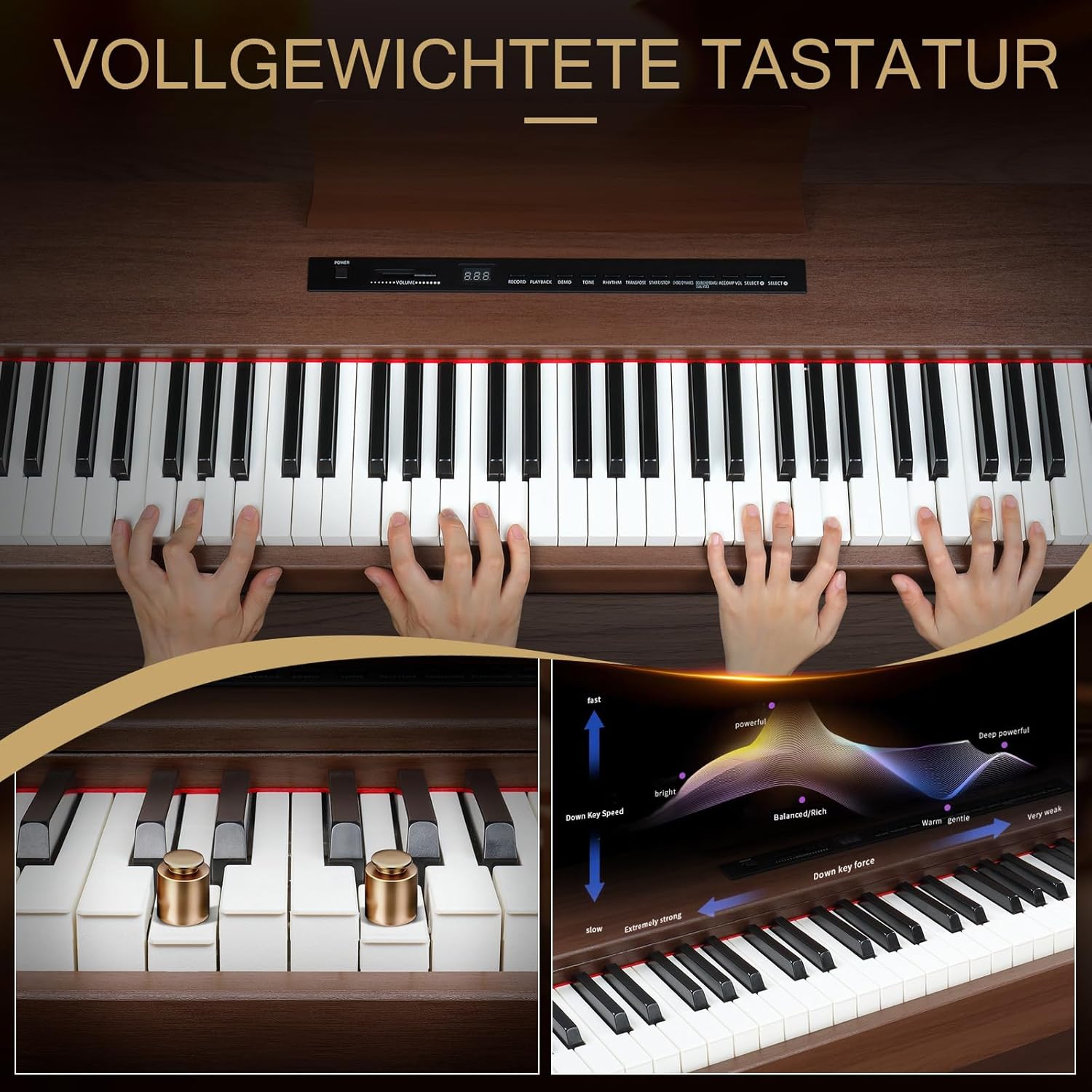
Image: Illustration of the fully weighted keyboard and its touch response, showing how key force affects sound dynamics.
4.3 Lựa chọn âm thanh và nhịp điệu
The Piano209 features a high-quality DREAM sound source with a wide array of musical options:
- 128 Tones (Voices): Select from various instrument sounds, including grand pianos, electric pianos, organs, strings, and more. Use the GIỌNG ĐIỆU button to cycle through or select specific tones.
- 128 nhịp điệu: Choose from a selection of accompaniment rhythms to practice with. Use the NHỊP ĐIỆU nút để chọn.
- 20 bài hát demo: Enjoy pre-recorded demonstration songs. Press the THỬ NGHIỆM để bắt đầu phát lại.
- Máy đếm nhịp: Kích hoạt máy đếm nhịp để luyện tập giữ nhịp.
4.4 Pedal Functions
The triple pedal unit provides enhanced expressive control:
- Bàn đạp mềm (Bên trái): Reduces the volume and slightly alters the timbre of the notes played.
- Bàn đạp Sostenuto (Giữa): Sustains only the notes that are held down at the moment the pedal is pressed, allowing subsequent notes to be played without sustain.
- Sustain Pedal (Right): Sustains all notes played while the pedal is depressed, allowing them to ring out longer.
4.5 Tính năng kết nối
- MIDI via USB: Connect the piano to a computer or tablet using a USB cable for MIDI interaction. This allows you to use the piano as a MIDI controller for music software (e.g., GarageBand) or to record your performances.

Image: A laptop connected to the digital piano via a USB cable, demonstrating MIDI functionality for music production software.
- Âm thanh Bluetooth: The Bluetooth function automatically activates when the piano is powered on. You can connect your smartphone or tablet to the piano wirelessly to stream audio through the piano's speakers, allowing you to play along with your favorite songs or backing tracks.

Image: A smartphone displaying a music app, wirelessly connected to the digital piano via Bluetooth for audio streaming.
- Giắc cắm tai nghe: Connect headphones to the 1/8" (3.5mm) headphone jack for private practice. Connecting headphones automatically mutes the internal speakers.

Image: Headphones plugged into the digital piano, illustrating the private practice feature.
- Ghi/Phát Lại: The piano includes a built-in sequencer for recording and playing back your performances. Refer to the control panel for specific record and playback buttons.
- AUX In/Out & Line In/Out: These ports allow connection to external audio devices, amplifiers, or recording equipment.
5. Bảo trì
Proper care will extend the life and performance of your digital piano:
- Vệ sinh: Use a soft, dry cloth (like the included piano towel) to wipe the surface of the piano. For stubborn dirt, slightly dampen the cloth with water. Avoid abrasive cleaners, solvents, or waxes, as they can damage the finish.
- Hướng dẫn bảo quản bàn phím: Keep the keys clean. If necessary, wipe them gently with a slightly damp Vải. Không sử dụng quá nhiều nước.
- Kho: When not in use, cover the piano with the provided piano cover to protect it from dust and spills.
- Môi trường: Maintain a stable room temperature and humidity. Extreme changes can affect the instrument's components.
- Vận tải: When moving the piano, ensure it is properly disassembled from its stand (if applicable) and securely packed to prevent damage.
KHAI THÁC. Xử lý sự cố
Nếu gặp bất kỳ sự cố nào, vui lòng tham khảo các vấn đề và giải pháp thường gặp sau đây:
| Vấn đề | Nguyên nhân có thể | Giải pháp |
|---|---|---|
| Không có âm thanh |
|
|
| Keys not responding or inconsistent touch |
|
|
| Bàn đạp không hoạt động |
|
|
| Sự cố kết nối Bluetooth |
|
|
If the problem persists after trying these solutions, please contact LEADZM customer support for further assistance.
7. Thông số kỹ thuật
| Tính năng | Chi tiết |
|---|---|
| Tên mẫu | Đàn piano209 |
| Số lượng chìa khóa | 88 (A1-C9) |
| Hành động chính | Fully Weighted Hammer Action |
| Nguồn âm thanh | High-Quality DREAM Sound Source |
| Polyphony (Max) | 64 Âm |
| Tones (Voices) | 128 |
| Nhịp điệu | 128 |
| Bài hát demo | 20 |
| Hệ thống bàn đạp | 3-Pedal Unit (Soft, Sostenuto, Sustain) |
| Người nói | Loa âm thanh nổi 2 x 10W |
| Kết nối | MIDI via USB, Bluetooth Audio, 1/8" Headphone Jack, 3 Pedal Inputs, AUX In, Line In, Line Out |
| Chức năng | Metronome, Touch Control, Transpose, Split, Recording/Playback |
| Kích thước (D x R x C) | 126 cm x 32 cm x 60.8 cm (49.4 x 12.79 x 27.95 inch) |
| Cân nặng | 26.5 kg (58.4 pound) |
| Vật liệu | Walnut Wood (color: Black Walnut) |
| Nguồn điện | Bộ đổi nguồn AC |
8. Bảo hành và Hỗ trợ
LEADZM is committed to providing high-quality products. For warranty information, please refer to the documentation included with your purchase or contact your retailer. For technical support, troubleshooting assistance, or inquiries about replacement parts, please visit the official LEADZM brand store or contact customer service through your point of purchase.
Bạn có thể tìm thêm thông tin và hỗ trợ tại LEADZM Brand Store.