
1. Giới thiệu và kết thúcview
The EPOS IMPACT 460T is a Microsoft Teams Certified stereo USB headset designed for hybrid workers. Featuring dual-mic noise filtering, it ensures premium voice pickup in open office environments. Enjoy rich, clear sound through professional-grade speakers and stay comfortable all day with soft dual ear pads and a padded headband. The headset includes a dedicated Teams button, lift-to-mute functionality, and an LED mic mute indicator. It is compatible with EPOS Connect & Manager software for easy management and updates.
2. Có gì trong hộp
- EPOS Impact 460T Headset
- Bộ chuyển đổi USB-C sang USB-A
- Protective Carry Pouch
- Hướng dẫn sử dụng (tài liệu này)
- Hướng dẫn an toàn
- Phiếu tuân thủ
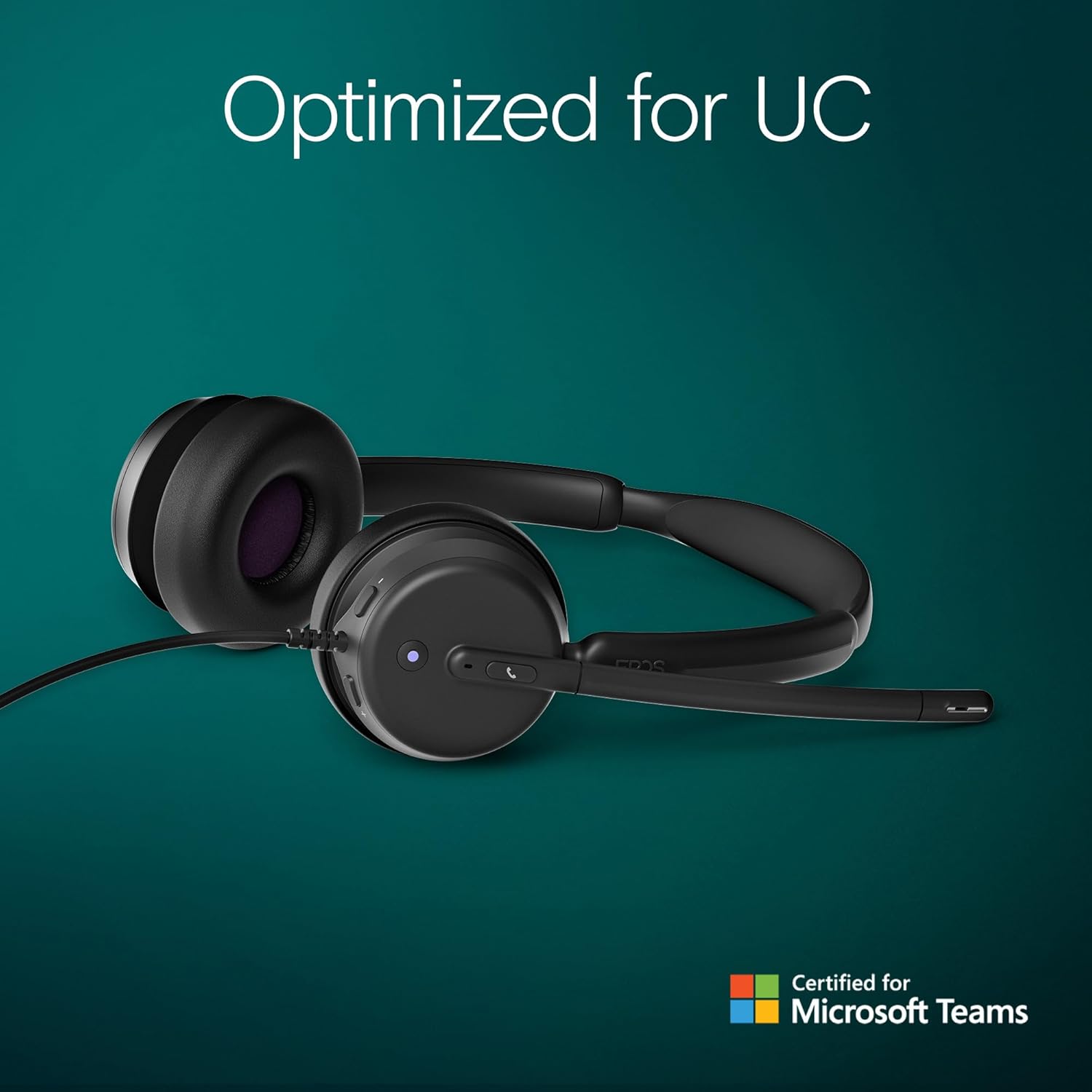
Figure 2.1: Included components with the EPOS Impact 460T headset.
3. Thiết lập
- Kết nối tai nghe: Plug the USB-C connector of the headset directly into a compatible USB-C port on your computer, laptop, tablet, or smartphone.
- Use USB-A Adapter (if needed): If your device only has USB-A ports, attach the provided USB-C to USB-A adapter to the headset's USB-C connector, then plug the adapter into your device's USB-A port.
- Cắm và chạy: The headset is designed for plug-and-play functionality. Your operating system should automatically detect and install the necessary drivers.
- Điều chỉnh vừa vặn: Adjust the headband and microphone boom for a comfortable and secure fit. The ear cups are on-ear design with soft padding.
Video 3.1: Một kết thúcview of the EPOS Impact 460T Headset, demonstrating its features and connectivity options.
4. Hướng dẫn vận hành
4.1. Quản lý cuộc gọi
- Nút Đội ngũ chuyên trách: For Microsoft Teams users, a dedicated button allows for quick joining of calls and managing Teams functions.
- Trả lời / Kết thúc cuộc gọi: Use the inline control unit or the dedicated call button on the headset to answer or end calls.
- Kiểm soát âm lượng: Adjust the listening volume using the inline control unit.
- Tắt tiếng micrô:
- Lift-to-Mute: Simply lift the microphone boom arm upwards to mute your microphone.
- Đèn báo LED: An LED light on the microphone indicates its mute status, providing a visual cue.
4.2. Chất lượng âm thanh
The headset features dual-mic noise filtering technology to ensure clear voice pickup, minimizing background noise in open office environments. Professional-grade speakers deliver rich, clear sound for both calls and multimedia.

Figure 4.1: Close-up of the headset's earcup showing control buttons and microphone.
5. Tính năng
- Được chứng nhận bởi Microsoft Teams: Optimized for Microsoft Teams Open Office, ensuring seamless integration and enhanced call quality.
- Dual Noise-Canceling Mics: Advanced noise-filtering technology transmits your voice clearly, suppressing unwanted background noise.
- Thoải mái suốt cả ngày: Designed with dual noise-dampening ear pads, memory foam, and an ergonomic padded headband for extended wear.
- Hybrid-Ready Mobility: Fold-flat portability and durable materials make it suitable for both remote and in-office use. Includes a carry pouch for easy storage.
- ActiveGard Protection: Protects users from acoustic shock and sudden sound surges.
- Khả năng tương thích tối đa: Works with all major Unified Communications (UC) platforms, including Zoom.
- EPOS Software Support: Compatible with EPOS Connect & Manager for easy device management and firmware updates.
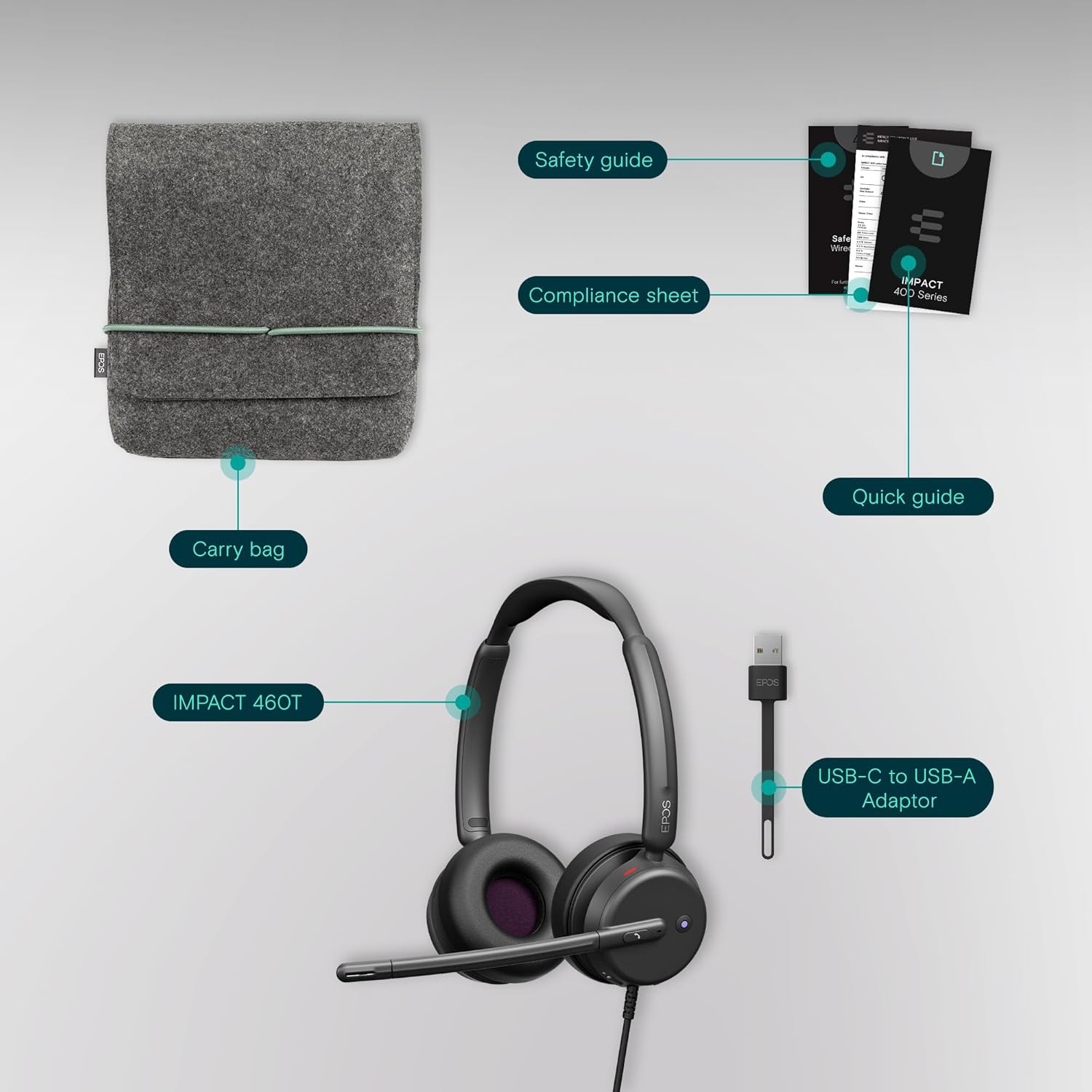
Figure 5.1: Advanced noise-filtering technology in action during a call.
6. Bảo trì
- Vệ sinh: Dùng vải mềm, khô để vệ sinh tai nghe. Tránh sử dụng hóa chất mạnh hoặc vật liệu mài mòn.
- Miếng đệm tai: Periodically check ear pads for wear and tear. Replacement ear pads may be available from EPOS support.
- Kho: When not in use, store the headset in the provided protective carry pouch to prevent damage and keep it clean.
- Chăm sóc cáp: Tránh uốn cong quá gấp hoặc kéo căng cáp quá mức để tránh hư hỏng bên trong.
KHAI THÁC. Xử lý sự cố
7.1. Không có âm thanh hoặc chất lượng âm thanh kém
- Kiểm tra kết nối: Ensure the USB-C (or USB-A with adapter) connector is fully inserted into your device.
- Mức âm lượng: Verify that the volume on the headset's inline control unit and your device's system volume are turned up.
- Thiết bị mặc định: Confirm that the EPOS Impact 460T is selected as the default audio input and output device in your operating system's sound settings and your communication application (e.g., Microsoft Teams, Zoom).
- Khởi động lại ứng dụng/thiết bị: Close and reopen your communication application, or restart your computer/device.
7.2. Micrô không hoạt động
- Kiểm tra trạng thái tắt tiếng: Ensure the microphone boom is lowered and the LED mute indicator is off (not red). Check the mute button on the inline control unit.
- Default Microphone: Verify that the EPOS Impact 460T is selected as the default microphone in your operating system's sound settings and your communication application.
- Quyền truy cập ứng dụng: Ensure your communication application has permission to access the microphone.
8. Thông số kỹ thuật
| Tính năng | Chi tiết |
|---|---|
| Tên mẫu | 460T |
| Công nghệ kết nối | Wired (USB-C, includes USB-A adapter) |
| Vị trí tai | Trên tai |
| Kiểm soát tiếng ồn | Dual Noise-Canceling Mics, Passive Noise Control |
| Micrô | Lift-to-mute boom arm, LED mute indicator |
| Loại điều khiển | Volume Control, Call Button (inline remote) |
| Thiết bị tương thích | Máy tính để bàn, máy tính xách tay, máy tính bảng, điện thoại thông minh |
| Sử dụng được đề xuất | Calls, Home Office, Business, Remote Work |
| Cân nặng | 13 ounce |
| Kích thước | 7.87 x 8.07 x 2.56 inch |
| Vật liệu | Plastic (with memory foam ear pads) |
9. Bảo hành và Hỗ trợ
The EPOS Impact 460T headset typically comes with a manufacturer's warranty. Please refer to the included warranty information in your product packaging for specific terms and duration. For technical support, driver updates, and device management, visit the official EPOS website or utilize the EPOS Connect & Manager software.
Additional protection plans may be available for purchase, offering extended coverage beyond the standard manufacturer's warranty. Check with your retailer for details.