
1. Sản phẩm hếtview
The ZTE U50 is a portable 5G WiFi hotspot designed to provide high-speed internet connectivity for multiple devices. It features an unlocked SIM slot, supporting 5G and 4G+ networks, and utilizes AX1800 WiFi 6 technology. This device is suitable for home, business, and travel use, allowing up to 32 devices to connect simultaneously.

Image: ZTE U50 5G WiFi Hotspot shown from various perspectives, highlighting its compact design and ports.
2. Các tính năng chính
- Kết nối 5G tốc độ cao: Equipped with Qualcomm Snapdragon X55, supporting all 5G networks for fast internet access. LTE downlink speed reaches 5G+ EN-DC 2.63 Gbit/s.
- Hỗ trợ đa dạng các thiết bị: Connects up to 32 WiFi-enabled devices, including laptops, tablets, phones, and gaming consoles.
- Tuổi thọ pin dài: Features a 4500 mAh battery, providing approximately 8 hours of stable 5G network service with high speed and low latency.
- Enhanced Signal & Security: Integrated 4x4 MIMO high-gain antennas improve speed by 15% compared to standard 5G hotspots. A security firewall with PP2P/L2TP protection ensures network safety.
- Thiết lập dễ dàng: No complex configuration required. Simply insert a 5G nano-SIM card. Manage the device using the ZTE Link app on iOS and Android.

Image: Visual summary of ZTE U50 features, including 5G speed, Qualcomm Snapdragon X55 processor, support for 32 devices, and secure network encryption.
3. Nội dung gói hàng
Đảm bảo tất cả các mục đều có trong gói hàng:
- ZTE U50 5G WiFi Hotspot Device
- Cáp sạc USB-C
- Hướng dẫn bắt đầu nhanh (sách hướng dẫn này)
- Thẻ bảo hành
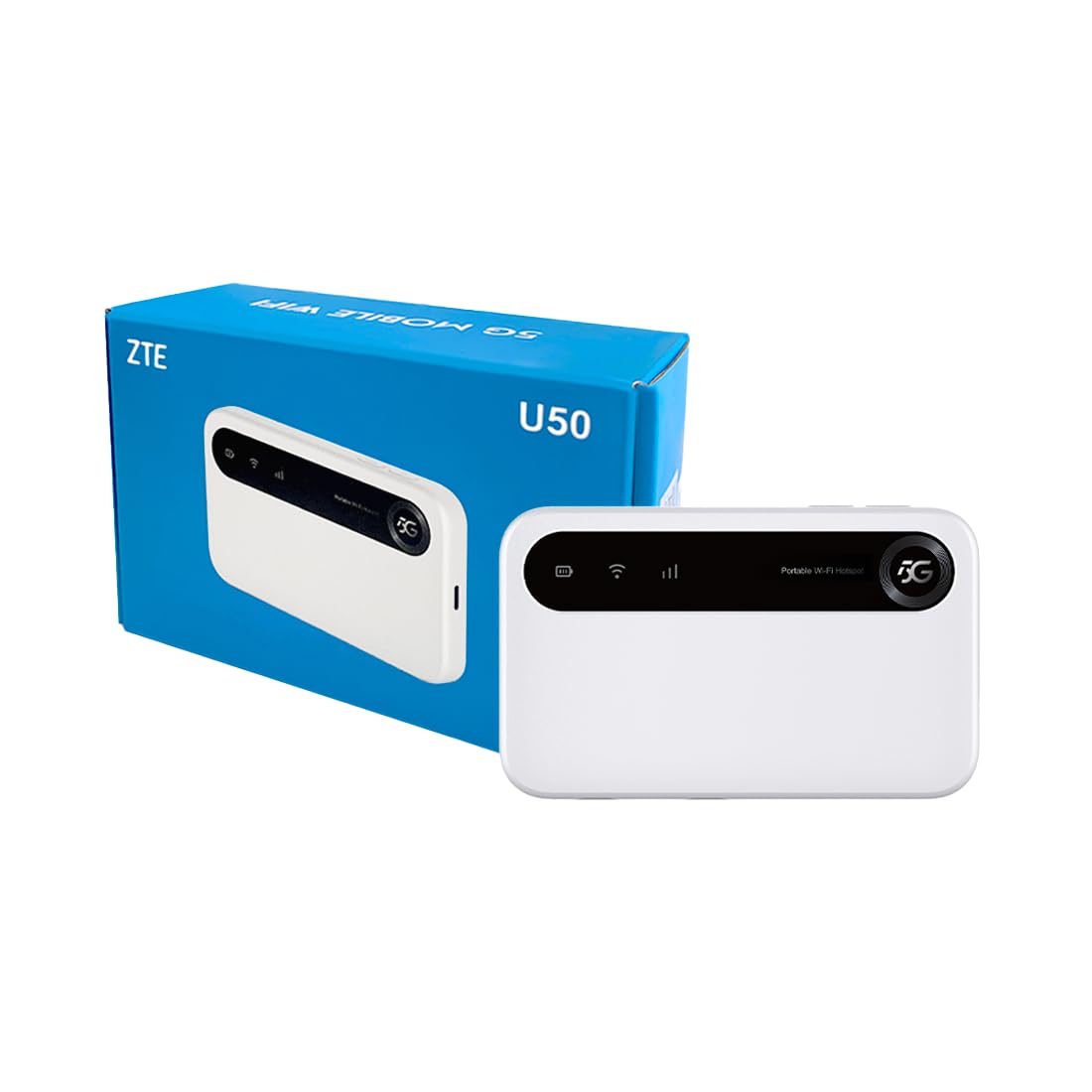
Image: The ZTE U50 device and its accompanying USB-C cable, representing the typical package contents.
4. Hướng dẫn cài đặt
4.1. Lắp thẻ SIM
- Locate the SIM card slot on the device. Refer to the device diagram in the Product Overview phần.
- Cẩn thận mở nắp khe cắm SIM.
- Insert a 5G nano-SIM card into the slot with the gold contacts facing down and the notched corner aligned correctly.
- Đóng chặt nắp khe cắm thẻ SIM.
4.2. Bật nguồn thiết bị
Press and hold the Power button for a few seconds until the screen illuminates. The device will begin to search for a network connection.
4.3. Kết nối thiết bị qua Wi-Fi
- Once the device is powered on and connected to a mobile network, the Wi-Fi network name (SSID) and password will be displayed on the device screen.
- On your Wi-Fi enabled device (laptop, smartphone, tablet), search for available Wi-Fi networks.
- Select the SSID corresponding to your ZTE U50 hotspot.
- Nhập mật khẩu Wi-Fi khi được nhắc.
- Your device should now be connected to the internet through the ZTE U50 hotspot.

Image: Illustration showing the ZTE U50 hotspot wirelessly connecting to various devices like laptops, phones, and gaming consoles.
5. Hướng dẫn vận hành
5.1. Device Management via ZTE Link App
The ZTE Link app (available on iOS and Android) allows you to manage your U50 hotspot settings, monitor data usage, change Wi-Fi passwords, and more. Download the app from your device's app store and follow the on-screen instructions to connect to your U50.
5.2. Checking Device Status
The device's screen displays important information such as signal strength, battery level, connected devices, and data usage. Periodically check the screen for updates on your hotspot's status.
5.3. Quản lý pin
The ZTE U50 is equipped with a 4500 mAh battery. To maximize battery life:
- Charge the device using the provided USB-C cable and a compatible power adapter.
- Reduce the number of connected devices if extended battery life is needed.
- Tắt nguồn thiết bị khi không sử dụng.
6. Bảo trì
6.1. Cập nhật phần mềm
Regularly check for and install software updates for your ZTE U50. Updates can improve performance, enhance security, and add new features. You can typically check for updates via the ZTE Link app or the device's web giao diện quản lý.
6.2. Vệ sinh thiết bị
Use a soft, dry cloth to clean the exterior of the device. Avoid using liquid cleaners or abrasive materials, as these can damage the device.
6.3. Lưu trữ
When storing the device for extended periods, ensure it is fully charged and then powered off. Store it in a cool, dry place away from direct sunlight and extreme temperatures.
KHAI THÁC. Xử lý sự cố
| Vấn đề | Nguyên nhân có thể | Giải pháp |
|---|---|---|
| Không có kết nối internet | No SIM card, incorrect SIM, no network signal, data plan expired. | Ensure SIM is correctly inserted and active. Check for network signal. Verify data plan status with your provider. Restart the device. |
| Tốc độ internet chậm | Tín hiệu yếu, quá nhiều thiết bị kết nối, tắc nghẽn mạng. | Move to an area with better signal. Disconnect unnecessary devices. Contact your service provider if congestion is suspected. |
| Không thể kết nối với Wi-Fi | Incorrect Wi-Fi password, device out of range, Wi-Fi disabled. | Verify Wi-Fi password. Move closer to the hotspot. Ensure Wi-Fi is enabled on both the hotspot and your connecting device. |
| Thiết bị không bật nguồn | Low battery, faulty power button. | Hãy sạc thiết bị trong ít nhất 30 phút. Nếu thiết bị vẫn không bật nguồn, hãy liên hệ với bộ phận hỗ trợ. |
8. Thông số kỹ thuật
| Tính năng | Chi tiết |
|---|---|
| Thương hiệu | ZTE |
| Tên mẫu | U50 |
| Công nghệ kết nối | 5G, WiFi 6 |
| Tiêu chuẩn giao tiếp không dây | 802.11ax |
| Lớp băng tần | Dual-band (2.4 GHz) |
| Tốc độ truyền dữ liệu | 150 Megabits per second (Upstream) |
| Băng thông cổng LAN | 1000Mbps |
| Số lượng Ăng-ten | 4 (Internal) |
| Tính năng đặc biệt | Chế độ điểm truy cập |
| Thiết bị tương thích | Laptop, Smartphone, Game Console, Tablet |
| Sử dụng được đề xuất | Gaming, Business, Home |
| Các thành phần bao gồm | Bộ định tuyến |
| Giao thức bảo mật | WPA2-PSK |
| Phương pháp kiểm soát | App (iOS & Android) |
| Màu sắc | Trắng |
| Trọng lượng sản phẩm | 163.7 gam |
| Dung lượng pin | 4500 mAh (Built-in rechargeable) |
9. Bảo hành và Hỗ trợ
9.1. Thông tin bảo hành
The ZTE U50 5G WiFi Hotspot comes with a Bảo hành 2 năm của nhà sản xuất. Please retain your proof of purchase for warranty claims. The warranty covers defects in materials and workmanship under normal use. It does not cover damage caused by misuse, accidents, unauthorized modifications, or external causes.
9.2. Hỗ trợ khách hàng
For technical assistance, troubleshooting, or warranty inquiries, please contact ZTE customer support through their official website or the contact information provided in your product packaging. You can also refer to the ZTE Link app for additional support resources.