
1. Giới thiệu
The Hoco UA28 USB Bluetooth Adapter is designed to provide Bluetooth connectivity to your computer or laptop. This compact device allows you to connect various Bluetooth-enabled peripherals such as headphones, speakers, keyboards, mice, and gamepads wirelessly. It supports Bluetooth v5.1 and is backward compatible with older Bluetooth versions.
Key features include Plug and Play technology for easy installation, support for multiple simultaneous device connections, and automatic reconnection to previously paired devices.
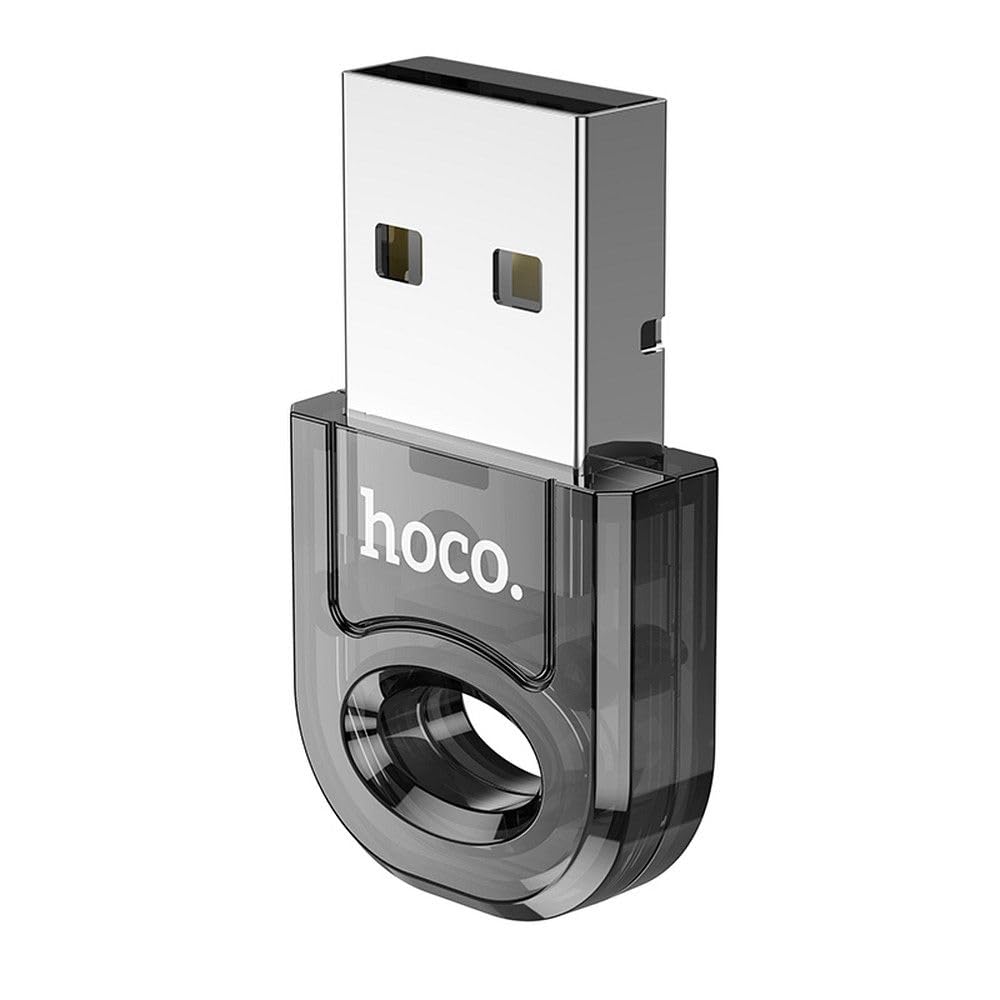
Image 1: The Hoco UA28 USB Bluetooth Adapter, a compact device for adding Bluetooth functionality to computers.
2. Thiết lập và Cài đặt
The Hoco UA28 USB Bluetooth Adapter is designed for straightforward installation using Plug and Play technology. Follow these steps to set up your adapter:
- Lắp Bộ chuyển đổi: Plug the Hoco UA28 USB Bluetooth Adapter into an available USB-A port on your desktop computer or laptop.
- Nhận dạng tự động: For most modern operating systems (Windows 8 and above, macOS, Linux), the system will automatically detect and install the necessary drivers. No manual driver installation is typically required.
- Windows 7 Driver Installation: If you are using Windows 7, driver installation may be necessary. Please refer to the troubleshooting section or the product packaging for driver download instructions. You can also visit the official Hoco webtrang web hỗ trợ.

Image 2: The Hoco UA28 USB Bluetooth Adapter plugged into a laptop's USB port, ready for use.
3. Hướng dẫn vận hành
Once the Hoco UA28 adapter is installed, you can begin connecting your Bluetooth devices:
- Bật Bluetooth: Ensure Bluetooth is enabled on your computer. This is usually found in your operating system's settings or control panel.
- Chế độ ghép nối: Put your Bluetooth device (e.g., headphones, speaker, mouse) into pairing mode. Refer to your device's manual for specific instructions on how to do this.
- Tìm kiếm Thiết bị: On your computer, search for new Bluetooth devices. The Hoco UA28 adapter will facilitate this search.
- Chọn và Kết nối: Select your device from the list of available Bluetooth devices and follow any on-screen prompts to complete the pairing process.
- Hỗ trợ nhiều thiết bị: The adapter can connect to multiple Bluetooth devices simultaneously.
- Tự động kết nối lại: The adapter remembers previously connected devices and will automatically attempt to reconnect to them when they are within range and Bluetooth is enabled.
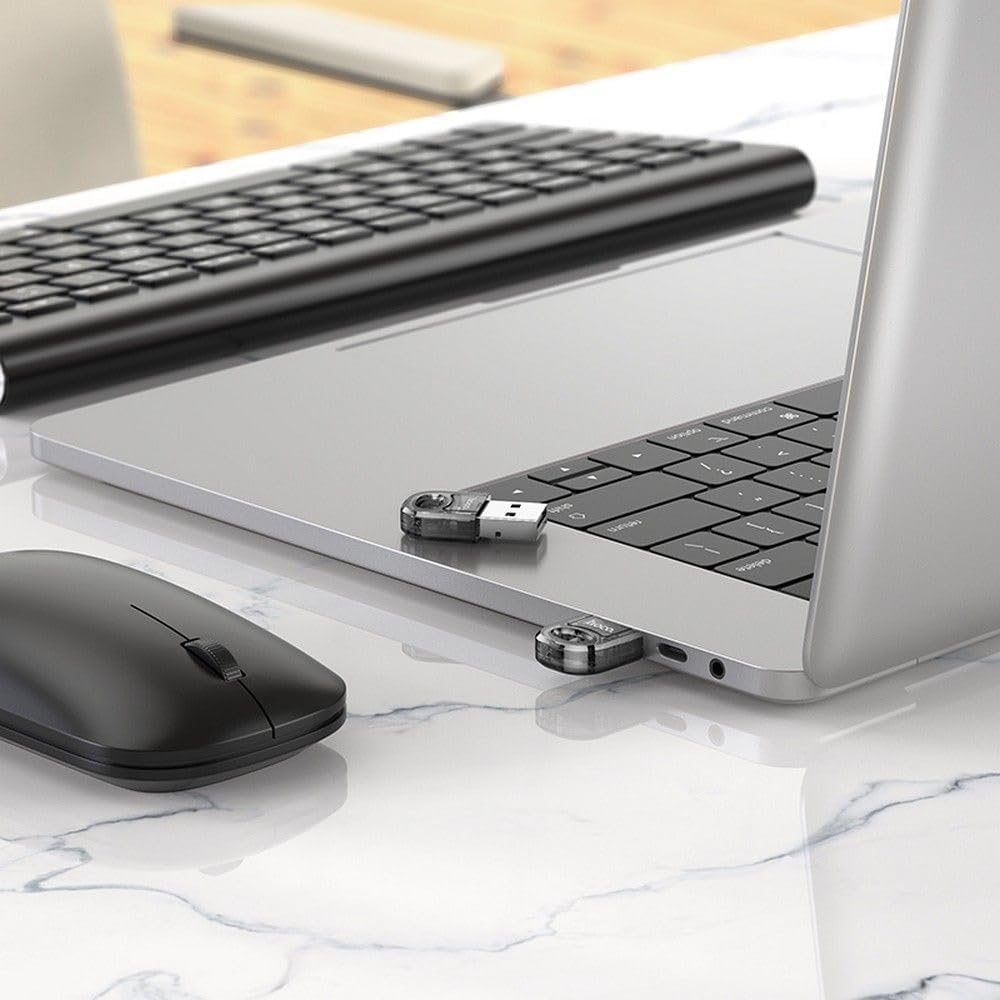
Image 3: The Hoco UA28 USB Bluetooth Adapter enabling wireless connectivity for a mouse and keyboard with a laptop.
4. Thông số kỹ thuật
Below are the technical specifications for the Hoco UA28 USB Bluetooth Adapter:
| Tính năng | Chi tiết |
|---|---|
| Thương hiệu | Hoco |
| Số hiệu mẫu | UA28 |
| Giao diện | USB-A |
| Phiên bản Bluetooth | v5.1 (backward compatible) |
| Phạm vi | 10-20 mét |
| Vật liệu | Vật liệu tổng hợp |
| Thiết bị tương thích | Máy tính để bàn, Máy tính xách tay |
| Tốc độ truyền dữ liệu | 3Mbps |
| Số lượng mặt hàng | 1 |
| Mã số sản phẩm | 6942007618335 |
| ASIN | B0CYYF2LBH |
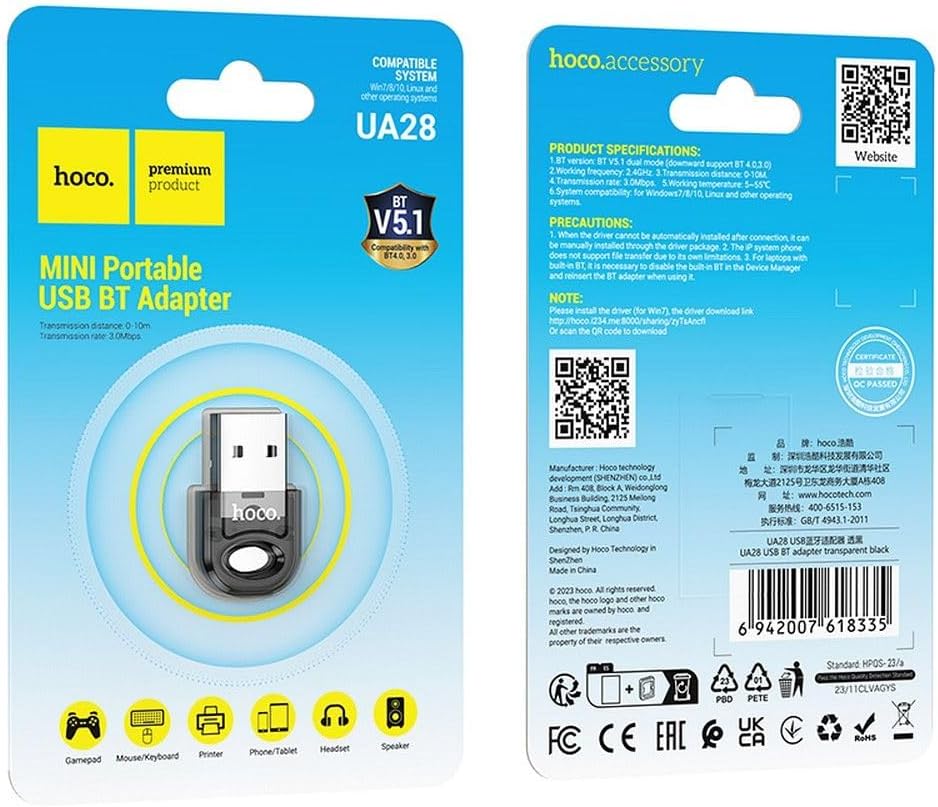
Image 4: Product packaging displaying detailed specifications and compatibility information for the Hoco UA28 adapter.
KHAI THÁC. Xử lý sự cố
If you encounter issues with your Hoco UA28 USB Bluetooth Adapter, consider the following troubleshooting steps:
- No Bluetooth Devices Found:
- Đảm bảo bộ chuyển đổi được cắm chắc chắn vào cổng USB.
- Verify that Bluetooth is enabled in your computer's settings.
- Make sure the device you are trying to connect is in pairing mode and within the 10-20 meter range.
- Driver Issues (Windows 7):
- For Windows 7, manual driver installation is required. You can download the driver from the official Hoco webtruy cập trang web hoặc sử dụng liên kết được cung cấp: http://hoco.i234.me:8000/sharing/zyTsAncfl. Alternatively, scan the QR code found on the product packaging.
- Interference with Built-in Bluetooth (Laptops):
- If your laptop has a built-in Bluetooth 4.0 module, it is recommended to disable the built-in Bluetooth in your computer's Device Manager before using the Hoco UA28 adapter. Reinsert the UA28 adapter after disabling the internal Bluetooth.
- File Hạn chế chuyển nhượng:
- Note that IP system phones may not support file transfer via Bluetooth due to their inherent limitations. This is not a defect of the Hoco UA28 adapter.
6. Bảo trì
To ensure the longevity and optimal performance of your Hoco UA28 USB Bluetooth Adapter, follow these simple maintenance guidelines:
- Giữ sạch sẽ: Thường xuyên lau sạch bộ chuyển đổi bằng vải mềm, khô để loại bỏ bụi bẩn. Tránh sử dụng chất tẩy rửa dạng lỏng.
- Bảo quản đúng cách: Khi không sử dụng, hãy bảo quản bộ chuyển đổi ở nơi khô ráo, thoáng mát, tránh ánh nắng trực tiếp và nhiệt độ khắc nghiệt.
- Xử lý cẩn thận: Avoid dropping the adapter or subjecting it to strong impacts, which could damage internal components.
- Tránh độ ẩm: Không để bộ chuyển đổi tiếp xúc với nước hoặc độ ẩm cao.
7. Bảo hành và Hỗ trợ
The Hoco UA28 USB Bluetooth Adapter comes with a Hoco Standard Warranty. For detailed information regarding warranty terms and conditions, please refer to the warranty card included with your product or visit the official Hoco webđịa điểm.
For further assistance, technical support, or to access additional resources, please visit the official Hoco webđịa điểm: