
1. Sản phẩm hếtview
The Creator C420 is a specialized OBD2 diagnostic scanner designed for BMW and Mini vehicles. It provides comprehensive system diagnostics and advanced service reset functions, in addition to standard OBD2 capabilities for all OBD2 compliant vehicles. This manual provides instructions for its proper setup, operation, and maintenance.
2. Nội dung gói hàng
Xác minh rằng tất cả các mục được liệt kê dưới đây đều có trong gói hàng của bạn:
- 1 x Creator C420 BMW Code Reader
- 1 x Hộp đựng
- Đọc 1 x Thẻ
- 1 x Cáp USB
- 1 x Hướng dẫn sử dụng (tài liệu này)
3. Thiết lập và kết nối
Follow these steps to connect the C420 scanner to your vehicle:
- Xác định vị trí cổng OBD-II: The OBD-II port is typically located under the dashboard on the driver's side of the vehicle. Refer to your vehicle's owner's manual if you cannot locate it.
- Kết nối máy quét: Plug the C420's OBD-II connector firmly into the vehicle's OBD-II port.
- Bật nguồn: The scanner will power on automatically once connected to the vehicle's OBD-II port, drawing power directly from the vehicle. Ensure the vehicle's ignition is in the 'ON' position (engine off or running, depending on the diagnostic task).
- Adapter for Older Models: For BMW and Mini vehicles manufactured between 1997-2004, a 20-pin adapter (not included) may be required to connect the C420 scanner.

Image: The Creator C420 scanner with its OBD-II connector, ready for connection to a vehicle.
4. Hướng dẫn vận hành
The C420 features a 2.4" TFT 240K true color LCD display and a silicone keypad for navigation. The menu layout is designed for ease of use.
4.1. Phạm vi bảo hiểm xe
The Creator C420 is compatible with most BMW and Mini models from 2001 and newer. Specific series covered include:
- Dòng 1: E81, E82, E87, E88, F20, F21
- Dòng 2: F22, F23, F45, F46, F87
- Dòng 3: E46, E90, E91, E92, E93, F30, F31, F34, F35, F80
- Dòng 4: F32, F33, F36, F82, F83
- Dòng 5: E39, E60, E61, F07(GT), F10, F11, F18
- Dòng 6: E63, E64, F06, F12, F13
- Dòng 7: E38, E65, E66, E68, F01, F02, F03, F04, G11, G12
- I Series: Tôi01, Tôi12
- Dòng X: X1: E84/F48/F49, X3: E83/F25, X4: F26, X5: E53/E70/F15/F85, X6: E71/E72/F16/F86
- Dòng Z: Z3: E36, Z4: E85/E86/E89
- NHỎ GỌN: R50, R52, R53, R55, R56, R57, R58, R59, R60, R61, F54, F55, F56, F57

Image: Detailed list of BMW and Mini series and chassis codes supported by the C420 scanner.
4.2. Chẩn đoán toàn hệ thống
The C420 supports diagnostic functions for all major vehicle systems, allowing you to read and clear trouble codes. Systems include, but are not limited to:
- Engine (ENG)
- Hệ thống chống bó cứng phanh (ABS)
- Supplemental Restraint System (SRS / Airbag)
- Cảm biến góc lái (SAS)
- Phanh đỗ xe điện tử (EPB)
- Hệ thống quản lý pin (BMS)
- Mô-đun điều khiển hộp số (TCM)
- Hệ thống giám sát áp suất lốp (TPMS)
- Immobilizer System (IMMO)
- Air Conditioning / HVAC
- Mô-đun điều khiển thân xe (BCM)
- Hệ thống nhiên liệu

Image: Visual representation of the full system diagnostic capabilities of the C420 scanner.
4.3. Advanced Reset Features
The C420 offers several advanced service reset functions specifically for BMW and Mini vehicles:
- CBS Reset: Condition Based Service reset.
- Đăng ký pin: Đăng ký pin mới vào hệ thống của xe.
- Đặt lại dầu: Tắt đèn báo thay dầu sau khi thay dầu.
- ABS Reset: Resets the Anti-lock Braking System.
- Đặt lại SRS: Resets the Supplemental Restraint System (Airbag).
- Đặt lại SAS: Khôi phục cài đặt gốc cho cảm biến góc lái.
- Đặt lại EPB: Resets the Electronic Parking Brake.
- Dịch vụ bảo dưỡng DPF: Diesel Particulate Filter service functions.
- Throttle Body Alignment: Performs throttle body adaptation.
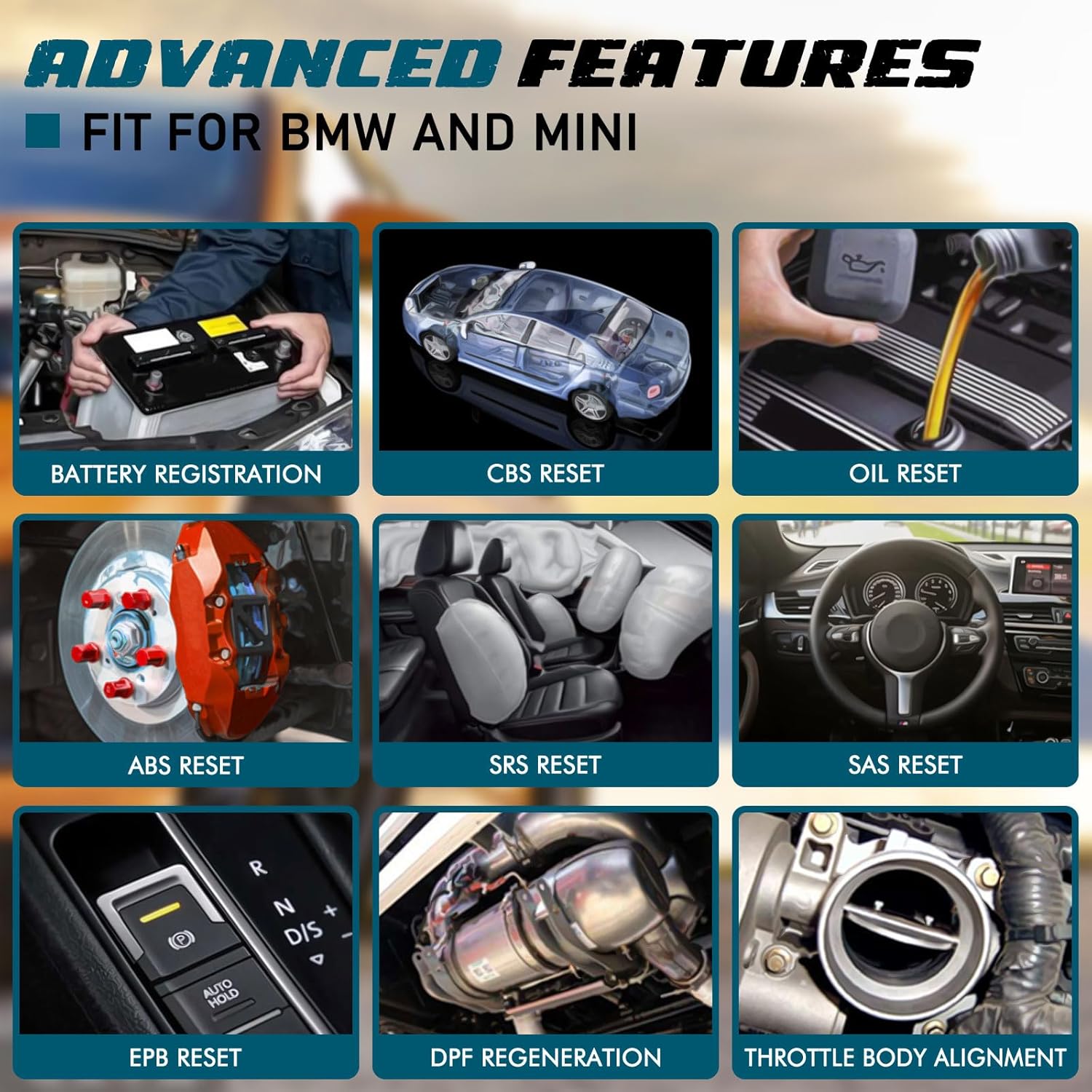
Hình ảnh: Examples of advanced features available on the C420, including battery registration, CBS reset, and oil reset.
Battery Registration Specifics:
The battery registration function does not support vehicles manufactured before 2004, nor does it support the following E chassis models: 3_Series E46, 5_Series E39, 7_Series E38, X3_E83, X5_E53, Z3_E36, Z4_E85/E86, MINI_R50/R51/R52/R53. For these specific models, direct battery replacement is sufficient as registration is not required. The battery registration function is intended for batteries of the same type and capacity as the original.

Image: Step-by-step screen prompts for performing battery registration using the C420 scanner.
4.4. Universal OBD2 Functions
In addition to BMW/Mini specific functions, the C420 also serves as a universal OBD2 code reader for all OBD2 compliant vehicles, supporting functions such as:
- Turn-Off Malfunction Indicator Light (MIL)
- Trạng thái sẵn sàng I/M
- Kiểm tra pin
- Luồng dữ liệu trực tiếp
- Thông tin xe (VIN, CID, CVN)
- Kiểm tra màn hình trên bo mạch
- Đóng băng dữ liệu khung
- Tra cứu DTC
- Kiểm tra cảm biến O2

Image: The C420 display showing various universal OBD2 functions and icons for supported languages.
5. Bảo trì
5.1. Cập nhật phần mềm
The Creator C420 supports lifetime free software upgrades. New parameters, functions, and the latest vehicle data are regularly updated. To update the software:
- Visit the official Creator website to download the update tool and latest software package.
- Connect the C420 scanner to your computer using the provided USB cable.
- Follow the instructions provided with the update tool to install the new software.
5.2. Chăm sóc thiết bị
- Giữ thiết bị sạch sẽ và khô ráo.
- Store the device in its rugged drop-proof carrying case when not in use to prevent damage.
- Tránh để thiết bị tiếp xúc với nhiệt độ quá cao hoặc ánh nắng trực tiếp trong thời gian dài.
KHAI THÁC. Xử lý sự cố
- Thiết bị không bật nguồn: Ensure the scanner is securely connected to the vehicle's OBD-II port and the vehicle's ignition is in the 'ON' position. Check the vehicle's fuse for the OBD-II port if the issue persists.
- Limited information displayed: If using on a non-BMW/Mini vehicle, the scanner will only provide universal OBD2 functions. For BMW/Mini, ensure the correct vehicle model is selected if prompted.
- Navigation difficulties: The menu system requires selection of vehicle model and series for specific functions. Use the 'OK' button to confirm selections and the 'ESC' button to go back.
- Các vấn đề cập nhật: Ensure a stable internet connection during software updates. If the update fails, try a different USB port or computer.
7. Thông số kỹ thuật
| Tính năng | Đặc điểm kỹ thuật |
|---|---|
| Thương hiệu | Người sáng tạo |
| Số hiệu mẫu | Creator C420 for BMW |
| Nguồn điện | Giao diện OBD-II |
| Hệ điều hành | SCM |
| Kích thước màn hình | 2.4 inch |
| Độ phân giải gốc | 240K |
| Số lượng mặt hàng | 1 |
8. Bảo hành và Hỗ trợ
8.1. Bảo hành
The Creator C420 comes with a 12-month manufacturer's warranty from the date of purchase. Please retain your proof of purchase for warranty claims.
8.2. Hỗ trợ kỹ thuật
Creator offers lifetime free software upgrades and dedicated technical support. For assistance with product operation, troubleshooting, or software updates, please refer to the contact information provided on the official Creator website or in the product packaging. Technical support is available to assist with any inquiries.