
WUYJTIF H96MAX M3
H96MAX M3 WiFi 6 TV Box User Manual
Model: H96MAX M3 | Brand: WUYJTIF
Giới thiệu
The H96MAX M3 WiFi 6 TV Box is a smart streaming device designed to transform your television into a powerful entertainment hub. Running on Android 13.0, it offers comprehensive streaming support, extensive app selection, and advanced features like 8K video decoding and Wi-Fi 6 connectivity for a superior viewing experience. Its compact design and intuitive controls make it ideal for home and office use.
Các tính năng chính bao gồm:
- Comprehensive Streaming Support: Access popular video streaming services such as Netflix, Hulu, Flixster, and YouTube.
- Extensive App Selection: Download applications from Android Market and Amazon Appstore.
- Phát lại phương tiện cục bộ: Play content from external storage devices like HDDs and USB drives.
- Social Connectivity: Stay connected with platforms like Skype, MSN, Facebook, Twitter, and QQ.
- Trải nghiệm người dùng được nâng cao: DLNA support for content sharing and compatibility with 2.4G wireless mice and keyboards.

Image: The H96MAX M3 TV Box (stick form factor) and its accompanying remote control, showcasing thiết kế đẹp mắt của họ.
Nội dung gói
Vui lòng kiểm tra xem tất cả các mục có trong gói hàng không:
- H96MAX M3 TV Box
- Điều khiển từ xa
- Bộ đổi nguồn (5V / 2A)
- HDMI Cable (if included, typically for connection)
- Hướng dẫn sử dụng (tài liệu này)

Image: The H96MAX M3 Android 13.0 TV Stick, its remote, and the product packaging, illustrating the complete set.
Hướng dẫn thiết lập
- Kết nối với TV: Insert the H96MAX M3 TV Box directly into an available HDMI port on your television.
- Kết nối nguồn: Connect the provided power adapter to the DC 5V/2A port on the TV Box, then plug the adapter into a wall outlet.
- Bật nguồn: Thiết bị sẽ tự động bật nguồn. Nếu không, hãy nhấn nút nguồn trên điều khiển từ xa.
- Chọn đầu vào: On your TV, select the correct HDMI input source corresponding to the port where the TV Box is connected.
- Thiết lập ban đầu: Follow the on-screen instructions to complete the initial setup, including language selection, Wi-Fi network connection, and Google account login.

Image: The H96MAX M3 TV Box connected to a television, displaying the Android 13.0 interface with various streaming applications.
Hướng dẫn sử dụng
Sử dụng điều khiển từ xa
The included remote control operates on a 2.4G frequency and features voice control capabilities. It has a built-in receiver, requiring no additional installation.
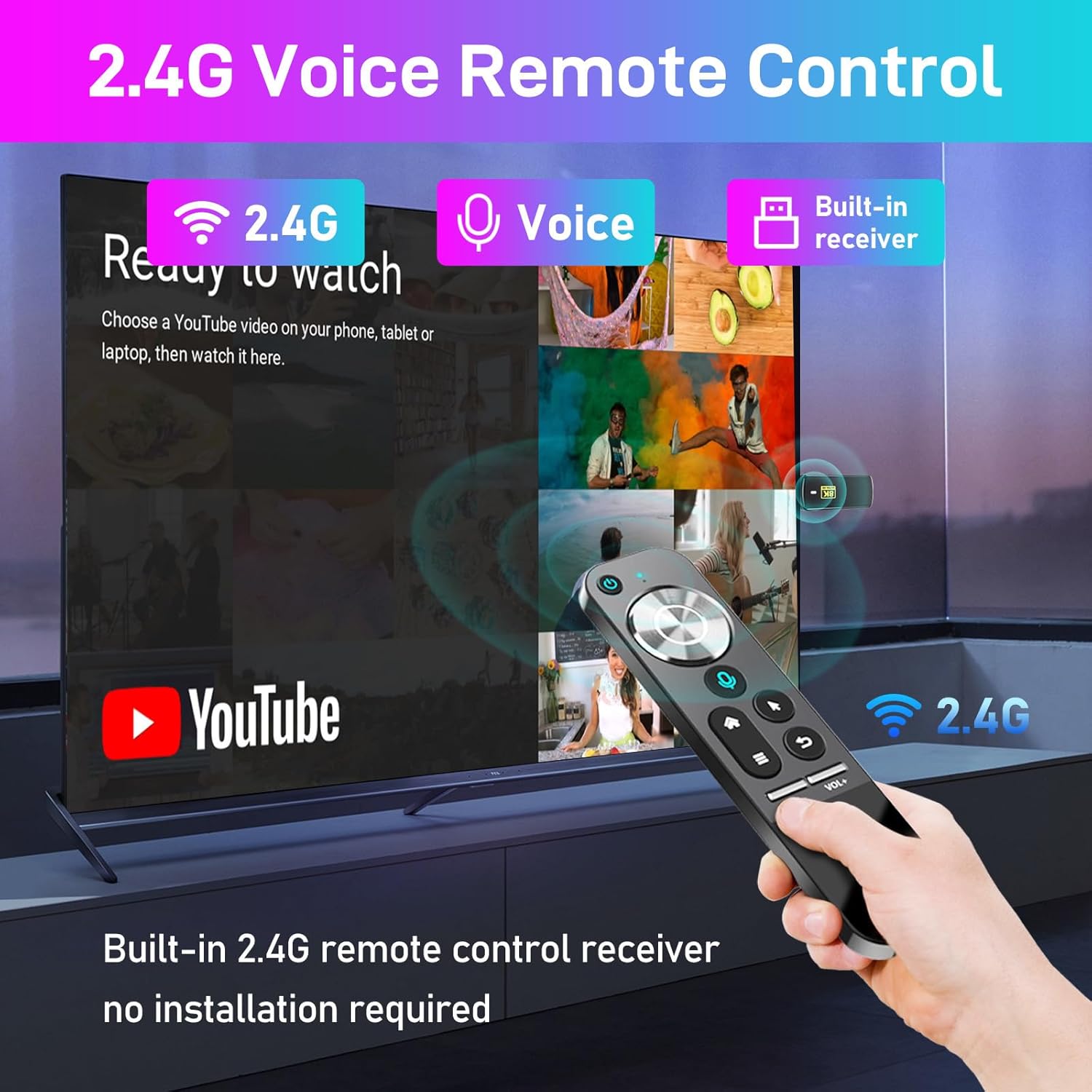
Image: A hand holding the 2.4G Voice Remote Control, pointing towards a television displaying a YouTube interface, highlighting its ease of use.
- Nút nguồn: Bật hoặc tắt thiết bị.
- Navigation Pad (OK button in center): Sử dụng để điều hướng menu và chọn các mục.
- Nút thoại: Kích hoạt lệnh thoại để tìm kiếm và điều khiển.
- Nút Home: Trở lại màn hình chính của Android.
- Nút Quay lại: Trở lại màn hình hoặc menu trước đó.
- Nút Menu: Truy cập vào menu theo ngữ cảnh.
- Volume Buttons (VOL-, VOL+): Điều chỉnh âm lượng.
Customizing UI Buttons
You can customize the application shortcuts on your home screen:
- To add an app, click "OK" on an empty slot and select the desired app logo.
- To remove or replace an app, press and hold "OK" on an existing app logo.

Image: Screenshots demonstrating the UI button customization process, showing how to add and remove application shortcuts on the home screen.
Tương tác đa màn hình
The device supports various multi-screen interaction protocols:
- phát sóng: For mirroring content from Apple devices.
- DLNA: For sharing media across compatible devices on your network.
- WiFiDisplay: For wireless display mirroring.

Image: An illustration of multi-screen interaction, showing icons for Airplay, DLNA, and WiFiDisplay, with a smartphone mirroring its content to a large TV screen via the TV Box.
Các tình huống ứng dụng
The H96MAX M3 is versatile for various uses:
- Chia sẻ âm nhạc: Stream music to your home audio system.
- Chơi trò chơi: Enjoy Android games on your TV.
- Cuộc họp: Utilize for presentations or video conferencing.
- Watch Movies: Truy cập vào thư viện phim và chương trình truyền hình khổng lồ.

Image: A collage depicting various application scenarios: music sharing, playing games, conducting meetings, and watching movies, demonstrating the device's versatility.
Bảo trì và chăm sóc
- Hãy bảo quản thiết bị ở nơi khô ráo, thoáng mát, tránh ánh nắng trực tiếp và nguồn nhiệt.
- Avoid exposing the device to water or excessive humidity.
- Lau sạch thiết bị bằng vải mềm, khô. Không sử dụng chất tẩy rửa dạng lỏng hoặc bình xịt.
- Không tự ý mở hoặc sửa chữa thiết bị, vì điều này sẽ làm mất hiệu lực bảo hành.
- Unplug the device from the power outlet when not in use for extended periods.
Xử lý sự cố
| Vấn đề | Nguyên nhân có thể | Giải pháp |
|---|---|---|
| Không có nguồn/Thiết bị không bật | Power adapter not connected properly; faulty power outlet. | Hãy đảm bảo bộ chuyển đổi nguồn được kết nối chắc chắn. Thử cắm vào ổ cắm điện khác. |
| Không có tín hiệu trên màn hình TV | Incorrect HDMI input selected; loose HDMI connection. | Verify TV input source matches the HDMI port used. Reconnect HDMI cable. |
| Sự cố kết nối Wi-Fi | Incorrect Wi-Fi password; router too far; interference. | Double-check Wi-Fi password. Move device closer to router. Restart router and TV Box. |
| Điều khiển từ xa không phản hồi | Low battery; obstruction; device not paired. | Replace remote batteries. Ensure no obstructions between remote and device. Re-pair remote if necessary (refer to device settings). |
| Ứng dụng bị sập hoặc đóng băng | Insufficient memory; app bug; outdated app version. | Close background apps. Clear app cache/data. Update the app from the store. Restart the device. |
Thông số kỹ thuật
| Tính năng | Chi tiết |
|---|---|
| Hệ điều hành | Android 13.0 |
| Bộ vi xử lý | Lõi tứ ARM Cortex-A53 |
| Bộ xử lý đồ họa | Mali-450 |
| Bộ nhớ (RAM) | 2GB |
| Flash Memory (Storage) | 16GB |
| Wi-Fi | Wireless LAN 802.11a/b/g/n/ax (Wi-Fi 6) |
| Bluetooth | BT5.0 |
| Đầu ra video | 1 * HD (4K * 2K ultra high definition output, supports 8K video decoding) |
| Cổng USB | 1 * USB 2.0 |
| Đầu vào nguồn điện | 1 * DC (5V/2A) |
| Infrared Extension Cable | Được hỗ trợ |
| Định dạng âm thanh | MP3, AAC, WMA, RM, FLAC |
| Định dạng hình ảnh | HD JPEG, BMP, GIF, PNG, TIF |
| Kích thước sản phẩm | About 98.7 * 37 * 13.2mm (3.89 * 1.46 * 0.52 inches) |
| Trọng lượng sản phẩm | 40g |

Image: An illustration highlighting the Wi-Fi 6 capability of the device, indicating 55% faster speeds for networking compared to previous generations.

Image: A vibrant image of a parrot, demonstrating the crisp detail and high resolution supported by the 8K video decoding capability of the device.
Bảo hành và Hỗ trợ
Please refer to the product packaging or the seller's information for specific warranty details. Typically, electronic devices come with a limited manufacturer's warranty covering defects in materials and workmanship.
For technical support or further assistance, please contact the seller or manufacturer through the platform where the product was purchased. Ensure you have your purchase details and product model number (H96MAX M3) ready when contacting support.
Ask a question about this manual
Ask about setup, troubleshooting, compatibility, parts, safety, or missing instructions. Manuals+ will review the question and use this page’s manual context to help answer it.