
Giới thiệu
The Polaroid Go Instant Camera Generation 2 is designed for capturing real-life moments with ease. This compact instant camera has been upgraded with a large aperture range, precise light sensor, and optimized exposure settings to enhance your photographs. Despite its small size, it includes features like a built-in selfie mirror, self-timer, and double-exposure modes. It is rechargeable via USB-C and exclusively compatible with Polaroid Go film.
Các tính năng chính:
- Thiết kế di động: As Polaroid’s smallest instant camera, the Polaroid Go is easy to carry and fits in most bags, pockets, and packs.
- Improved Image Quality: Features a large aperture range, precise light sensor, and on-point exposure settings for clearer, brighter pictures.
- Gương selfie tích hợp: The reflective viewfinder doubles as a selfie mirror for easy self-portraits.
- Chế độ sáng tạo: Includes double-exposure mode for artistic shots and a self-timer for perfect group photos or self-portraits.
- Pin sử dụng lâu dài: Shoots up to 15 film packs on a single USB-C charge.
Có gì trong hộp
- Polaroid Go Generation 2 Camera Body
- Cáp sạc USB-C
- Dây đeo cổ tay
- Hướng dẫn bắt đầu nhanh
- Safety & Compliance Leaflet
- Sticker Sheet (for customization)
Cài đặt
- Sạc máy ảnh: Connect the included USB-C cable to the camera's charging port and a power source. The battery indicator will show charging status. A full charge allows for approximately 15 film packs.
- Chèn phim:
- Open the film door by pressing the button on the side of the camera.
- Insert a fresh pack of Polaroid Go film, ensuring the darkslide is facing up.
- Close the film door. The darkslide will automatically eject.
- Đính kèm dây đeo cổ tay: Securely attach the wrist strap to the designated loop on the camera for added security during use.
Hướng dẫn sử dụng
Chụp ảnh:
- Bật nguồn: Press and hold the power button on the back of the camera until the film counter lights up.
- Đóng khung ảnh của bạn: Nhìn qua viewfinder to compose your image. For selfies, use the reflective surface next to the lens as a selfie mirror.
- Kiểm soát đèn flash: Press the flash button (small button next to the shutter) to toggle the flash on or off. The flash is recommended for indoor shots or low-light conditions.
- Chiếm lấy: Press the large red shutter button to take the picture. The photo will eject from the front of the camera.
- Phát triển, xây dựng: Place the ejected photo face down on a flat surface to protect it from light while it develops. Development typically takes 10-15 minutes.
Tính năng đặc biệt:
- Hẹn giờ tự động: Press and hold the flash button for 2 seconds to activate the self-timer. The LED will blink to indicate it's active. You have 9 seconds to get into position before the photo is taken.
- Phơi sáng kép: To take a double exposure, press the flash button twice quickly. The LED will blink. Take your first photo, then take your second photo. Both images will be combined onto a single film.

Image: The Polaroid Go Generation 2 camera ejecting a newly taken instant photo.

Image: A developed instant photo showing a couple kissing, demonstrating the camera's output.

Hình ảnh: Cận cảnh view of the Polaroid Go Generation 2 camera's lens, flash, and light sensor, highlighting its improved optics.

Image: A box of Polaroid Go Color Go Film, indicating the specific film type required for the camera.

Image: Three Polaroid Go cameras in white, black, and blue, hanging by their wrist straps, emphasizing their portable and wearable design.
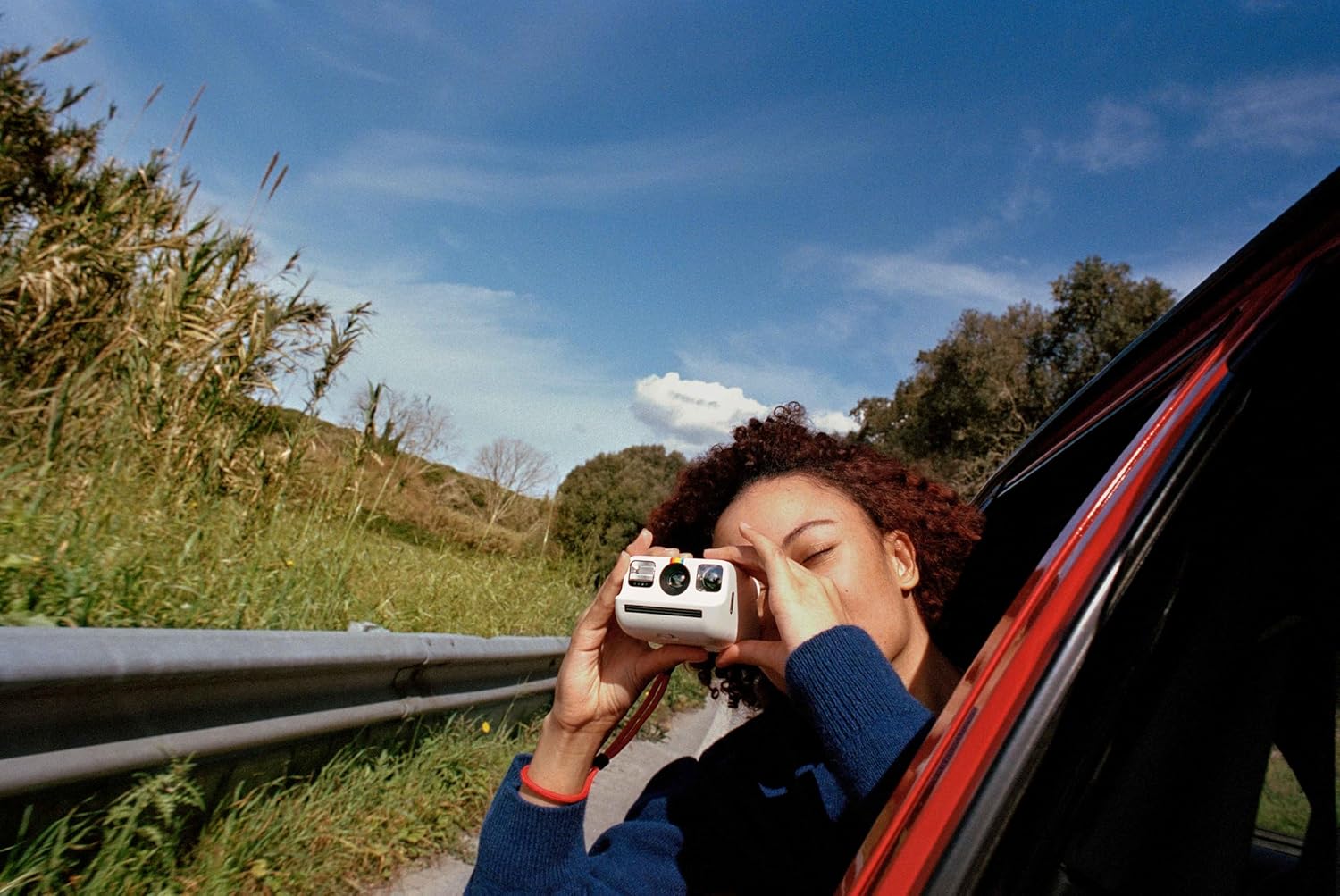
Image: A person holding the Polaroid Go camera and taking a photo from a car window, illustrating its ease of use for capturing moments on the go.
Video: Video giới thiệu sản phẩm chính thứcasing the Polaroid Go Generation 2 Instant Film Camera, highlighting its compact size, improved features, and the instant photo development process.
BẢO TRÌ
- Vệ sinh: Hãy dùng khăn mềm, khô để lau thân máy ảnh và ống kính. Tránh sử dụng các vật liệu mài mòn hoặc hóa chất mạnh.
- Kho: Bảo quản máy ảnh ở nơi khô ráo, thoáng mát, tránh ánh nắng trực tiếp và nhiệt độ cao.
- Xử lý phim: Always store film in its original packaging in a cool, dry place. Avoid exposing film to light before use.
Xử lý sự cố
- Ảnh bị mờ: Ensure you are holding the camera steady when taking a picture. Check lighting conditions and use the flash if necessary.
- Không đẩy được phim ra: Verify that the film pack is correctly inserted and that there is still film remaining (check the film counter). Ensure the battery is charged.
- Máy ảnh không bật: Charge the camera using the provided USB-C cable. If the issue persists, contact customer support.
Thông số kỹ thuật
| Tính năng | Chi tiết |
|---|---|
| Thương hiệu | Ảnh Polaroid |
| Tên mẫu | Polaroid Go Gen2 |
| Màu sắc | Trắng |
| Trọng lượng sản phẩm | 240 gam |
| Kích thước sản phẩm (L x W x H) | 4.13 x 3.3 x 2.42 inch |
| Loại định dạng phim | Instant (Polaroid Go Film) |
| Tính năng đặc biệt | Built-In Flash, Self-Timer, Double Exposure |
| Tốc độ màn trập tối đa | 1/300 - 1 Seconds |
| Kiểm soát phơi sáng | Tự động |
| Viewngười tìm kiếm | Màn hình LCD |
| Mức độ chống nước | Không chống nước |
Bảo hành & Hỗ trợ
The Polaroid Go Generation 2 Mini Instant Film Camera comes with a Bảo hành 1 năm from the manufacturer. For technical support, troubleshooting assistance, or warranty claims, please visit the official Polaroid support webtrang web hoặc liên hệ trực tiếp với bộ phận chăm sóc khách hàng của họ. Hãy giữ lại hóa đơn mua hàng để xác nhận bảo hành.